
How to Claim the 6GB of RAM Your Googlebook Just Got Back: A November 2026 Update Checklist
By Sarah Chen — MyTechDailyNews General desk
Want back the memory your Googlebook has been quietly holding in reserve? Open Settings, tap System, then Software update, then System update, and install build CL3B.260622.286.R2. The November 2026 release shrinks what on-device AI keeps parked in RAM, freeing about 3GB to 6GB on 16GB machines, and bundles roughly 30 fixes plus the November 1, 2026 security patch. Here is how to install it cleanly, prove the memory really came back, and handle what still misbehaves afterward.
What actually changed in the November 2026 update?
In one line: Google changed how the NPU (neural processing unit) driver gives memory back to the rest of the system.
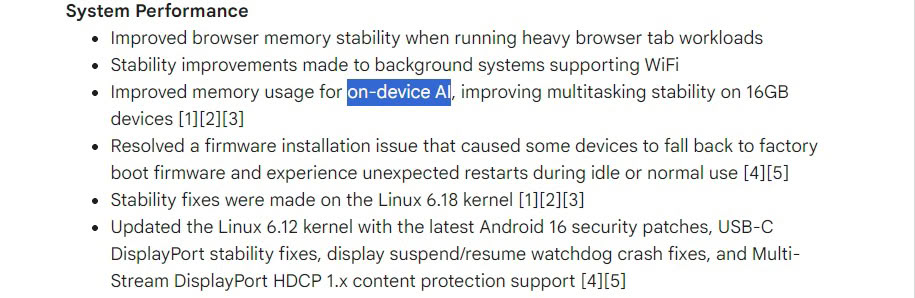
Before this release, local AI features could hold a large block of system resources for long stretches, even when you were not actively using them. With the updated memory management in the driver, that block is no longer permanently reserved — when an app such as the Chrome browser needs more room, the operating system can now reclaim that space dynamically. Google's own update post in the r/Googlebook community on Reddit describes the change as "Updated the NPU driver memory management freeing up to 3–6 GB of system RAM", and says the result is better multitasking. A useful analogy: a hotel had been blocking a handful of rooms all day for a tour group that rarely checked in; the new policy lets reception resell those rooms until the group actually arrives.
One honesty note that most coverage skips. The specific volume figure comes from Google's Reddit post; in its official help documentation, Google does not publish an exact released-memory number. So treat the range of about 3GB to 6GB as a best-case statement from the company rather than a guaranteed per-device result. Timing is also worth pinning down: the report first surfaced on November 6, 2026 via Android Authority, while 9to5Google dated the rollout to November 5, 2026 and quoted Google framing the release as "many bug fixes, stability improvements and firmware updates".
How do you install it without creating a new problem?
Short answer: let the download and the restart run to completion, because an interrupted update is itself one of the bugs this build repairs.
- Plug the machine in and keep it on a stable Wi-Fi connection; do not install on battery alone during a long download.
- Open Settings, choose System, then Software update, then System update to check manually instead of waiting for the notification.
- If the build lands, let it download and restart on its own. Do not close the lid mid-install — Google's fix list explicitly covers devices getting stuck in a boot loop when a system update is interrupted.
- After the reboot, confirm the build string reads CL3B.260622.286.R2 and that the security patch level shows November 1, 2026.
- Run one genuinely heavy session — lots of tabs, a call with effects, an AI feature — before deciding whether the machine feels different.
If nothing appears, that is expected rather than suspicious: this version is being pushed out in phases, and coverage reports such as SammyGuru's note that it "should reach all eligible models over the next few days" match how Google handles staged Googlebook rollouts. Wait 48 hours, check again once per day, and avoid workarounds like powerwashing or reflashing the device.
How do you confirm the freed memory is real?
Google ships two tools on these laptops, and both have official support pages, so you can measure instead of guessing.
| What to measure | How to measure it | What a good result looks like |
|---|---|---|
| Idle memory floor | Open the Task Manager app right after a fresh reboot; it graphs overall CPU and memory usage in real time, per Google's support documentation. | Baseline memory use sits lower than before the update, with more headroom before any app is opened. |
| Tab endurance | Load a realistic stack of Chrome browser tabs and watch the memory graph climb. | Fewer tab reloads and fewer crashes under pressure, which is the effect Google highlighted for this release. |
| Input hardware health | Use the Diagnostics app, which checks battery, CPU, memory, Wi-Fi, media and input devices, and can run a dedicated memory test and keyboard, trackpad or touchscreen tests. | The memory test passes cleanly, and the input tests come back normal — especially on convertible machines. |
| Meeting load | Start a Zoom call with background effects enabled, the exact scenario tied to a crash fix in this build. | The call stays up without the app closing unexpectedly. |
| External display video | Play a DRM-protected stream on an attached monitor. | No black screen on the external display. |
If you want the deeper procedure, Google's own pages on using the Task Manager app and using Diagnostics on a Googlebook are the right references, and they are the same tools to open before you blame the update for a separate hardware fault.
Who benefits most, and who will barely notice?
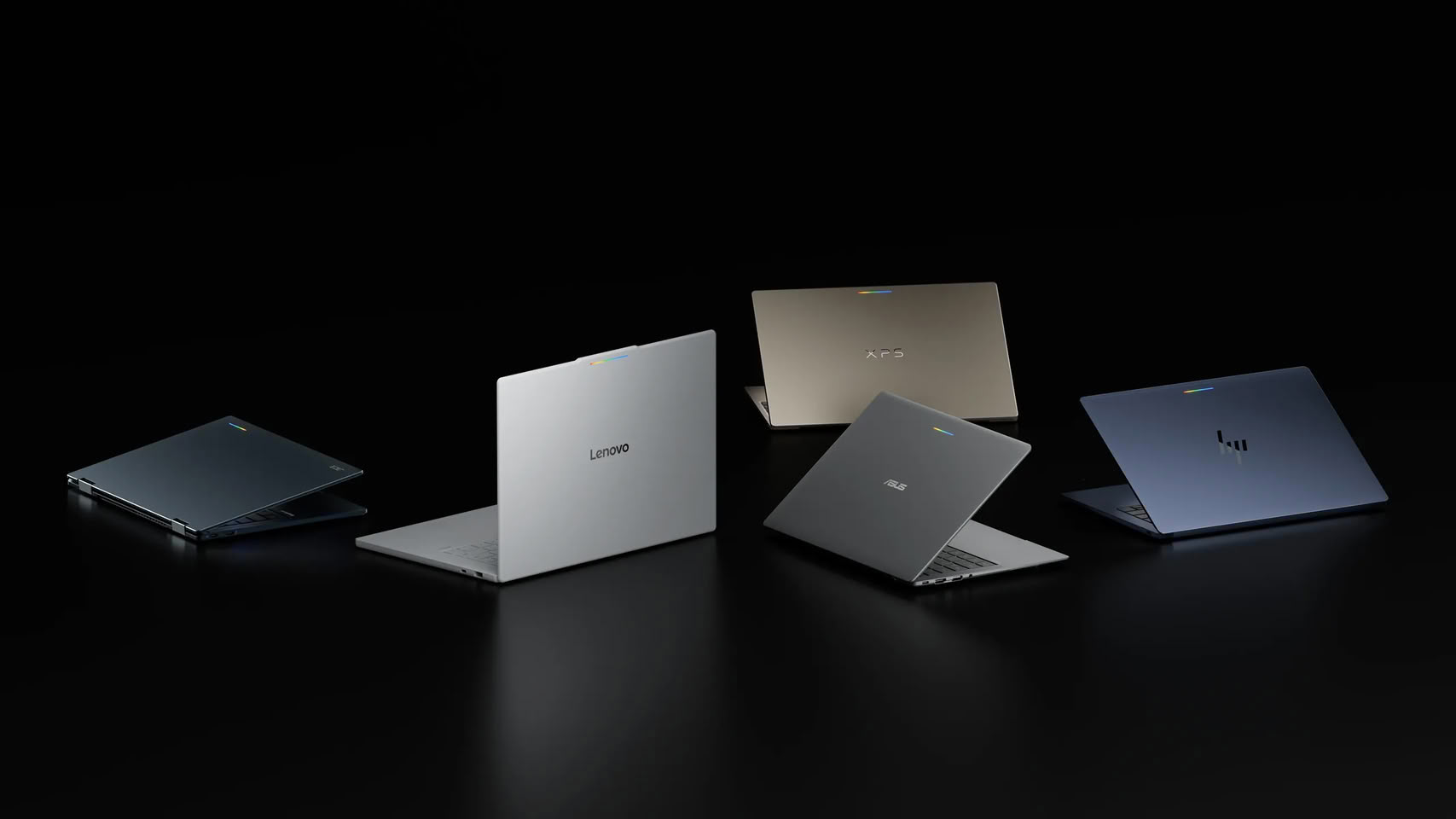
The AI memory optimization lands on the machines Google called out: Acer Googlebook 14, the ASUS Googlebook 14 and the Lenovo Googlebook 15. All three carry 16GB of memory.
- Heavy multitaskers on those three models: the biggest win. At the top of Google's range, 6GB freed equals more than a third of the total system memory, which is exactly the buffer that decides whether a big tab stack thrashes or flows.
- People who run local AI features daily: the change targets the reserve those features hold, so the improvement should be most visible here.
- Convertible and dock users: many of the roughly 30 fixes are practical rather than dramatic — keyboard and trackpad responsiveness, external-display video, USB microphones, Bluetooth audio lag.
- Owners outside that model list: you still get stability and security work, but the headline memory gain may not apply. Several firmware, display and audio corrections are model-specific, so identical update content across every Googlebook is not a safe assumption.
It is also worth keeping the fix in perspective. Gizmodo's take on the release called it the platform's "first major bandaid", arguing that the size of the recovered reserve says as much about how much memory on-device AI was consuming out of the box as it does about the improvement itself. That is analysis, not a Google claim, but it is the right frame for anyone expecting a driver update to change raw compute performance. If your main machine is a Windows laptop rather than a Googlebook, memory-saver patches are becoming a common theme this autumn; our guide to making Microsoft's latest Windows 11 update work on an 8GB RAM PC covers the same "free up headroom first" logic there.
What is in the rest of the roughly 30 fixes?
Beyond memory, build CL3B.260622.286.R2 is a cleanup release grouped by the annoyances it removes:
- Input: sporadic unresponsiveness of keyboards and trackpads on two-in-one devices.
- Display and video: black screens when playing DRM-protected video on an external monitor, and less stable 60fps HDR playback.
- Audio and accessories: external USB microphones that would not work, plus reduced audio latency over Bluetooth headphones.
- Meetings: crashes when using several Zoom background effects at once.
- Recovery: devices caught in a boot loop after a system update was interrupted.
- Bluetooth pointing devices: Bluetooth LE mice now reconnect reliably after a restart.
- Partner devices: HP and Dell machines receive a fix for Bluetooth audio lip-sync drift.
- Developer tooling: multiple stability improvements to the Linux terminal environment, which matters for developers and power users running Linux workloads alongside Android apps.
Which misconceptions should you ignore?
- "I now have 6GB more RAM." No. You have up to 6GB that the system can reclaim when needed; hardware capacity is unchanged.
- "The number is guaranteed for my machine." The figure of about 3GB to 6GB comes from Google's Reddit post, and Google's official help documentation carries no such specific number.
- "Missing the notification means my device is excluded." Rollout is staged; absence today is not exclusion.
- "This fixes all Chrome browser slowdowns." It addresses memory pressure, which is one cause of tab reloads and crashes — not extensions, not thermals, not a failing storage chip. The Diagnostics app exists precisely to separate those causes.
- "Every Googlebook gets every fix." Several firmware, display and audio items are model-specific.
FAQ: the questions readers ask before tapping install
Is this update safe to apply immediately?
Yes, for the great majority of users — it is a bug-fix and security release carrying the November 1, 2026 patch level, and the single most important precaution is simply not to interrupt the install. If your machine is mission-critical today, update after your workday, since one reboot is required.
My Googlebook is not one of the three models listed. Should I bother?
You should still install it for the stability and security work, but do not expect the same memory effect. Google's on-device AI memory optimization is described on the Acer Googlebook 14, ASUS Googlebook 14 and Lenovo Googlebook 15, each with 16GB of memory.
How long before the build reaches me?
Google is pushing it out gradually. Reporting from the week of November 6, 2026 indicates eligible models should be covered within days, so check Settings once daily for a few days instead of reinstalling anything.
Does it change battery life?
Google has not published battery-life claims for this build, so no verdict is available. If you suspect a drain after installing, run the battery and CPU sections of the Diagnostics app and compare against your own pre-update readings.
Should this change what Googlebook I buy next?
It sharpens one rule: buy memory first, because a driver update can only hand back what the hardware actually has. If you are eyeing a new form factor, our practical checklist before you bet on a detachable Googlebook covers what is confirmed and what is still rumor.
Your 10-minute action plan
- Check the build string now: Settings, System, Software update, System update.
- If you are on an Acer Googlebook 14, ASUS Googlebook 14 or Lenovo Googlebook 15 with 16GB RAM, screenshot the Task Manager memory graph before installing.
- Install with the charger connected, and keep the lid open until the restart finishes.
- Recheck the memory graph and repeat your usual workload; note whether tab reloads have decreased.
- If a peripheral misbehaves — mouse, headphones, microphone, external monitor — run the matching Diagnostics test before searching for a workaround.
- Keep the security patch date visible in your records, especially if the machine is used for work.
Sources this guide builds on
- Google's update announcement thread in the r/Googlebook community on Reddit (build CL3B.260622.286.R2 and the on-device AI memory wording): reddit.com
- Google Help, "Use the Task Manager app on your Googlebook": support.google.com
- Google Help, "Use Diagnostics to troubleshoot issues on your Googlebook": support.google.com
- 9to5Google on the rollout timing and Google's framing of the release: 9to5google.com
- Android Authority, the original report behind the November 6, 2026 coverage wave: androidauthority.com
- Gizmodo's analysis of the update as the platform's first major fix: gizmodo.com
- SammyGuru on how quickly eligible models should receive the build: sammyguru.com