
MyTechDailyNews General Guide: Make Microsoft's Latest Windows 11 Update Work on an 8GB RAM PC
Microsoft recently repositioned its latest Windows 11 update around a very ordinary type of machine: the 8GB laptop that still handles email, documents, streaming and several Edge browser tabs. The company's argument is not that buyers should ignore hardware limits, but that the OS can squeeze more usable memory from the hardware people already own. In its lab tests, 8GB systems could see response speed improve by up to 20%, while multitasking workloads improved by up to 40%.
What Microsoft changed, in plain terms
Over the past year, Microsoft has kept Windows 11 focused on one complaint: it can feel heavy on machines that were fine for Windows 10-era multitasking. Pavan Davuluri, who leads Windows work, said that in lab testing, 8GB machines showed system response gains of up to 20% and multitasking performance gains of up to 40%. Microsoft stressed that this comes from better memory use, not from raising hardware requirements.
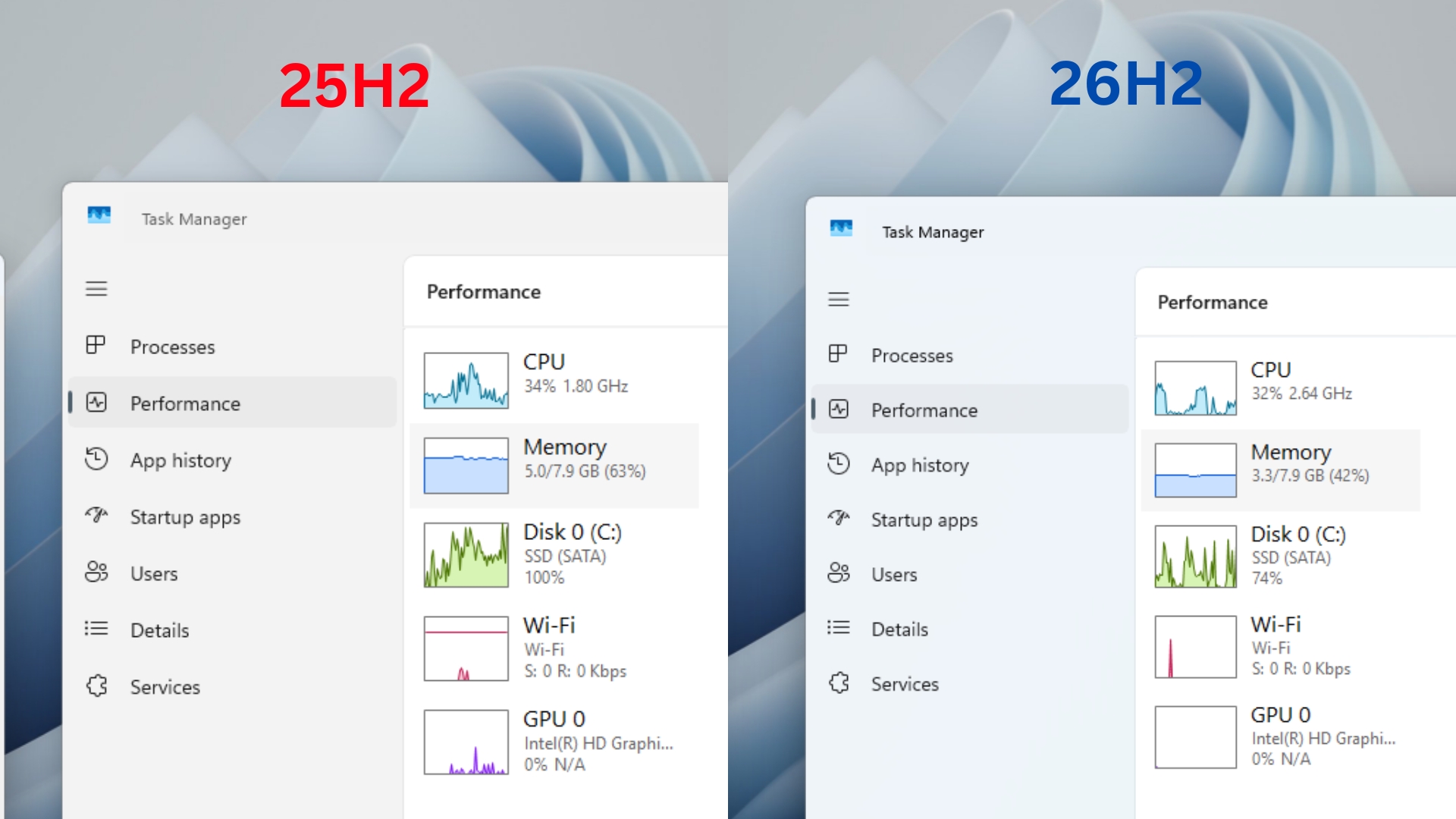
Windows has always moved some inactive data to slower storage when memory fills up, then brings it back when you return to the app or tab. That keeps the PC running, but the user experiences reloads, switching delays and brief stalls. The new update changes how aggressively Windows 11 keeps compressed, still-usable data in RAM. After the change, the system can hold about 2GB of active data in memory that previously might have spilled to storage.
The practical payoff: fewer reloads
The payoff is not a single benchmark number; it is less friction in normal work. An application or browser tab that has been sitting in the background is more likely to remain available when you switch back to it, especially if you are running multiple programs at once. That matters most on 8GB PCs, where the margin between comfortable multitasking and memory pressure is thin.
Microsoft's own high-pressure scenario used one 8GB device with 20 Edge browser tabs, a 4K video, large Word, Excel and PowerPoint documents, Outlook and File Explorer running together. Compared with earlier versions of Windows 11 this year, the updated build handled that workload noticeably faster in lab conditions.
Windows 11, Edge browser and Microsoft 365: where the savings come from
The update is broader than the base OS. Microsoft says that Windows, Edge browser and Microsoft 365 component changes together can reduce memory pressure by up to about 900MB on targeted 8GB setups. Within that bundle, Word, Excel, PowerPoint and Outlook — four Microsoft 365 apps — can release about 360MB in total. Widgets are another clear example: on 8GB Windows 11 computers, the panel is no longer preloaded by default; it loads when opened, saving about 200MB.
Edge browser changes are aimed at the habits that consume RAM silently. Tabs that remain unused for a long time can enter a sleep state after 15 minutes, lowering background demand. Microsoft's Edge support guidance describes sleeping tabs as a way to free CPU and system memory for active tabs while keeping the page available to resume without a full reload. In other words, the update tries to stop background clutter from pushing the apps you are actually using out of RAM.
Quick table: reported change and what users may notice
| Component | Reported change | Likely everyday effect |
|---|---|---|
| Windows 11 memory compression | Holds about 2GB more active data in RAM | Fewer reloads when switching between apps |
| Edge browser and Microsoft 365 | Up to about 900MB combined memory reduction | Less background pressure during mixed workloads |
| Word, Excel, PowerPoint, Outlook | Four apps can free about 360MB | Smoother document switching for office users |
| Widgets | About 200MB saved on 8GB PCs | Background panel stops preloading unless needed |
| Edge tabs | Inactive tabs can sleep after 15 minutes | Open tabs cost less while you are not using them |
This practical framing mirrors Microsoft's official Windows Experience Blog entry on blogs.windows.com, “Raising the bar for 8 GB Windows 11 PCs,” which positions the update as a combined OS, Edge browser and Microsoft 365 memory-efficiency effort.
Checklist: how to confirm the update is helping your 8GB PC
- Install the latest Windows 11 update. Microsoft Support guidance on support.microsoft.com recommends checking Windows Update before troubleshooting slow behavior.
- Restart after updating, especially if Edge browser, Word, Excel, PowerPoint or Outlook were left running.
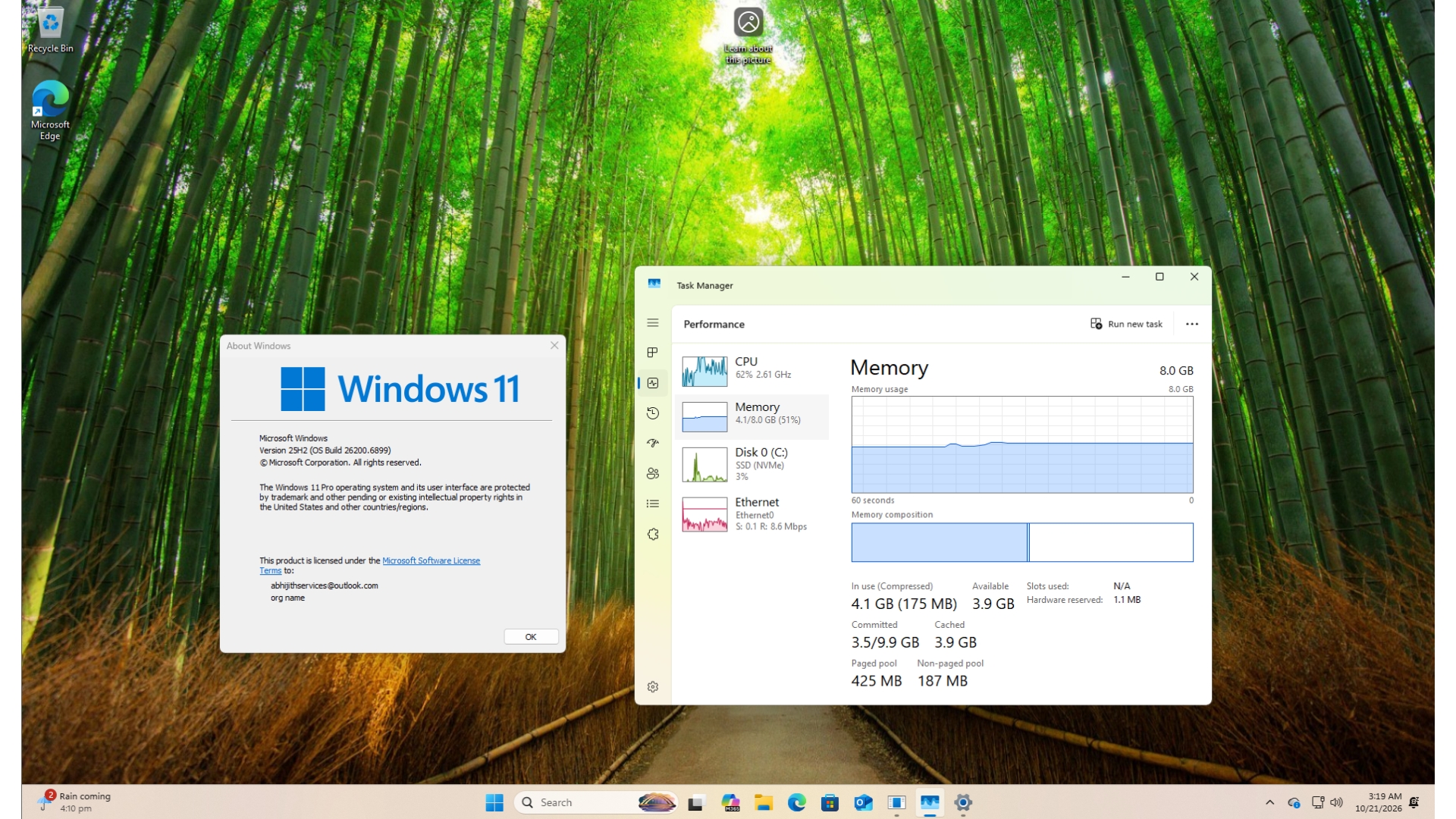
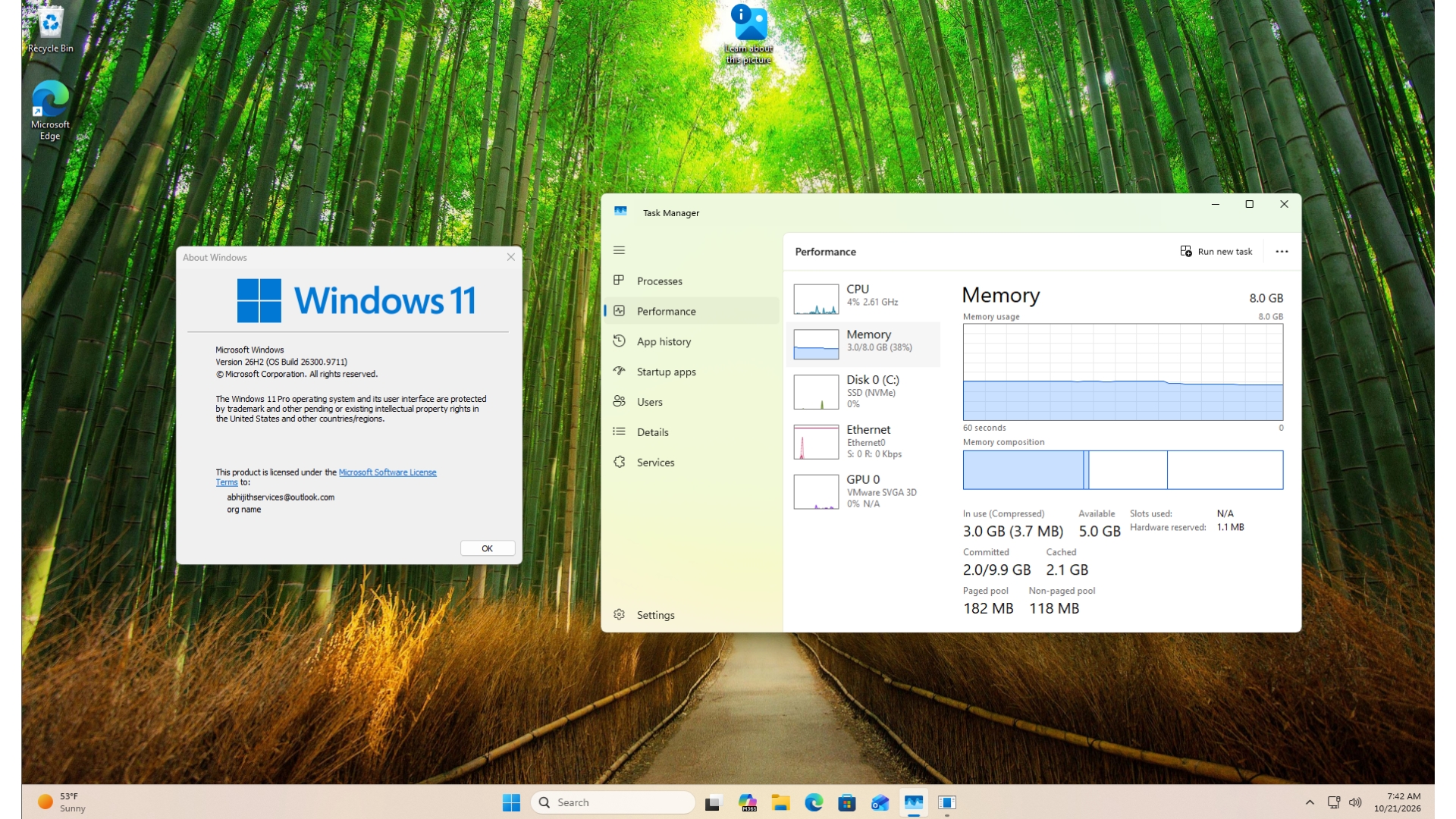
- Open Task Manager and inspect Performance > Memory. This helps separate a true memory bottleneck from a CPU, disk or app-specific issue.
- Check Edge browser settings for sleeping tabs. If your workflow depends on live pages, audio calls or tabs you need instantly, tune the sleep behavior instead of turning every memory feature off.
- Watch how the PC handles a mixed workload: a few documents, video, Outlook and multiple browser tabs. The improvement is most visible during context switching, not when only one simple app is open.
Common misconceptions to avoid
- “Memory compression adds more RAM.” It does not. It keeps inactive or partly inactive data in a tighter form inside RAM, reducing the need to move it to slower storage.
- “A sleeping Edge tab is discarded.” Microsoft's Edge support pages describe sleeping tabs as suspended pages that can resume quickly; they are not the same as pages that must reload completely.
- “The update turns every 8GB PC into a 16GB PC.” The company is improving efficiency, not changing physics. Your experience still depends on CPU, disk speed, installed apps and how many memory-heavy tabs or AI features you keep active.
- “If I do not feel a 40% difference, the update failed.” The 20% and 40% figures are lab-test ceilings. Real-world gains vary by hardware, app mix and whether earlier versions of Windows 11 this year were already limiting your particular workload.
What to do next, depending on your PC
- If you are on an 8GB Windows 11 machine: update now, restart, then use your normal workload for a day before judging the change. If apps remain sluggish, check startup items and Edge browser tabs first.
- If you are still on Windows 10: Microsoft Support states that Windows 10 support ended on October 14, 2025. If your hardware is Windows 11-capable, the memory-efficiency update is a practical reason to evaluate migration rather than replacing a working PC immediately.
- If you are shopping for a laptop: Microsoft's Windows 11 requirements list 4GB RAM as the minimum, but 8GB remains the practical middle ground. Buyers with heavier AI, browser or multitasking habits may still want more memory, while lighter users can benefit more from this optimization direction.
- If you manage fleet devices: test the update on representative 8GB hardware before broad deployment, because Widgets loading, Edge sleep behavior and Microsoft 365 usage can differ across managed environments.
FAQ
Do I need to buy more RAM?
Not necessarily. Microsoft says the current work is aimed at better memory use on existing hardware. That said, if Task Manager shows memory constantly near its limit even after updating, and your workflow includes heavy video, browser and AI features, additional RAM can still help.
Will Edge browser slow me down if tabs sleep?
Sleeping tabs reduce background CPU and memory use. For pages that must stay live, such as audio, video calls or active work, browser settings let you tune which sites or tabs should not sleep. The key is to match the setting to your work style, not to treat every tab as disposable.
Does Widgets removal save 200MB for everyone?
The reported about 200MB saving is specific to 8GB Windows 11 PCs, where Widgets no longer preload by default. If you open the panel often, you still load it, but only when needed.
Why is Microsoft focusing on 8GB machines?
Because 8GB devices are common, and AI features plus cloud-heavy web apps raise baseline demand. Windows 10 end of support also pushes users onto Windows 11 with the hardware they already have. The update is an effort to keep that installed base usable while Microsoft continues memory-compression work in future months.
Final action: treat this as maintenance, not a hardware rescue
The most useful takeaway is that Microsoft's latest Windows 11 work targets an unglamorous problem: the moment when a PC is not broken, just crowded. For 8GB machines, the difference between comfort and constant app reloads can be as small as a few hundred megabytes. Updating Windows, managing Edge browser tabs, letting Microsoft 365, Widgets and File Explorer share memory more sensibly, and then measuring your own workflow is a better first step than assuming the laptop has reached the end of its life.