
Googlebook November Update Guide: Reclaim the 3GB to 6GB AI Memory, Verify Every Fix, and Dodge the Known Traps
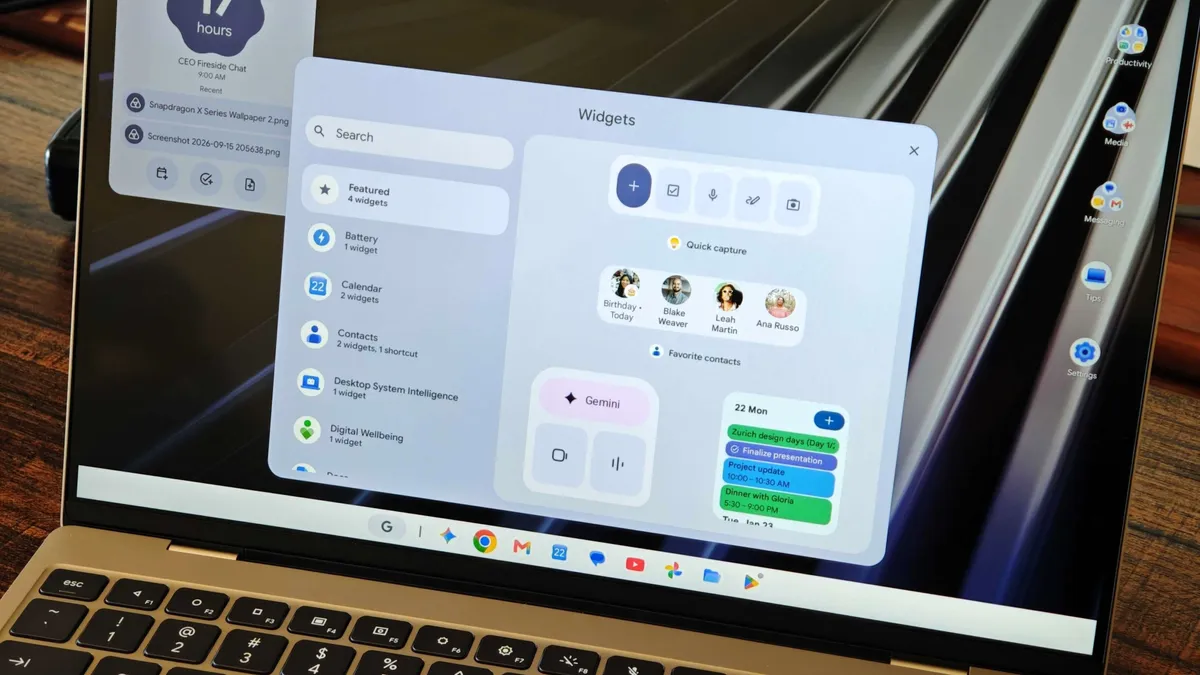
Google's November 2026 Googlebook release, build CL3B.260622.286.R2, changes one thing that you feel immediately: it reworks how AICore uses memory, freeing about 3GB to 6GB on the 16GB models, or up to one third of system RAM. The same package repairs Chrome tab crashes, Zoom background failures, 2-in-1 keyboard dropouts and Netflix black screens. Confirm the build label, reboot so the new NPU driver actually loads, then run the test list below instead of guessing.
What changed under the hood, and why it shows up in ordinary use
The headline item is memory headroom, not a new feature. Google updated the NPU drivers and improved AICore's memory management, which is what releases the roughly 3GB to 6GB of usable RAM; Chrome also benefits from a redesigned resource-reclaim path for the moment background AI services and browser processes compete for the same pool, which cuts accidental tab reloads and browser crashes.
It helps to know what AICore is, because that explains the size of the prize. Google's own documentation describes AICore as the on-device system service that sits between apps and local generative models, handling model management, scheduling and inference directly on device hardware rather than in the cloud. A service like that normally stays resident so a request can be answered instantly, and resident memory is memory your browser cannot use. This update does not remove the AI layer or switch anything to a server; it changes how much of your RAM the layer is allowed to park.
Why the released capacity shows up unevenly: browser tabs are the variable that decides whether the change is visible. A June 2026 benchmark of Chrome 149 published by Supercharge Browser measured a single idle tab at about 80 MB, web-app tabs such as Google Docs at 150 to 250 MB, and video tabs at 300 MB and above. Read as an estimate rather than a Googlebook-specific measurement, that puts the low end of the reclaimed range at a dozen-plus extra tabs before the system starts paging and discarding. Users who keep five tabs open will notice little; users who keep fifty will.
Step by step: confirming the memory actually came back
- Verify the build label first. Open the software-update screen on your Googlebook and compare it with CL3B.260622.286.R2. A missing build does not mean the device was skipped forever; this release is going out in stages across Acer, ASUS, Lenovo, HP and Dell hardware.
- Do a full reboot, not a lid close. A refreshed NPU driver and kernel is only fully live after the machine restarts, which is also when the Ti50 security chip firmware takes effect. Judging smoothness before the reboot is the most common way people under-rate this update.
- Record a before-and-after baseline. With the same app set running, note available memory in the system monitor before installing and after rebooting. Anything close to the 3GB to 6GB band on a 16GB machine is the expected shape of the improvement.
- Stress the three contention points at once. Run dozens of Chrome tabs, join a Zoom call with virtual backgrounds, filters, blur or 3D avatars switched on, and put a Netflix title on an external monitor. That combination touches every stability fix in this build in one pass.
- Check the developer surface if you use it. Resume from sleep and confirm the Linux Terminal session survived, test an SSH port forward, then close a terminal tab and watch memory. Google also fixed a memory leak on tab close and made the Linux VM upgrade keep user files and custom SSH configuration.
- Write down what is still broken. A few owners report Chrome spell-check problems and notification sync failing after wake from sleep. Note the build label and the exact trigger before filing feedback, because both symptoms may sit on a later patch rather than on this one.
Fix map: what was failing, what to test, and who should care
The items below are the ones the release calls out explicitly; coverage of this build puts the complete changelog at roughly 30 fixes and improvements, most of them small.
| Area | What was broken | What to test after the reboot | Who it matters to |
|---|---|---|---|
| 2-in-1 convertible hardware | Keyboard and trackpad lost response when flipping between tablet and laptop modes | Switch modes three or four times, then type and drag the pointer | Students, field staff, anyone presenting in tent mode |
| Zoom | Client crashed with virtual backgrounds, filters, blur and 3D avatar effects | Start a test meeting with the heaviest effect enabled | Remote workers, recruiters, instructors |
| External displays | Black screen while playing DRM-protected streams such as Netflix | Play a protected title on the external panel, then connect and disconnect the display mid-playback | Home-theatre and dual-screen users |
| Audio and Bluetooth | USB microphones and multi-channel audio interfaces flaky; Bluetooth earbuds ran ahead of video; wireless mice dropped on reconnect | Record on a USB mic, watch a clip with earbuds, sleep and wake with a Bluetooth mouse attached | Podcasters, hybrid-meeting hosts |
| Chrome | Tab reloads and browser crashes when AI services and pages fought over memory | Reproduce the old workload and count reloads | Tab-heavy researchers and traders |
| Linux Terminal (beta) | Sessions unstable after sleep, unreliable SSH port forwarding, weak multi-window handling, leak on tab close | Sleep, wake, reconnect an SSH tunnel, close several tabs | Developers and IT support |
| Security and platform | Pre-November patch exposure, older kernel, firmware bugs | Confirm the November 1, 2026 Android security patch level is reported | Fleet admins and compliance owners |
What the security layer really buys you
Google shipped the Android security patch dated November 1, 2026, closing about 60 vulnerabilities, and moved the platform onto the Linux 6.18 kernel plus an updated Ti50 security chip firmware. Those three items address a different class of risk from the memory work, and they also explain the physical symptoms owners had complained about: unexpected reboots, boot loops and fan noise that had no obvious software cause.
Two details deserve a careful read. First, Google's Android Open Source Project documentation describes monthly bulletins that can carry more than one security patch level, and a device only claims coverage for the level it actually installs, so "patched" is a date, not a guarantee against everything reported later. Second, 6.18 was designated the long-term-support Linux kernel with upstream maintenance planned through December 2027 according to The New Stack, which gives the Googlebook's Linux layer a longer safety runway than a rolling mainline version would. For anyone running the Linux Terminal in a work build, that is the practical argument for adopting this update early instead of waiting for a future bundle.
Who benefits most, and who can safely wait a cycle
- Tab-heavy knowledge workers on 16GB machines: the biggest gain, since the reclaimed 3GB to 6GB goes straight to the browser, and a tab bar full to overflowing is the daily bottleneck — the browser-side half of that problem is covered in our walkthrough of horizontal tab scrolling in Google Chrome Canary.
- People who run Zoom with effects switched on: crash-on-background is a meeting-killing bug, and Zoom's own support article for virtual backgrounds sets a GPU baseline that tight systems already sit close to, so the memory relief and the crash fix help from different directions.
- Developers using Linux Terminal: stable resume from sleep, dependable SSH port forwarding and preserved custom SSH configuration across VM upgrades turn a testing curiosity into something usable for real work.
- IT teams running mixed Acer, ASUS, Lenovo, HP and Dell estates: one patch level to audit and a firmware fix list for restart and boot-loop tickets.
- Light users who can count their open tabs on one hand: honest answer, little visible difference beyond the security and firmware items, so a scheduled install is fine as long as it lands before the next review window.
Rollout reality: why the machine next to yours moved first
The build reaches Googlebook devices in phases across Acer, ASUS, Lenovo, HP and Dell hardware, which is normal for a young platform. Google's own admin documentation on staged rollouts states that only a percentage of devices receive an update at the start, that devices are picked at random as the percentage grows, and that a full OS update lands roughly every four weeks with smaller security updates every two to three weeks. An absent build today therefore predicts a build in the next few days, not a permanent exclusion.
Owners already running CL3B.260622.286.R2 report smoother general responsiveness and better stability, while a minority still hit Chrome spell-check errors and notification sync that fails after waking from sleep. Early reports on a rollout are directional, not a verdict; before treating the update as fully validated, read our argument for treating crash logs as the new AI PC spec sheet and collect a week of your own logs.
Common pitfalls that make a good update look bad
- Evaluating memory gains before a reboot. The NPU driver path only fully applies after restart, so an idle-uptime comparison understates the 3GB to 6GB range.
- Assuming the Netflix fix ends all black screens. DRM playback depends on the whole protected chain. Dell's support knowledge base, for example, documents HDCP being interrupted when a second monitor is connected while Netflix is playing on Latitude laptops, which is a cable, dock or display handshake problem rather than an operating-system bug. If the black screen survives the update, retest with a direct cable and no hub before you file it.
- Blaming the build for every Zoom failure. Background effects have published GPU requirements; a machine that never met them will still fail, and the fix here covers the crash, not the baseline.
- Skipping a backup before the Linux VM upgrade. The update is supposed to preserve user files and custom SSH configuration, but "preserved across upgrade" is a behaviour worth verifying with a copy of your config, especially anything holding keys.
- Waiting on the over-the-air push for a managed fleet without telling anyone. Randomised staged rollout plus a security patch closing about 60 vulnerabilities is exactly the case where admins should document which devices are still behind.
- Forcing unofficial images onto a device. Nothing in this release is urgent enough to justify side-loading, and it destroys the patch-level evidence trail your security record depends on.
FAQ: the questions Googlebook owners actually ask
Does the update physically add RAM to my laptop?
No. The hardware is unchanged. Google's NPU driver and AICore memory-management improvements stop background AI services from holding so much of the pool, which releases about 3GB to 6GB on 16GB models — up to one third of installed memory that was previously reserved rather than newly installed.
My device still has not received the build. Is something wrong with it?
Most likely not. The staged rollout across Acer, ASUS, Lenovo, HP and Dell devices reaches a fraction of machines first. Confirm the build label CL3B.260622.286.R2 after a restart and check again over the following days.
Will I lose my SSH setup or terminal files?
The update explicitly improves the Linux VM upgrade flow so user files and custom SSH configuration survive, and it stabilises resume from sleep and SSH port forwarding inside the Linux Terminal beta. Copy your config beforehand anyway.
Does the AI memory change mean my prompts now go to a server?
Nothing in the release notes suggests a change in where inference happens. Google documents AICore as an on-device service that runs generative features against local hardware, and this build is about how much memory that local service holds, not about moving work off the machine.
Is the reclaimed memory permanent, or will it get eaten again?
Treat it as headroom, not a fixed allocation: freed capacity returns to whichever workload asks for it. Start running heavier on-device tasks, or simply open another thirty tabs, and the ceiling moves again. That reading is analysis based on how the release describes AICore scheduling, not a Google commitment.
Action list before your next reboot window
- Home users: install, restart once, then run the Chrome plus Zoom plus external-display test in a single sitting.
- Developers: after installing, verify the Linux Terminal survives sleep, SSH port forwarding works and your custom configuration is intact; close several tabs and watch memory to confirm the leak fix holds.
- IT support: log which devices are on CL3B.260622.286.R2, note the November 1, 2026 Android patch level, and keep Chrome spell check and post-wake notification sync on the watch list for the next release.
- Fleet owners: decide whether the roughly 60 fixed vulnerabilities justify prioritising stragglers, since staged-rollout timing is outside your control.
Sources referenced
- Google, "About Android AICore" and the Gemini Nano developer page on AICore as the on-device model service (support.google.com, developer.android.com).
- Android Open Source Project security bulletin documentation on monthly bulletins and security patch levels (source.android.com).
- Google admin help on managing Chrome device updates and staged rollout percentages (support.google.com).
- Zoom support article KB0060007, virtual background system requirements (support.zoom.com).
- Dell support knowledge base article 000210879 on Netflix playback interruption and HDCP when a second monitor is connected (dell.com).
- Supercharge Browser, "Chrome RAM Per Tab in 2026? We Measured (Real Data)", June 2026 (superchargebrowser.com).
- The New Stack on Linux 6.18 as the new LTS kernel with planned upstream support to December 2027 (thenewstack.io).
- Googlebook November 2026 release details, build CL3B.260622.286.R2, as reported in this site's coverage and in mainstream technology press.