
MyTechDailyNews Software: iOS 27.2 Restrict Motion Data for China Apple ID Users
MyTechDailyNews Software notes that Apple pushed iOS 27.2 in the early hours of today. User testing described in the source indicates the update keeps the Restrict Motion Data entry previously seen in beta for accounts in the China region, letting users cut off app access to motion signals and reduce shake-to-redirect ad paths.
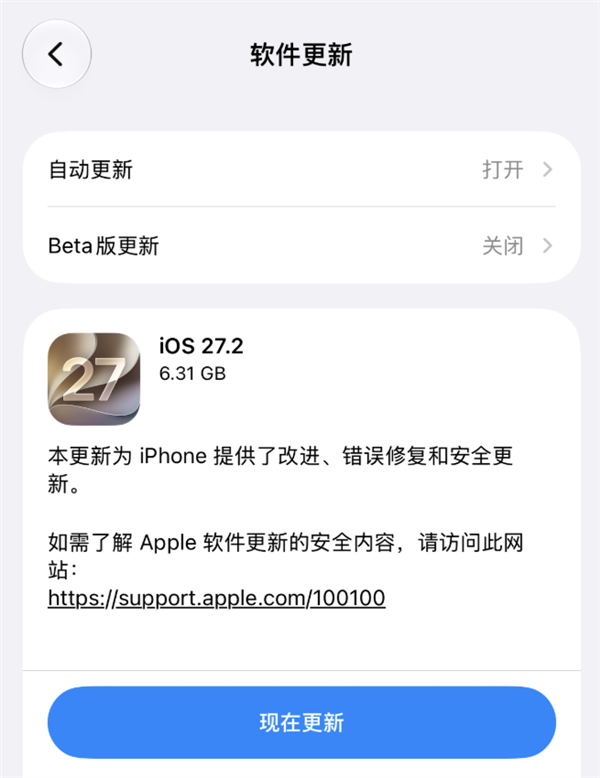
Key changes in this software update
- Release status: iOS 27.2 is now available through Apple's push.
- Retained beta feature: the Restrict Motion Data switch remains in place after testing.
- User control: apps can be added to a restriction list so they cannot access motion data.
- Ad path effect: loss of accelerometer and gyroscope signals blocks motion-based jump decisions.
- Account condition: the entry follows the Apple ID China region setting rather than the device alone.
- Policy alignment: Motion & Fitness APIs remain constrained to health, exercise, and fitness services, not advertising.
Data citation: the conclusions above come from multi-user real-world testing and the source article's account of beta-to-release behavior.
Settings path and step-by-step tutorial
- Open Settings on the device running iOS 27.2.
- Go to Privacy & Security.
- Select Motion & Fitness.
- Open Restrict Motion Data.
- Use Edit to add specific apps to the restricted list.
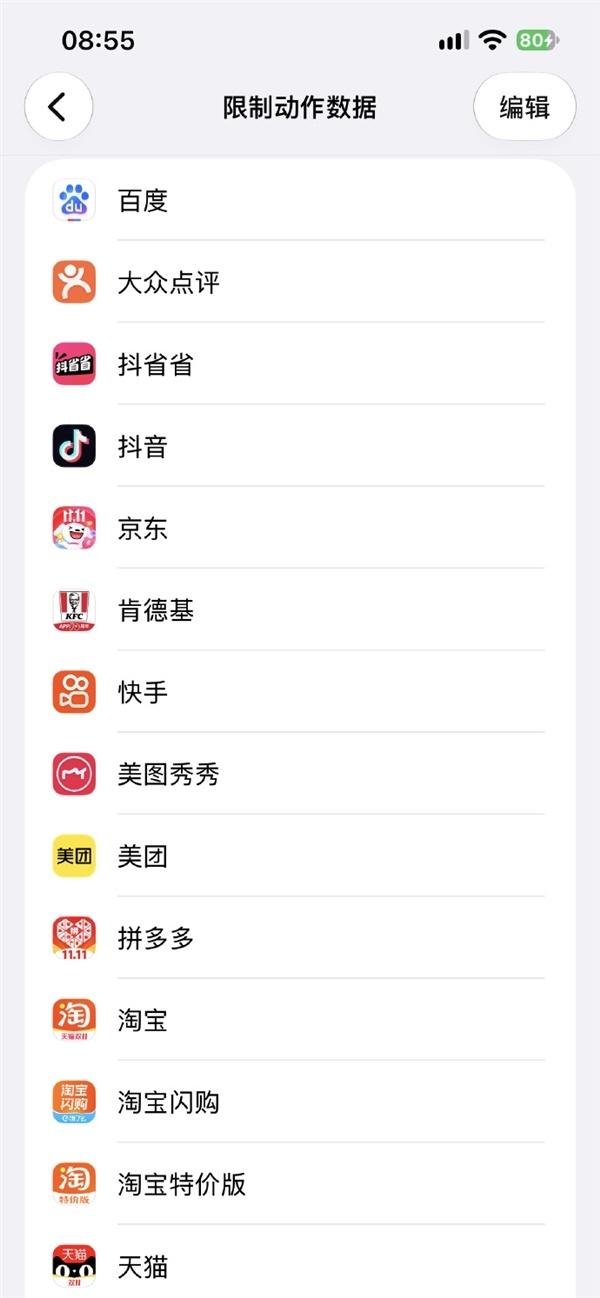
How the shake-to-redirect path is blocked
Shake-triggered ad jumps depend on an app continuously reading motion sensor data during the opening phase. The app judges whether rotation angle or acceleration reaches a threshold; when it does, the linked ad page is opened automatically. If an app is listed under Restrict Motion Data, it loses the motion input needed for that judgment. The advertising screen may still appear, but random movement should no longer trigger the jump.
Behavior comparison
| Item | Without the restriction | With the restriction |
|---|---|---|
| Sensor access | App can read acceleration and gyroscope signals. | Restricted apps cannot access motion data. |
| Ad trigger | Motion threshold can open the ad target page. | The ad page is not opened from motion-triggered judgment. |
| False positives | Walking, vehicle vibration, or high sensitivity may be treated as shake. | Those movements no longer provide the data needed for the jump. |
| Visibility | Ad content is shown according to app behavior. | Ad content may still be shown, but the jump path is cut. |
Who is affected and who is not
- China Apple ID users: testing reports the option appears when a China region Apple ID is signed in.
- Other Apple ID regions: the option was reported hidden after switching to non-China region accounts.
- Developers: apps that use motion data for advertising-related triggers are exposed to stricter platform policy expectations.
Developer policy context
The source material also links the setting to Apple developer terms. Those terms already state that Motion & Fitness APIs, and information obtained through them, must not be used for purposes outside health, exercise, or fitness services, such as advertising.
Common misconceptions
- This is not an ad blocker. It limits motion-data access; the app may still display ad material.
- This is not purely a hardware-level switch. The reported visibility follows the Apple ID region.
- This is not a new untested idea. The restriction entry had been observed in beta and remained in iOS 27.2 according to the source.
FAQ
When did Apple push iOS 27.2?
Apple pushed iOS 27.2 in the early hours of today.
Why is the Restrict Motion Data entry tied to the China region?
The source reports user tests found the entry available only while a China region Apple ID was used; it disappeared after switching to other region accounts.
Will splash ads disappear after using this setting?
No. The setting blocks the app's access to motion data used for shake detection, but the ad screen can still be shown.
Action advice for users
- Check whether the Settings path shows Restrict Motion Data under your Apple ID region.
- Add apps with splash ads or suspicious jump behavior to the restricted list.
- After adding apps, confirm whether shake-triggered redirection is cut, while understanding ads may still display.
- For teams, review apps that read Motion & Fitness APIs and ensure they are not used for advertising.