
Before You Install ENCY 3.2: Reusable Tool Sets, Scallop Height Limits and Clamp-Aware Face Milling, Step by Step
If several parts share one machine, most of my programming day goes into setup repetition rather than cutting. ENCY 3.2 aims straight at that: a complete tool set can be saved in assembly mode and loaded into another job, Combo Finish and Roughing Waterline now space passes from an allowable scallop height, and Face Milling trims against the clamps you placed. Here is how I would test each change, where the numbers still need your judgement, and whether the updater is worth running this week.
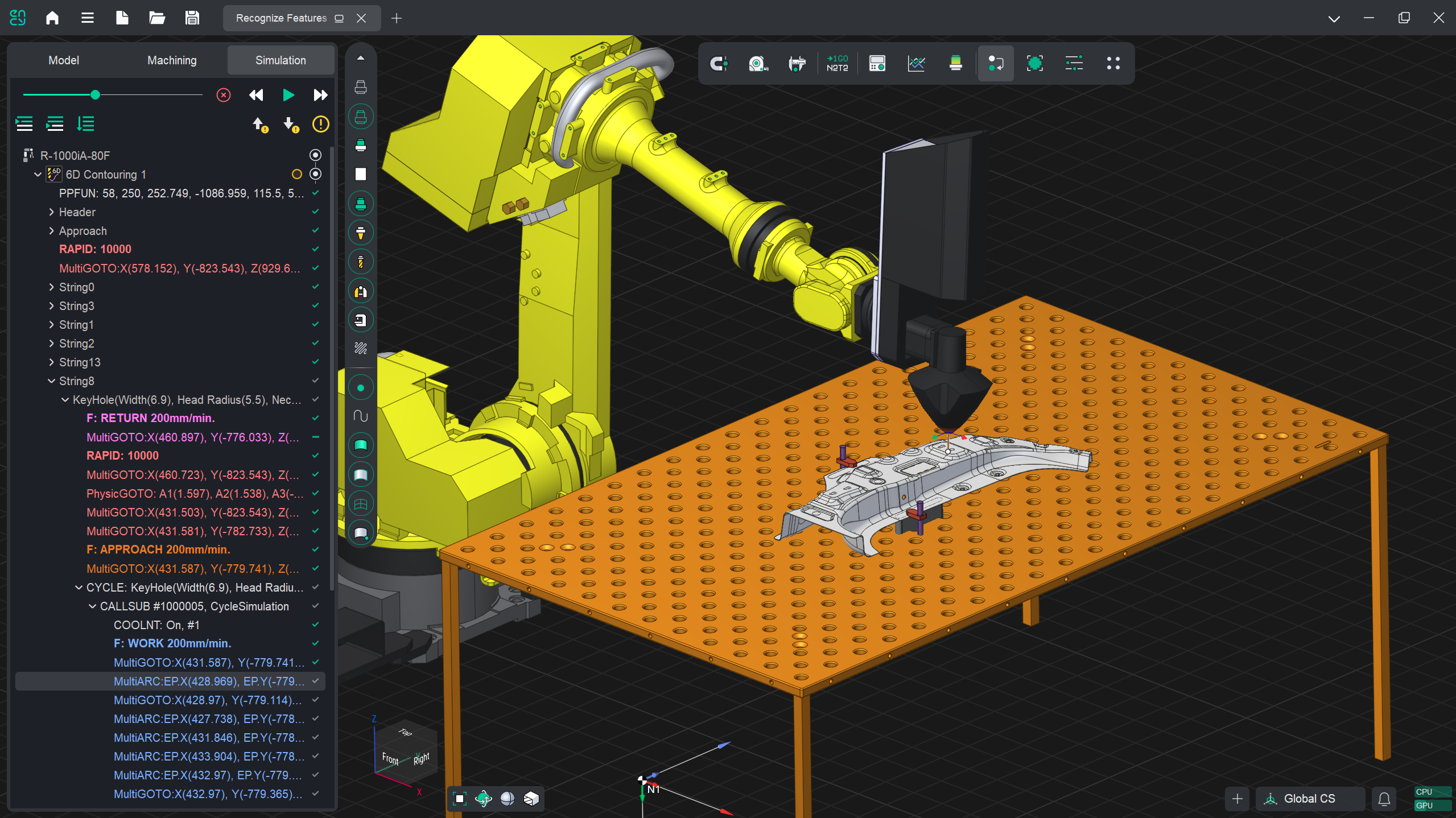
6D Contouring with recognized features displayed on a robot cell — the workflow that gained better feature detection in 3.2.
What is actually new in ENCY 3.2?
Concise answer: three workflow gaps closed, no exotic new strategy. Vendor release notes went up on encycam.com on 2026-11-06, and trade coverage followed on 2026-11-10.
- Setup reuse — assemble standard tools one time, reload them per job, and let edits propagate across dependent operations.
- Finishing control — a geometric limit (scallop height) replaces a hand-picked stepover in Combo Finish and Roughing Waterline, and one surface region can be completed before the next starts.
- Workholding awareness — clamps snap onto suitable levels as you drag them, and Face Milling reads the fixtures you placed.
How do reusable tool sets work across jobs?
Conclusion first: this is the fastest-payoff item in the release, and also the one that needs the strictest internal rules.
Rebuilding an identical tool list for each new part lengthens every job. In 3.2 I would work in this order:
- Configure the standard tools once, in assembly mode, including magazine positions and adapters.
- Store the full set as an assembly and load it into the next job instead of recreating it when a new part arrives.
- Use the component panel, which shows both occupied and free magazine pockets, so extra tools get slotted without reviewing every operation one by one.
- Edit once: a change to a magazine position or adapter propagates across the operations that use that tool.
That fourth point is the feature and the hazard in the same sentence. One edit touching every dependent operation is what you want after a holder swap, and what you do not want when two programmers touch a shared job library with no naming convention or review step. Change control, not the feature, decides whether this saves a team time — the same pattern shows up across engineering software, as we covered in Bentley's MCP integration for STAAD, MicroStation and iTwin, where the real question was who is allowed to mutate a model. Assign an owner to each tool assembly, version the source file before editing, and re-open one legacy project as a smoke test.
Does clamp placement really need fewer clicks?
For the coarse part of the job, yes. Drag a clamp toward the stock, machine table or fixture plate; ENCY highlights the levels that fit and snaps the clamp into position, which is far less coordinate entry while the machining setup is being built.
What it does not do is prove the clamp belongs there. Snapping to a valid level is a geometric shortcut, not a rigidity check — clamping force, support under thin walls and access for the operator remain your call.
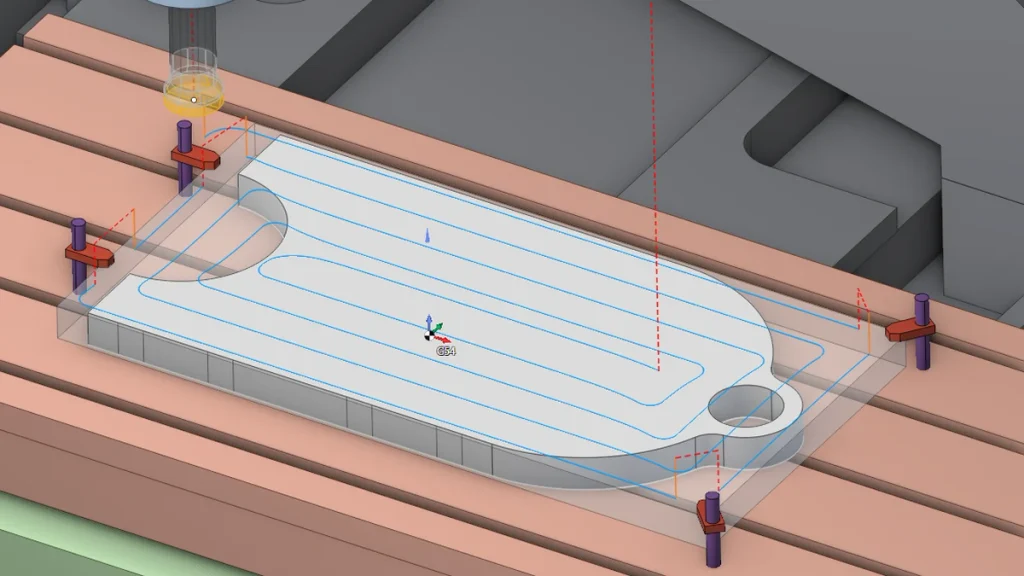
Face Milling coverage across a plate held by clamps, from the ENCY 3.2.3 build material.
How should you set scallop height in Combo Finish and Roughing Waterline?
Start from the surface requirement, then let geometry choose the step.
Combo Finish now accepts an allowable scallop height, giving ENCY a geometric limit to use when spacing passes. Roughing Waterline also applies scallop height, distributing intermediate levels according to tool shape: closer spacing lands on shallow slopes while vertical walls avoid extra levels, which is how you manage the stock handed to subsequent finishing operations. You can also complete one surface region before moving to another without duplicating the operation, which keeps the machining sequence easier to adjust and the project easier to maintain.
Why the limit matters, in arithmetic. For a ball nose, scallop height is approximately h ≈ s²/(8R), where s is stepover and R is tool radius. Take a 6 mm diameter ball nose (R = 3 mm) at 1 mm stepover: the scallop comes out near 0.042 mm. Halve the stepover to 0.5 mm and the scallop drops about fourfold to roughly 0.010 mm — while pass count and finishing time roughly double. Concepts NREC's guide to cusp height and surface roughness makes the same trade-off explicit. A scallop-height cap lets the CAM tighten only where the surface demands it instead of everywhere at once.
ENCY's own manual adds a guard rail worth quoting in your setup sheet: the maximum scallop can be assigned by a positive value only, and it is not advised to set the scallop height below the machining tolerance (docs.encycam.com). Asking for a cusp finer than your tolerance band mostly manufactures passes you cannot measure.
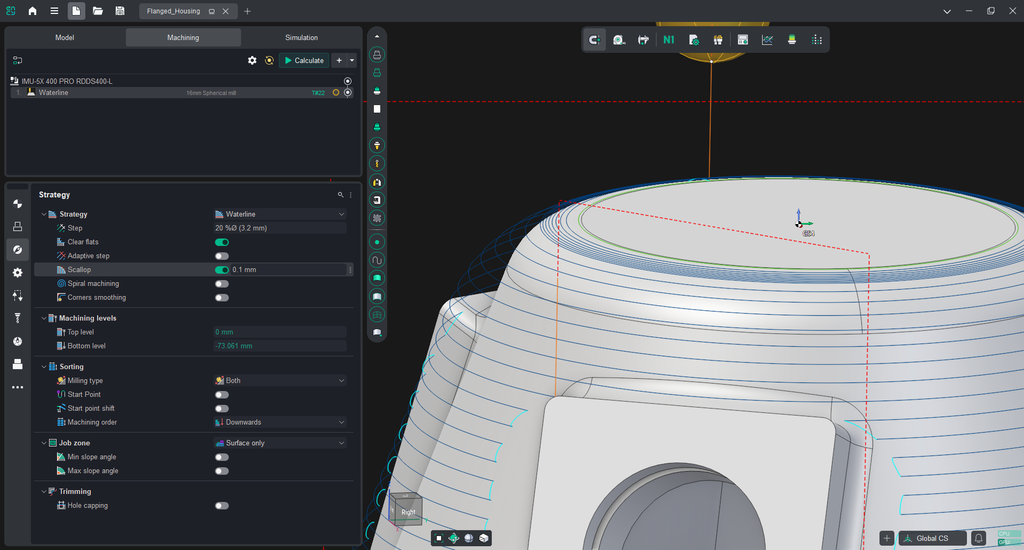
A Waterline operation showing a scallop height setting as the driver of pass spacing.
Does Face Milling actually see your fixtures?
It accounts for them. The operation now trims passes against part and fixture geometry, sends transfer moves through a clearance plane above the clamps, and reduces air passes over material already removed in the zigzag pattern. Rather than generating a route around fixtures, it trims the affected passes, so programmers can factor the setup into the plan without giving up control of the machining approach.
| Setup task | Manual workaround before 3.2 | ENCY 3.2 behaviour | Verify on the machine |
|---|---|---|---|
| Clamp positioning | Type coordinates for each clamp | Snap to highlighted suitable levels | Support and clamping force |
| Face milling near fixtures | Split or restrict the operation | Affected passes trimmed to part and fixture geometry | Left-over stock at clamp edges |
| Transfer moves | Hand-set a safe height | Clearance plane above the clamps | Rapid height vs. tool change plane |
| Air cutting | Zigzag re-traverses cut areas | Fewer passes over removed material | Simulation time delta |
| Tool lists per part | Recreate the set every job | Assembly-mode set reloaded, edits propagate | Pocket occupancy after propagation |
Cycle time hiding in non-cutting moves is not a rounding error: Hexagon's EDGECAM release history, for example, credits avoiding "fresh-air" cutting with machining time savings "in some cases by up to half." Trimming Face Milling is a targeted version of the same logic, not a licence to skip simulation.
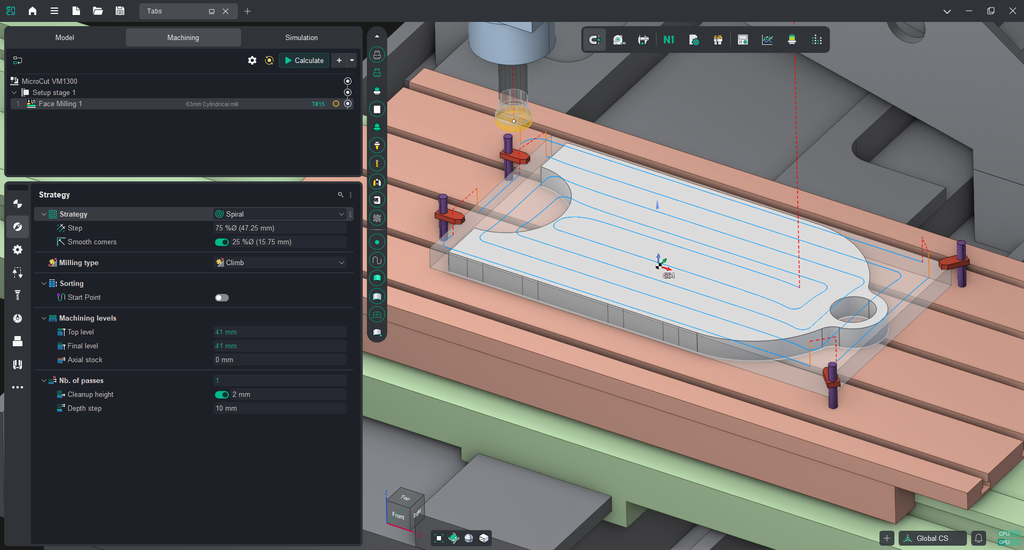
Face Milling toolpath trimmed at the clamps.
What else changed for 6D Contouring and Nesting?
For robotic trimming and spatial contouring, 6D Contouring gains improved feature recognition, which helps programmers define the machining job, and evenly spaced passes are added across the processing zone for supported cladding operations.
On the sheet side, Nesting now displays the dimensions of reusable sheet remnants, so the material available for another job is easier to judge. Undo and Redo cover parameter changes as well, letting you test layout settings and return to an earlier result.
Housekeeping items: faster project opening, improvements to the feeds and speeds calculator, and fixes across toolpath calculation, simulation, project handling and robotic machining. One caveat I would write into a work instruction: a remnant dimension shown in Nesting is geometry, not a flatness or squareness verdict, so keep your offcut inspection where it is. ENCY has separately described background validation that flags problems while toolpaths are created, which is the economic argument for machine-aware programming — fewer late corrections and a simpler postprocessor. Treat it as a vendor claim until you time it on your own jobs.
Should you install ENCY 3.2 today? A pre-flight checklist
Entitlement is the gate, not an account or a driver: customers with an active Software Maintenance Contract can obtain ENCY 3.2 through the built-in updater. Confirm your contract end date before you block a programmer's afternoon.
- Confirm the Software Maintenance Contract is active on the seat that will run the updater.
- Archive the project folder and the post output of one finished job as a baseline.
- Record the build number you are leaving, so any rollback conversation with support has a reference.
- After updating, reload that finished job and diff its toolpath against the archived baseline.
- Re-post one part and read the transfer moves against actual clamp heights, not the software's idea of them.
- Version the shared tool assembly before the first propagating edit.
- Try scallop height on one shallow-drafted face, then compare pass count and simulation time with your old fixed stepover.
Frequently asked questions
Will ENCY 3.2 cut my programming time?
If repetition is your bottleneck, the reusable tool set and clamp snapping remove steps you otherwise redo per part. If you program a single one-off component per week, expect less benefit and no automatic cycle-time drop.
Is scallop height a replacement for stepover?
It is a different constraint on the same decision: you state the acceptable cusp and the system spaces passes to hold it. Keep stepover for the cases where tool loading, not surface quality, is the limit.
Do I need a new licence or admin rights to update?
The update ships through the built-in updater to customers with an active Software Maintenance Contract; no separate account or vendor contact is described for obtaining it.
Does clamp-aware Face Milling replace collision checking?
No. It trims affected passes and uses a clearance plane above the clamps, but it only knows the workholding you modelled. Unmodelled bolts, gauges or a raised operator hand still need simulation.
Can a saved tool set be shared by a whole team?
It can be stored and loaded into a different job, and edits propagate across dependent operations. That propagation is precisely why the library needs a named owner and a versioned source file before multiple programmers edit it.
My verdict: install it if setup repetition is your bottleneck
Run the updater this week if you produce a family of parts on one machine, keep a shared tool library, or lose time to face milling around fixtures — the reusable assembly, the scallop-height cap in Combo Finish and Roughing Waterline, and clamp-aware Face Milling each delete a manual step I would rather not repeat. Hold your current build if you program one-off geometry, run robots or nesting only occasionally, or cannot re-validate a posted part before the next shift. In that case wait for the fixes to settle, then upgrade with a baseline job already archived. For the full release detail, encycam.com remains the primary source.
References
- ENCY release page for 3.2 — https://encycam.com/news/ency-3-2/
- ENCY user manual, Adaptive Step (selection step by scallop height) — https://docs.encycam.com/ENCY/3/en/113.html
- ENCY user manual, Waterline finishing operation — https://docs.encycam.com/ENCY/1/en/841.html
- Concepts NREC, Calculating Surface Roughness and Cusp Height for Ball End Mills — https://www.conceptsnrec.com/blog/calculating-surface-roughness-cusp-height-ball-end-mills
- Hexagon, EDGECAM product release history (air-cutting time savings) — https://hexagon.com/products/product-groups/computer-aided-manufacturing-cad-cam-software/edgecam/release-history
- Engineering.com coverage of the 3.2 tooling, finishing and workholding updates — https://www.engineering.com/ency-3-2-adds-tooling-finishing-and-workholding-updates/