
OrCAD Xplore Inside OrCAD X Capture: A Pilot Plan, a Permission Checklist, and the Traps
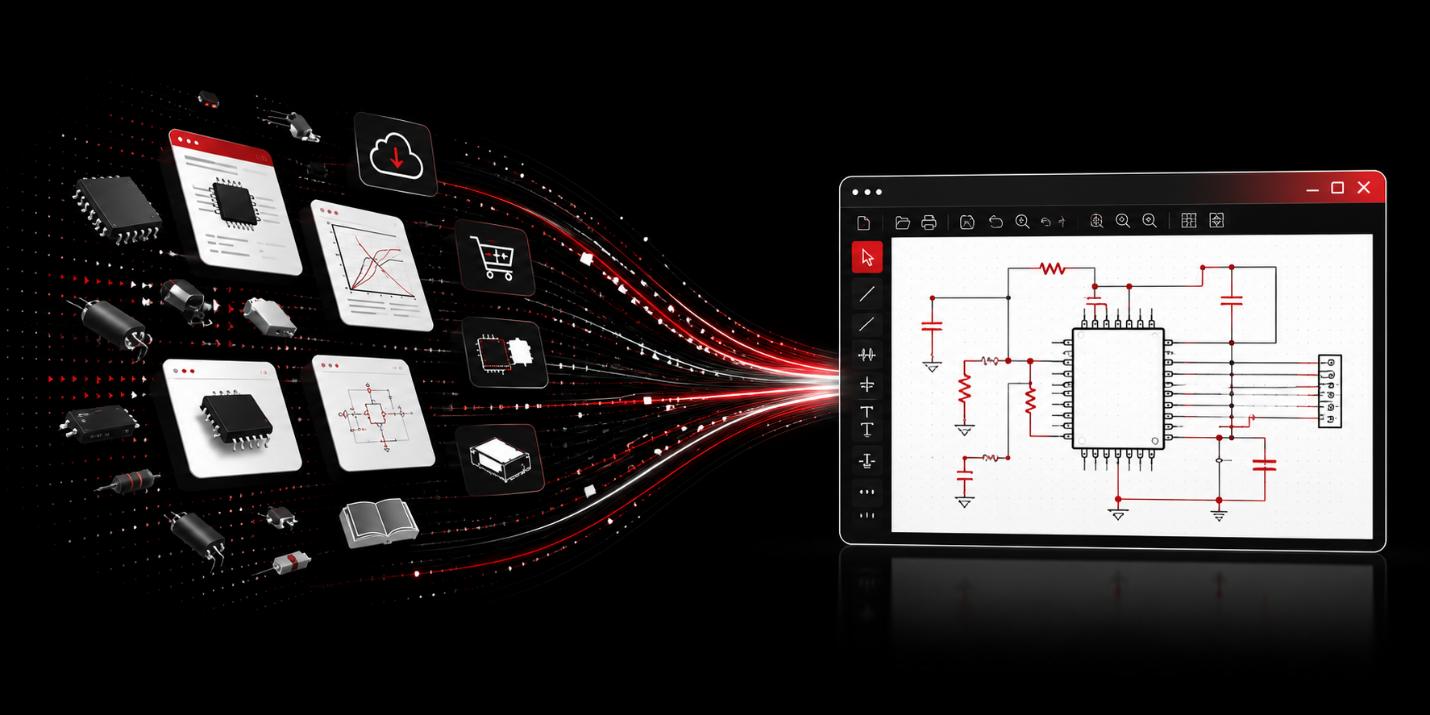
Short answer: Cadence OrCAD Xplore Design Platform moves component lookup, verified library data, supply-chain status and checkout into OrCAD X Capture, so a part search stops being a juggling act between datasheet tabs and distributor pages. Announced on November 9, it is pitched at individual engineers and small teams, and Cadence claims it cuts that research time by up to 80%. Whether it belongs in your workflow depends on how much of your week already lives outside the design tool.
Here is the familiar version of that week: you drop a connector on a schematic, then leave the tool to check whether it is still in production, whether a drop-in alternative was approved last quarter, and whether the footprint you drew years ago still matches the manufacturer's recommended land pattern. Cadence's own framing is blunt — engineers spend more than half of their time outside the design tool researching components for selection, replacement and supply status. OrCAD Xplore is the attempt to collapse that gap.
One disclosure before the walkthrough: I did not run a licensed rollout for this piece. The figures below are Cadence's or are reported by trade press covering the launch, and I have marked what is claimed versus what you can measure yourself.
What is OrCAD Xplore, in plain terms?
It is a connected design environment rather than a new schematic editor. Built on the Cadence Ultra Librarian ecosystem, it surfaces manufacturer-authoritative symbols, footprints, 3D models, simulation-ready models, reference designs, documentation and application expertise directly in the capture flow, then layers lifecycle, pricing and sourcing data on top. In practice that means five things you previously did in a browser are now placed at the point of decision:
- Part discovery and comparison against manufacturer content
- Library confidence — verified symbols, footprints and 3D models instead of hand-drawn approximations
- Supply checks — lifecycle status, availability, pricing, lead times, compliance, sourcing risk and qualified alternatives
- Simulation and reference-design lookup for the same part number
- Procurement handoff, because DigiKey supply-chain data and an integrated cart sit in the same session
What actually changes inside the tool on day one?
The most concrete change is library reach. Through Ultra Librarian, access is available to more than 16 million verified symbols, footprints and 3D models, which is the number that decides whether you keep hand-building parts. The second change is conversational: natural-language interactions support component research, selection, replacement and sourcing, so "find a qualified alternative to this part with stock this week" becomes a query rather than a filtered distributor page.
The third change is procurement adjacency. With DigiKey data integrated, an engineer can look at availability and sourcing considerations mid-design, and the bill of materials can be purchased through DigiKey in the same environment. In its launch commentary carried by All About Circuits, DigiKey leadership argued that putting real-time supply-chain intelligence into the designer's workspace is what lets engineers lock in decisions with confidence — the argument for the integration, in one line.
Cadence's headline promise, reported as up to 80% less component research time by EMSNow, applies to research effort, not to routing, simulation or release work. Treat it as a range you verify, not a result you inherit.
How should you pilot it without breaking your library?
Do it as a bounded experiment on live parts, not as an install-and-hope upgrade.
- Confirm the access route. Cadence lists a free 30-day commercial trial for professionals and a six-month academic license with enrollment validation; the OrCAD X Free Viewer is read-only and license-free on Windows. Do not pilot with the viewer — it cannot exercise the search, supply or cart path.
- Baseline the pain before enabling anything. Log, for one week, the minutes per design your team spends off-tool on datasheets, stock checks and EOL lookups. If the number is not close to the more than half Cadence describes, your ceiling of savings is low and the pilot is not urgent.
- Pick your top two part families — usually connectors and power regulators — where alternatives and lifecycle churn hurt most.
- Run the same query twice: once in the in-house library and once in the connected search, using distributor training material for OrCAD X Capture Unified Search as your reference for how the pane behaves. Diff the results before you trust either one.
- Verify five parts properly before any adoption sign-off: pin count and pin order against the datasheet, land pattern against the manufacturer's recommended footprint and your fab's rules, 3D body height, and one simulation model at a corner case.
- Keep purchasing disabled during the pilot, or restrict it to the buyer account. A cart inside a schematic tool is a control decision, not a convenience.
- Write the exit criteria: maximum rejected-parts count per 100 placements, and a target drop in off-tool minutes versus your week-one baseline.
I judge tools like this the way we judge any automation vendor on this site: production proof rather than demo polish. A feature that looks tidy in a webinar has to close the loop on a board you intend to build.
What do IT and procurement need to check first?
This is the part launch coverage tends to skip, and it is where small teams get caught.
- Exit of design intent. Part queries and cart drafts reveal what you are building and roughly when. Decide what you are willing to send outside the network before a connector search becomes a product-roadmap disclosure.
- Account ownership. Clarify whose DigiKey terms apply when an engineer's design-time purchase is placed on a personal account. If you have read our breakdown of what a vendor preview program demands of your IT team, apply the same gate here: named owner, isolated project, review date.
- Library write access. Manufacturer-authoritative content should land in a review queue, not straight into the released design library. Otherwise you inherit duplicates and naming drift.
- Audit trail. Confirm that part substitutions and sourcing decisions are attributable to a person, because an EOL dispute six months later will start with "who swapped this?"
What are the traps I would flag?
- "Authoritative" means traceable to the manufacturer, not verified for your stackup, your reflow profile or your derating rules.
- Lifecycle status and lead time are a snapshot. Prices and stock move; a qualified alternative listed today is not a commitment.
- Natural-language answers are a starting point, not a sign-off. Every replacement still needs a datasheet read.
- The saving is research time. If your bottleneck is review cycles, fab turns or firmware, this does not touch it.
- Teams with a controlled central library and PLM or ERP integration gain less than the solo engineer or the three-person hardware group this platform is clearly aimed at.
Who should adopt it, and who should wait?
| Team profile | Dominant pain today | Fits now? | First move |
|---|---|---|---|
| Solo engineer or two-person hardware team | Rebuilding symbols, checking stock by hand | Yes | Run the two-part-family pilot above for 14 days |
| Design-services shop juggling clients | Repeated part research per project | Yes | Standardise one shared library review queue |
| Mid-size team with a dedicated librarian | Intake backlog and duplicate parts | Conditional | Use it as a submission source, keep review authority central |
| Enterprise with PLM and controlled procurement | Policy and data-path compliance | Wait | Ask for the integration and audit story before any rollout |
| Student or research club | Cost and access | Yes | Use the academic license path, not a trial expiry |
Is it worth your attention? My verdict
Yes as a pilot, no as a migration. If you are the person who both draws the schematic and finds out whether the part is available, OrCAD Xplore removes the browser tab that costs you the most hours. OrCAD Xplore sits inside Cadence's wider ecosystem alongside the Allegro X Design Platform, and it is positioned as an on-ramp from PCB-centric work into system design, with a path to Allegro X PCB System Capture when your team outgrows the entry point. That growth path is the quiet reason to adopt early: your library habits, review queue and naming rules carry forward.
Buy nothing on the strength of the launch. Instrument one week of your current process, run the five-part verification, and let your own numbers decide whether an 80% claim looks like 80%, 20%, or noise.
FAQ
Does this replace OrCAD X Capture?
No. It adds manufacturer content, supply intelligence and procurement inside OrCAD X Capture rather than substituting the capture environment.
Do I need a new license to try it?
Cadence's OrCAD pages list a 30-day commercial trial and an academic license path; the free viewer is read-only and cannot demonstrate the connected workflow.
Can an engineer really buy parts from the schematic?
An integrated cart supports a bill of materials purchase through DigiKey. That capability should be gated by policy before anyone enables it broadly.
How many verified models are covered?
The platform exposes more than 16 million verified symbols, footprints and 3D models via Ultra Librarian.
Does it help if I already have a controlled library?
Less. The value concentrates where research happens outside the tool, which is where more than half of engineering time is reportedly spent.
References
- EMSNow on the launch and the research-time claim: https://www.emsnow.com/cadence-takes-aim-at-the-component-research-bottleneck-with-orcad-xplore/
- All About Circuits exclusive on the DigiKey supply-intelligence argument: https://www.allaboutcircuits.com/news/exclusivecadence-debuts-platform-for-breaking-fragmented-component-workflows/
- Cadence OrCAD X Free Viewer: https://www.cadence.com/en_US/home/tools/pcb-design-and-analysis/orcad/orcad-free-viewer.html
- OrCAD X trial and academic access: https://www.orcad.com/
- Ultra Librarian for OrCAD library coverage: https://resources.pcb.cadence.com/pcb-design-resources/ultra-librarian-for-orcad-7
- EMA how-to on Unified Search in OrCAD X Capture: https://www.ema-eda.com/how-to-page/how-to-use-unified-search-in-orcad-capture/