
How Microsoft’s DirectX Dump File Change Could Shape Windows GPU Crash Debugging
A game closing without warning, a desktop turning black, or a creative application freezing during rendering can make a Windows PC feel unpredictable. For Microsoft, one of the harder parts of these incidents is not the visible symptom, but the missing evidence: when a GPU-related failure happens, the usual application crash record may not show enough of the graphics work that was in progress. A newly described diagnostic change aims to collect more useful information when DirectX-based graphics work fails.
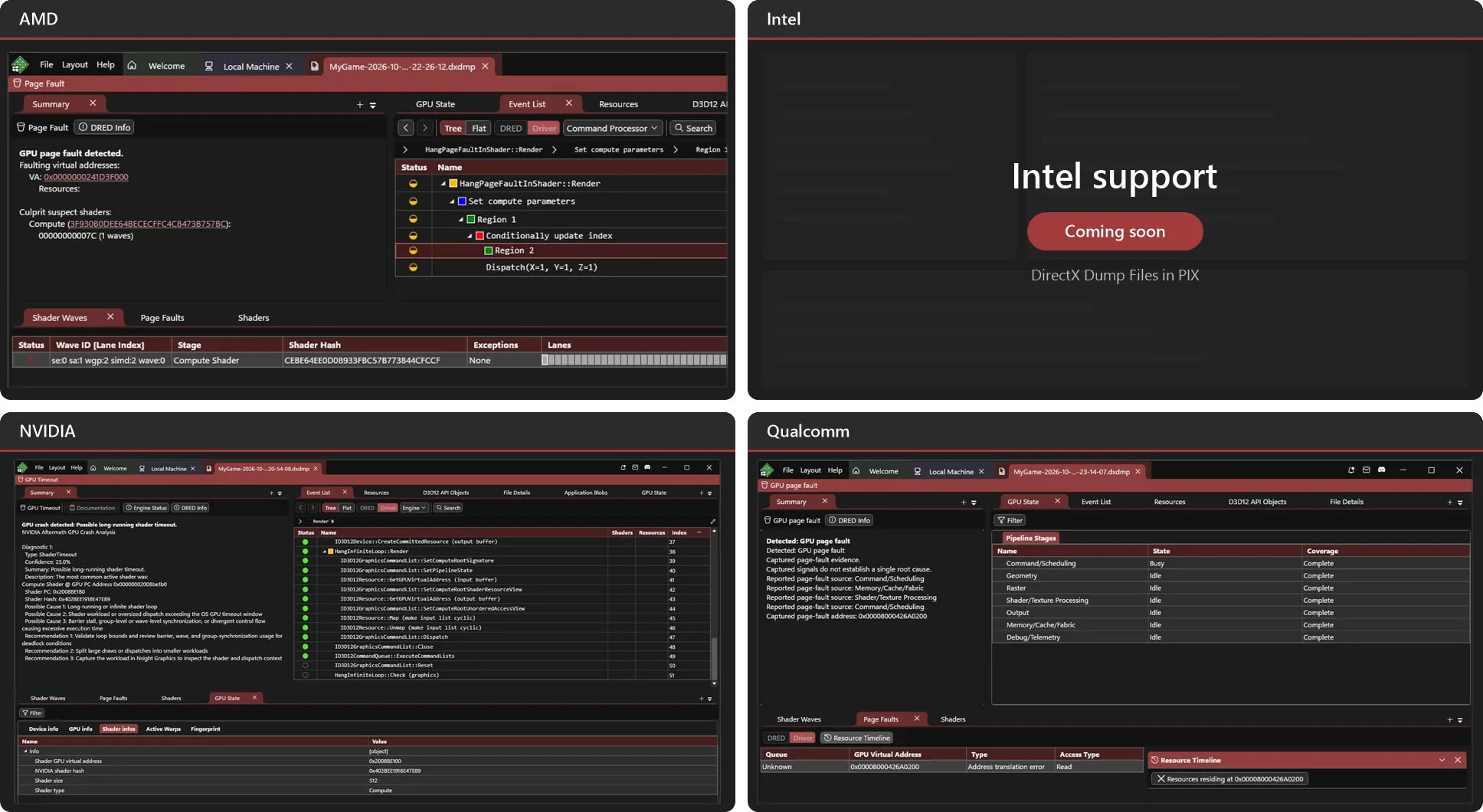
Why GPU Failures Are Difficult to Trace
A graphics processor does not behave like a general-purpose CPU during a normal crash. Its failures can be tied to command queues, resource access, shader execution, or interaction between a game and a driver. Because of that, a log file that focuses only on application-level state may omit the moment where the graphics pipeline broke.
Without richer context, developers may rely on user reports, partial logs, or attempts to recreate the issue locally, which can be slow and imprecise. Modern games increasingly depend on complex rendering pipelines and low-level interfaces such as DirectX 12. As rendering technology, hardware combinations, and driver versions expand, some faults may appear only under very specific runtime conditions, making them hard to reproduce in an internal testing environment.
What Microsoft Is Changing in Windows Graphics Diagnostics
Microsoft is working on Windows graphics fault diagnosis by connecting GPU crash diagnostics with DirectX dump files. DirectX is a core graphics technology used by many Windows games and graphical software. The stated goal is a more unified way to gather diagnostic data after a failure, giving developers material that may help them analyze what the GPU and graphics stack were doing at the time.
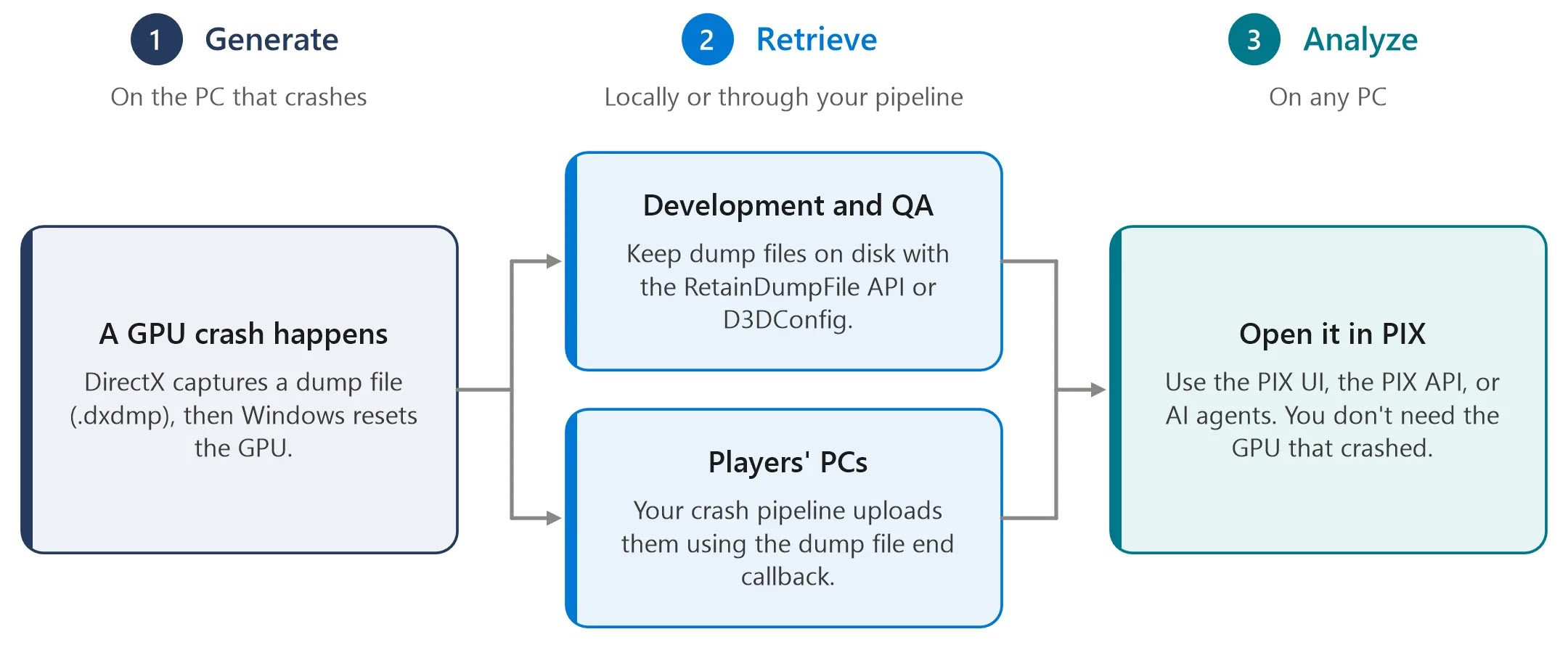
For game developers, the practical importance of this shift is not that it magically repairs every crash. Instead, it may help shorten the path from “something went wrong” to a clearer understanding of whether the issue is related to application graphics code, a GPU driver, or GPU execution state.
What a DirectX-Related Dump File Can Provide
Dump files are generally meant to preserve part of the runtime state at the moment a program fails. The original material lists thread information, memory content, and relevant execution context as examples of what can be recorded. For GPU crash diagnosis, that kind of snapshot can matter because the problem may cross application code, driver behavior, and hardware execution.
| Diagnostic Element Mentioned | Why It May Matter for a GPU Crash |
|---|---|
| Thread information | It can preserve runtime context that helps frame the state of the program around the failure. |
| Memory content | It can retain data that may be relevant when a crash involves graphical resources or application state. |
| Execution context | It can provide clues about the sequence of activity at the time of the failure. |
| Command queues | They are described as one area of GPU processing that can be involved in graphics crashes. |
| Shader execution | They can help indicate whether the problem may involve GPU-side rendering behavior. |
| Driver and application interaction | They matter because GPU failures can emerge where software, graphics APIs, and drivers meet. |
Checklist: What This Change Is Meant to Help With
- Capture more useful debug information when a DirectX graphics application crashes.
- Reduce reliance on user feedback, incomplete logs, and limited reproduction attempts alone.
- Give developers a clearer view of whether an issue may relate to app graphics code, a GPU driver, or GPU execution state.
- Support investigation of hard-to-reproduce problems on specific graphics hardware, driver versions, or runtime conditions.
- Improve the underlying diagnostic workflow rather than deliver an immediate visible performance fix.
Common Misconceptions
- It is not a guaranteed crash fix. Dump files provide data, but developers and tools still need to interpret it.
- It does not promise higher frame rates. The described benefit is diagnosis, not automatic performance gains.
- It does not mean GPU crashes will disappear. Ordinary users should not expect an instant end to graphical failures.
- Its value depends on the captured data. Completeness of the dump, whether the fault is captured, and how well software and drivers expose information all matter.
- It is mainly a developer-facing improvement. Its most direct relevance is to debugging workflows, not to everyday user-visible features.
FAQ
Does this affect how I play games on Windows?
Probably not in a direct way. The change is aimed at developers collecting diagnostics. It may contribute to longer-term stability work, but it is not described as a patch that makes games faster or removes crashes.
Why does Microsoft mention DirectX dump files?
DirectX is an important underlying graphics technology for many Windows games and graphical applications. By linking GPU crash diagnostics with DirectX dump files, Microsoft is trying to create a more consistent way to collect crash-time information.
Can a dump file identify the exact GPU issue automatically?
No. The original description says diagnostic data still needs tools and expert analysis, and its usefulness depends on what was captured and how complete it is.
Why are GPU crashes harder to debug than ordinary application crashes?
GPU execution differs from CPU execution, so a failure can involve graphics-specific activity such as command processing, shader behavior, and driver interaction. Traditional crash logs may not fully preserve that context.
Will this help every graphics problem in every game?
No. The effectiveness depends on whether the fault is successfully captured and whether the relevant software and driver information are present in the dump data.
Action Advice
- For developers: treat the improved dump capability as a way to compare application graphics code, driver behavior, and GPU execution state before assuming the fault is purely local or user-specific.
- For testers: pay attention to cases tied to particular GPUs, drivers, or runtime conditions, because these are the scenarios described as hard to reproduce in internal environments.
- For product teams: communicate this update as a diagnostic improvement, not as a consumer-facing promise of better performance or fewer crashes.
- For ordinary users: adjust expectations. This update is primarily a backend diagnostic improvement, not a direct gaming enhancement.
For everyday PC users, the most practical takeaway is that Windows graphics fault analysis is being made more structured. Microsoft’s effort to fold GPU crash diagnostics into DirectX dump files may give developers better clues when failures occur, especially in complex DirectX 12 games and other graphics-intensive software. Any visible benefit will likely come through longer debugging cycles and more accurate fixes, not through an immediate jump in speed or a blanket end to crashes.