
MyTechDailyNews General: Windows 11 Paint CVE-2026-83844 vs the Missing Microsoft Store Update
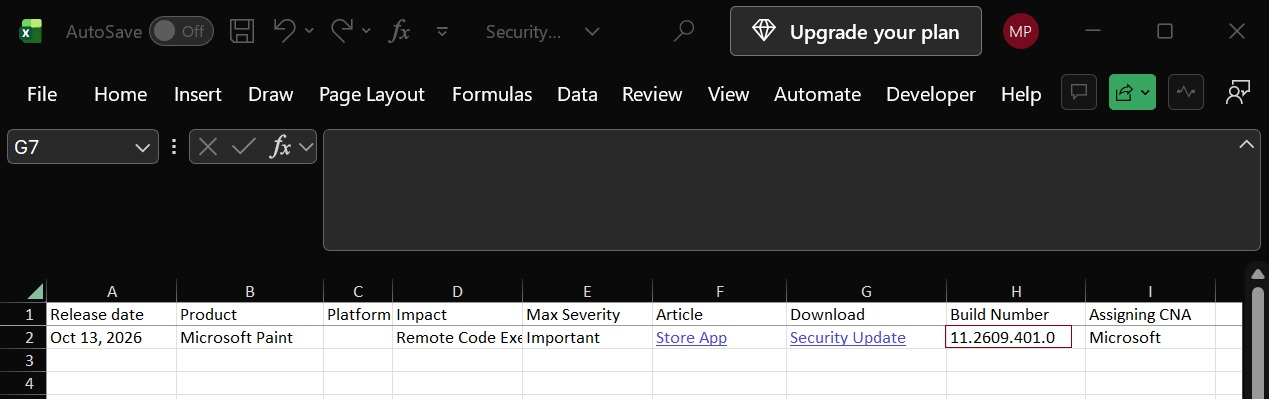
Recently, Windows 11’s Microsoft Paint became the center of a security discussion because of CVE-2026-83844, a zero-click remote-code-execution concern rated Important with an 8.1 score out of 10 on a 10-point scale, not the highest Critical. Microsoft said exploitation is difficult and no real-world abuse was reported. Yet users may still need to act because the patch, version 11.2609.401.0, is not appearing in Microsoft Store for some PCs.
What did Microsoft disclose about CVE-2026-83844?
The short answer is that Microsoft flagged a memory-read flaw in Windows Paint that can, under specific network conditions, lead to code execution. The disclosure happened on October 13, 2026, and that day Microsoft also pointed users to a fixed Paint release. The bug is described as an out-of-bounds read problem: the application can read data outside its intended memory area, creating a path that an attacker may attempt to abuse. In the public security context, this is serious enough to require attention, but it is not the same as an emergency exploit that is already spreading.
Microsoft’s description also explains why the issue is often discussed as a zero-click risk. An attacker does not necessarily need to convince someone to open a malformed image file or click a link; a specially constructed network packet may be enough to trigger the flaw. At the same time, the company emphasized that real-world exploitation is difficult and that no known exploitation had been reported as of the coverage by Windows Latest.
| Severity term | How it should be read |
|---|---|
| Important | A high-risk category in Microsoft’s severity language, but not the most severe label. |
| Critical | The highest severity term; this Paint issue was not placed at that level in the master disclosure description. |
| Zero-click | The reported attack path may not require obvious user interaction, which raises the conceptual risk. |
Why is the missing Microsoft Store update more confusing than the bug itself?
The main practical concern is not only CVE-2026-83844, but whether the available fix can reach users through the normal update path. Microsoft says Paint should be upgraded to 11.2609.401.0 or later. Windows Latest reported on November 5, 2026 that the patch was not visible through Microsoft Store for some users, even when Store auto-updates appeared to be enabled.
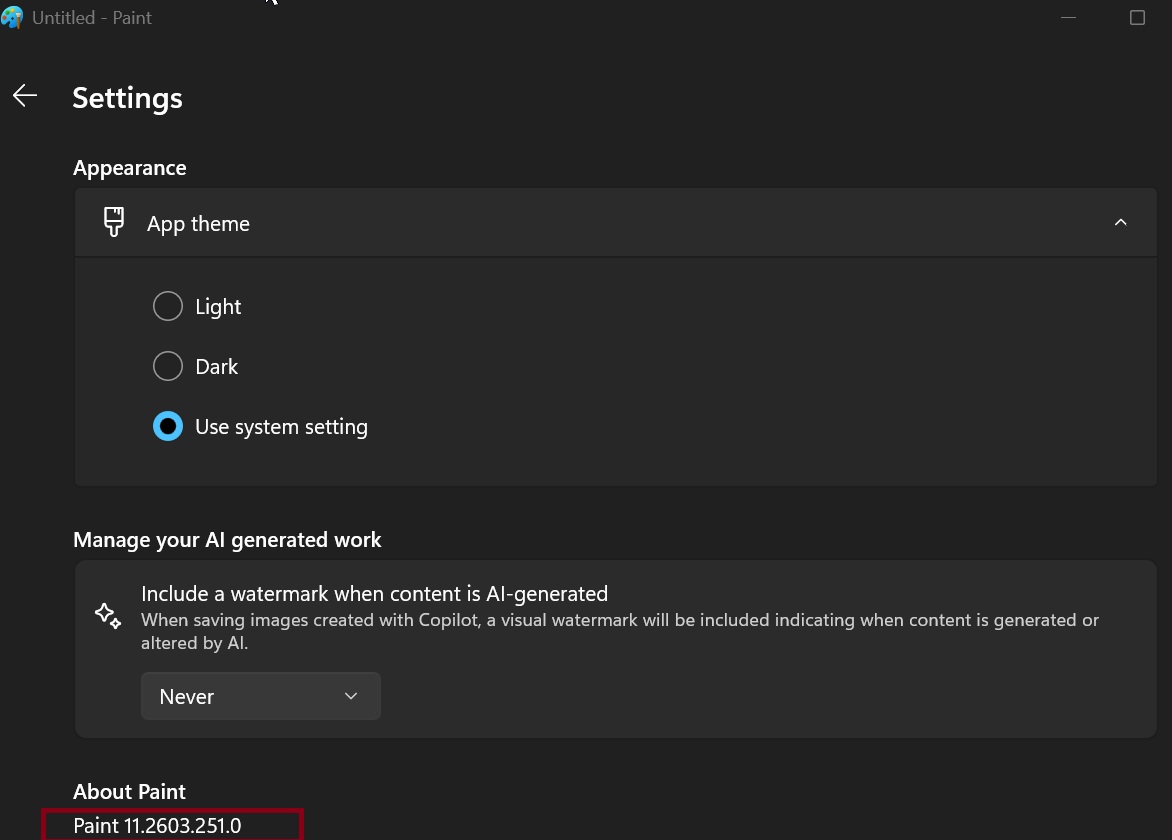
The report describes a version mismatch that IT administrators and regular users can easily miss. The expected fixed release is 11.2609.401.0, while the version seen during checking was 11.2603.251.0, an older build. This means “auto-update is on” is not enough proof that Paint itself has the security fix.
| Item | Version or status |
|---|---|
| Microsoft announcement fixed version | 11.2609.401.0 |
| Windows Latest checking result | 11.2603.251.0 |
| Store visibility | Some users and administrators said no security update was shown |
Other users also described the same type of issue on the same day of reporting. Some IT administrators even tried to retrieve the MSIX package through third-party download methods, but still could not confirm the announced fixed version. At this stage, there is no verified explanation: it may be a Store distribution problem, a missing rollout, or a version reference in the advisory that does not match what the Store is delivering. Users should rely on their own local version check rather than assume the Store has already installed the fix.
Is a Windows 11 system update the same as the Paint patch?
No. This distinction matters more in a general technology publication than a raw CVE description does. In October 2026, Microsoft fixed more than 1,000 security issues across Windows. That volume makes “my Windows is updated” feel like a complete answer, but Paint is delivered as a Microsoft Store application. Its update channel is separate from the Windows operating system update mechanism. A current Windows 11 build can still coexist with an outdated Paint app if the Store package has not been refreshed.
| Update type | What it usually covers | Why it may not fix Paint |
|---|---|---|
| Windows Update | OS components, system drivers, cumulative quality or security patches | It does not guarantee a standalone Store app package is updated |
| Microsoft Store app update | Modern Windows apps such as Paint | App rollout can lag, fail to appear, or depend on Store delivery state |
| Manual verification | PowerShell or app package status | It confirms the exact installed Paint version instead of relying on visible Store prompts |
What should regular users, creators, and IT admins do now?
The practical decision should be based on exposure, role, and verifiability. A casual Paint user does not need to treat this as a reason to stop working, but should confirm the app version. A business or school environment needs a stronger response because Paint can be present on many PCs and version drift can be hard to see.
- Open Windows PowerShell or PowerShell.
- Run
Get-AppxPackage -Name Microsoft.Paint | Select-Object Name, Version. - Check whether the returned version is 11.2609.401.0 or later. If it is older, treat the device as not confirmed patched.
- Open Microsoft Store and manually check Paint. If Store auto-updates are enabled, do not treat the setting alone as proof that the package has reached the device.
- In managed environments, export or script the PowerShell command so administrators can compare inventory across devices.
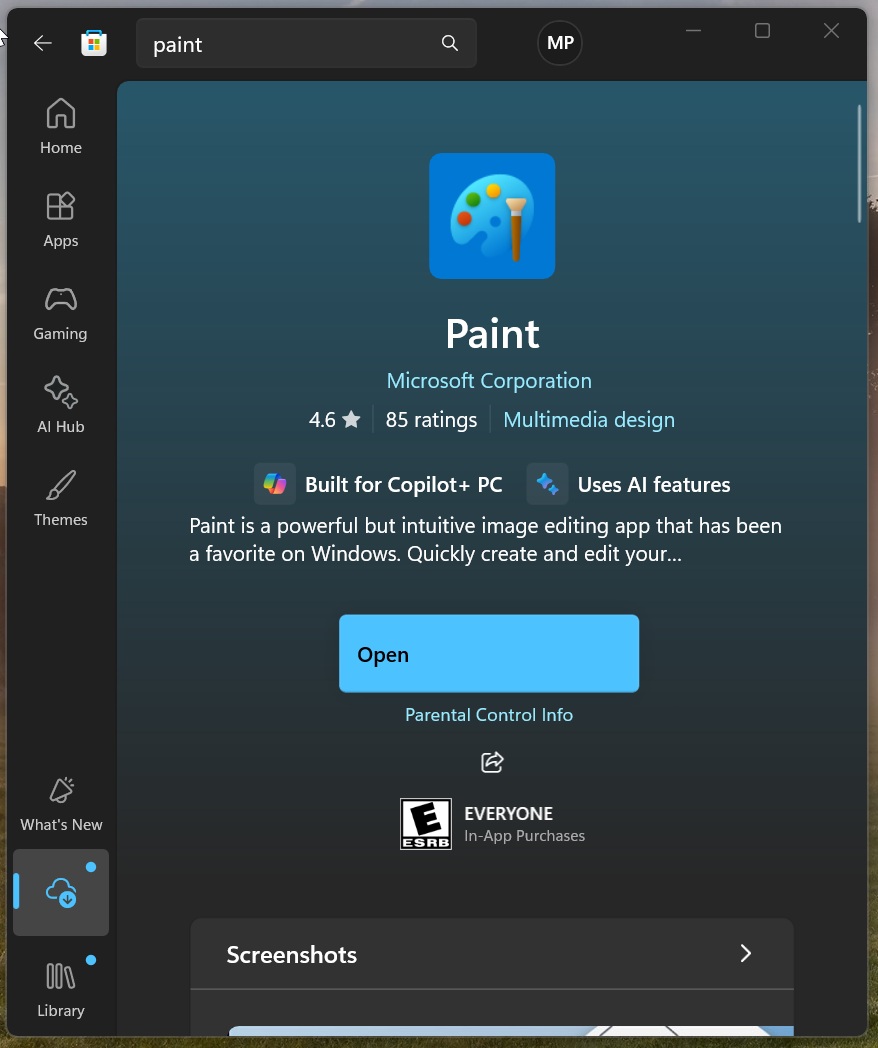
Even if the Store shows no newer version, users should install the latest Paint package available to them. That does not guarantee protection before Microsoft clarifies the distribution issue, but it reduces the chance of remaining on an obviously older build while the version rollout is uncertain.
What are the common misconceptions about this Paint issue?
- “It is not Critical, so users can ignore it.” The flaw is rated Important, with an 8.1 CVSS score out of 10. That is still high enough to justify verification, especially for a zero-click-style network attack path.
- “Windows 11 is updated, so Paint is updated.” Windows 11 can be current while Microsoft Paint remains on an older Store package because the app is serviced separately.
- “The Store did not show an update, so no fix exists.” Microsoft’s guidance names 11.2609.401.0 as the fixed version, so the absence of a visible update may indicate rollout or distribution confusion rather than absence of a fix.
- “PowerShell check is too technical for normal users.” For general readers, checking through Paint’s About section is easier; PowerShell is mainly useful when a precise package version is needed.
FAQ: Quick answers for MyTechDailyNews readers
Is CVE-2026-83844 being exploited in the wild?
The available reporting says Microsoft described exploitation as difficult and no real-world exploitation had been reported. That lowers the urgency, but it does not make the issue meaningless.
Do I need to uninstall Paint?
For most users, no. Paint is a basic application, and uninstalling it is usually not the first practical step. Verify the version, update what is available, and keep normal Windows defenses enabled.
Why can a Store app still be risky after a Windows Update?
Because Paint is updated through Microsoft Store, not through the core Windows operating system update alone. The master report emphasizes this separation: OS updates and application patching are not the same delivery path.
What is the easiest version check for a general user?
Open Paint, go to the app settings or About area, and compare the displayed build with 11.2609.401.0. If the app is older, do not assume it is patched. IT administrators can use the PowerShell command for exact package version checking.
Decision advice: who should worry, and who should not?
For home users, this is a “check, update, continue” situation unless Microsoft later confirms active exploitation. For creators and office users who open files from many sources, treat Paint as a low-frequency but not irrelevant entry point: keep the app current and avoid unnecessary exposure to unknown network content. For organizations, the risk is operational because inventory can be inconsistent: a fleet may show the same Windows build but different Paint versions, making the patch state unreliable.
The broader lesson for general tech readers is simple: modern Windows security is no longer only about the operating system version. Applications delivered through Microsoft Store can have their own patch timing, visibility, and failure modes. CVE-2026-83844 is a useful reminder that a user can appear up to date while one built-in app has not received the fix.