
Why a High-Speed Rail Seat USB Port May Drain Your Phone Faster — MyTechDailyNews Travel Charging Guide
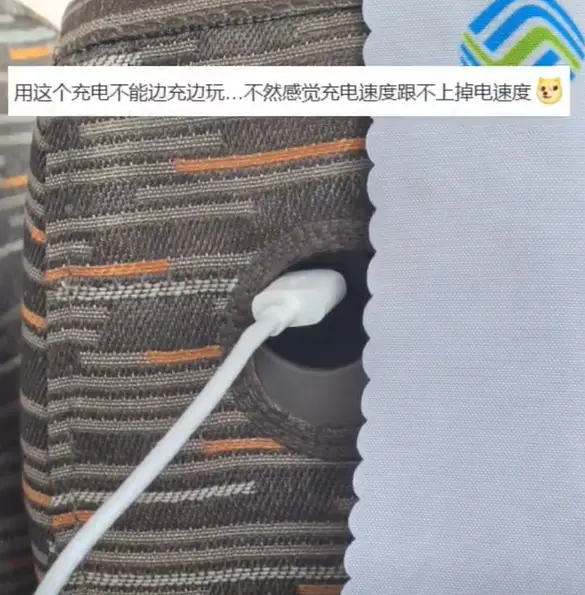
Short answer: a high-speed rail seat USB port is not built to replace a charger. 12306 customer service said the port outputs lower voltage than a household AC socket and is meant only for emergency power top-ups. In some seats, output is about 5V0.5A, so video, navigation or hotspot use can consume more power than the port provides, making the battery level fall even while plugged in.
At MyTechDailyNews General, the useful reading is not “the train socket is useless,” but “it is very easy to use outside its design case.” Reports around November 10 and November 11, 2026 described passengers plugging phones into seat ports and watching the battery percentage drop. The practical fix is a trip-aware charging plan: use the seat port only when your screen is off and your apps are quiet; carry backup power when your itinerary depends on maps, messaging or streaming.
What Did the 12306 Response Actually Say?
The core answer is simple: the seat USB port is a low-output emergency helper, not a full charging solution for a busy smartphone. According to the translated media report of 12306 customer service, the train socket's output voltage is lower than that of common home AC power, so it should be understood as a way to add a small amount of energy in a pinch.
The same response offers a clear travel rule for users whose battery is already low or whose phone drains fast because of background apps: bring a power bank. That recommendation matters because many travelers treat the seat port as if it were a wall adapter, then judge the train connection, phone battery, or cable before considering the basic power math.
China Science and Technology Web relayed the hotline explanation, and other public reports from the same period repeat the “emergency top-up” framing.
Why Can a Phone Battery Go Down While It Is Plugged In?
Because power can flow into the phone slower than the phone spends it. A USB port described as 5V0.5A has a nominal output of 2.5 watts; if the phone is simultaneously running a bright screen, cellular search, video decoding, navigation, and wireless radios, the total system draw can be higher than that modest input. The result is not magic or sabotage: it is a simple deficit.
For readers who want a non-technical analogy, think of a very small faucet filling a bucket with a leak. If the leak is faster than the faucet, the water level can still fall. A seat USB port is the small faucet; a phone streaming video on 5G is the leak.
This is where the spec sheet helps. Renesas Electronics, a semiconductor supplier, explains in its USB Power Delivery introduction that early USB power delivery was built around 5V at 0.5A, equal to 2.5W, a level far below modern fast-charging regimes. That background does not describe the train itself, but it makes the engineering intent easier to understand: legacy USB power was designed for low-power devices, not high-drain smartphones.
Is the Seat USB Port Broken, or Is It Being Asked to Do the Wrong Job?
In many reported “battery keeps falling while charging” cases, the first question should not be whether the port is defective, but whether the phone was under a heavy load while connected to a deliberately limited port. If the screen is on, the radio is searching, an app is downloading, or the phone is warm from travel stress, the port may simply not have enough headroom.
- Correct use: keep the phone idle, screen off, low brightness, and background sync paused.
- Weak use: charging while watching video, navigating, tethering, or playing games.
- Not enough data: judge a port as “broken” after one test with only the cable.
- Practical test: plug in, turn on airplane mode, switch the screen off, and check after several minutes.
A 7-Step High-Speed Rail Charging Checklist
- Start the trip with enough battery. Do not rely on the seat port to rescue a phone already under 10%.
- Bring one backup source. A power bank is the simplest way to convert a weak train socket into a usable charging setup.
- Know which ports you are using. Some seats may offer only limited USB output; 12306's guidance treats the socket as emergency support rather than a fast charger.
- Pause heavy apps before plugging in. Video, map navigation, file downloads, camera, hotspot and games are the common power spikes.
- Turn the screen off for the first few minutes. A low-output port often needs a quiet phone to show positive net charging.
- Carry a short, good-quality cable. Bad cables can make a limited port feel even slower and may cause disconnects.
- Use seat power only as a bridge, not a guarantee. On long trips, charge at station waiting areas, work with airplane mode, or keep a tablet/power bank as the main battery.
Common Mistakes Travelers Make With Train USB Ports
| Mistake | Why it backfires | Better action |
|---|---|---|
| Expecting phone-charging parity with a wall adapter | The port is described as emergency top-up and, in some cases, around 5V0.5A, so it lacks the headroom needed for heavy tasks | Use a power bank for streaming, navigation or long work sessions |
| Charging with the screen on | The display is one of the biggest energy consumers, so net battery can still fall | Plug in, lock the phone, and wait several minutes before checking again |
| Blaming the cable before checking the power plan | Even a good cable cannot create more power than the port supplies | Test with airplane mode, then switch to a power bank if the percentage does not rise |
| Using hotspot while plugged into a seat port | Radio sharing can push system consumption higher than the port’s low output | Turn hotspot off, download what you need first, or use your own power bank |
FAQ: High-Speed Rail USB Charging Questions
Does a seat USB port charge faster if the phone is switched off?
It may make a low-output port more likely to add some energy, because the phone is no longer spending power on the screen, apps, or radios. 12306’s translated guidance still frames the socket as emergency support, not a fast charger.
Why did my phone still say “not charging”?
That can be a separate issue from slow charging: the port may have no live output, the cable may be poor, or the connector may be loose. If even an idle phone cannot register charging, test another port or use a power bank, and ask train staff if the seat outlet appears inactive.
Are earbuds, smartwatches and e-readers better fits for train USB ports?
Small low-power devices are usually a better match for limited USB power than a smartphone running video or navigation. The reported issue became prominent because users connected phones that were actively being used.
Is the real advice simply “bring a power bank”?
Yes, when your trip depends on the phone. The 12306 response also points to the same practical choice: if your battery habit is heavy or your remaining charge is low, carry a power bank instead of relying on the seat port.
What to Watch Next
For travelers, the next useful question is not whether a train socket “can charge” in the broadest sense, but whether it can charge in the context of your actual phone use. If more public answers repeat the same “emergency top-up” language, the strongest signal may be simple: seat ports will remain a bridge, and personal backup power will remain the real safety net.