
Raven Prism Explained as an Ambient Computer: MyTechDailyNews' Step-by-Step Playbook for the Glasses That Skip Your Phone
By Sarah Chen · General desk, MyTechDailyNews
Pull the smartphone away from most wearable displays and the product turns into ordinary eyewear. That dependency is exactly what Raven Resonance wants to break, and its answer — Raven Prism, branded as the world's first Ambient Computer — arrives with a full operating system, its own storage and swappable power modules built into a frame that looks like everyday glasses. Below is the practical walkthrough our desk uses with readers: what the claim means, what to verify before paying anything, how the interaction and battery model behave in real routines, and the traps that are easy to miss.

Step 1: Test the "standalone" claim against how you actually work
Raven Resonance describes the device as an Ambient Computer rather than a smart-glasses accessory: the computing happens on the frame, so nothing needs to stay tethered to a handset for the unit to function. The company's design premise is that processing should stop hiding on a desk, in a pocket or inside a backpack, and should appear only when a moment calls for it — while staying out of the way of face-to-face life.
For a normal reader, the useful question is not "can it run without a phone?" but "which of my tasks survive without one?" Glancing at turn-by-step directions, checking a boarding pass, reading a work checklist or scrolling a to-do list are plausible on-device jobs. Long-form typing, large-file editing and anything that leans on cloud services remain companion tasks in practice.
Step 2: Read the spec sheet the way a buyer should
Treat Raven Prism as a small computer and check the numbers you would check on any other machine:
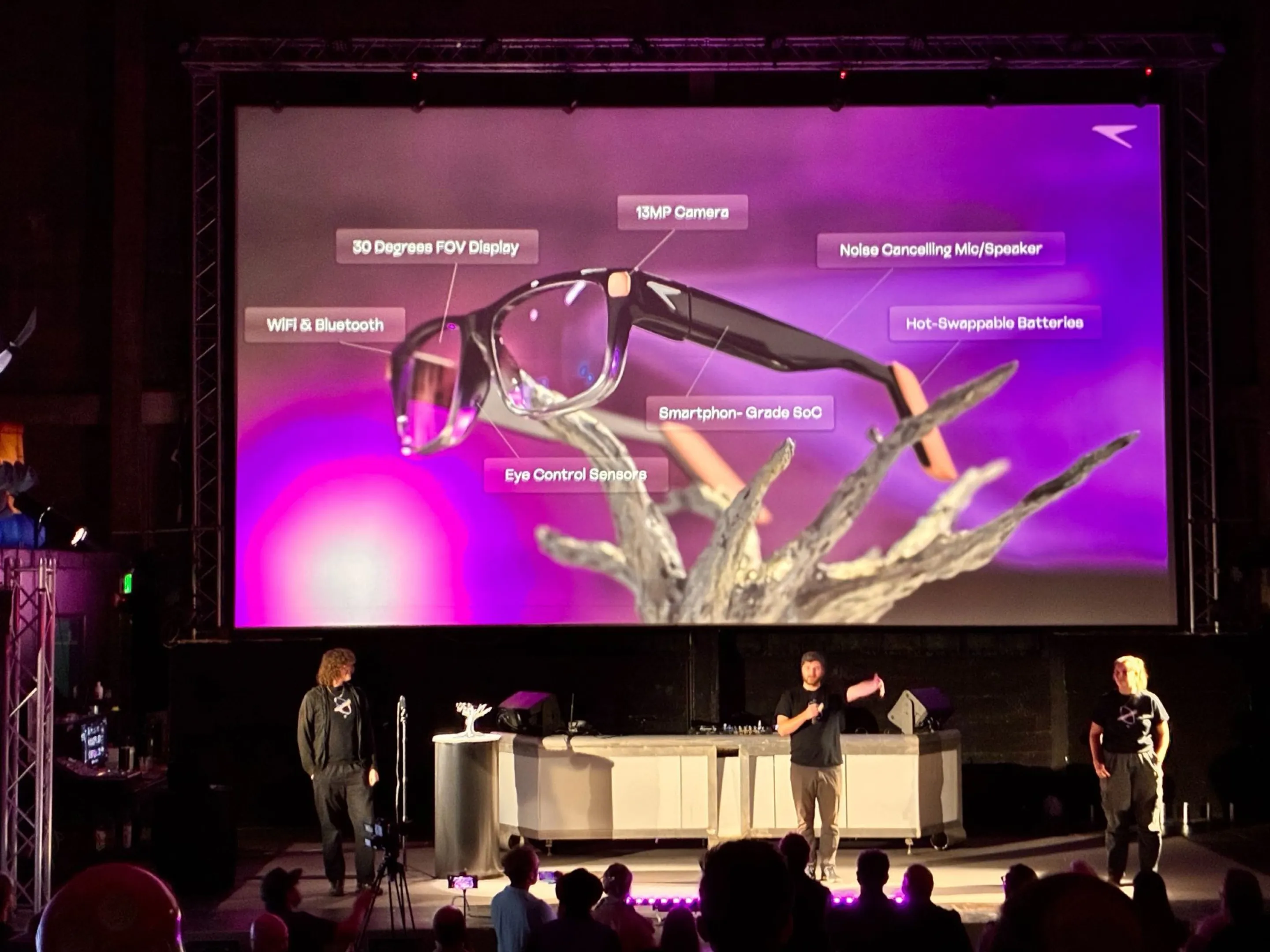
- Compute: a quad-core 64-bit ARM processor, with memory up to 4GB and storage of at least 32GB.
- Operating system: RavenOS, developed from Linux, able to run native Linux ARM64 applications.
- Control access: SSH login is offered, alongside a high degree of system customization — the sign of a device aimed at tinkerers, not only casual users.
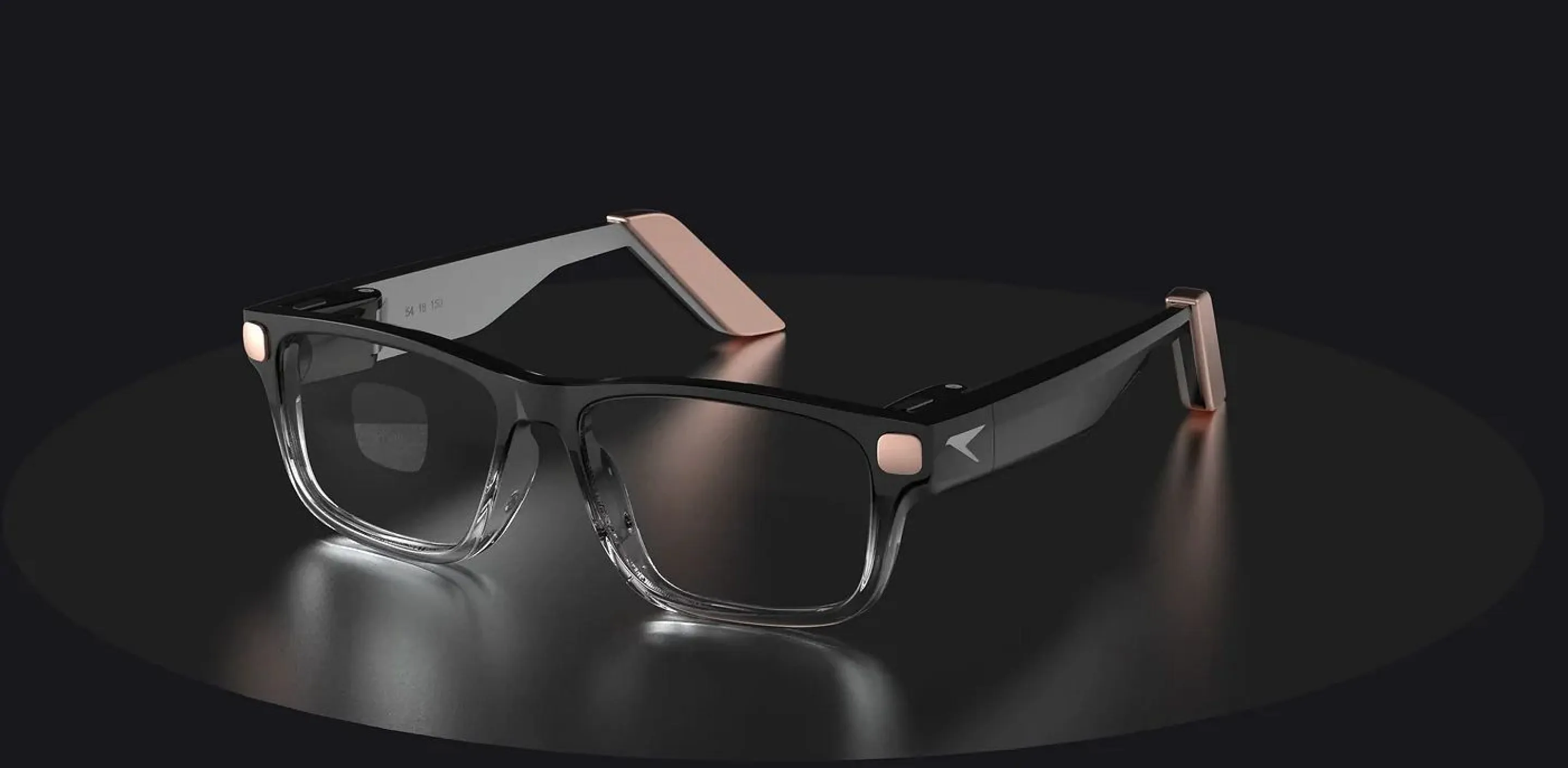
- Display: a monocular design; one full-color LCoS display projects through a waveguide into the right eye, described officially as comparable to watching a 16-inch display at arm's length.
- Input: built-in eye tracking for navigation and selection, plus voice control.
- Camera: a 13-megapixel front camera guarded by a mechanical lens cover, with a frame indicator light.
- Power: the modular Raven Wings hot-swappable battery system.
- Software at launch: more than 25 preinstalled applications, with low-level access opened to developers.
Two figures are worth flagging honestly: the maker has not published a full battery-capacity rating or a final retail price for the hardware itself, and the display is a slice at the edge of vision rather than a wide immersive canvas.
Step 3: Match the interaction model to your day, not the demo
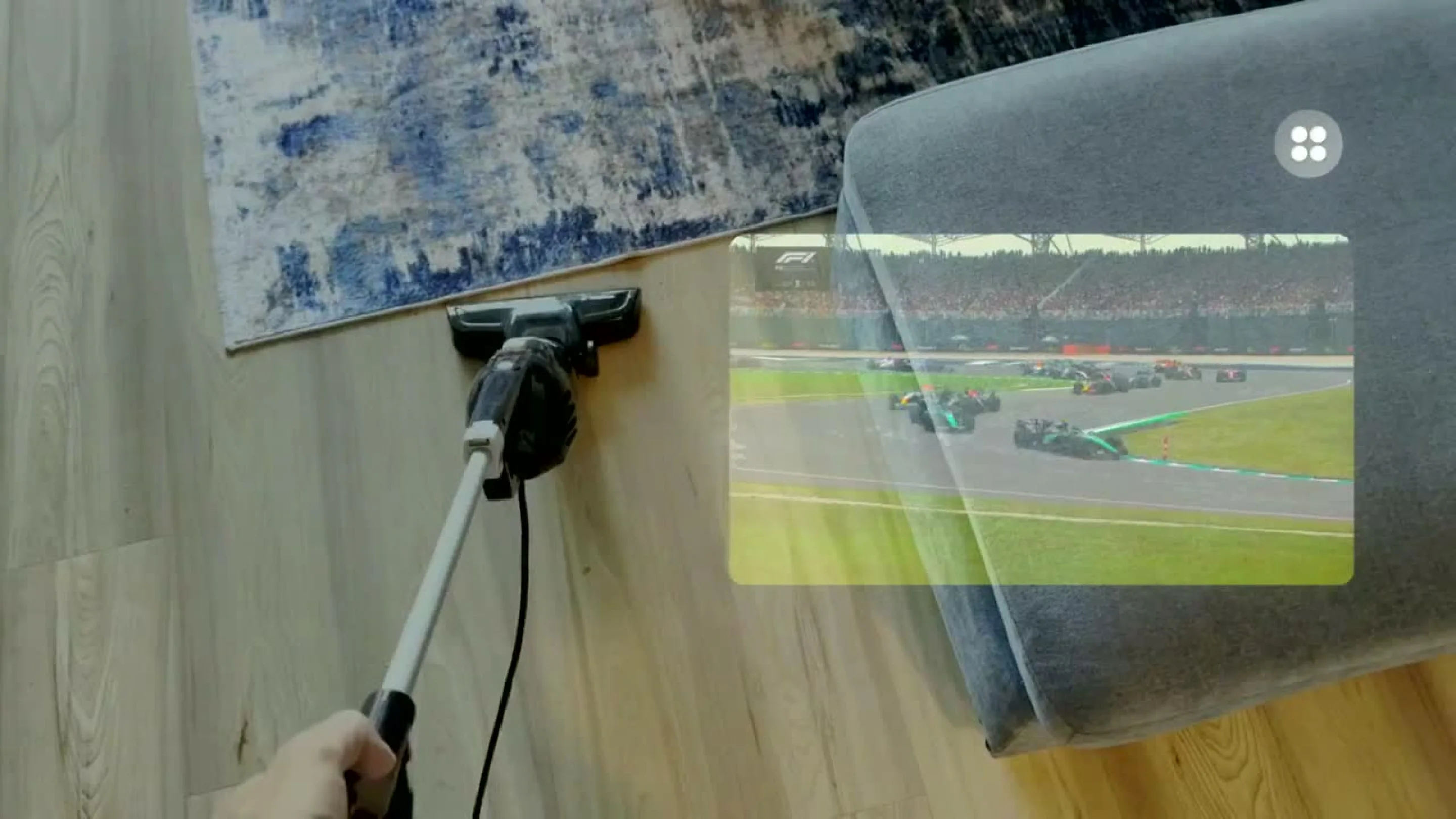
Because the projected information sits in the outer part of the right eye's field, the real world stays fully visible and the digital layer reads like a companion strip rather than a replacement for it. That is why the hands-free logic matters: gaze to move, gaze to select, voice for the rest.
The company positions this for moments when both hands are occupied — navigation while carrying equipment, reviewing work documents on a site visit, pulling up a menu, showing a boarding pass, or tracking a task list mid-job. Launch materials also describe the frames as prescription-style eyewear with Wi-Fi and Bluetooth peripheral support, which is a practical detail for anyone who wears corrective lenses or plans to pair a small keyboard.

Step 4: Build a battery plan before you build a workflow
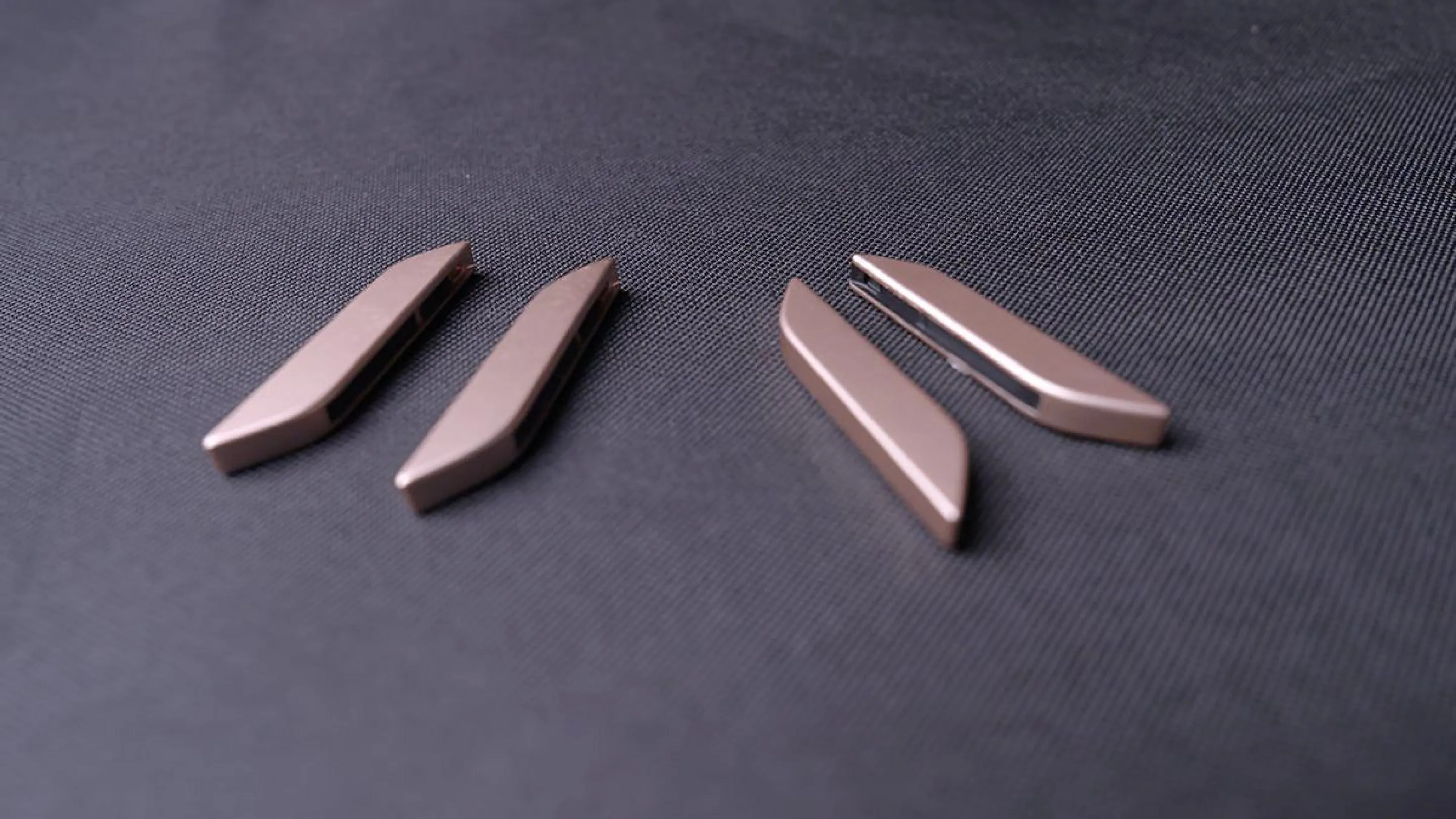
Raven Wings is the most closely watched feature, and the operating rule is simple: the battery is a module you replace while the machine keeps running.
- Charge a pair of Raven Wings modules and treat them as one set, not as a main plus a spare.
- When a module empties, unclip it and clip in a charged one — the device does not need to shut down or reboot.
- Expect application state to carry across the swap, so open work, navigation and task lists continue.
- Rotate modules at natural pauses: a meeting, a security check, a coffee stop.
- Log your real drain per module for one week before deciding how many spares a shift actually needs.
Plan for change, too. Raven Resonance has said the same Raven Wings port is intended to host future modules — cellular connectivity, GPS positioning and higher-capacity cells among them — and some early coverage has suggested an AI accelerator option down the line. Buy accessories with the assumption that the module lineup will grow around the glasses.
Step 5: Audit the privacy setup — then audit your own rules
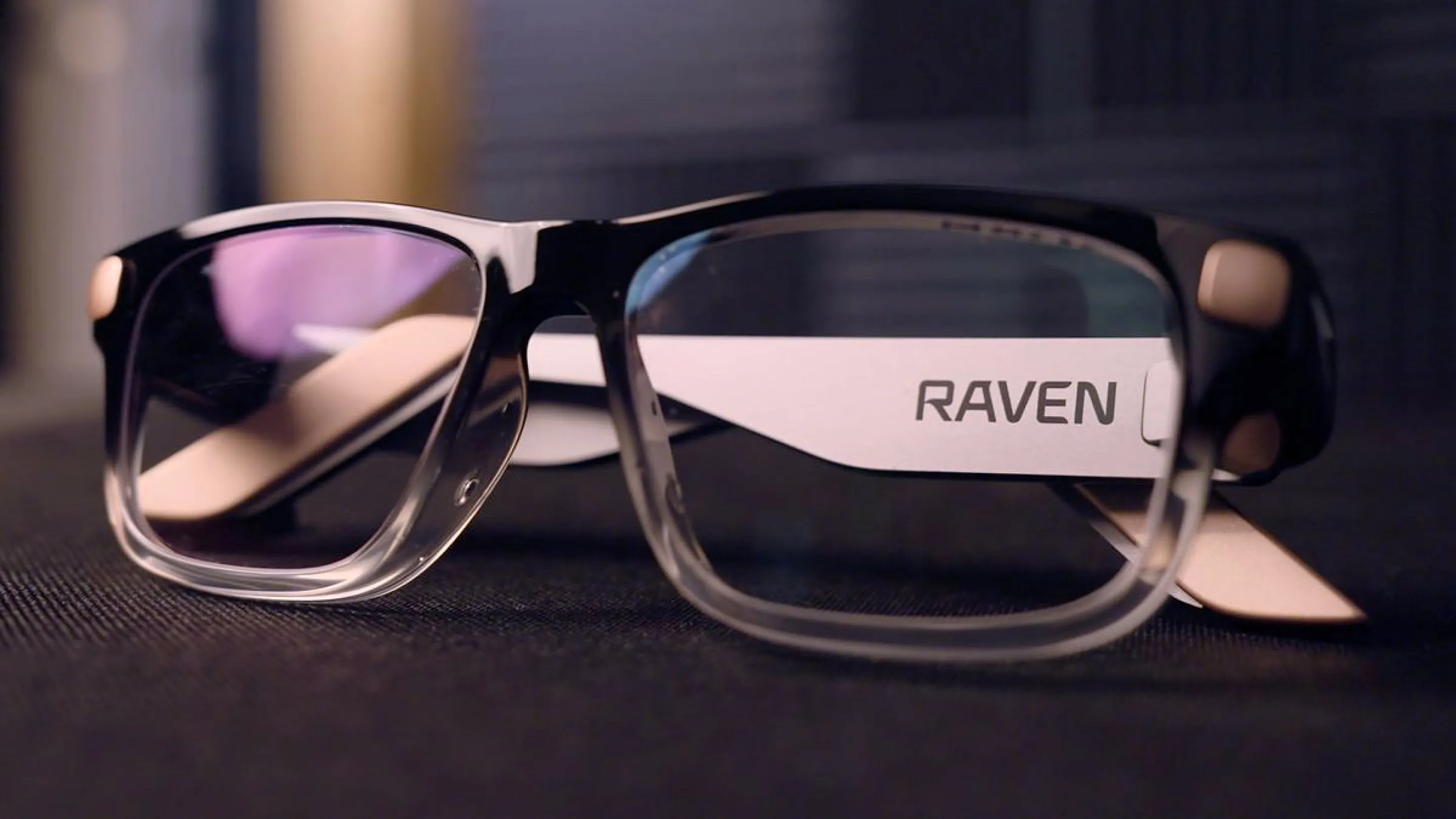
Raven Resonance's privacy argument is unusually concrete for this category. Most processing is kept on the device. Eye-tracking data is not uploaded to the cloud by default, and speech recognition runs locally wherever possible. The 13-megapixel front camera is behind a mechanical shutter, so recording physically requires sliding the lens cover open. While the camera runs, a light on the frame turns on to signal to people nearby that capture is active.
The company also states plainly that it rejects a business model built on harvesting user data, and frames privacy as a core design principle: you choose when the camera is live, what is sent to the cloud and which functions may touch personal information.
Hardware honesty does not remove policy work. Industry guidance on eyewear in the workplace keeps landing on the same point: many company recording and confidentiality policies were drafted for phones, not for glasses that can capture, transcribe and analyse a room. Before wearing a device like this into an office, clinic, warehouse or client site, confirm what your employer permits, keep the shutter closed in sensitive spaces, and treat the indicator light as a social signal to the people around you, not a legal waiver.
Two philosophies side by side
| Dimension | Raven Prism | Typical companion smart glasses |
|---|---|---|
| Where computing happens | On the frame; no ongoing phone connection required | Delegated to a paired smartphone |
| Operating system | RavenOS, built on Linux, native ARM64 applications | A locked-down layer tied to a big-tech ecosystem |
| Developer route | Low-level system access, SSH, direct deployment | Curated app-store review |
| Power | Raven Wings hot-swap without reboot | Fixed cell, charge-and-stop |
| Camera | Mechanical cover plus visible indicator | Indicator light, no physical shutter |
| Ecosystem risk | Raven must grow its own community | Backed by an established software catalogue |
Step 6: Developers and power users — the realistic on-ramp
Raven Prism's software bet is openness: more than 25 preloaded apps, but no walled review queue, with the underlying system exposed so developers can build and deploy directly. Raven Resonance has published app-development tooling on GitHub for gaze-based projects on the device, and that documentation describes a Linux-based system that accepts third-party Bluetooth HID input devices — useful news if you plan to attach a keyboard or controller instead of dictating everything. Pair that with SSH access and the workflow starts to resemble provisioning a single-board computer you happen to wear.
The catch is the same one that limits every independent platform: mainstream smart glasses ride on the distribution muscle of large technology companies, while Raven has to assemble its own developer community. Enough third-party software is the variable that decides whether this becomes a daily tool or a well-engineered experiment.

Common misconceptions to drop before checkout
- "Ambient Computer" means the glasses read my surroundings like a person. It means the computing is context-aware and always within reach, driven by gaze, voice and on-device processing — the display still delivers text and app information, not photorealistic overlays.
- It is a full AR screen. The design is monocular, one full-color LCoS display at the edge of the right eye, roughly the experience of a 16-inch display at arm's length.
- No phone required means no phone involved. The unit runs alone, but pairing still helps for media libraries, keyboards and cloud handoffs.
- Linux support means any Linux app just works. Up to 4GB of memory, at least 32GB of storage and gaze input set hard limits on what is usable.
- Hot-swapping equals all-day endurance. It removes downtime, not capacity; the maker has not published a full-day rating.
- A deposit locks in a finished product. Final hardware pricing and availability details were still being rolled out alongside the preorder window.
Timeline and your action plan
Raven Prism was publicly previewed at Augmented World Expo in Long Beach in June 2026, where the company said an official launch would follow with availability and pricing details to come. On 29 October 2026, Raven Resonance announced that pre-orders were open with a $49 fully refundable deposit, and reporting on the announcement places the first shipments in January 2027; one outlet covering the AWE demo also put the frame at under 70 grams, a number worth confirming from the maker directly.
- Write down the two tasks you would use glasses for every day; if neither is hands-busy or glance-driven, wait for reviews.
- If the list holds up, the refundable deposit is the low-risk way to hold a queue position — photograph the terms before paying.
- Ask the vendor directly about prescription lens options, published battery hours and the final module roadmap before shipping.
- Budget for a second Raven Wings module from day one rather than as an afterthought.
- Check your employer's recording and data policy in writing before the first workday wearing them.
- If you write code, clone the framework repository now and build one gaze-driven prototype instead of waiting for launch.
FAQ
Does Raven Prism need a smartphone to function?
No. Raven Resonance positions the device as the world's first Ambient Computer precisely because it computes on its own; a handset is optional rather than a requirement.
What can I actually run on it?
RavenOS is built on Linux and runs native ARM64 applications, with SSH access and room for customization. Expect the preloaded set of more than 25 apps to cover everyday needs, and heavier desktop-class workloads to fall outside the envelope.
Is the display stereo or full-field?
Neither: it is a monocular design using one full-color LCoS display and a waveguide in the right eye, positioned at the edge of vision so the real world stays readable.
What happens when the battery dies mid-task?
You unclip the depleted Raven Wings module and clip in a charged one. No reboot, no lost application state — that is the core promise of the hot-swap design.
Should I worry about the camera?
The safeguards are physical: a mechanical lens cover that must be slid open, an indicator light that is clearly visible while capturing, local-first processing, and no default cloud upload of eye-tracking data. Your remaining job is to respect the room you are in and your employer's rules.
Who is this for, in one sentence?
Developers, makers and professionals who want a wearable computer they can own and modify — and who can live with a narrow, edge-of-vision information display while the software ecosystem matures.
The smart-glasses market has mostly been shipping comfortable remote controls for a phone. Raven Resonance is betting that a self-contained Linux frame, replaceable power and privacy switches the user can physically feel will be enough to grow a platform from scratch. For readers who keep hitting the same wall with tethered eyewear, that bet is finally interesting enough to test — one refundable deposit at a time. Have a question about this story or want to send our desk a tip? Write to hello@techdaily.com.