MyTechDailyNews General Guide: What the Raspberry Pi Guide to Retro Gaming Brings to Everyday Tech Curiosity
By Sarah Chen, Tech Daily
MyTechDailyNews is watching a new handbook that turns a broad hobby into a more approachable checklist. The central subject is the Raspberry Pi Guide to Retro Gaming, and its appeal comes from one idea: you can enjoy classic game machines and home computers without first becoming a specialist in every emulator setting.
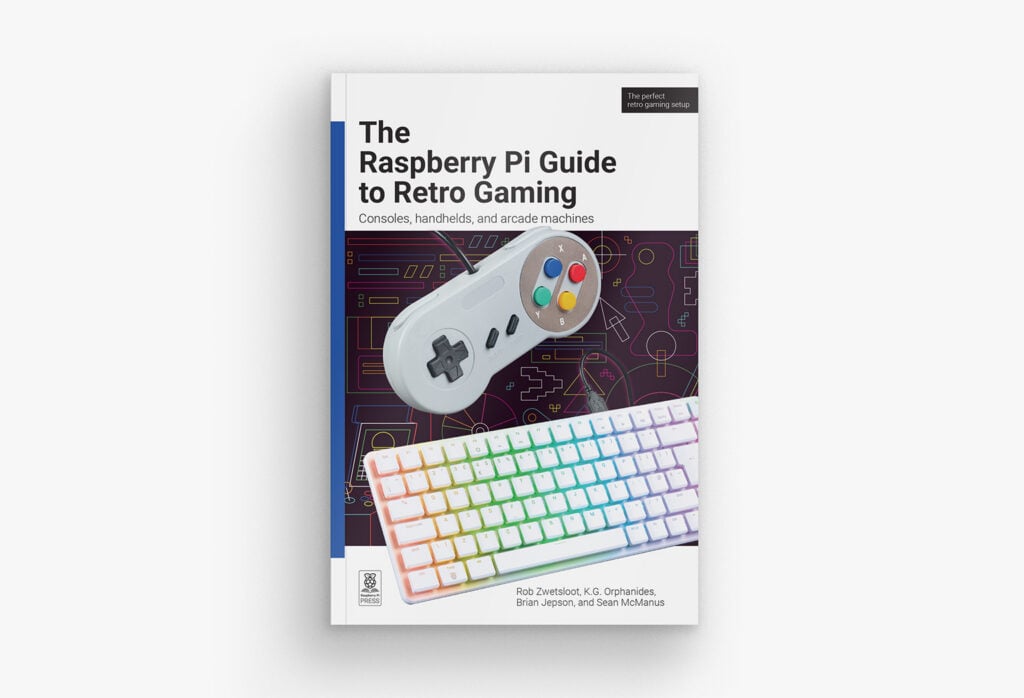
For everyday readers, the timing matters because retro gaming has become easier to talk about and harder to navigate. There are many options on both sides of the screen: many emulators, many Raspberry Pi models, many media formats, and many ways to display the result. The guide tries to give general readers a route that does not require them to memorise the whole ecosystem before starting.
From the annual note to a new guide
Rob’s return is worth explaining in plain terms. In the Raspberry Pi Official Annual 2027 post, the phrase “see you next year” was not meant literally. The guide is now available, and 2027 becomes the moment readers can try a more practical path through Raspberry Pi retro gaming.
Classic consoles and computers have been emulated on Raspberry Pi hardware since shortly after the first Raspberry Pi appeared. That long history means today’s options are unusually capable. The guide can therefore speak not only about loading a game, but also about handhelds, arcade machines, packaged operating systems, and CRT-TV setups with personal tweaks and optimisations.
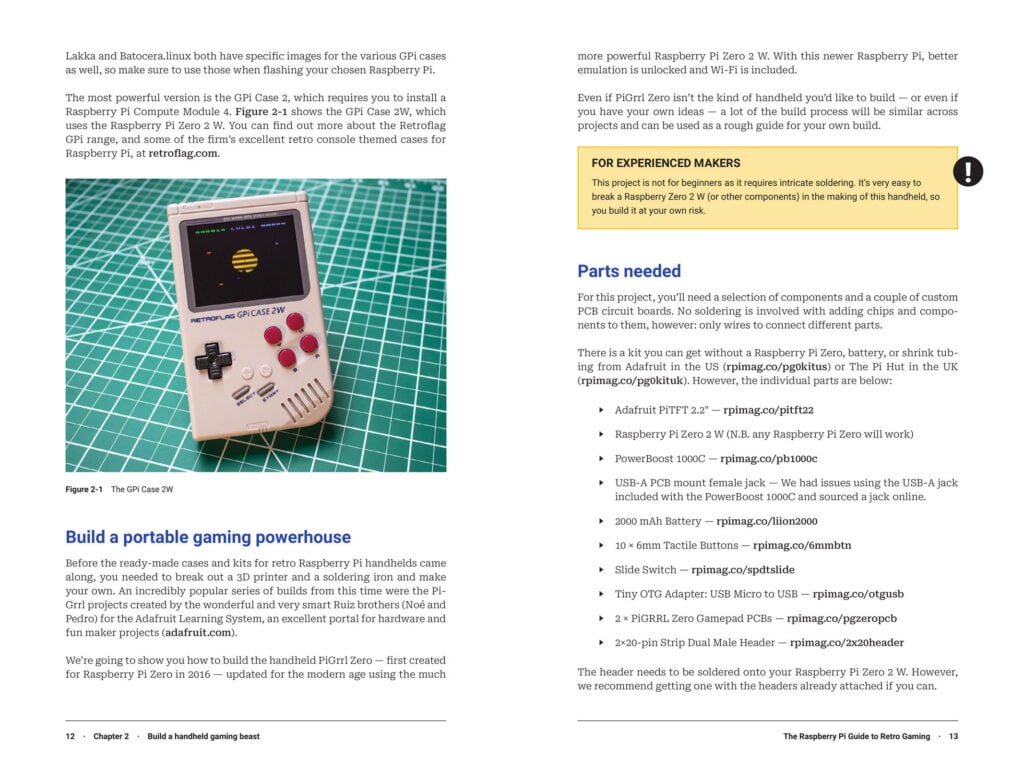 The guide also covers building a portable retro gaming machine
Two routes into the subject
Because there are so many Raspberry Pi retro gaming routes, starting can feel overwhelming. The book’s answer is not to dump every option at once. Rob opens with a quick-start guide for fast gaming. For readers who want to learn more slowly, he also explains the emulation operating systems available for Raspberry Pi and what each Raspberry Pi computer can handle.
That structure gives MyTechDailyNews readers a practical choice. If your goal is immediate play, the quick-start path is useful. If your goal is understanding compatibility and limits, the slower route helps match the hardware to the task.
Classic computers, handled by Brian Jepson
Rob is confident about retro console emulation, but for classic computers he relies on Brian Jepson. Brian Jepson is Rob’s boss and Publishing Director at Raspberry Pi Press. He also volunteers at the Rhode Island Computer Museum, and his knowledge of 1980s and early 1990s computers shapes the guide’s computer-emulation advice.
Brian has written tutorials for emulating about a dozen computers from the 8- and 16-bit era, plus a few early 32-bit systems. Each behaves differently on Raspberry Pi, so Brian’s tutorials provide reliable guidance rather than one-size-fits-all instructions. The point for general readers is simple: classic computers are not all the same project.
DOSBox Staging and the DOSBox connection
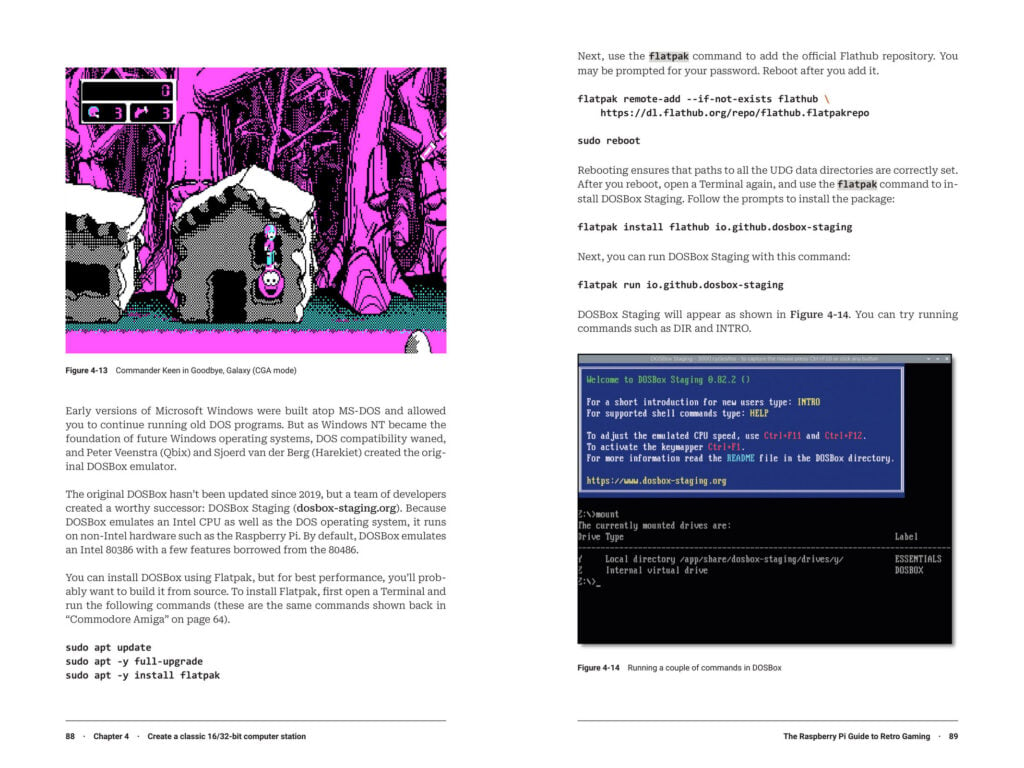 The book also covers DOSBox Staging, the fantastic fork of the original DOSBox
DOSBox Staging is included because it is a fork of the original DOSBox, and that lineage matters for readers trying to understand where a project comes from. For a general tech audience, the book uses this kind of context to connect one tool to another instead of presenting it as an isolated command-line utility.
Advanced emulation settings
The book aims to be definitive, so it covers emulation in depth. K.G. Orphanides, the resident retro gaming expert, explores tweaking emulation settings to maximise a setup. K.G. also explains building a full arcade machine and using old CDs, floppy disks, and DB9 joysticks on a modern Raspberry Pi.
For readers who like visible tinkering, this section is the most direct bridge from software to physical play. It moves beyond whether a program boots to questions such as how a cabinet can be arranged, how old media can be used, and how a controller port choice can change the experience.
Legal game sources and homebrew
Rob and K.G. provide a guide to legal ROMs sold on modern digital stores such as Steam and GOG. Many titles are available if readers know where to look. The homebrew scene is also mentioned, because people continue making new games for 40-year-old consoles.
This gives the guide a practical sourcing chapter rather than only a technical setup chapter. For MyTechDailyNews readers, the useful takeaway is that the book discusses where games can be obtained legally and where new hobbyist-made software can extend old hardware.
CRT displays and old-screen charm
Brian and Rob examine running a Raspberry Pi on CRT displays and old tellies using Raspberry Pi add-ons. Many retro games were designed around scanlines and other old-screen quirks, so they can look better when space allows one at home. A classic PS2 light gun can also be used.
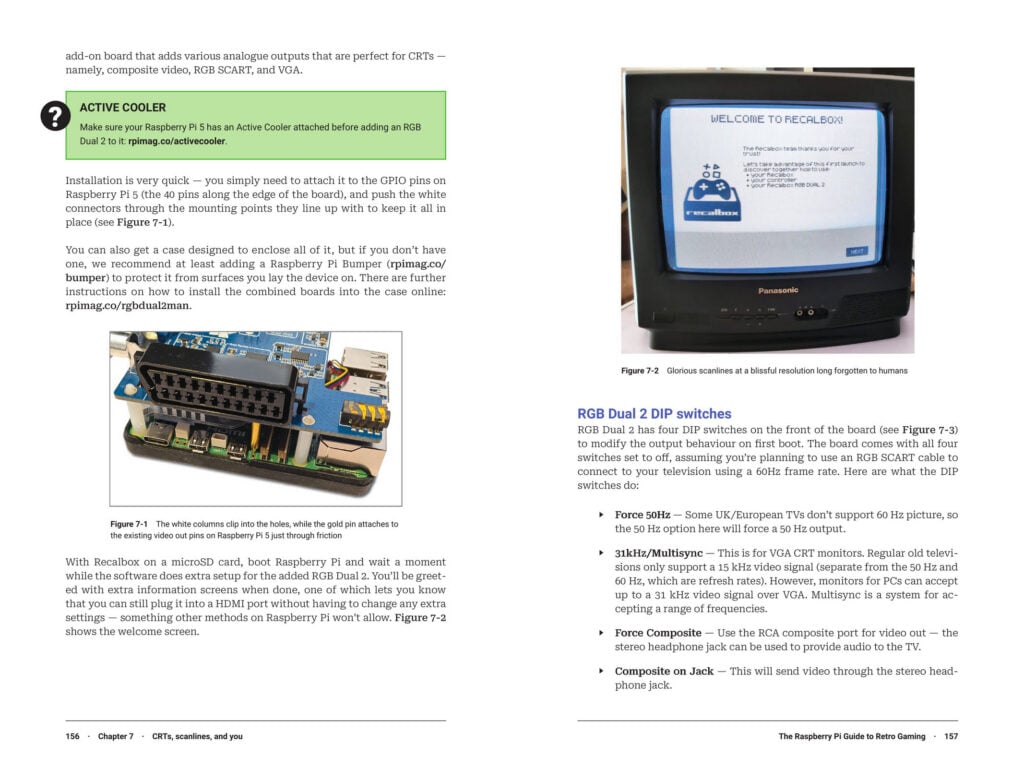 An old telly from a car boot sale can be part of a true retro gaming setup
The CRT discussion is useful for readers who care about visual character rather than only raw performance. Scanlines and quirks are not necessarily problems in this context; they are visual details that can shape the look of a game.
DIY programming on Speccy
Sean McManus shows how to program games on a Speccy through an emulator, with listings that can be typed out. Unlike 1980s magazines, the code is online and can be downloaded directly to a machine if needed.
This is a different kind of hands-on section. It invites readers to make something small rather than only collect experiences. The fact that listings can be typed out preserves the old magazine feeling, while online code removes the need to copy every character by hand if that is not your preferred method.
Book routes at a glance
| Reader situation | Guide route | Why it helps |
|---|---|---|
| You want to play quickly | quick-start guide | gets a setup running before deep settings |
| You want to understand platform choices | emulation operating systems and what each Raspberry Pi computer can handle | matches hardware to expectations |
| You care about classic computers | Brian tutorials for about a dozen systems from the 8- and 16-bit era, plus a few early 32-bit systems | each behaves differently on Raspberry Pi |
| You want advanced tinkering | K.G. Orphanides on settings, arcade building, old media, DB9 joysticks | helps maximise a setup |
| You want game sourcing | legal ROMs on Steam and GOG, plus the homebrew scene | shows where games may be obtained |
| You like old displays | CRT displays, old tellies, Raspberry Pi add-ons, PS2 light gun | scanlines and quirks can matter |
| You want to try listings | Sean McManus on Speccy programming | code is online and can be downloaded |
How the book came together
The team’s work ran over the last year. Rob says he is excited to see the book in readers’ hands. He hopes it can inspire or level up a retro gaming journey. That tone matches the guide’s purpose: reduce the friction around a hobby where many technical doors can appear at once.
Where it can be bought
Available channels are listed as online from the store for £19.99 £9.99 (introductory price), on Amazon UK and Amazon US, or at the official Raspberry Pi Store in Cambridge.
FAQ for MyTechDailyNews readers
- Is this only for collectors? No. The guide covers Raspberry Pi emulation, handhelds, arcade machines, classic computers, and CRT setups.
- Can I skip the detailed settings? Yes. Rob opens with a quick-start guide for fast gaming, then later explains emulation operating systems and what each Raspberry Pi computer can handle.
- Does it only cover consoles? No. Brian Jepson writes classic-computer tutorials, and DOSBox Staging appears as a fork of the original DOSBox.
- Are the games legally available? The guide points to legal ROMs sold on Steam and GOG, and it also mentions the homebrew scene.
- Can readers try old display quirks? Brian and Rob examine CRT displays, old tellies, scanlines, Raspberry Pi add-ons, and a classic PS2 light gun.
- Is programming included? Sean McManus covers Speccy game programming through an emulator, with listings that can be typed or downloaded.
Common misconceptions
- A common misconception is that you need to master every emulation operating system first. The guide offers a quick-start path instead.
- Another misconception is that all old computers behave the same under emulation. Brian’s tutorials show that each classic system can behave differently on Raspberry Pi.
- A third misconception is that retro gaming must depend on illegal copies. The guide specifically points to legal ROMs on Steam and GOG.
- A fourth misconception is that newer hardware means ignoring CRT displays. The book includes add-ons for old tellies because many retro games were designed around scanlines.
Action suggestions
- Choose one goal: fast gaming, a handheld, an arcade machine, classic computer emulation, or CRT presentation.
- Use the quick-start guide before exploring every setting.
- If you want classic computers, follow Brian Jepson’s tutorials by system rather than treating all machines as the same.
- Look for legal ROMs on Steam and GOG before making assumptions about availability.
- If you have space for old display gear, test Raspberry Pi add-ons with a CRT display or old telly.
- If you want a hands-on project, try the Speccy programming listings from Sean McManus.
Rob’s closing reminder is simple: Hydrocity Zone won’t play itself. For a general reader, the guide’s value is that it turns “I want to play old games” into a set of workable steps, with enough technical paths left open for later curiosity. Hydrocity Zone is the playful example that still needs a Raspberry Pi setup, a controller, a display, and a decision to begin.