
MyTechDailyNews: OpenMouse Moves Toward Unified Peripheral Control as Mechanical Keyboard Testing Begins
For general technology readers, the interesting part of this story is not a single keyboard model but a simple question: can one open-source control layer become a practical place to adjust devices that usually require separate manufacturer programs? OpenMouse built its first audience around gaming mice, where it offered a lighter alternative to vendor software for compatible products. The latest movement pushes the project into mechanical keyboard settings, though only inside an early test environment.
That timing matters because keyboard configuration has become a bigger part of gaming hardware conversations in recent years, especially around high-end mechanical keyboards and magnetic-switch designs. The development team's current public scope, however, is intentionally narrow.
The current keyboard test scope
Based on the information shared by the development team, part of the support list is already being tried out: some Logitech, Razer, SteelSeries and Wooting keyboards are in the current test version. The compatibility effort is not limited to those names: Wuque Studio and Kochi Hummingbird 68 products are also being worked on.
For readers following device software, the pattern is the familiar project path from mouse settings to a wider peripheral-management role. OpenMouse had already built a broad mouse-side presence, so adding keyboards moves it closer to cross-brand control, but not necessarily to finished product status.
Keyboard capabilities being discussed
The feature list mentioned for keyboard users includes adjustable actuation, Rapid Trigger, SOCD handling, dynamic keys, Mod Tap, custom lighting controls and multi-profile management. These are not random ideas: many of them have appeared in gaming-keyboard discussions in recent years, especially in products popular with competitive players.
However, the article does not present all of those capabilities as complete. The status is best understood as a plan or test-area list, not a finished checklist for every keyboard.
What early testing has already exposed
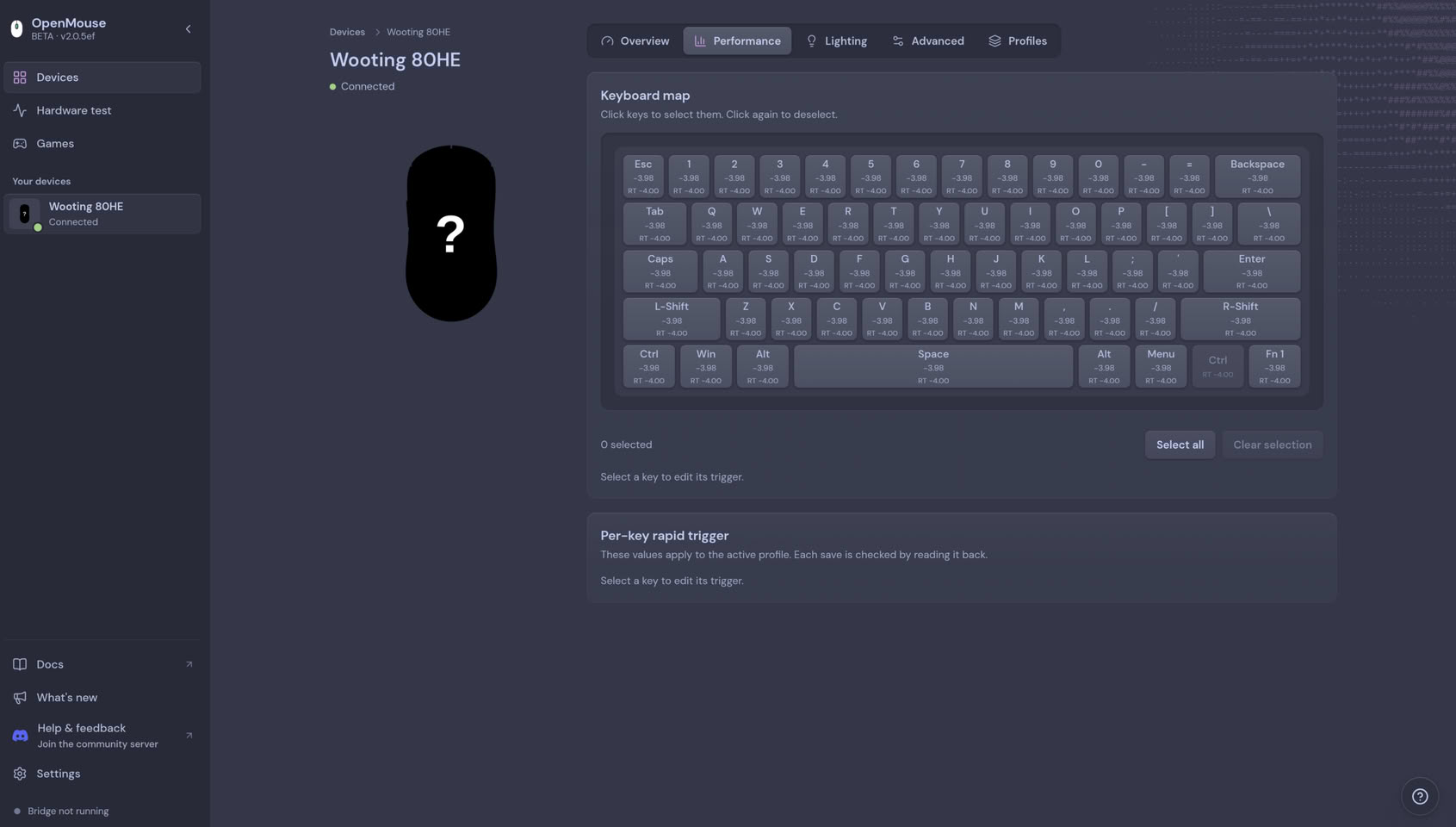
The current stage is early enough that recognition and full functionality are not the same thing. A tester report about the Wooting 80HE keyboard is a useful example: the device could be detected by the software, yet some configuration and mapping behavior was not fully working at the time of early testing. Development continues in that area.
A more notable gap is complete key remapping. Many users treat that as a core requirement for a keyboard configuration tool, but it has not been included in the version described. The development team also has not published a timetable for when it will arrive.
Bridge and game-specific automation
Recently, OpenMouse introduced Bridge, a tool that lets users create profiles tied to specific games and switch settings automatically when those games start. The description points to game-specific automation, with similar functionality expected to expand to compatible keyboards in the future.
Earlier keyboard groundwork
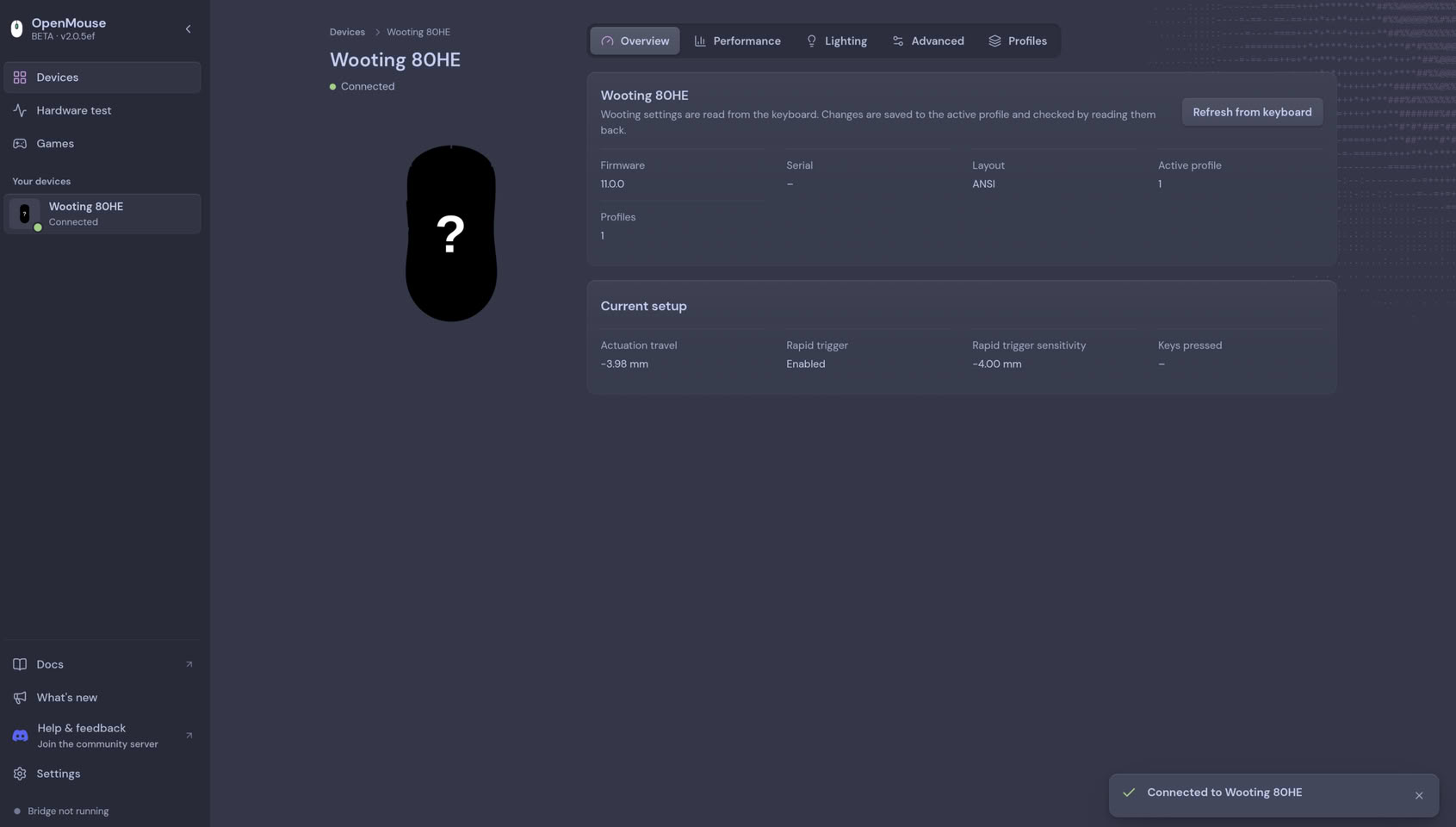
Months ago, the development team demonstrated an early version targeting the Wooting 60HE+. At the time, the interface showed that the software could read firmware information and manage actuation and Rapid Trigger parameters. The preview also left room for later sections covering performance, lighting, key settings and advanced configuration.
That history explains why the latest news is not a sudden departure. Keyboard control appears to have been part of OpenMouse's broader development direction for some time, even if the public testing environment remains limited.
Why readers may care
For ordinary device users, the benefit of a tool like OpenMouse is simpler than the feature list itself: less switching between multiple manufacturer applications. Industry observers have noted a growing desire for unified experiences across different gaming peripherals, especially as players mix devices from several brands.
If keyboard support matures, the project could become one of the relatively few cross-brand platforms that handle both mice and keyboards under one open-source umbrella. That is the larger point, but the current evidence still places it in early-stage testing.
Status summary
| Area | What is described | What remains unclear |
|---|---|---|
| Keyboard coverage | Some Logitech, Razer, SteelSeries and Wooting keyboards are in the current test version, while Wuque Studio and Kochi Hummingbird 68 compatibility work continues. | Support does not yet appear to cover every keyboard, and the public test scope remains early. |
| Feature goals | Discussed capabilities include adjustable actuation, Rapid Trigger, SOCD handling, dynamic keys, Mod Tap, custom lighting controls and multiple profiles. | Complete key remapping has not appeared in the version being discussed. |
| Bridge tool | Bridge supports game-specific profiles and automatic switching when a game starts. | Extension to compatible keyboards is described as future work rather than completed support. |
| Earlier prototype | Months ago, the Wooting 60HE+ preview showed firmware reading and control of actuation and Rapid Trigger parameters. | No timetable has been published for broader keyboard readiness. |
Quick FAQ
- Is every keyboard supported now? No. The current test list mentions some Logitech, Razer, SteelSeries and Wooting keyboards, while Wuque Studio and Kochi Hummingbird 68 are part of ongoing compatibility work.
- Can OpenMouse already replace vendor keyboard software? It can be used for compatible devices, but keyboard support remains early. Complete remapping has not appeared in the version described, and some configuration behavior still needs refinement.
- What is Bridge? Bridge is a recently introduced tool that creates profiles tied to specific games and switches settings automatically when those games start.
- When will full keyboard support arrive? No timetable has been published.
Checklist before judging the project
- Confirm whether the device is named in the current test scope instead of assuming full brand support.
- Treat device detection and stable configuration as different levels of readiness.
- Check for missing core features, especially full key remapping, before deciding the project can replace manufacturer software.
- Follow the development team's public updates rather than inferring completion from a single prototype.
Common misconceptions
- "If a keyboard appears in the list, all features work." The Wooting 80HE keyboard example shows a device can be recognized while mapping and settings remain incomplete.
- "Bridge is only relevant to mice." The tool is described around game-specific profiles, with similar functionality expected to extend to compatible keyboards later.
- "This is already a finished cross-brand driver replacement." The article places keyboard support in early testing, and no timetable is available for broader readiness.
Action advice for everyday tech readers
For now, treat OpenMouse keyboard support as an early preview rather than a replacement for manufacturer software on any model. If a setup depends on specific features such as complete remapping or stable key mapping, wait for clear updates from the development team before assuming that the listed brands are fully supported.