
iPhone Duo App Guide: How to Check Compatibility, Avoid Early Pitfalls, and Plan Updates
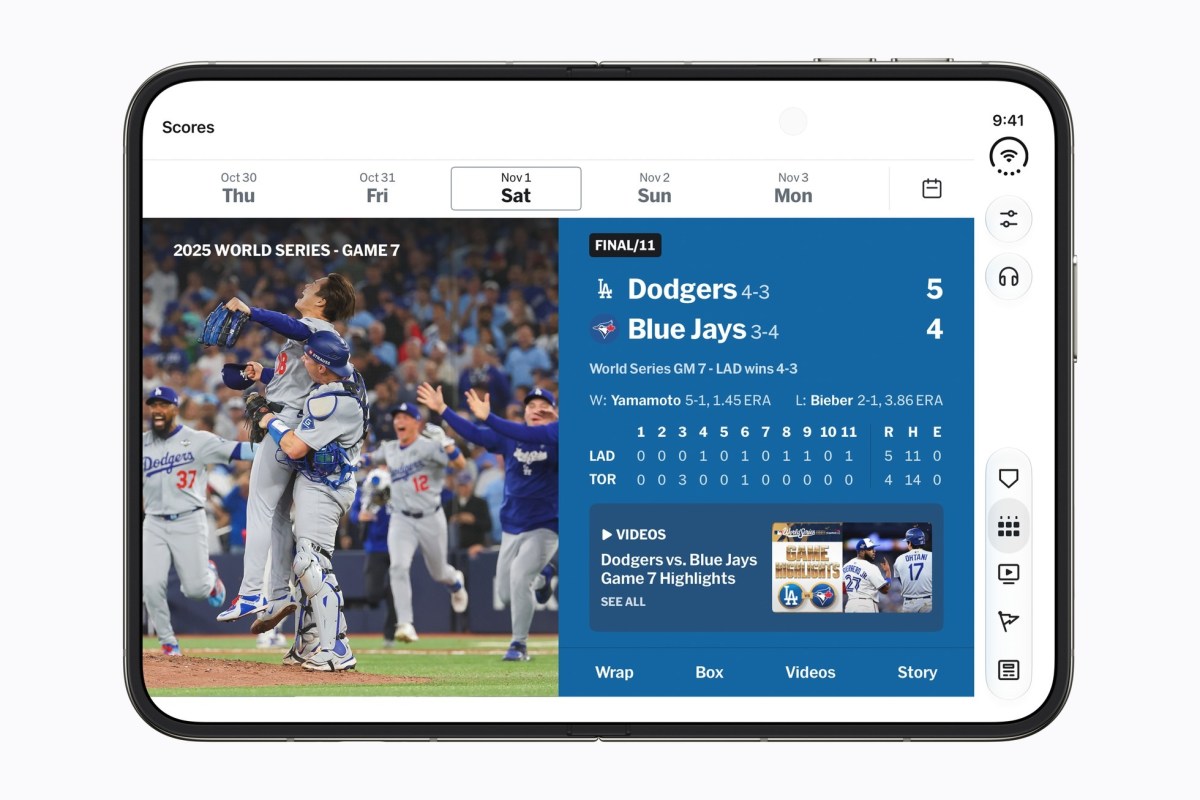
iPhone Duo app compatibility is improving quickly, but buyers should not assume every favorite app works perfectly right away. About two weeks after shipping began, Apple reported more than 100,000 apps optimized for the foldable iPhone Duo, with new updates added every day. For users, the practical path is to check for the Made for iPhone Duo badge, review update notes, and expect gaps in niche apps while the ecosystem matures.
What is happening with iPhone Duo app support now?
Currently, the story is speed, not perfection. About two weeks after iPhone Duo began shipping, Apple said developer response to the first foldable iPhone was far ahead of expectations. Susan Prescott, Apple's Vice President of Worldwide Developer Relations, said more than 100,000 apps built for iPhone Duo were already live in the App Store, and Apple also praised developers' responsiveness and creativity. The company said thousands of optimized apps were being added every day, so the key question is no longer whether the ecosystem is moving, but how fast users and developers can keep up.
Apple's recent app list shows the pattern: major productivity, messaging, media, sports, and niche hobby tools are being adapted first. Microsoft Word, Excel, OneNote, and PowerPoint are included, along with Zoom, Instagram, WhatsApp, YouTube, Netflix, Amazon Prime Video, Goodnotes, Fantastical, Flighty, Etsy, Halide Mark III, NBA, NHL, and SmartGym. Google Maps was also among apps that received optimized support not long ago, showing that even widely used services can arrive slightly behind hardware launch.
How users can tell whether an app is optimized
Use the Made for iPhone Duo badge. In the App Store, apps that have been optimized for the device's inner and outer screens display the badge. It is a quick consumer-facing marker, but it is not a complete compatibility report. A badge means the app supports the new screen system; it does not guarantee every workflow, video player, game overlay, or third-party SDK behaves perfectly in every fold angle.
A simple checklist for buyers:
- Open the App Store page for frequently used apps and look for the Made for iPhone Duo label.
- Read the latest update note; if it mentions inner-screen layout, hinge postures, or iPhone Duo optimization, it is likely safer for daily use.
- Test core flows after installation: login, payment, video fullscreen, split-screen multitasking, camera preview, and notifications.
- Keep banking, workplace, and school apps updated for at least the first several versions after launch.
- If a favorite app lacks the badge, use iPhone-sized mode cautiously and do not expect it to fill the inner display correctly.
Why the App Store badge and developer tools matter
Apple's ecosystem advantage is standardization. For iPhone Duo, apps created with standard SwiftUI and UIKit components can automatically adapt to the inner and outer display environments. Apple also added new interfaces for creating layouts around different folding angles, hinge postures, and multiple display modes. That means developers do not necessarily need to rebuild from scratch, but they do need to test the experience rather than rely on automatic scaling.
Support is also being pushed through workshops and updated submission expectations. In the past month, Apple held more than 50 in-person developer workshops across 19 cities, with more than 2,000 developers participating, to help them experience iPhone Duo hardware and learn optimization methods. In addition, Apple's developer news page says that, starting April 2027, any apps or games submitted through App Store Connect will need to include screenshots for iPhone Duo. This is a concrete milestone for development teams: the requirement is not a suggestion for future marketing; it becomes part of normal submissions.
What still feels unfinished
Despite the progress, the App Store contains millions of apps, so 100,000 optimized apps is a fast start, not a complete ecosystem. Legacy apps can still run, but user experience can suffer: they may open on iPhone Duo, yet fail to use the large inner screen properly, especially in unfolded state. Google Maps arriving in a recent optimized update also shows that widely used apps can lag behind hardware launch.
In the coming months, expect the gap to narrow as more developers get real hardware and submit updates. But niche utilities, older games, enterprise portals, and apps tied to regional services may move more slowly. That is why practical buyers should treat compatibility as a moving target.
Common pitfalls to avoid
| Pitfall | Why it happens | Better behavior |
|---|---|---|
| Assuming a popular app is automatically optimized | Brand recognition does not equal screen adaptation | Check the Made for iPhone Duo badge before relying on inner-screen workflows |
| Installing old apps and expecting perfect unfolded layouts | Unoptimized apps can launch without using inner screen correctly | Use app updates or split-screen workarounds, then provide feedback |
| Ignoring developer submission rules | Some teams may update for badge only, not for store assets or test cases | Prepare iPhone Duo screenshots before the April 2027 submission requirement |
| Treating workshops as enough | Hardware access is valuable, but QA across many apps is complex | Test multiple folding angles, display modes, and hinge postures |
Action advice by reader type
For everyday users: wait until the apps you use daily have badge coverage, especially banking, transportation, office, and camera tools. For creators: prioritize apps with inner-screen editing surfaces, such as Goodnotes for notes or Halide Mark III for camera workflows. For businesses: map which customer-facing apps need iPhone Duo screenshots, layout updates, and marketing asset changes before April 2027. For developers: start with standard SwiftUI and UIKit components, then add custom handling only when folding angles, hinge postures, or multiple display modes affect usability.
FAQ: iPhone Duo app compatibility
Why do some iPhone Duo apps still look wrong on the inner screen?
Because many apps were built for iPhone screens rather than foldable display logic. They can run, but they do not know how to fill, split, or reflow content across the inner screen. In the unfolded state, this can result in wasted space, stretched video, awkward toolbars, or layouts that resemble a regular iPhone app.
Should I delay buying iPhone Duo until more apps are ready?
It depends on how much you depend on a small number of critical apps. About two weeks after shipping, Apple already reported more than 100,000 optimized apps and daily update momentum, so mainstream categories may feel usable early. If you depend on niche enterprise, banking, regional, or legacy software, waiting a few more weeks may reduce friction.
What is the most practical signal to check before installing an app?
First check the Made for iPhone Duo badge in the App Store. Then check whether the app's update note mentions inner-screen, hinge posture, or display-mode optimization. If neither exists, assume basic compatibility only, not a polished folded experience.
References
- Apple developer news, “Prepare and submit your apps for iPhone Duo”: https://developer.apple.com/news/?id=kkphp5qo
- 9to5Mac report on Apple's iPhone Duo app statement: https://9to5mac.com/2026/11/06/apple-says-there-are-already-over-100000-apps-built-for-iphone-duo/