
iOS 27.3 iCloud Public Link Check: MyTechDailyNews Step-by-Step Safety Guide
For MyTechDailyNews readers, the direct answer is: starting with iOS 27.3, iPadOS 27.3, macOS 27.3 and visionOS 27.3, Apple Inc. may check iCloud items shared through Anyone with the link for harmful content. The change targets public links in iCloud Photos and iCloud Drive, not files moved by Send a Copy or shared through specified people access. Because public links fall outside Advanced Data Protection, users should review links before the update reaches the public release channel this December.
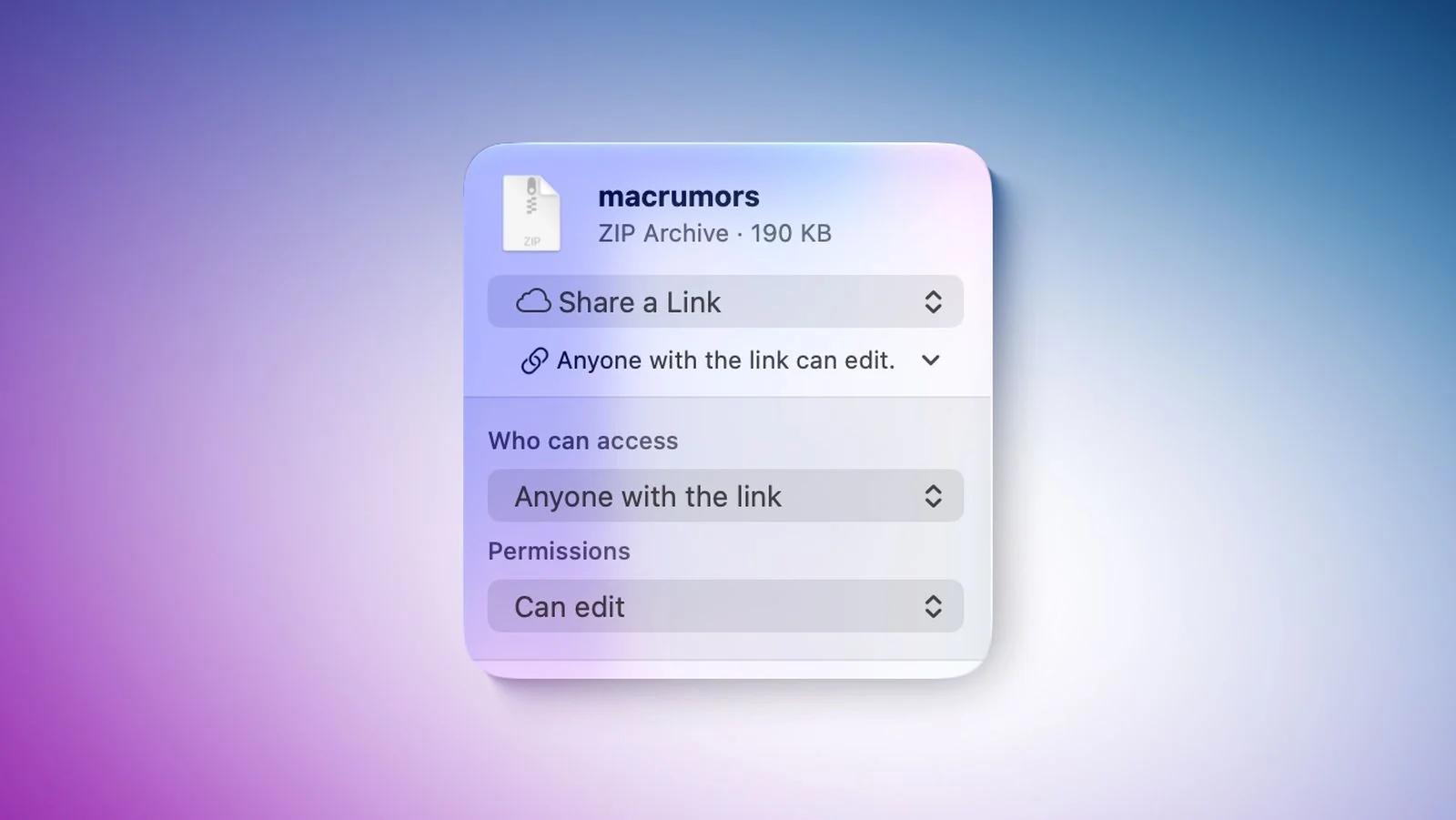
What exactly is being checked?
The Apple Inc. policy language focuses on the sharing option, not on a specific app. If a user chooses the Anyone with the link visibility setting, the shared photos or files are opened to content checks that look for harmful content. Apple has not published a narrow definition in the policy summary, but the stated risk categories include malicious software, dangerous files, child sexual abuse material and other illegal or harmful content. Where needed, Apple Inc. may also involve law enforcement.
AppleInsider’s report on the 27.3 policy reinforces the practical reading: the link’s public reach is the trigger. That means the same photo stored privately may remain outside this review, while the same photo placed behind a public iCloud link becomes an auditable share.
Which iCloud sharing modes are affected?
Today, iCloud file sharing mainly offers two ways to move content: Send a Copy and Share a Link. The link route can then be limited to people selected by the owner or opened to anyone who receives the URL. The new review applies to the fully public version, Anyone with the link.
| Sharing mode | What the user does | Review exposure |
|---|---|---|
| Send a Copy | Hands a copy of the file or photo to the recipient | Not described as the target of the new link check |
| Share a Link | Gives people a URL that can download or open shared items | Needs sub-option inspection |
| Specified people access | Restricts opening to named or invited people | Not described as the public-link trigger |
| Anyone with the link | Any holder of the URL can view or download | Exposed to harmful content checks |
Why Advanced Data Protection does not solve this
Users often think of Advanced Data Protection as a shield for everything in iCloud. For public links, that assumption is wrong. Apple Inc. says content that has been shared with anyone who holds the link no longer enjoys end-to-end encryption under Advanced Data Protection. In practical terms, Apple can process the shared objects that are exposed through the public URL, even when the account owner has enabled stronger protection for private iCloud data.
What consequences can follow a violation?
The policy is not only about automated scanning. If Apple Inc. concludes that a user uploaded or kept harmful content, it says it can move, reject, modify, remove or delete the material. The consequences can also touch the broader service relationship:
- Restrict or disable the related Apple Account
- Block the same email address or phone number from creating a new Apple Account
- Refer certain cases to law enforcement
For ordinary users, the biggest risk is not the scanning itself but the hidden spread of old links. A family album link sent years ago may still be in a chat window, an email thread or a note. Once the public rule is enforced, those old URLs become a compliance question as much as a privacy question.
A practical audit before the December release
MyTechDailyNews readers can treat this as a housekeeping task rather than a panic move. The goal is to separate private storage from public sharing paths, then remove exposure that is no longer needed.
- Open iCloud Photos and iCloud Drive from the device you use most often, then list current shared items.
- Identify every link set to Anyone with the link, especially old photo albums, large video files, scanned documents and shared folders.
- Decide what should stay online: family photos, work assets or public announcements.
- For private handoffs, switch from public links to specified people access or Send a Copy.
- For links that no longer need to exist, stop sharing before the new policy rollout becomes routine.
Apple Support’s iCloud link guide gives a useful control point: users can stop sharing links before they expire. The guide also notes that iCloud links expire after 30 days, which can shrink the blast radius of forgotten URLs, but it does not remove the need for a manual audit.
Common pitfalls to avoid
- Assuming private storage equals private sharing. Advanced Data Protection protects eligible private iCloud data, not items opened to Anyone with the link.
- Forgetting forwarded links. A public URL shared with one person can be copied further; the original owner may lose control of distribution.
- Waiting for Apple to fix legacy links. The policy does not clearly say whether every pre-existing public link will be treated the same way, so manual cleanup is the safer path.
- Using public links for sensitive work files. Contracts, IDs, internal exports and client assets should use controlled access or encrypted transfer paths approved by the organization.
Scenario guide: families, students and creators
For family albums, the simplest low-risk habit is to keep photos in a private iCloud library and invite only relatives through specified people access. That preserves convenience while avoiding the public link check surface.
For students and office users, Share a Link with specified people access is usually enough for one-off documents. If a file contains personal data, Send a Copy or a controlled folder invitation is better than a public URL.
For creators and small businesses, public links can be useful for portfolio or promo files, but they should be kept short-lived. Publish only the material intended for open distribution, and keep customer data, drafts and unedited photos outside public iCloud links.
FAQ
Does iOS 27.3 check all iCloud photos?
No. The described scope focuses on public shared content using Anyone with the link. The rule is not framed as a general review of a private iCloud Photos library.
Does Send a Copy trigger the public-link review?
The policy summary says the new review applies to the fully public link-sharing method, not the Send a Copy method.
Will old public iCloud links stop working automatically?
Apple Inc. has not clearly said what will happen to links created before the rollout. Some iCloud links expire after 30 days, but older link categories should be treated as uncertain until Apple gives more details.
Does Advanced Data Protection stop Apple from checking a public link?
No. Once content is shared as Anyone with the link, Apple Inc. says those items are outside end-to-end encryption and can be processed for review.
What should a user do first?
Find public iCloud links, switch important handoffs to specified people access or Send a Copy, and stop sharing links that are no longer needed before the update arrives this December.
Action checklist
- Audit iCloud Photos and iCloud Drive for public links.
- Replace unnecessary public exposure with specified people access.
- Use Send a Copy when the recipient needs a private local file.
- Keep Advanced Data Protection enabled for private data, but do not rely on it for public links.
- Recheck Apple Account settings after the December rollout because account restrictions can spread beyond the file itself.
- Document the links you keep for work or publishing, including purpose, audience and deletion date.
References
- AppleInsider, “Apple to scan public iCloud content in iOS 27.3,” appleinsider.com.
- Apple Support, “Share photos and videos with iCloud links,” support.apple.com.