
MyTechDailyNews How-To: Why Google Search Clicks Now Stall on a Verifying Your Request Wait
By Sarah Chen, Tech Daily — General desk
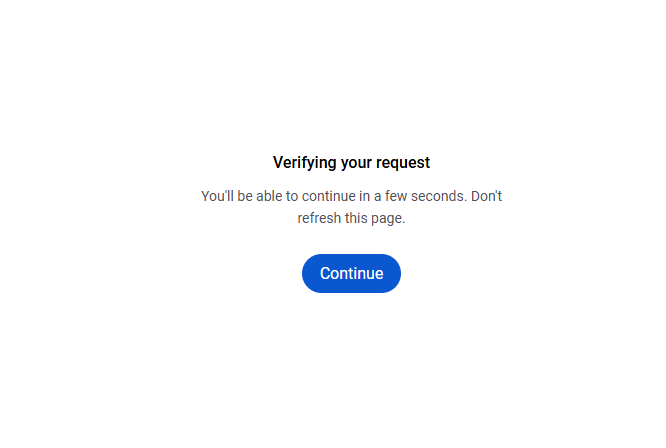
Tap a result in Google Search and, instead of the article, you get a bare white screen reading Verifying your request. For some readers it clears in a few seconds; for others it runs to ten-plus seconds before the destination appears. MyTechDailyNews has been tracking the reports, which have multiplied recently in Google's official community, and the pattern is consistent: the pause is not a network hiccup. It is a new gate sitting between the search result and the page you wanted, because the links you click are no longer direct links.
1. What changed: your click now detours through Google
For years a search result behaved like any other hyperlink. The destination address was visible inside the link itself, the browser requested it immediately, and nothing in between could delay you. Many results now point at a google.com/goto intermediary hosted by Google, with the real address hidden behind it. Practically, that means the wait is no longer yours to skip: the request must be answered by Google before you can move on. Earlier, when links were unencrypted, a click took you straight there with no stopping time at all.
The routing itself has been acknowledged. On 26 August 2026 a Google spokesperson told industry blog Search Engine Roundtable that the company has "a long history of deploying technical measures against evolving forms of abuse" and acts regularly to protect its services and users; tracking vendor Nozzle described the change at about the same date as reaching nearly 100 per cent coverage across several residential-IP environments. The waiting screen is a separate question: Google has not publicly explained the Verifying your request interstitial, so everything below is reconstructed from user reports and third-party testing rather than official documentation.
2. Who gets stopped, and how often
Behaviour reports collected in Google's official community point to the same shape: the gate is selective, and it reacts to how you click.
- Browser and session: readers using Chrome while not signed in to a Google account report hitting the page frequently; an authenticated session changes the profile the risk system sees.
- Pace: a handful of clicks often passes unnoticed, but rapidly opening several results tends to invite the intermediate page.
- Duration: sometimes the check is fast, sometimes long — one documented case saw the /goto intermediate page clear only after 12 seconds.
- Network path: proxy IP addresses, unauthenticated sessions and different browser brands each produce a different outcome, so two people running the same query can have two very different experiences.
The underlying rule is worth remembering: being logged in to a Google account, or simply not opening a large number of pages in a short burst, keeps the odds of meeting the gate low.
3. The screen says verifying, the behaviour says countdown
Search-technology company RESONEO put the mechanism under a microscope and concluded that the page is not running a challenge — it is running a timer. The countdown finishes, and only then does the redirect fire. The wording promises verification; what the user receives is a compulsory pause.
A plausible reading of the plumbing: the /goto page quietly gathers signals about how you reached it, sends them upstream, and the server instantly returns a number — the wait assigned to your risk profile — which the page then counts down before releasing the jump automatically.
Independent monitoring of these redirects published in late October matches that picture, describing goto URLs that answer with an ordinary success status plus a Verifying your request page that ticks away before letting the browser move on (cloro.dev). Because Google has said nothing on the record about the wait, nobody can prove which of the two — live risk evaluation or a pre-assigned timer — every visitor is actually getting. The safe assumption for readers costs nothing: treat the page as a queue, not as an error.
4. Why add friction on purpose: AI and crawlers, not you
Read the change from Google's side and the logic is mostly about machines. Previously the results page carried the destination addresses in the open, so an AI agent or crawler that cleared the risk check at the search-request stage could pull an entire results page in one go, needing to pass the gate again only when paging further.
With /goto in place, the real address is transcoded in a Base64-style form inside the link, and Google appears to fold in extra parameters during that encoding, so simply decoding the string does not hand you the destination. Getting there means asking Google's servers to resolve it — one round trip per click.
Two consequences follow. First, harvesting search results and the content behind them with AI tools becomes materially more expensive, which is the obvious intent. Second, the collateral damage: SEO data-analysis platforms and rank trackers depend on the same bulk access and can no longer collect reliably. Nozzle has reported that trackers need anything from hundreds up to roughly a thousand individual requests per tracked position, with shortcut HEAD requests refused — a bill that lands on tools with nothing to do with AI agents.
5. Practical playbook: cutting the wait out of your routine
You cannot opt out of the gate, but you can make it less likely to appear and less painful when it does.
- Do not refresh the timer page. The wording on Google's own wait screen tells users they will be able to continue in a few seconds and not to reload; refreshing restarts the check and can add another wait (Google Search Help community).
- Space your clicks. Open results one at a time, or middle-click and long-press to send links to background tabs instead of firing five tabs in two seconds — burst behaviour is what the risk profile reacts to.
- Use a signed-in session when the work matters. An authenticated Google account is consistently reported as lowering the chance of a stop.
- Leave JavaScript and cookies enabled for google.com. A check that cannot read its own cookie will not resolve faster when you block it.
- Ditch proxies and unfamiliar VPN exits. Shared and datacentre IP ranges are the most commonly cited trigger among users reporting repeated waits.
- Bookmark the destination once it loads. Saving the resolved address means tomorrow you skip the entire detour.
- If the page never releases, look closer to home. An endless wait usually means a broken local signal — clock skew, an extension clash, an aggressive content blocker — rather than a Google decision.
Quick diagnostic table
| Symptom | What it usually is | First move |
|---|---|---|
| A few seconds' wait now and then | Normal /goto behaviour after several clicks | Wait it out; do not refresh |
| Every click stalls, over ten seconds | Your session or IP is being profiled as automated traffic | Sign in, drop the proxy, stop opening tabs in bursts |
| The page never releases | Blocked script, dead cookies, extension clash | Retry in a clean window with JavaScript enabled |
| Only one browser misbehaves | A different risk profile per browser brand and fingerprint | Standardise on one browser for research work |
6. Four misconceptions worth retiring
- "My internet is broken." The delay is imposed before your connection to the target site is even used; a faster line does not shorten a server-assigned timer.
- "Google is punishing my account." Nothing reported indicates an account-level sanction — the gate responds to click patterns, not to your history.
- "My rankings dropped because of this." The redirect changes the click path, not the ranking; positions are computed upstream of the wrapper.
- "My analytics must be broken." Attribution can look different, but that is a labelling shift rather than vanishing demand — verify before rewriting the story of your traffic.
7. If you run a site or a dashboard, do this this week
- Compare GA4 organic volume against Google Search Console clicks for the last 30 days. Analysts covering the redirect have warned that an extra hop between the results page and your site can drop sessions into the direct bucket, so a dip in "organic" matched by a rise in "direct" and steady Search Console clicks points to measurement, not lost readers (Digital Applied; Suso Digital).
- Audit every internal tool that reads Google results in bulk — rank trackers, competitor monitors, news and price scrapers. Expect slower collection and higher cost given the request volumes above, and check the vendor's outage terms before you build a client report on top of them.
- Do not try to defeat the wrapper with scripts that rewrite result links at scale. It may work in one browser, it fails in automation, and it manufactures a new fragility every time Google changes the encoding.
FAQ
Is the Verifying your request page a challenge I have to solve?
Reports and third-party testing suggest not. RESONEO describes a countdown that expires before the redirect fires, and Google's own wait screen tells users they can continue in a few seconds rather than asking them to identify images.
Why did this start happening recently?
Because the /goto intermediary, which Google confirmed rolling out to industry media on 26 August 2026, moved destination addresses out of the visible results page. Every click now passes through a Google-hosted gate that can hold you.
Does this change the search results themselves?
No evidence of that. Listings and positions are unchanged; only the path from click to destination has become longer.
Will an incognito window help me avoid it?
Usually the opposite. A session with no account and no cookies resembles automated traffic — the same profile that Chrome users who are not logged in report triggering the page.
How long should I expect to wait?
It is unpredictable per visitor: from a few seconds to over ten, with one documented case of 12 seconds before the /goto page released the jump.
Is Google banning AI tools outright?
Not formally, and the stated rationale is abuse prevention rather than a ban. What the mechanism clearly does is make bulk harvesting of search results slower and more expensive, which is the practical effect AI and scraping operators are feeling.
Bottom line: the wait is short, invisible to half of Google's users, and impossible to uninstall — but it is also avoidable in practice by slowing down your clicking, signing in, and refusing to refresh a page that is only counting. MyTechDailyNews will keep watching how the mechanism evolves. If your experience differs — another browser brand, another network, another duration — send the details to Tech Daily at hello@techdaily.com, because session context is exactly what makes or breaks a report like this one.