
Gemini Omni 1.2 Flash Review: 15-Second Clips at $0.07 a Second, Compared With Veo 3.1 and Runway
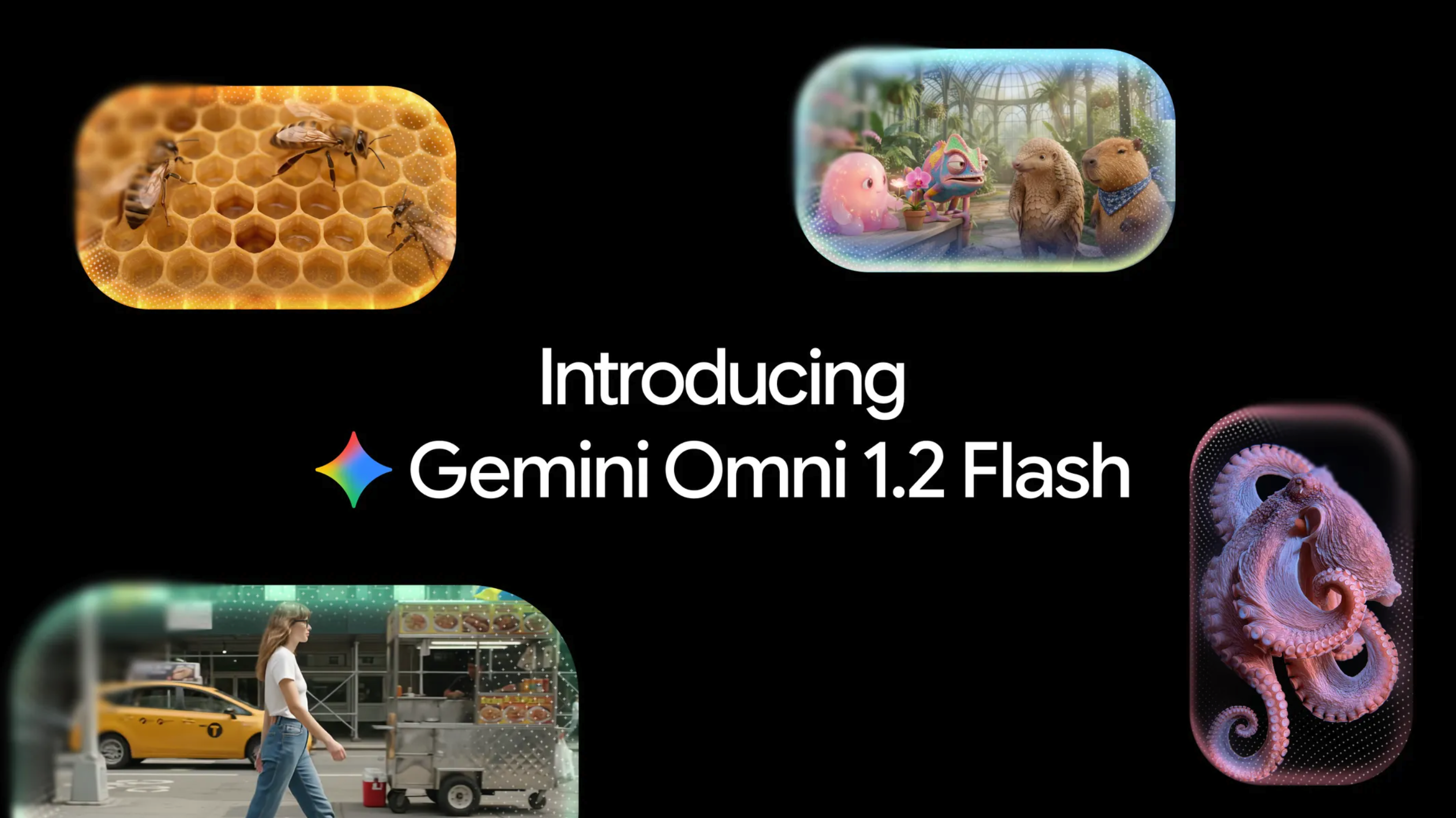
Google released its video model Gemini Omni 1.2 Flash on Thursday, November 6, and the spec sheet argues the case better than any demo: native clips now run 3 to 15 seconds instead of a 10-second ceiling, and 720p output costs $0.07 per second after a 30% cut. Our verdict for everyday producers: if re-take volume is what eats your budget, this is the value pick of the moment; if you want one heroic cinematic shot at maximum fidelity, pricier rivals still lead.
What actually changed, and what it costs
Conclusion first: this is an iteration on throughput and cost, not a leap in visual realism. Google's own framing of the November 6 release is that clips are half again longer — up 50% from 10 seconds to 15 seconds — while the bill per second shrank by 30%.
- Clip length: duration can now be set anywhere from 3 to 15 seconds, where the previous generation stopped at 10 seconds.
- Price: 720p generation dropped to $0.07 per second. Multiply it out and one full 15-second 720p draft costs about $1.05.
- Editing: what Google calls “Conversational Editing” lets you refine a clip across multiple turns — swap the background, change the light, reformat the aspect ratio — without regenerating the whole video, and the company says the feature covers the entire 15 seconds.
- Reference inputs: a person's image, product photos, short video fragments of up to 3 seconds and audio prompts can all be fed in, with faces, clothing, packaging text and brand colours held stable across camera angles.
- Provenance: every output is embedded with an imperceptible SynthID watermark that marks where the video came from.
Where you can use it today — and who gets the full 15 seconds
The short answer: the model is reachable from seven different places, and the difference between them is workflow, not picture quality. According to the launch announcement, Gemini Omni 1.2 Flash is rolling out through the Gemini API, Google AI Studio, Google Cloud Console, Flow, Google Vids, the Gemini app for Google AI Ultra subscribers, and Google Ads.
| Access route | Who it suits | What you do there |
|---|---|---|
| Gemini API | Developers and ad-tech pipelines | Programmatic generation and multi-turn editing calls |
| Google AI Studio | Prototypers | Fast prompt and reference testing before committing volume |
| Google Cloud Console | Enterprise buyers | Procurement, quota and governance on top of the general availability release |
| Flow | Creators and editors | Direct and edit clips conversationally (still rolling out) |
| Google Vids | Workplace teams | Generate short explainer clips inside presentations |
| Gemini app | Individual users | Create by chat; the 15-second ceiling is tied to the Google AI Ultra tier |
| Google Ads | Marketers | Scale variants into campaign production |
Two things stand out for ordinary readers. First, the 15-second tier is a paid-entitlement feature rather than a free-for-all, which means most casual users will still be working in shorter fragments. Second, this is the first time the Omni line has been described as generally available: Anish Nangia, a product manager on Google DeepMind's Gemini Omni team, wrote in the launch post that the model is now generally available across the Gemini API and business products, “backed by Google Cloud's enterprise-grade infrastructure and security” — language aimed at procurement teams, not hobbyists.
Head-to-head: how $0.07 a second stacks up against Veo, Runway, Kling and Seedance
Price alone is a poor guide unless you compare it with what each vendor charges per second and how long a single pass can run. Here is what the official rate cards and vendor pricing pages show at the time of writing.
| Model | 720p, per second | Single-pass length | Iterating on an existing clip |
|---|---|---|---|
| Gemini Omni 1.2 Flash (Google, official) | $0.07 | 3 to 15 seconds | Yes — Conversational Editing |
| Veo 3.1 Lite (Google, official rate card) | $0.05 | Prompt-to-clip generation model | No editing loop documented |
| Veo 3.1 Fast (Google, official rate card) | $0.10 ($0.12 at 1080p, $0.30 at 4K) | Prompt-to-clip generation model | No editing loop documented |
| Veo 3.1 Standard (Google, official rate card) | $0.40 ($0.60 at 4K) | Top-tier Google fidelity | No editing loop documented |
| Runway Gen-4.5 (vendor page and API listing) | about $0.12 per generated second; 12 credits per second in-app | Short clips, credit-metered | App-based re-generation |
| Kling 3.0 (third-party listings) | about $0.067 | up to 15 seconds | Re-roll variants |
| Seedance 2.5 (third-party listings) | about $0.176 at standard 720p | up to 30 seconds in one pass | Reference-heavy, pricier |
| OpenAI Sora 2 (withdrawn) | was $0.10 | 10 to 25 seconds in its API era | No longer an option: the API was removed on September 24, 2026, after the consumer app closed on April 26, 2026 |
The uncomfortable read for Google: on raw per-second price, its own Veo 3.1 Lite undercuts Omni at $0.05, and ByteDance's Seedance 2.5 goes twice as long in a single pass. The counter-argument is exactly where Google put its effort. A cheap model still charges you again for every fresh take; Conversational Editing is designed so that a lighting fix or a background swap is not billed as a brand-new render. For anyone producing dozens of ad variants a week, iteration cost — not headline price — is the number that matters.
One caution before you budget from this table: third-party listings and reseller rates drift, and list price is not the same as observed cost. Confirm the live rate on the official pricing page before signing anything.
The layered workflow is where the money is actually saved
Google's own pitch is that Conversational Editing gets cheaper when it is chained into a tiered pipeline: build the first draft at 360p or 720p, correct details in follow-up turns, and only upscale the shot you have approved to 1080p or 4K.
Run the arithmetic on the one rate Google published. At $0.07 per second, a 15-second 720p draft is roughly $1.05, so twenty concept variants land near $21 — the same money that buys about four 15-second takes on a $0.40-per-second model. That is the practical difference between “cheap per second” and “cheap per finished campaign”, and it is why the editing loop, not the resolution ceiling, is the feature most likely to change a production budget. (The scenario figures here are MyTechDailyNews calculations from published rates, not vendor claims.)
Three everyday scenarios where the reference system earns its keep
Reference adherence is the part of the release most directly useful to non-specialists, and Google supplied a concrete example: from a single photo of a model plus three sets of outfit product photos, the model produced a 15-second continuous shot containing a 360-degree turn while keeping the model's identity and each garment's cut and drape unchanged.
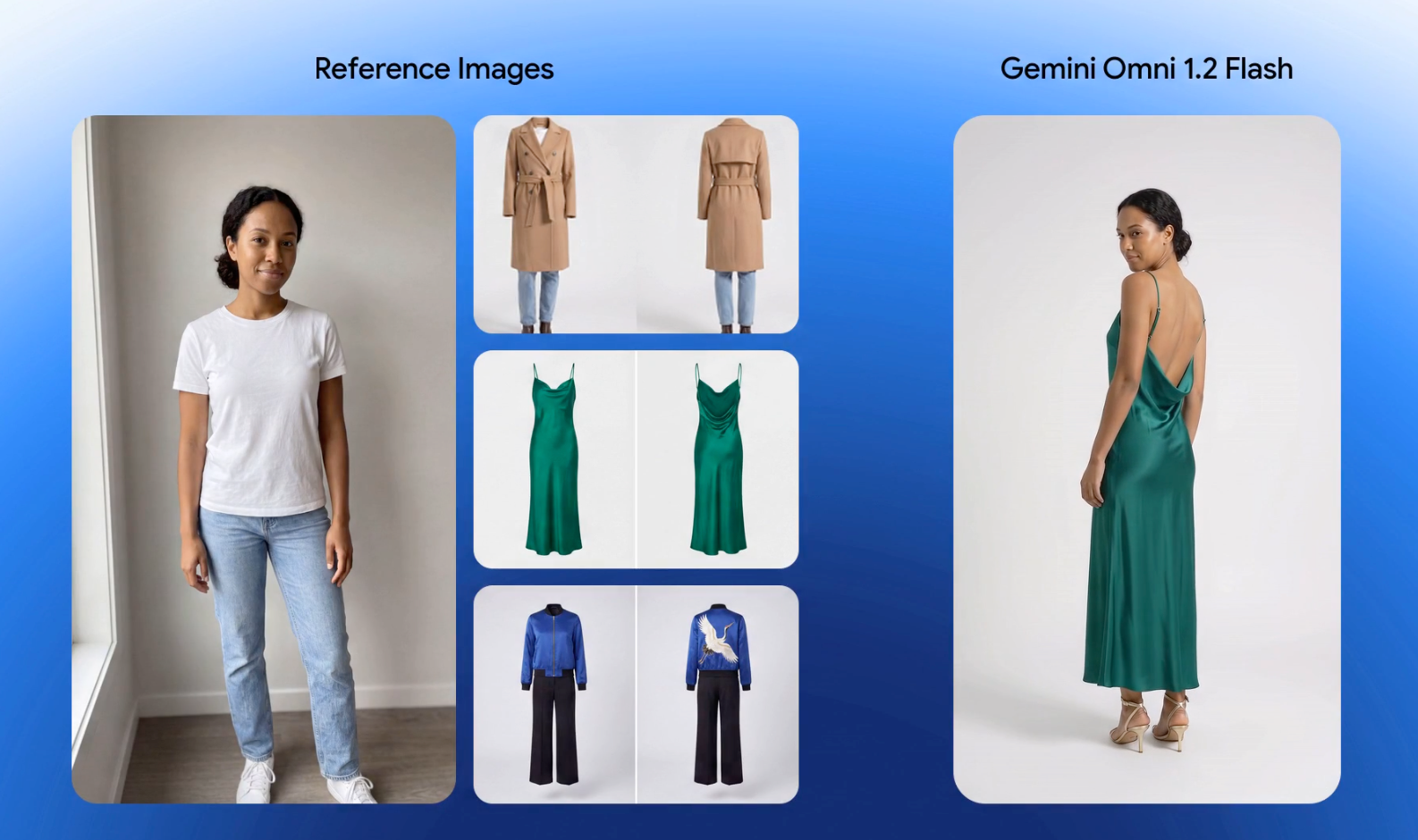
- Online retail and try-on: faces, clothing, the text printed on packaging and brand colours are meant to survive angle changes — in our reading, packaging legibility is the make-or-break test for product footage, because that is where an ad becomes legally risky.
- Talking heads and explainers: Google says speech is smoother and more natural, lip sync is more precise, and the model can tell several distinct speakers apart — useful for interviews, tutorials and multilingual dubbing.
- Motion and camera work: complex continuous moves such as FPV drone flights or fast, aggressive pull-back shots are handled better, with far fewer unwanted jump cuts, and Google reports less visual drift and warping between shots than in the previous generation.
Five common misconceptions worth correcting
- “15 seconds means a finished video.” It means one continuous clip of up to 15 seconds; a real ad still needs stitching, sequencing and an upscale pass.
- “Conversational Editing replaces an editor.” It changes attributes inside an existing clip — background, light, aspect ratio — it does not give you a timeline, track layering or audio mixing.
- “The cheapest rate per second gives the smallest bill.” Re-rolls, failed renders and resolution upgrades dominate the invoice; the draft-first, upscale-last workflow matters more than the sticker price.
- “A SynthID watermark proves who made a video.” It signals that a SynthID-enabled model generated or edited the file. Google broadened its SynthID Detector in October 2026 so anyone can upload an image, video or audio file to check for such watermarks — but a “not detected” result is not proof of human authorship.
- “Better consistency means brand-safe output.” Improvement is not a guarantee; logotype, packaging copy and claims still need a human sign-off before publishing, particularly in Google Ads placements.
Should you switch? A decision checklist
- High-volume ad or social output: test Gemini Omni 1.2 Flash first. Its combination of 3 to 15 second clips, $0.07 per second at 720p and in-clip editing is built for variant counts, and the Google Ads and Gemini API routes put it where campaigns are made.
- One hero shot with maximum realism: keep a premium model in the stack, since the price gap to top-tier options is deliberate and visible.
- Bare-minimum budget, single takes only: a $0.05-per-second generation model may still win if you never need to revise.
- Anything still calling the Sora 2 API: treat the September 24, 2026 shutdown as a lesson — wrap every video vendor behind an adapter layer, archive prompts and task metadata, and set an internal cut-off ahead of any official sunset date.
- Publishing on platforms with disclosure rules: keep provenance intact, retain the SynthID-bearing master file, and record which model version produced each approved cut.
A low-risk way to decide: pick six real briefs, render all of them at 720p on your current tool and on Gemini Omni 1.2 Flash, count how many turns each revision actually costs, then upscale only the three winners. If the turn count drops faster than the price does, migrating is worth it; if not, stay put.
FAQ: questions readers are asking about Gemini Omni 1.2 Flash
How long is a video generated in one pass?
Anywhere from 3 to 15 seconds, set by the user. The previous generation topped out at 10 seconds, so this is a 50% increase in a single continuous take.
What does one clip cost?
720p output is priced at $0.07 per second, a 30% reduction, so a full 15-second 720p clip works out to about $1.05. Final-quality upscaling to 1080p or 4K is a separate step Google recommends applying only to approved shots.
What is Conversational Editing in plain terms?
Instead of re-describing a scene and paying for a new render, you keep talking to the clip: change the background, warm up the lighting, switch the aspect ratio. Google says each instruction carries over the previous context across the whole 15 seconds.
Where can I try it without writing code?
The Gemini app for Google AI Ultra subscribers, Google Vids and Flow are the no-code entry points; Google AI Studio is the free-leaning sandbox for people comfortable with prompts.
Is it better than Veo or Runway?
Different job. Veo 3.1 Standard remains Google's higher-fidelity, prompt-to-video line at a much steeper per-second price, and Runway Gen-4.5 is credit-metered at roughly $0.12 per generated second. Gemini Omni 1.2 Flash is the cheapest Google model that also lets you revise an existing clip through dialogue, which is the reason most teams will shortlist it.
Sources and further reading
- Google, “Gemini Omni 1.2 Flash: 15-second video and lower pricing” (launch post, November 6 rollout) — https://blog.google/innovation-and-ai/technology/developers-tools/introducing-gemini-omni-1-2-flash/
- Google Cloud, “Gemini Omni 1.2 Flash is now generally available” — https://cloud.google.com/blog/products/ai-machine-learning/gemini-omni-1-2-flash-generally-available
- Gemini API pricing rate card for Veo 3.1 Standard, Fast and Lite — https://ai.google.dev/gemini-api/docs/pricing
- Runway pricing and API credit rates — https://runway.com/pricing and https://docs.dev.runwayml.com/guides/pricing/
- Google DeepMind, SynthID and the SynthID Detector — https://blog.google/innovation-and-ai/models-and-research/google-deepmind/synth-id-ai-content/ and https://synthid.com/
- Third-party model comparisons used for the table above — https://krea.ai/blog/seedance-2-5-vs-kling-3-0-which-ai-video-model-should-you-choose and https://costgoat.com/pricing/sora
Written by Sarah Chen for MyTechDailyNews, an editorial title of Tech Daily. Corrections and story tips: hello@techdaily.com.