
Calif's iPhone 18 Pro Jailbreak Outlived an iOS 27.2 Update and Lockdown Mode: A Practical Guide for Everyday Users
If your feed this week is full of phrases like "jailbreak beats Apple's toughest setting", take a breath: nothing on your phone changed overnight. What changed is that we got a clearer view of where the ceiling sits — and that is a very good reason to spend ten minutes inside the Settings app.
The news is a demonstration from Calif, the security team behind several recent iOS breakthroughs. In it, an iPhone 18 Pro with Lockdown Mode switched on — the "extreme protection" option Apple reserves for people who may be targeted by sophisticated spyware — was still taken over, and the takeover did not disappear when the phone was updated to iOS 27.2. Below, we unpack what was actually shown, what was not, and the concrete settings worth changing today depending on who you are.
The 60-second version: what Calif has shown so far
- Not long ago: the team completed a jailbreak on iPhone Duo on the first day that device went on sale.
- Weeks ago: jailbreak results targeting iPhone Duo and iPhone 18 Pro were presented, with some of those states keeping privileged access after the device rebooted.
- The newest clip: researchers first obtained the jailbreak on an iPhone 18 Pro already running Lockdown Mode, then installed the iOS 27.2 update on that same handset. When the video resumes, the jailbreak is still there.
- What the team did not say: whether the same method can be applied straight to a device that is already on iOS 27.2.
Read as a sequence, the demo is less "your iPhone is wide open" and more "the hardest switch Apple sells is not a magic wall". That distinction drives every recommendation later in this guide.
Why "surviving the update" is the part that matters
Under normal assumptions, a system update is the reset button for tampering: core files are rewritten, the boot chain is re-validated, and modifications made by an exploit are expected to wash away. The demonstration shows a chain with enough persistence to keep root-level access across both a reboot-and-update cycle and a feature upgrade, which is why it attracted so much attention.
A plain-language analogy: changing the cylinder in your front door does very little if the intruder already knows how to slip inside the door frame and left a second key behind. Coverage of the same team's earlier public demonstration, carried by technology outlet heise online, framed reboot-surviving behaviour of this kind as something iOS jailbreaks had not managed since the iOS 9 era, and noted that AI-assisted tooling played a role in the research.
| Question readers ask | What the demonstration supports | Still unproven |
|---|---|---|
| Can Lockdown Mode be bypassed? | Yes, in this controlled demo on an iPhone 18 Pro. | Whether any real-world attacker has done it outside a lab. |
| Does updating iOS remove the jailbreak? | Not in this case — the state survived the iOS 27.2 update. | Whether the method works directly against iOS 27.2 as a fresh install. |
| Can I try this myself? | No. The chain details are not published and no public tool exists. | A release date for any technical write-up. |
How the attack is started: an AirDrop file you accepted
From the publicly visible video, the researchers send a malicious PDF to the target handset over AirDrop; once the receiving user accepts the file, the attack begins. Because the technical write-up has not been released, nobody outside the team can confirm the vulnerability class or the full chain — the steps that let an exploit climb out of the app sandbox, take over the kernel, pass Apple's boot-code checks, and survive the hardware-level pointer authentication guards that modern iPhone security stacks rely on.
Two practical signals come out of this. First, the entry point is social, not magical: a file, accepted by a person. Second, the delivery channel is local and casual — AirDrop is the thing you leave open in a café, a conference hall or a gym.
Lockdown Mode: the guardrails, plus three details from Apple's own documentation
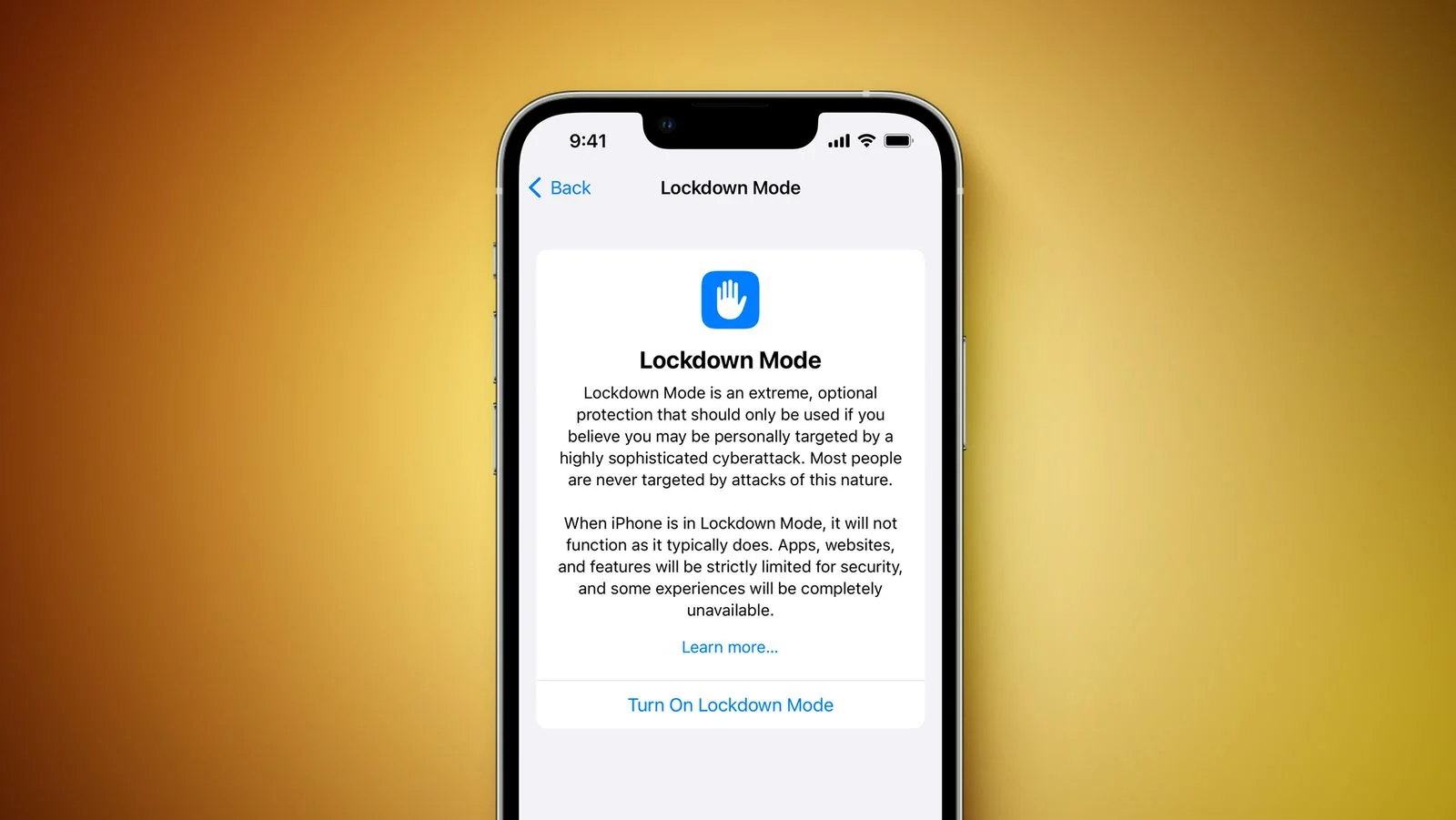
Apple positions Lockdown Mode as "extreme protection" for a narrow group of users, and once it is enabled the phone stops behaving like a normal phone:
- Most message attachment types are blocked.
- Certain complex web technologies are limited.
- FaceTime calls from people you have never contacted are intercepted.
- Invitation and request features across Apple services are disabled.
- Location data is stripped from photos you share.
Apple's support documentation for Lockdown Mode adds detail that rarely appears in headlines: just-in-time JavaScript compilation in Safari is switched off unless you explicitly exempt a trusted site; message link previews are disabled; and wired connections to a computer or accessory are blocked while the device is locked. Those three points matter in an incident scenario — the last one in particular limits what a forensic or spyware tool can pull over a USB link, and it also means that helper apps from a computer will simply refuse to talk to a locked phone.
The switch itself is easy to find: Settings, then Privacy & Security, then Lockdown Mode, then "Turn On Lockdown Mode". The device restarts to apply it, and if you own several Apple devices the same setting has to be turned on across them for the protection to be consistent.
A 10-minute hardening checklist
- Patch first. Settings > General > Software Update. Turning off automatic updates is the single most common weak point in everyday phone security.
- Close the AirDrop door. Settings > General > AirDrop, then pick Contacts Only — or Receiving Off if you never use it. Decline any file you did not ask for, even from someone standing next to you.
- Treat attachments as links. PDFs, image bundles and "invoice" files arriving over Messages or email are the classic spyware wrapper. Open suspicious documents on a machine you trust instead.
- Decide whether Lockdown Mode fits your risk profile. If you handle confidential sources, negotiations or sensitive corporate data, accept the feature losses. If not, keep it off and rely on steps 1 to 3.
- Lock the account, not just the phone. Enable two-factor authentication on your Apple ID and turn on Stolen Device Protection in Settings > Face ID & Passcode, so a physical grab does not become an account takeover.
- Baseline your device so you can spot drift. Note the storage list of apps you installed, check battery and cellular usage in Settings, and watch for unfamiliar apps, unexpected restarts, or an Apple ID you do not recognise signed in elsewhere.
- If you suspect a targeted compromise, do not reboot and wait. The whole point of the Calif results is that privileged state can persist across a reboot and an update. Isolate the handset, contact your organisation's security team, and plan a full restore from a known-good backup, then change passwords from a different device.
Four misconceptions worth clearing up
- "This means a jailbreak tool is out." It does not. Calif has said it is following responsible disclosure with Apple and is not planning to ship a tool for ordinary users, so anything advertising an iOS 27 jailbreak download is far more likely to be malware than a jailbreak.
- "Lockdown Mode makes me invisible." Apple always described it as protection against extremely rare and highly targeted attacks, not immunity. The demonstration pushes the boundary of that claim, but it does not remove the value: an attacker still has to spend a working exploit chain on you.
- "A system update always cleans an infected iPhone." The updated iOS 27.2 case shows the assumption is not guaranteed, which is why a restore from a clean backup is the correct escalation step for high-risk users.
- "Only journalists and activists should care." For most people the risk stays theoretical. Still, the same week Citizen Lab published its AdFection investigation, described as the first public confirmation of zero-click mercenary spyware delivered through targeted online advertising, which is a reminder that delivery methods keep moving up-market — and that high-profile professions, journalists and human-rights workers in particular, are the group where lab results and field reality converge fastest.
Who should act, and how hard
| Your profile | Practical read of this news | Move to make today |
|---|---|---|
| Everyday iPhone owner | Not a realistic target of a chain like this. | Update iOS, set AirDrop to Contacts Only, keep Apple ID two-factor on. |
| Executive, lawyer, journalist, campaign staff | Directly in the audience this class of research is aimed at. | Turn on Lockdown Mode across devices; disable JIT-dependent sites one by one only when a business tool breaks. |
| IT and security teams | Expect vendor questions and mobile-threat briefings. | Add "unexpected AirDrop or attachment activity" and "unknown apps or profiles" to incident playbooks; verify iOS 27.2 rollout status on managed handsets. |
Frequently asked questions
Is my iPhone at risk right now because of this demonstration?
No. The chain is a research result: no public tool, no published exploit code, and a demonstration performed on a device the researchers physically controlled and prepared.
Does jailbreaking my own phone on purpose change anything?
Yes, and not in your favour. Apple's guidance on unauthorised modification of iOS states that jailbreaking removes layers designed to protect your data, can cause instability and data loss, and interferes with normal software updates. Many banking and security apps also refuse to run on modified devices.
Is Lockdown Mode still worth enabling after this?
For the people Apple built it for, yes. It narrows the attack surface enough that a bypass demands a rare, expensive chain rather than an opportunistic click. Just do not treat it as a guarantee.
Will the feature losses annoy me?
Some users report broken web apps, missing link previews and blocked attachments. Apple lets you exempt trusted websites from the browsing restrictions, which fixes most day-to-day friction without dropping everything else.
How would I know if my iPhone had been tampered with?
Look for apps you never installed, rapid battery drain while idle, unexpected restarts, a device appearing in your Apple ID list, or connection requests over USB that behave oddly. None of these are conclusive, which is why a restore is the safe answer under real suspicion.
What is the next thing to watch?
A technical write-up from the team, and Apple's response in the update that follows. Historically, disclosure of this kind is what converts a closed demo into a patch.
Bottom line
Earlier this year Apple told media it had not seen successful commercial spyware attacks against iPhones with Lockdown Mode enabled. Calif's demonstration does not contradict that record, but it does make the debate concrete: the setting is a strong reduction of risk, not a promise. Meanwhile the wider contest continues — Apple keeps hardening iOS, research teams keep finding ways through, and the useful output for everyone reading this is a shorter list of habits: stay updated, stop accepting files from strangers, and know which of the three profiles in the table above you actually belong to.