
Touchscreen MacBook Pro Buyer's Guide: How to Choose Before Apple Retires the Non-Touch Flagships
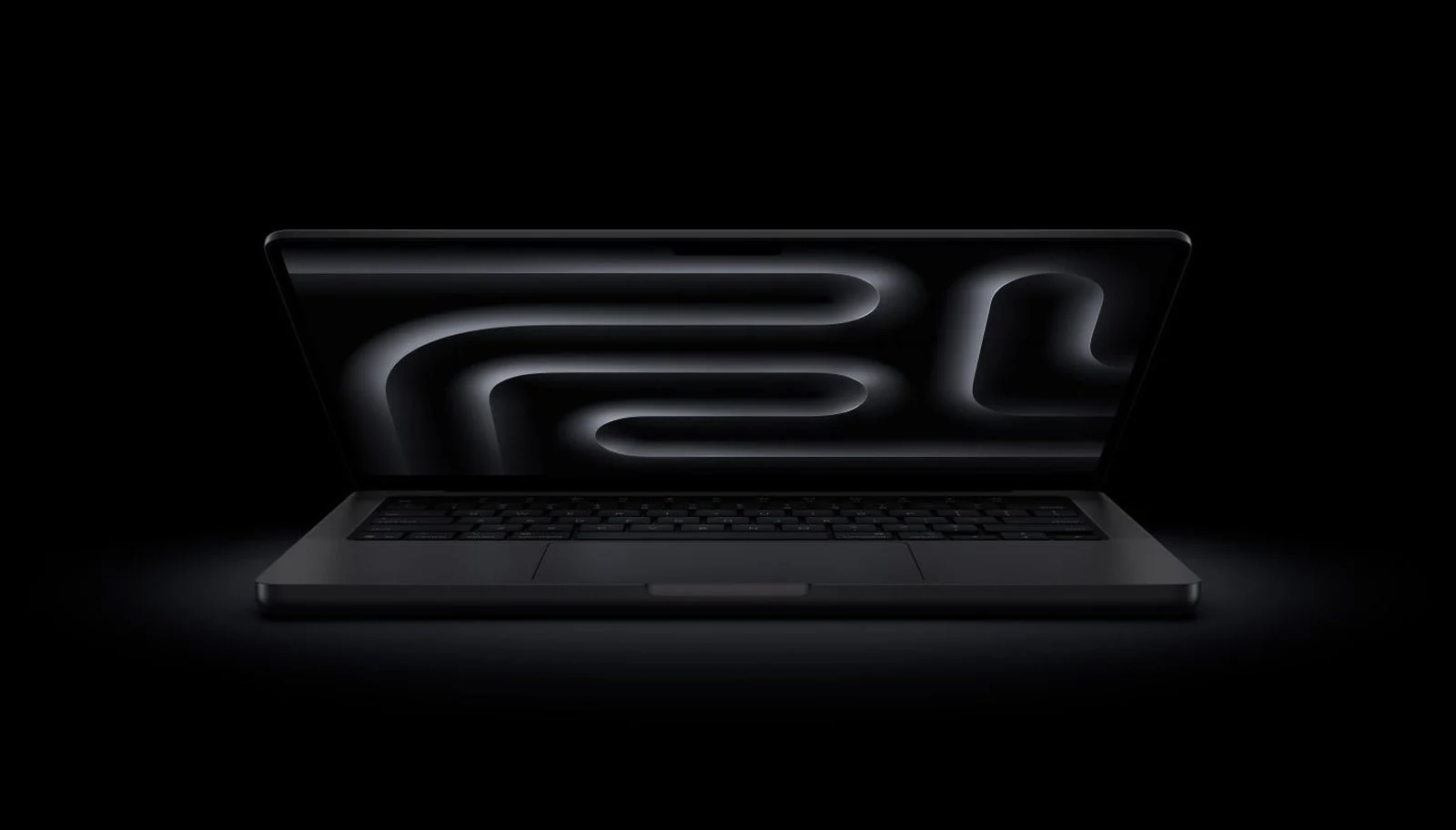
Short version: you can still buy any high-end MacBook Pro today, but the extra $400 a touchscreen model costs over its non-touch twin is now a bet on where the product line is heading. Bloomberg's Mark Gurman argues Apple will likely reorganize its high-end MacBook Pro range around touch models, with today's non-touch flagships eventually leaving the shelf. The practical question is therefore not "touch or no touch," but "pay the premium now, or wait for the second-generation machines Gurman ties to 2027."
What actually changed when the first touchscreen MacBook Pro arrived?
Bottom line: this is a full machine redesign, not a screen feature bolted onto an old chassis. Apple introduced its first touchscreen MacBook Pro models last week, and the devices still run the M5 Pro and M5 Max chips that shipped in March of this year, so the silicon is not the news.
What is new: an OLED panel with a Dynamic Island cutout at the top of the display (Apple's pill-shaped area that was previously an iPhone signature), a lighter and thinner body, and a redesigned cooling system that routes hot air away from the screen. Apple's own launch material describes touch sensors as built into the display stack rather than layered on top of it, and lists the configuration options that go with the new panel, including three Thunderbolt 5 ports and up to 128GB of unified memory (see Apple Newsroom).
On price, that same package carries the gap Gurman reported: the touch version costs $400 more than the equivalent non-touch model. Outlet-level listings put the U.S. starting price of the 14-inch touch model with M5 Pro at $2,899, with preorders opening October 30 and first units scheduled to reach customers on November 6 (Macworld).
Why would Apple drop the non-touch high-end models?
Cost structure, not customer demand, is the driver Gurman gives. In the latest issue of his Power On newsletter, he notes that Apple currently sells two overlapping high-end families: the traditional M5 Pro and M5 Max machines with mini-LED displays, and the brand-new touchscreen versions. Keeping both lines alive means duplicated engineering, production and marketing spend, which is why he expects the two tracks to converge over time. "At some point, Apple will simplify things by merging the touch and non-touch high-end MacBook Pros," he wrote in the Bloomberg newsletter (Bloomberg, October 25). He has not named a date for when Apple would stop developing the non-touch MacBook Pro.
The convergence point he points to is 2027, when a second wave of touchscreen MacBook Pro models is planned with M7 Pro and M7 Max processors plus more hardware aimed at artificial-intelligence workloads. Gurman had earlier put that chip generation at late 2027.
The redesign is not limited to the flagships. Gurman says the same design language will reach the entry-level 14-inch MacBook Pro, which he expects to get an M7 version with a lighter chassis, a thinner enclosure and narrower display borders, matching the look of the high-end machines already on sale. As early as this July he had outlined a redesign of the base MacBook Pro, at the time forecasting a debut in the first half of 2027. One detail that remains genuinely open: the disclosed plan for the base 14-inch covers its chip and body, not whether touch comes to it, so treat any claim about "the last non-touch MacBook" as speculation rather than a stated Apple roadmap item.
Should you buy now or wait? A five-step decision path
Work through these steps in order; each one eliminates a reason to overspend or to wait unnecessarily.
- Audit your apps, not the spec sheet. Open the five tools you use daily and ask whether any of them actually gains from finger input — timeline scrubbing, canvas panning, sliders, drag-and-drop. If your work is keyboard-driven, touch is a nice-to-have.
- Price the $400 against the whole package. The premium covers OLED, the Dynamic Island, a thinner body and a new thermal design, so it is a machine upgrade rather than a touch tax.
- Match the wait to your size and chip. If you need a 16-inch M5 Max class machine now, buy now. If you can live with current performance, the more interesting clock is the 2027 second-generation touch lineup and the M7 redesign.
- Decide how long you will keep it. A three-to-four-year owner is less exposed to a mid-cycle lineup shift than someone planning a one-year hold.
- Re-check the non-touch discount. As Apple winds the dual-track period down, older non-touch configurations are the most likely candidates for price cuts or refurbished supply; that is the value play, not buying a touch model you will not use.
What touch really does on macOS — and what it does not
Conclusion: macOS keeps its desktop logic; Apple adapts the controls around a finger instead of rebuilding the system. Because macOS converts a finger tap into a click, many existing Mac apps respond to touch out of the box, according to Apple's own explanation of the launch (AppleInsider).
Where it goes deeper, first-party creative tools lead: Apple describes marking ranges and dragging clips in Final Cut Pro, on-screen playing in Logic Pro, and direct finger painting in Pixelmator Pro. For third-party software, Apple published an adaptation list spanning Adobe Lightroom, DaVinci Resolve, Blender, Maxon Cinema 4D and ZBrush, Shapr3D, Notion, Canva, Zoom and the Microsoft Office apps (Word, Excel, PowerPoint, Outlook), with those touch-aware builds scheduled to arrive later this year rather than on day one.
The interface changes are small but meaningful in practice: window buttons enlarge when your finger approaches, menus fan out around the touch point, Safari tabs lift as you drag them, and calendar events gain rounded handles for resizing an event by drag. The Dynamic Island area at the top of the panel is tappable, too.
Five misconceptions to clear before checkout
- "Touch turns the Mac into an iPad." It does not. The keyboard and trackpad remain the primary input; macOS is patched for fingers, not replaced.
- "Every app supports touch properly on launch day." Basic tapping works through click conversion; thoughtful, gesture-level support is arriving through app updates later this year.
- "Non-touch MacBook Pro is already discontinued." Not announced. Gurman's view is a direction of travel, and the traditional M5 Pro and M5 Max configurations remain on sale.
- "The $400 is only for the glass." It bundles a panel, chassis, weight and thermal change, so comparing it to a regular screen upgrade underestimates what you receive.
- "Waiting for M7 is always the smarter move." Only if your current machine still works. Reports of the chip generation place it around late 2027 for high-end models and the first half of 2027 for the redesigned base 14-inch — long enough that a broken laptop today should not be solved with a future purchase.
If you buy for a team: a procurement checklist
Conclusion first: standardize on a model family only after a hands-on test, because the touch decision now has fleet-level cost consequences.
- Estimate the line-item impact of the $400 difference across your planned unit count before approving a mixed fleet.
- Verify which of your licensed apps are on Apple's touch-adaptation list and which are not; pin macOS versions so behaviour stays consistent across machines.
- Have your heavier users test the panel-based touch implementation — stylus-free finger input in bright rooms, on-screen scrubbing for long sessions — before purchasing the OLED machines.
- Confirm display-assembly coverage terms for the new OLED/touch panel; a screen replacement is a larger single-item risk on a redesigned display than on the older mini-LED generation (this is an editorial caution, not a published Apple figure).
- If your refresh cycle lands inside 2027, flag the M7 Pro and M7 Max generation and the second touchscreen MacBook Pro wave in your budget notes before locking volumes.
FAQ: the questions buyers ask most
Is Apple stopping production of non-touch high-end MacBook Pro models?
No shutdown date has been announced. Bloomberg's Mark Gurman judges that Apple will eventually consolidate the high-end MacBook Pro range around touch models, because the parallel non-touch line built on M5 Pro and M5 Max with mini-LED displays is expensive to maintain.
How much more does the touchscreen version cost?
$400 above the matching non-touch configuration, according to the Power On newsletter, with U.S. retail listings starting the 14-inch touch model at $2,899.
When does the next generation arrive?
Gurman places the second touchscreen MacBook Pro family in 2027 with M7 Pro and M7 Max chips and additional AI-focused hardware, having earlier forecast the chip generation for late 2027. For the entry-level 14-inch, his previous forecast pointed to a redesigned M7 model in the first half of 2027.
Does touch work with my existing Mac software?
Partly, immediately. macOS maps a tap to a click, so most apps respond to basic touch input. Apps that want gesture-level support — Adobe Lightroom, DaVinci Resolve, Blender, Notion, Canva, Zoom, Word, Excel, PowerPoint and Outlook among them — need updates that Apple says will roll out later this year.
Should a student or casual user wait?
No. The touch models sit far above entry-level pricing, and the redesign coming to the base 14-inch with M7 is about weight, thickness and bezels. If you are shopping on a student budget, current non-touch or base configurations remain the rational choice.
Bottom line
Apple has made touch the centre of gravity for the high-end MacBook Pro while the non-touch flagships keep selling in parallel. If your workflow genuinely gains from finger input, paying the $400 today buys the whole redesign rather than a gimmick. If it does not, wait for the lineup to simplify: the 2027 second-generation touch models with M7 Pro and M7 Max, and the lighter M7-equipped 14-inch, are the two events most likely to reset prices and choices.
Sources and further reading
- Bloomberg, Power On — "Apple to Unveil Touch-Screen MacBook Pro" (October 25): bloomberg.com
- Apple Newsroom — "Apple unveils groundbreaking MacBook Pro with PROLED XDR Display": apple.com
- MacRumors — "Apple May Phase Out Non-Touch High-End MacBook Pros": macrumors.com
- Macworld — "Touchscreen MacBook Pro Guide: Release date, price and specs": macworld.com
- AppleInsider — how macOS is changing for touchscreens: appleinsider.com
- The Apple Post — apps that will support touch on the new MacBook Pro: theapplepost.com