
Claude Personal Finance Beta: How to Link Accounts, Read Your Spending and Avoid the Traps
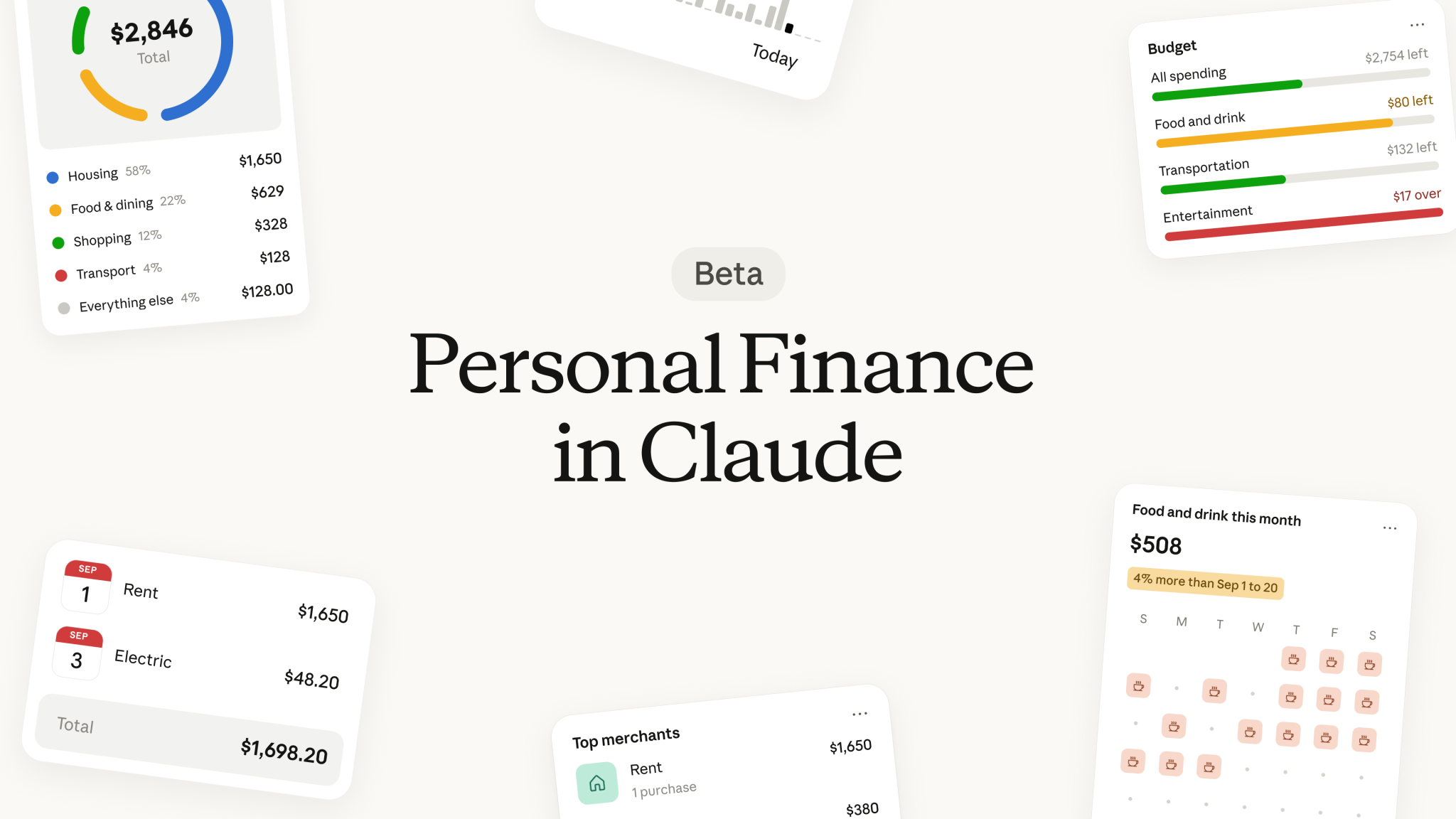
Claude can now look straight at your money — but it cannot touch it. Anthropic's Personal Finance feature began rolling out this week as a beta for Claude Pro, Max and Ultra subscribers in the United States, linking bank and credit card accounts through Plaid so you can ask plain-language questions about spending, budgets and financial health. Everything below covers the practical side: how to turn it on, what to ask first, what it is allowed to see, and the mistakes that trip people up in week one.
What is Claude Personal Finance, exactly?
In one line: it is a read-only financial analyst living inside a chat window. Anthropic describes Claude as a personal finance assistant rather than a general-purpose chatbot, and the difference is grounding — because Claude can access your real financial data, its answers are built on your actual situation instead of generic budgeting tips found in any article.
Three limits define the product. Access to your money is view-only: Claude cannot transfer funds, manage money, execute investment operations, or perform any financial transaction on your behalf. The service inserts no ads or sponsored content, and Anthropic says it will not pitch you credit cards, loans or savings products, precisely so the answers stay neutral. And the data window is bounded: Claude reads bank name, account name and type, the last four digits of the account number, balances, credit limits, and up to two years of transaction history — never your full account number.
Why the read-only design matters more than the chat feature
The headline feature is conversational; the real design decision is permissioning. The connection runs on Plaid, a financial data platform that hands the consuming app a revocable, scoped token rather than your banking credentials — the same permissioned, consent-first access model Plaid has described as the standard for safer open finance (plaid.com). That is why the assistant can be blunt without being dangerous: it handles understanding, analysis and explanation, and you keep every decision that moves money.
For everyday readers, the practical effect is this: Claude is the accountant who never gets tired of being asked the same question, not the intern you hand your debit card to.
How do you set it up? Five steps from empty inbox to first answer
- Confirm you are in scope. The beta is going out this week in the U.S. only, to Claude Pro, Max and Ultra paid plans. Rollout is staged, so an eligible account may not see the feature immediately.
- Open the Personal Finance area and start an account connection. Bank linking is handled by Plaid, so the login screen you meet belongs to your bank's authorization flow, not to Claude.
- Grant view-only permission deliberately. Read which accounts you are authorizing before you tap connect. Start small: one checking account plus your most-used credit card is enough for a first analysis; adding five cards at once mostly adds noise.
- Let the history load, then sanity-check it. Claude pulls up to two years of transactions. Compare one recent month against your bank app to confirm categories are reading correctly before you trust any summary.
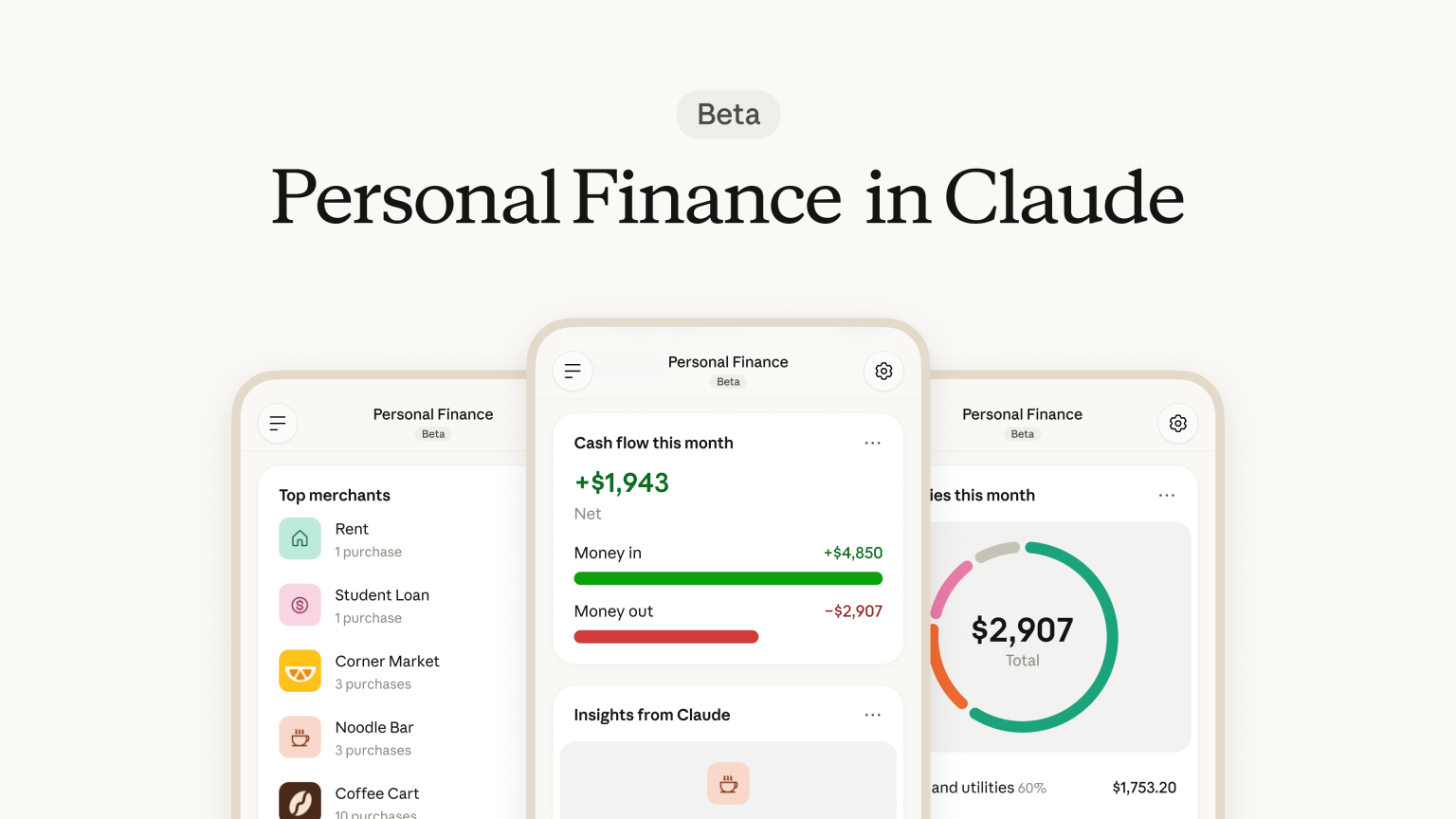
- Ask one baseline question. Type: "Where did all my money go this month?" and let Claude total every connected account and break it into rent and utilities, dining, shopping and other buckets.
Before you close the tab, work through this short list:
- Balance shown for each connected account matches your bank app.
- You know where the disconnect / revoke-access control lives for each linked account.
- Only the last four digits of any account number appear in the interface.
- You have noted that anything outside the connected accounts — cash, a loan at another bank, an old prepaid card — simply does not exist for Claude.
What should you actually ask? A three-level prompt ladder
Start with the obvious, then push on it. Anthropic's own walkthroughs are built around a month's-end conversation, and it works just as well as a reusable script:
- Level 1 — the tally. "Where did all my money go this month?" Then follow with "Is that higher than my usual level?" and "What other spending should I pay attention to?"
- Level 2 — the hunt. Ask Claude to sweep every linked account for anomalies: duplicate charges, unexpected fees, and subscriptions that have quietly climbed in price over the past year. This is the highest-value, lowest-effort use of the feature.
- Level 3 — the health check. Ask the macro questions, such as "Am I spending more than I earn", and the teaching questions, such as "What is APR?" Claude explains the term in everyday language and then applies it to your data, for example calculating the interest you paid over the past year.
You can also ask for artefacts instead of answers: a weekly spending chart, a calendar of upcoming bills, or a custom dashboard you can reshape at any time.
What can Claude see, and what can it never do?
| Inside its view | Outside its reach |
|---|---|
| Bank name; account name and type | Transfers, payments or moving any money |
| Last four digits of the account number | Managing your accounts day to day |
| Account balances and credit limits | Executing investments or trading for you |
| Up to two years of transaction history | Seeing full account numbers or unconnected accounts |
| Your questions and the analysis it returns | Showing ads, sponsored picks, or Claude's own credit cards, loans or savings accounts |
On privacy, Anthropic adds one more guarantee for this surface: conversations held inside the Personal Finance area are not used to train AI models.
How does it stack up against ChatGPT's finance tools?
The launch is also a competitive signal: Anthropic is chasing OpenAI. This May, ChatGPT shipped a comparable personal finance experience that lets users connect financial accounts and ask about spending habits, budgeting and longer-term planning. OpenAI expanded that rollout on June 25, 2026 to Plus and Pro users in the U.S. across web, iOS and Android (openai.com), and it uses Plaid for account linking as well. Both products also land in a broader pattern already visible in Anthropic's own release notes, where Claude recently gained the ability to read and analyse personal health and fitness data on iOS and Android — the same recipe of pairing a general assistant with read-only personal data.
What differs is temperament. Claude's version is deliberately boxed in at the transaction layer and marketed on neutrality, while the ChatGPT rollout moved faster down the subscription tiers. If you already pay for one assistant, the practical question is which plan you hold — not which model is smarter.
Common misconceptions to drop before your first session
- "It can pay my credit card for me." No. The feature is read-only; transfers, money management and investing are switched off by design.
- "It sees my whole financial life." It sees only connected accounts, and only up to two years of history.
- "Its numbers are as good as a statement." They are an interpretation of a data feed. Verify before any decision that costs money.
- "It is free with any Claude account." The beta is tied to paid plans — Claude Pro, Max and Ultra — in the United States.
- "My spending chats train the model." Anthropic states Personal Finance conversations are not used for AI model training.
- "Recommendations are secretly sponsored." Anthropic says no ads or sponsored content appear here, and it sells no credit cards, loans or savings accounts.
Which pitfalls bite people first — and how to sidestep them
- Trusting category labels blindly. A "shopping" bucket that swallows a transfer looks like overspending. Cross-check one month against your bank app before you act.
- Confusing analysis with advice. Regulators are watching this line: in July 2026 the U.S. Federal Trade Commission issued a policy statement seeking public comment on AI accuracy, warning that false or misleading AI outputs can raise consumer-protection issues. Read that as a reminder to treat a chatbot's financial arithmetic as a draft, not a verdict.
- Forgetting the blind spots. An unconnected card or a cash habit can quietly invalidate the answer to "Am I spending more than I earn".
- Leaving access connected longer than needed. Connections are revocable. Audit them the way you audit app passwords, and disconnect any account you stopped checking.
- Upgrading just to get in early. The beta is spreading gradually this week; a staged rollout usually means waiting days, not weeks, for most eligible users.
- Asking one question and stopping. The value is in the follow-up — "Is that higher than my usual level?" and "What other spending should I pay attention to?" turn a tally into a decision.
What should you do in week one? An action plan
- Day 1: connect one checking account and one card; verify balances.
- Day 2: run the month's-end tally and save the category breakdown.
- Day 3: ask for a duplicate-charge and fee sweep across all connected accounts.
- Day 4: have Claude list every recurring subscription and flag anything that rose in price over the past year; cancel the ones you do not use yourself, at the merchant's site or in your bank app.
- Day 5: ask it to explain APR and total the interest you paid in the past year.
- Day 6: generate a weekly spending chart plus an upcoming-bill calendar.
- Day 7: review what it got wrong, correct the labels, and disconnect any account that felt unnecessary.
Frequently asked questions
Is Claude Personal Finance available everywhere?
No. The beta started reaching users this week in the United States, for Claude Pro, Max and Ultra subscribers only.
Can Claude move my money if I ask it to?
It cannot. Access is read-only, so no transfers, no money management, no investing and no financial transactions on your behalf.
What information does Claude actually receive?
Bank name, account name and type, the last four digits of the account number, balances, credit limits, and up to two years of transaction history. Full account numbers are not collected.
Is there any catch, like affiliate offers buried in the answers?
Anthropic says the service shows no ads or sponsored content and does not push credit cards, loans or savings accounts, so answers are not monetised that way.
Should I connect every account I own?
Only the ones you genuinely want analysed. Skipping an account leaves a blind spot in the totals, but every extra link is another permission you have to maintain. Start with two, then expand once the summaries look right.
Bottom line
Claude Personal Finance is a low-risk way to make your own spending legible: it reads, compares, explains and flags, while you keep every action that touches a balance. Treated as a fast, unpaid second opinion — with the numbers checked against your bank's own records before anything serious is decided — it does something spreadsheet tools never managed: it answers the question you actually have, at the month's end, in plain language.
Written by Sarah Chen, Tech Daily. Corrections and story tips: hello@techdaily.com.
References
- Plaid and Anthropic on bringing bank connectivity to Claude (published with the beta launch this week): plaid.com/blog/plaid-anthropic-financial-insights-in-claude/
- Plaid on consent-based, permissioned data access: plaid.com/blog/open-finance-trust-security/
- OpenAI, "A new personal finance experience in ChatGPT" (launch this May; June 25, 2026 expansion to Plus and Pro in the U.S.): openai.com/index/personal-finance-chatgpt/
- U.S. Federal Trade Commission, July 2026 policy statement seeking public comment on AI accuracy: ftc.gov/news-events/news/press-releases/2026/07/ftc-seeks-public-comment-policy-statement-addressing-ai-accuracy