
Adobe MAX 2026 Sneaks, Explained: A Practical Guide to Piloting an Intelligent Creative Assistant
By Cleo Howard · MyTechDailyNews General · Tech Daily
Adobe's Sneaks session at the MAX conference in Miami Beach (November 10–12, 2026) showed experimental tools that read a design brief, plan multi-step work, stretch one idea across formats and follow brand rules. Nothing here ships as a product yet — but the intelligent creative assistant is close enough to real that anyone working in Photoshop, Premiere Pro, Illustrator or Firefly should run a small, cheap pilot this year.
What happened at MAX 2026 — and what did not
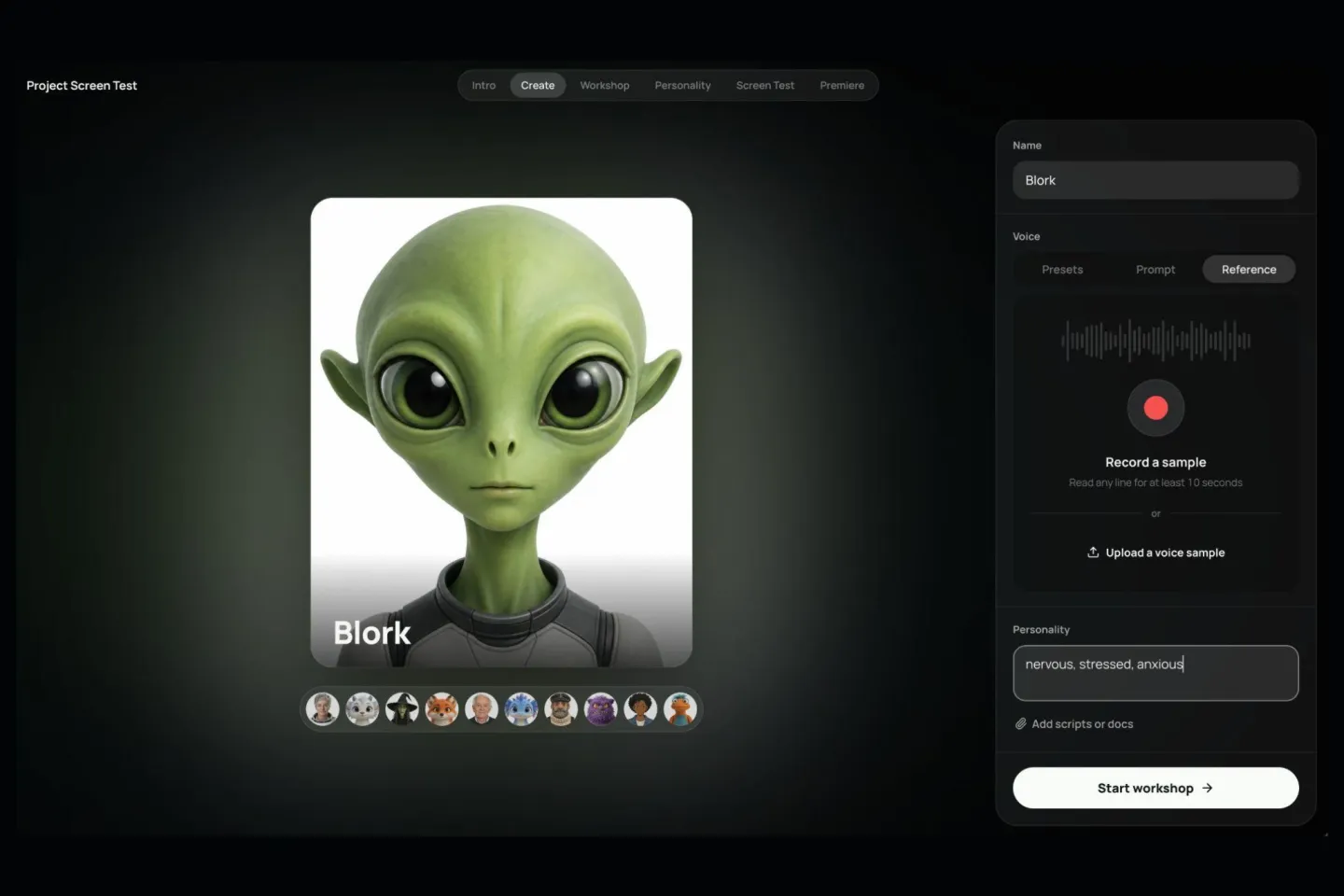
Sneaks is the part of the MAX conference where Adobe's engineers and researchers show work in progress. It is closer to a lab open house than a launch event, and this year's cluster of ideas pointed at one thing: software that takes a goal instead of a click.
- Reading intent, not keystrokes. Demos described an assistant that follows a natural-language idea and plans the steps itself — asset handling, image adjustment, content generation — instead of making you drive each panel.
- Cross-media stretch. One concept turns a static design into animated content, or boils a long video down into platform-ready short cuts, so the same idea survives several formats without being rebuilt by hand.
- Brand rules as a constraint. Another tool recognises an organisation's existing visual style and reuses its colours, fonts and design elements in new work, which matters most for teams producing content at volume.
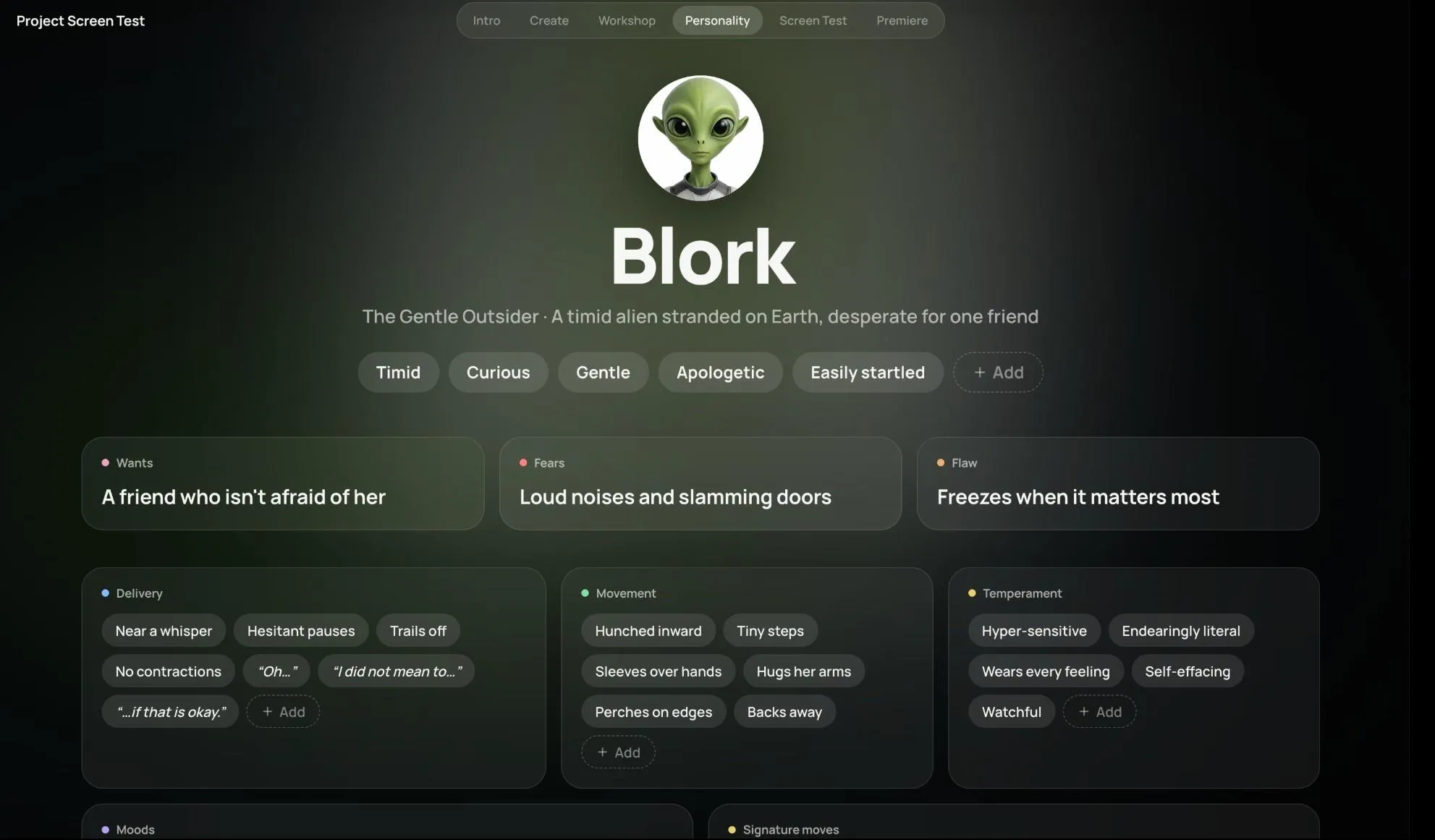
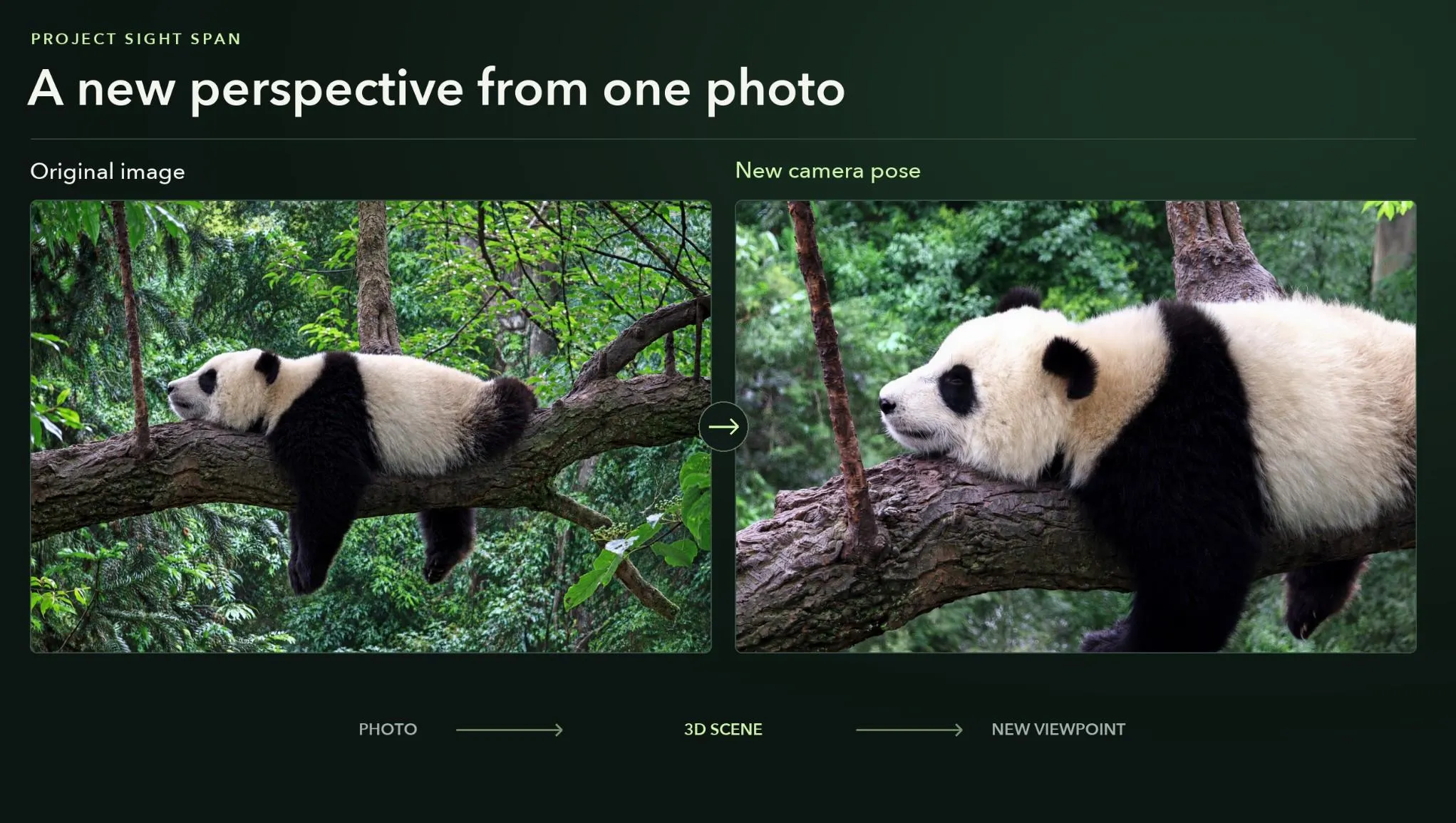
- Understanding relationships inside a frame. Image editing moves past "subject versus background" toward how objects relate to each other, so removals, replacements and regrowth blend more naturally.
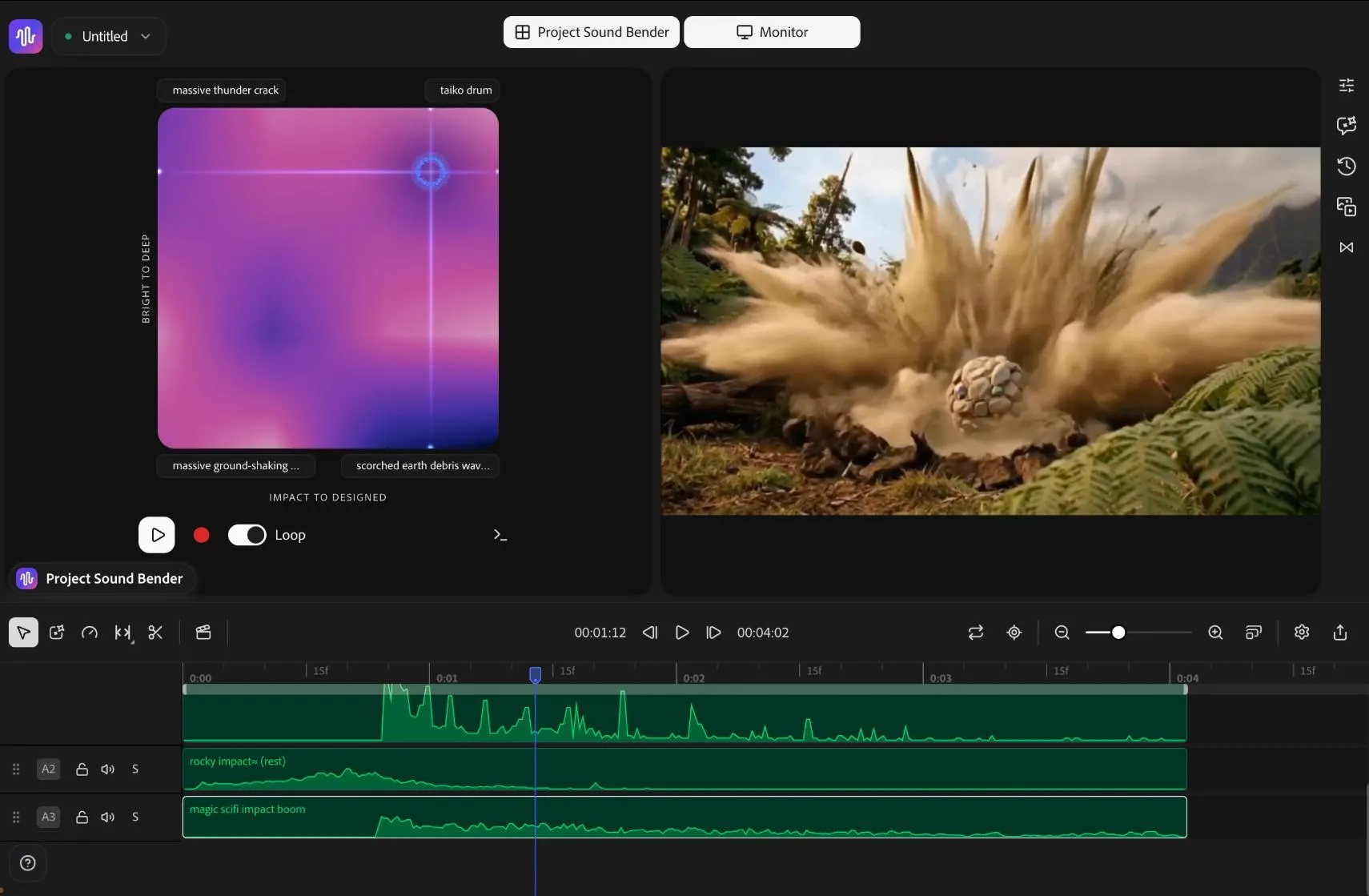
- Video that assembles itself. Experimental tools sketch shot lists from text, order scenes, fill gaps with transitions and offer a first rough cut. The stated aim is to shorten the distance between idea and deliverable, not to write creators out of the process.
- A project that talks back. The most speculative thread is the "digital partner": software that reads project state, spots a likely problem and suggests a fix before anyone asks.
Two things did not happen. Adobe made no commitment that these experiments become products, and no date was attached to the more far-out ideas. What did change is the delivery route: alongside the showcase, Adobe previewed local Model Context Protocol (MCP) integrations that would let creative professionals drive Creative Cloud from the third-party agent they already use, and The Verge reported that a private beta is scheduled for early 2027.
Useful definition, since the jargon hides the point: a prompt-only generator answers one request; an agent holds a goal, chooses tools, runs several steps, and reports back. That shift — from content generation to goal execution across apps — is the through-line of everything shown in 2026.
Why this matters even if you never set foot in a lab
The reason to pay attention is budget, not curiosity. Adobe's 2026 Creators' Toolkit Report, published June 16, 2026, found that 87 percent of creators say creative AI is growing their business and audience, and 75 percent describe it as integrated or essential to their workflow. A MAX-eve blog post dated November 9, 2026 added a sharper number: 78 percent of creators using AI say it is accelerating growth, while 60 percent believe peers with stronger AI skills are winning opportunities they are missing.
Adobe is also selling the idea as authorship protection rather than automation. At the keynote, chief executive Shantanu Narayen framed the goal as tools that fuel creativity "without compromising your craft, your control or your rights", as Variety reported on November 10, 2026. Read that as the company's answer to two years of creative-world suspicion.
The competitive clock helps explain the urgency. Community-built MCP bridges have already let assistants drive DaVinci Resolve's timeline, colour and audio pages, so "type a request, get a rough cut" stopped being one vendor's promise. For a content team, the real question is therefore not whether agents arrive in creative software — they already have — but which parts of your workflow you hand over first, and on what terms.
How to pilot an intelligent creative assistant: seven steps
- Pick a project you can afford to lose. An internal recap edit, a pitch mock, a set of social cuts. Keep client-critical and legally reviewed work out of the first run.
- Write the brief the demos assume you will write. Four lines: the outcome, the formats and sizes, the hard constraints (colour values, fonts, disclaimer rules), and a definition of done. An assistant's quality ceiling is mostly your constraint list.
- Split volume work from judgment work. Resize, retime, trim, clean up, first-pass variants go to the agent. Composition, tone and the final select stay human.
- Ask for the plan before the pixels. Start with two-step jobs and require a visible step list. If the plan is wrong, stop there — it costs nothing to reject a plan, and a lot to unwind a finished file.
- Insist on editable output. One Sneaks concept reportedly keeps applied effects live by rebuilding them with native Photoshop operations rather than pasting a flattened result. Ask the same question of any agent: can I still move this layer next week?
- Time it both ways. Log minutes saved against minutes spent prompting, reviewing and redoing. Many early pilots run net-negative for a week or two before the briefs get good.
- Set the escalation rule. Faces, third-party marks, product claims and brand-new visual assets: the agent asks, a person decides.
What does it cost — credits, and the line item nobody expects
Agent work is rarely one generation. A single deliverable can stack a plan, several retries and a final render, each drawing from your monthly allocation. Adobe's help documentation states that included generative credits depend on your plan, and that different features and models consume them at different rates.
| What you buy | Public list price | Monthly generative credits | Where the budget leaks |
|---|---|---|---|
| Firefly Standard | US$9.99/month | 2,000 | Retry loops on one asset |
| Firefly Pro | US$19.99/month | 4,000 | Versioning: five crops per format |
| Creative Cloud app plans | Bundled; varies by plan | Allocation tied to the plan | Video models and third-party engines burn faster than stills |
| Top standalone tier (per third-party pricing trackers) | about US$199.99/month | about 50,000 | Only justified at agency volume |
Practical arithmetic before you scale: generate five normal deliverables with the assistant, total the credits, divide by five, and compare that credits-per-output figure against what the task costs in human hours. Do this before a subscription renewal, since plan and credit changes tend to land in the weeks after a big conference, not during it.
Common misconceptions about the Sneaks demos
- "Sneaks is a roadmap." It is a preview. Some experiments have made it into Photoshop, Premiere Pro, Illustrator and Firefly in past cycles; most never become a menu item. Plan against what is in beta, not what drew applause.
- "If it can plan the work, I can skip review." Planning is the easy half. Reviewing is where an assistant quietly gets a shadow, a perspective line or a brand colour wrong.
- "My brand rules will apply themselves." Guideline-following was a demo, not a default. The assistant settings that exist today — preferred formats, colours, brand guidelines, characters, products — only work once someone configures them.
- "Every model in the toolbox is commercially safe." Adobe says Firefly models are trained on licensed content such as Adobe Stock and on expired-copyright public-domain material, and that it does not train on customer content. Other providers' models reached through the same interface carry their own terms, so check the licence per model before client delivery.
- "Agents mean fewer editors." The demos' own framing is the opposite: reduce busywork so the person stays on the idea. Headcount decisions based on 2026 previews tend to age badly.
A pre-flight checklist before you hand a project to an agent
- Snapshot the project file and agree in writing who can approve an agent's changes.
- State constraints in machine-checkable words: colour codes, font names, aspect ratios, prohibited claims.
- Run one deliverable end to end before batching a whole campaign.
- Record credits spent and minutes saved on every run — one shared sheet, not memory.
- Keep a native layered version before anything is flattened or exported.
- Read the licence of each model the run touched.
- Confirm whether you can switch the AI layer off for restricted or regulated work, because that option is not guaranteed in every product.
- Flag failure modes a human must inspect: hands, text in frame, faces, logo clearance, lip-sync.
- Keep subscription and API accounts in good standing — heavy automated use has overlapped with a wave of account suspensions at other AI providers, and an agent that loses your login stops mid-job.
Who should start now, who should wait
| If you are… | Test now because… | Hold off on… |
|---|---|---|
| A one-person content studio | The volume tasks are already your bottleneck, and multi-step assistants are live in beta | Client-confidential footage until model licences are read |
| A small brand or marketing team | Consistency at scale is exactly what the guideline-following demos target | Ripping out templates before the MCP beta lands |
| A freelance designer or editor | Faster first drafts protect your rate without changing your style | Showing unreviewed agent output to a paying client |
| A regulated or enterprise comms team | Internal-only pilots are safe and informative | Anything touching public claims, disclosures or archives |
Frequently asked questions
Will these Sneaks ideas show up in Photoshop next year?
Some might. Adobe does not promise commercialisation for Sneaks projects, though history shows a share of them reaching Photoshop, Premiere Pro, Illustrator and Firefly later. Treat any single demo as a bet, not a deadline.
Can I connect my own AI assistant to Creative Cloud today?
Not as a general feature. Adobe previewed local MCP integrations at MAX 2026 that would let third-party agents operate Creative Cloud tools on your machine, and The Verge reported a private beta arriving in early 2027. What you can test now is Adobe's own assistant, which has been in beta since spring 2026 and can chain multi-step tasks across apps.
What is an intelligent creative assistant, in one line?
Software that takes a goal, plans the steps, uses the application's real tools to execute them, and reports what it did — instead of answering a single prompt with a single output.
Do agents make my monthly bill bigger?
Only if credit-heavy steps multiply unnoticed. Measure credits per deliverable first, then decide whether the plan in front of you still fits.
Does my team need retraining?
Less retraining than rewriting: the skills that move are brief-writing, constraint-setting and faster review. Knowing where every button lives matters less; knowing what good looks like matters more.
What to watch next
- Spring 2026 — Adobe introduced the Firefly AI Assistant (April 15, 2026) and opened multi-step agentic work to testers. This is the realistic entry point today.
- November 10–12, 2026 — the MAX conference put the intelligent creative assistant on stage, from brand-guideline awareness to proactive project review, plus a preview of local MCP integrations.
- Early 2027 — the private beta window for letting your own agent drive Creative Cloud. Watch which apps open first and what permissions they request.
- The next MAX cycle — which experiments graduate into shipping features, and whether credit pricing moves with them.
2026 is the year to watch because the framing changed: creative software is being redrawn from a passive tool into a digital partner that reads project state and volunteers advice. The open question is not whether your editor gets smarter. It is how much of your taste you are willing to encode into a brief before the machine starts making the calls — and whether you will still recognise the file when it hands the work back.
Seen an agent quietly wreck a timeline, or land a job you did not expect? Write to the team at hello@techdaily.com.
References
- Adobe newsroom — Creative Cloud tools as agentic systems, local MCP preview
- The Verge — Adobe goes all in on agentic AI; MCP private beta in early 2027
- Variety — Adobe MAX 2026 keynote, Shantanu Narayen on craft, control and rights
- Adobe — 2026 Creators' Toolkit Report
- Adobe Blog — creator statistics ahead of MAX 2026
- Adobe newsroom — Firefly AI Assistant introduction (April 2026)
- Adobe Firefly plans and generative credits
- Adobe Help X — generative credits overview
- Adobe — Firefly training data approach
- Adobe MAX 2026 FAQ — dates and venue