
iPhone Duo: What a Teardown Tells You Before You Buy | MyTechDailyNews
Start with the money, because it frames everything else: the foldable's inner panel is a $999 replacement out of warranty, roughly half as much as a whole new phone, and the matte film that makes the crease disappear is a $49 service — $19 with AppleCare — performed with fixtures you cannot buy at a counter. Apple's first folding iPhone arrives after fifteen years of patents and rumors, so the shopper's question is no longer "can it fold?" but "what happens in year two?"
MyTechDailyNews has re-sorted the parts-level findings into something you can use at checkout: which daily habits wear on the hinge, which failures Apple is currently swapping, and where this Duo genuinely beats the Galaxy Z Fold8 and Pixel 10 Pro Fold on serviceability.
Five things to weigh before checkout
- Fold-related damage already exists: owners report cracks and bright lines along the crease, one of them within six hours of buying the phone and another before setup finished. Apple is offering replacement units for now.
- Out-of-warranty inner-display damage is $999 — half as much as a replacement device — which makes coverage a bigger decision here than on a slab iPhone.
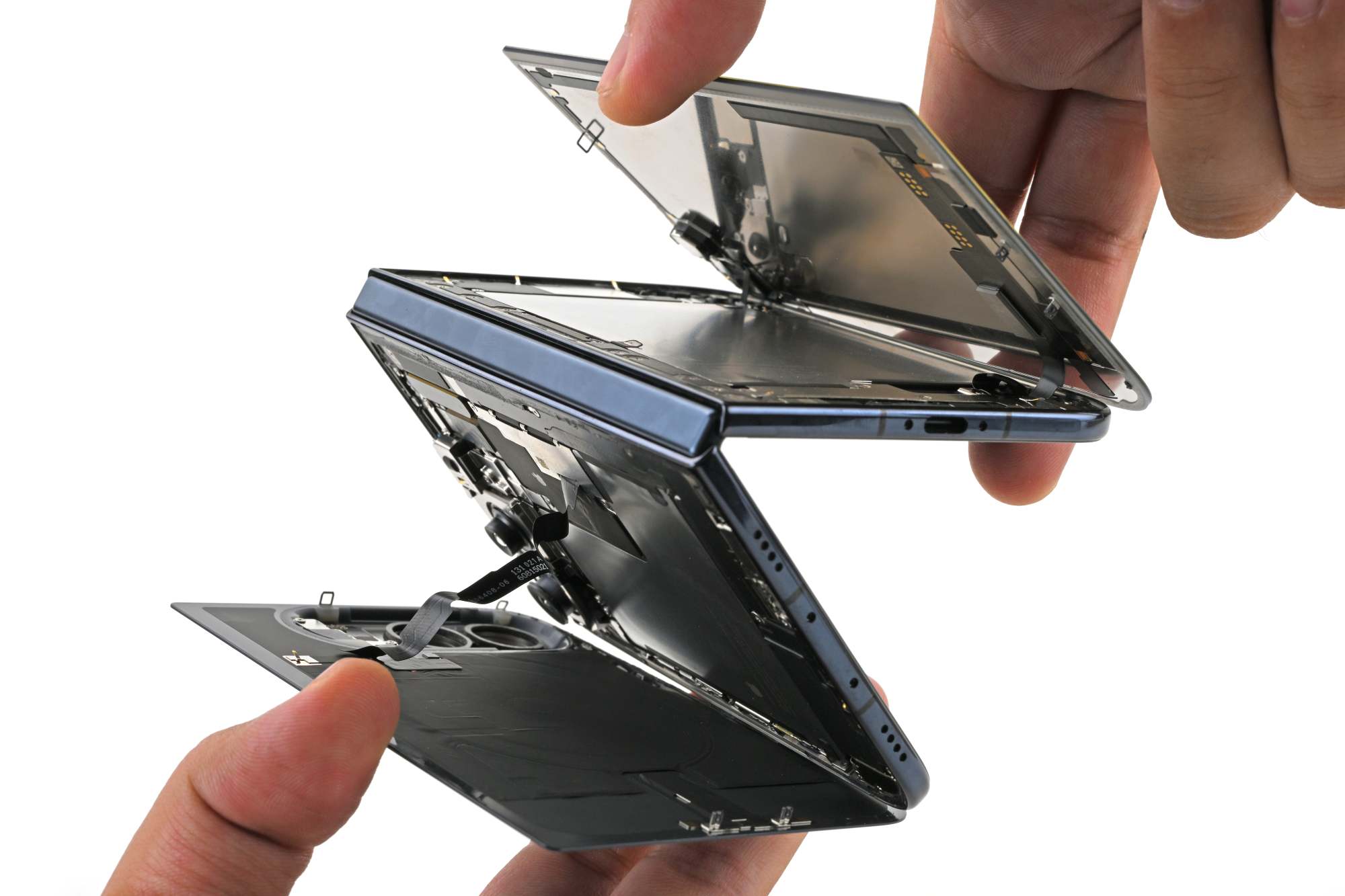
- The teardown team calls it the most repairable foldable smartphone it has taken apart: electrically released battery adhesive, an outer panel that lifts off cleanly, and an inner trim that survives removal.
- "Repairable" is not "easy." A home inner-screen swap is delicate, finicky work; a comparable Pixel 10 Pro Fold job runs 3-5 hours for a typical DIYer.
- Dust is the honest long-term risk: after a fluorescent-powder test, the hinge was crunching.
Repair and ownership scoreboard
| Decision factor | iPhone Duo | Other foldables in the same teardown notes |
|---|---|---|
| Inner display, out of warranty | $999 | Not priced in these notes |
| Cover-layer (nano-texture) refresh | $49, or $19 with AppleCare | No equivalent service listed |
| Cost of that panel vs. a new phone | Half as much | — |
| DIY inner display swap | Faster in principle — you do not open the other half to disconnect the panel | Pixel 10 Pro Fold: 3-5 hours for a typical DIYer |
| Inner trim removal | Comes off intact with a spudger | Galaxy Z Fold8 trim crumbled mid-removal |
| Crease with the matte layer removed | Arguably even more visible than the Fold8's | — |
| Bend strategy | Waterdrop pocket plus gears, springs, linked joints and synchronization gears | Motorola Razr set the waterdrop approach in 2020; Pixel 10 Pro Fold swaps sync gears for linked, spring-loaded cams |
| Fluorescent powder run | Less visible powder than earlier tests, but the hinge crunched | Fold8 and Pixel 11 Pro Fold collected more powder in the same style of test |
| Bottom line | The most repairable foldable smartphone taken apart so far | — |
Daylight check: how good is the crease disguise?
Folding one panel thousands of times fatigues materials, so marks along the bend are physics rather than a defect — and no foldable has fully beaten them, however often Apple fans label this one “creaseless”.
Two things do the hiding. The hinge and its backing layers let the phone open flat, and a matte nano-texture finish scatters reflections so the dip is hard to spot.
Under the lab's Evident DSX2000 microscope, that finish reads as densely packed rounded bumps — bubble wrap at scale — which breaks up glare instead of mirroring it.

The camera cutout makes the effect obvious: on the left, pixels show clearly through the smooth, untextured circle in the layer; on the right, the same grid is softened by the bumps.
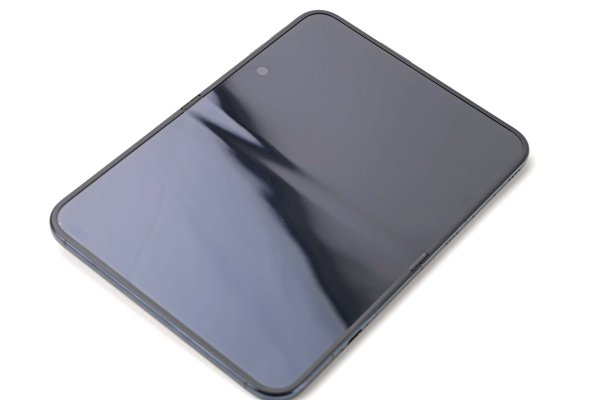
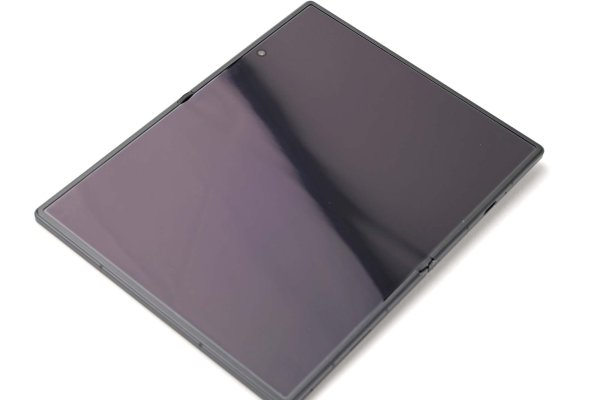
Strip the matte layer and light bends across the crease much as it does on rival folders; in that stripped state the Duo's line is arguably even more visible than the Z Fold8's. Glossier is not better, either: the surface underneath scratches more easily.
Apple is not new to this coating — iPad Pro, MacBook Pro, and Pro Display XDR all carry it — but here it lives on a flexible polymer cover that can be serviced while the OLED underneath stays in the phone.
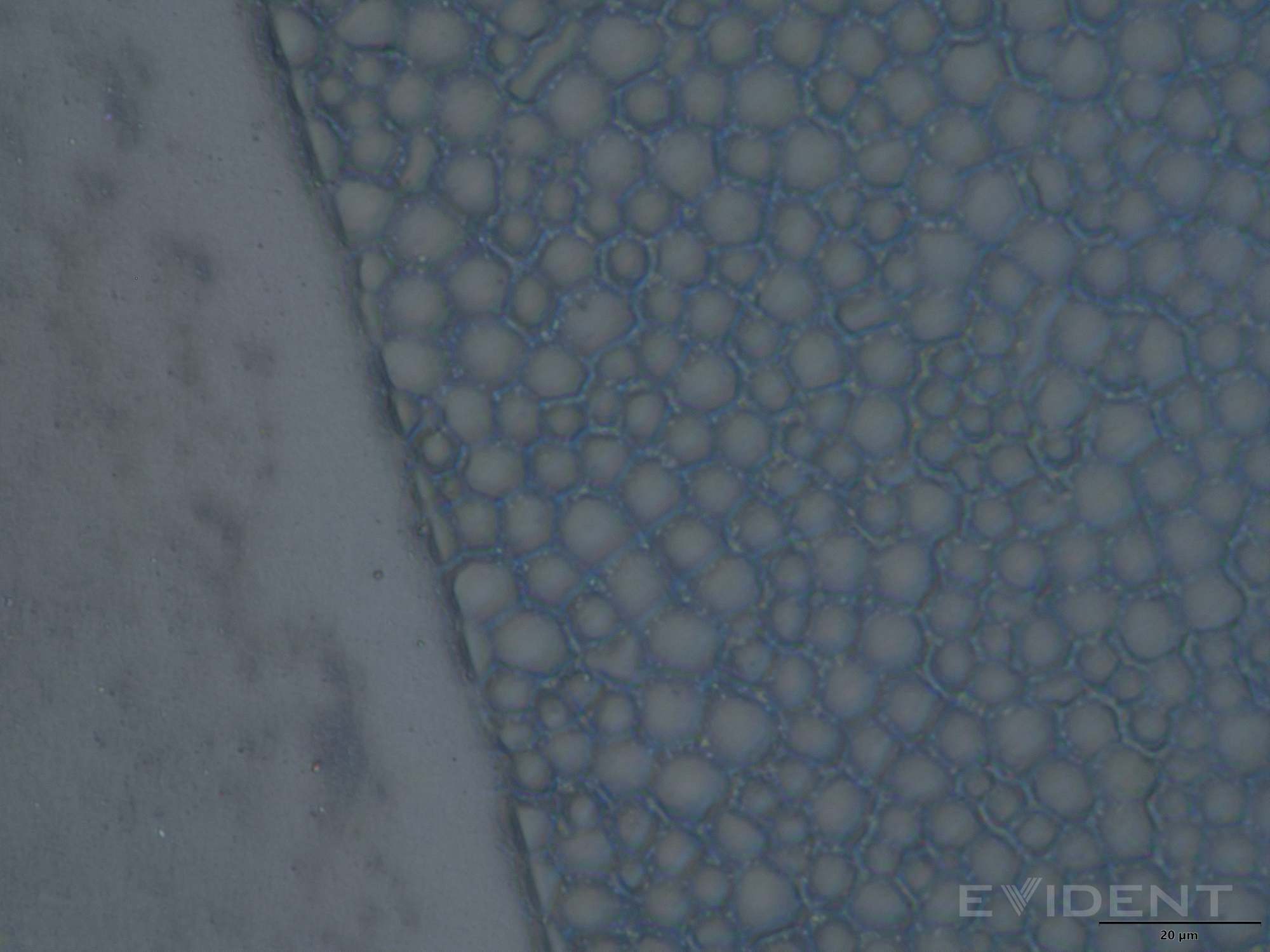
At 50x, the treated surface is a field of rounded bumps.
Veterans will remember reviewers peeling what looked like a screen protector off original Galaxy Fold units and killing the displays. Here the panel keeps working with the cover removed, and Apple publishes a cover-layer replacement procedure — although it calls for specialized fixtures and precise alignment, so it is not a peel-and-stick job.
That service costs $49 without AppleCare, or $19 with it: a cheap way to refresh the layer doing most of the visual work.
The full panel is where budgets break. Inner-display damage runs $999 without coverage, and the shop's own line on spare parts is blunt — a complicated part is not going to be cheap, however soon it ships.
Video pacing misleads here too: however fast Shahram lifts the inner screen on camera, expect slow, careful adhesive work at home. The lab estimates a similar repair on the Pixel 10 Pro Fold at 3-5 hours for a typical DIYer, and the Duo should land faster only because you never enter the other side of the device to disconnect the display.
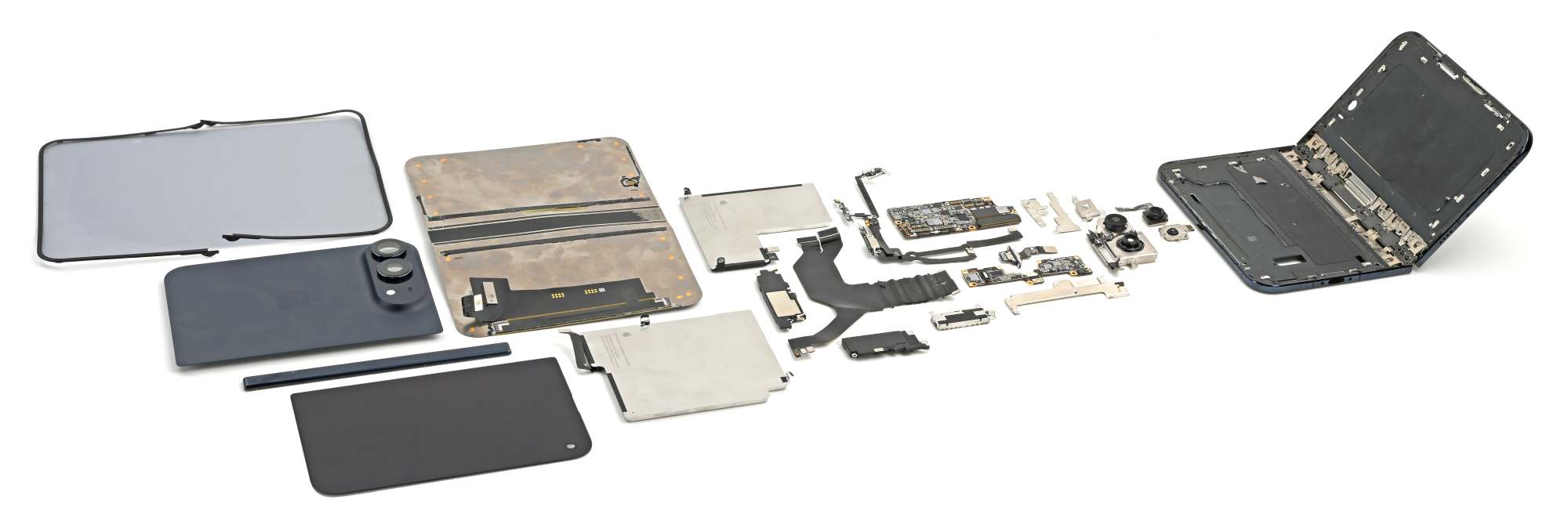
Fixing that inner screen costs half as much as buying the phone again.
Why some pixels are oval — and what that does for your eyes
Zoom past the texture and the subpixels themselves look irregular: some red, green, and blue elements are oval, their long axes pointing in different directions.
Oval pixels are not new — DisplayMate photographed them in Samsung's Galaxy S4 in 2013 — but Samsung's sit in a regular grid, while the Duo's arrangement wobbles.
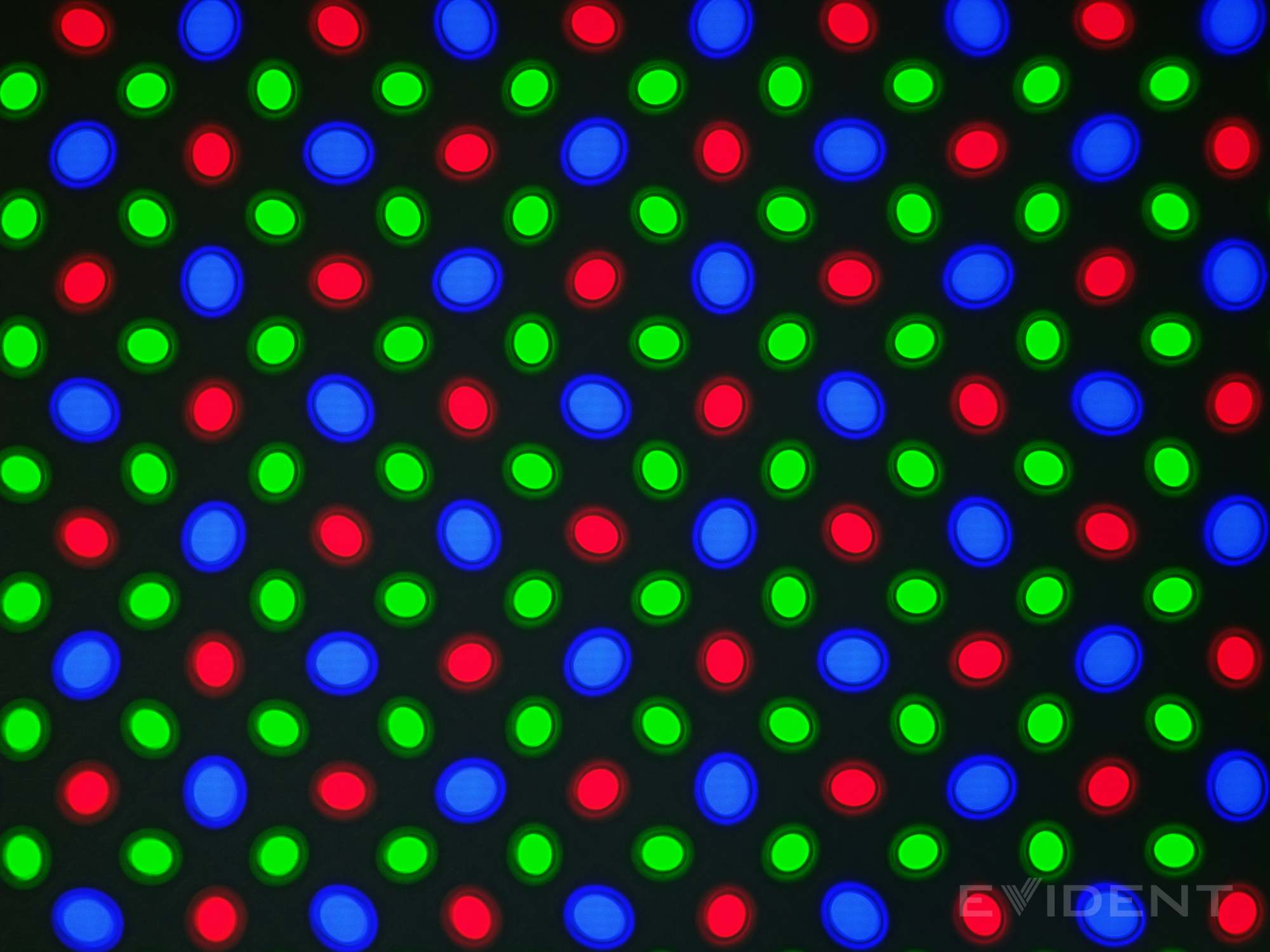
A pattern-matching puzzle for the pixel-peepers reading this far.
The explanation lives in an Apple patent application about reducing diffraction artifacts: vary subpixel shapes and orientations so reflected light stops building conspicuous patterns — geometric dithering, in effect, so optical artifacts do not all reinforce one another.
One drawing also explains why microscope shots resist decoding. The panel is split into regions, each with its own pattern, and through rotations inside and across those regions Apple says a subpixel may have “at least 32 unique displacements.”
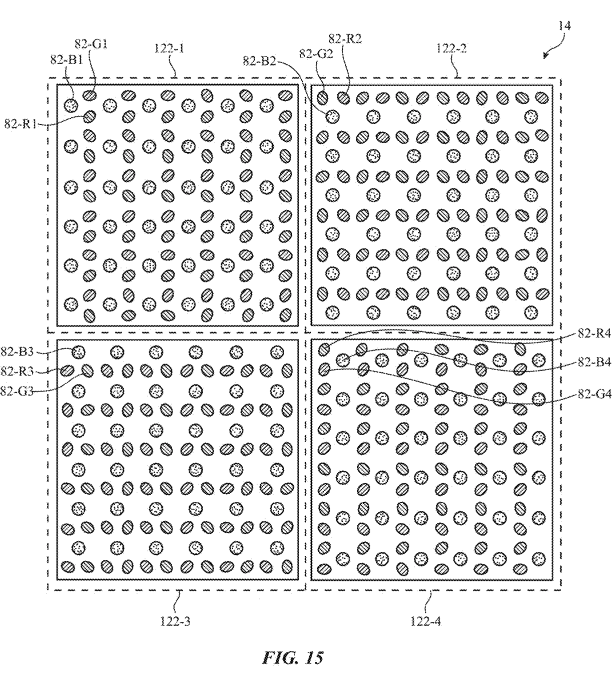
The relevant filing, Mitigation of Diffraction Artifacts in Polarizer-Free Displays, is dated 2025.
Consumer translation: reflections are being tamed deeper in the stack, so nothing pulls your eye toward the fold during a video call next to a window.
The hinge, and what it feels like on a desk
Every brand tries to stop the crease deepening by easing strain on the panel, and the hinge is where that game is won or lost.
Room for the bend comes first. The Motorola Razr the lab opened in 2020 already parked its flexible screen inside a curved pocket in the hinge, and the waterdrop idea has since gone mainstream; the Duo works the same way.
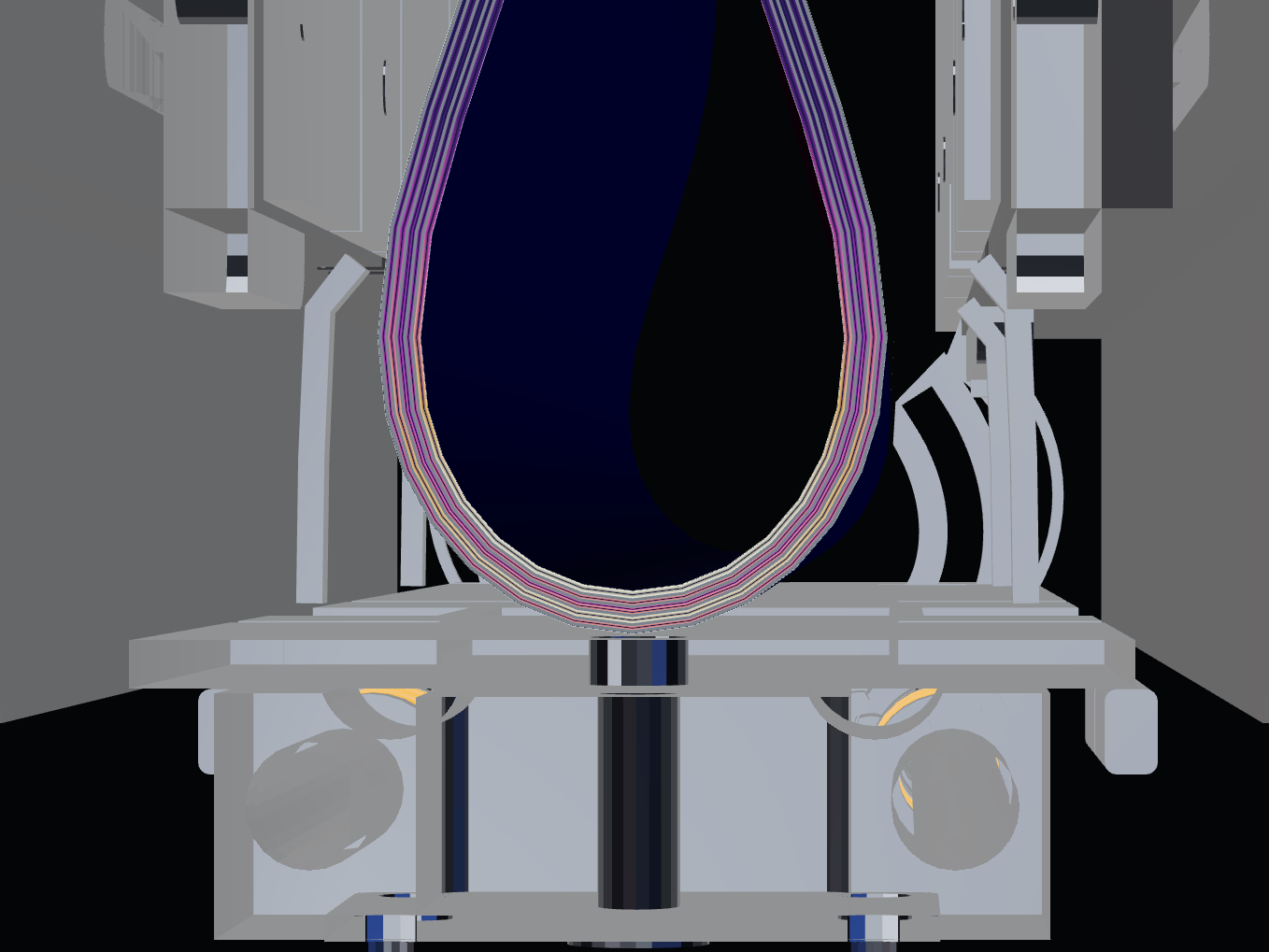
In the fully folded 3D model, the phone closes flat while the screen stays gently curved inside the hinge.
Gears, springs, and a run of metal joints then manage the bend: the hinge patent describes linked joints that each rotate through a limited range, closer to a metal watchband than a single knuckle.
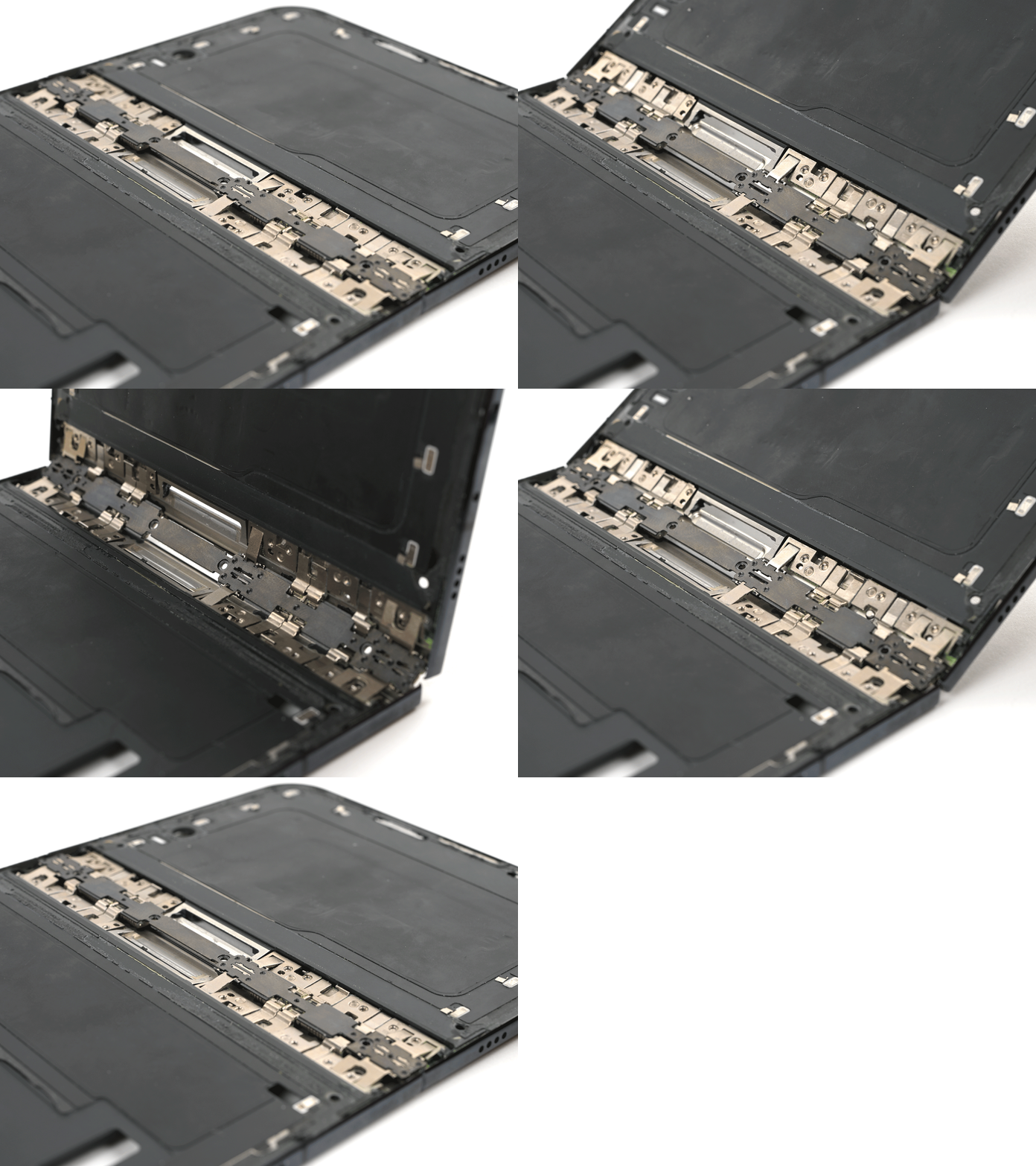
Curved guides make those joints behave as if their pivot points sat inside the display above them, bending the panel while limiting how much it stretches or squeezes.
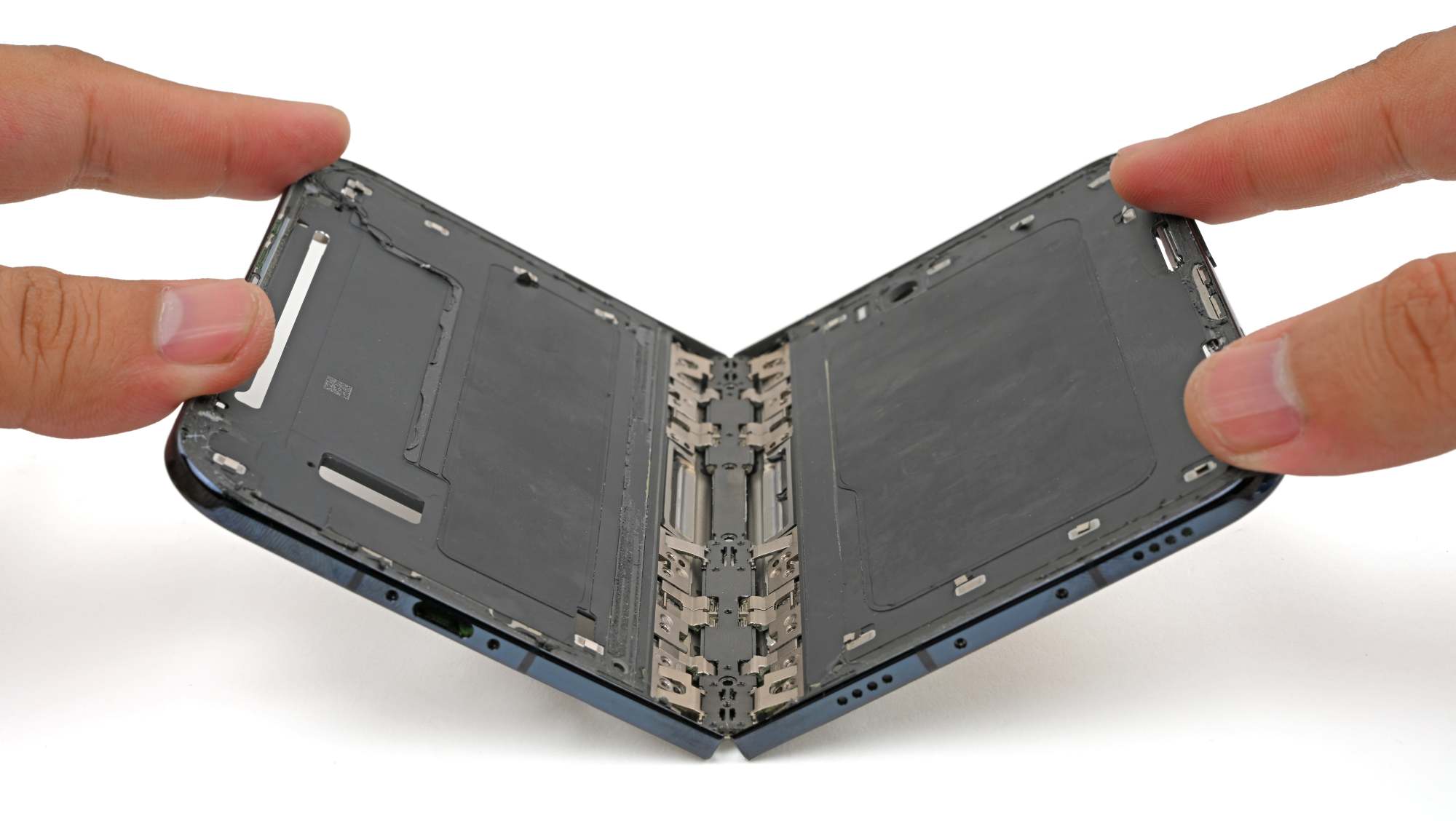
A chain of metal joints splits the folding workload.
Springs absorb part of the force needed to bend the screen — which is why the panel stays where you leave it.
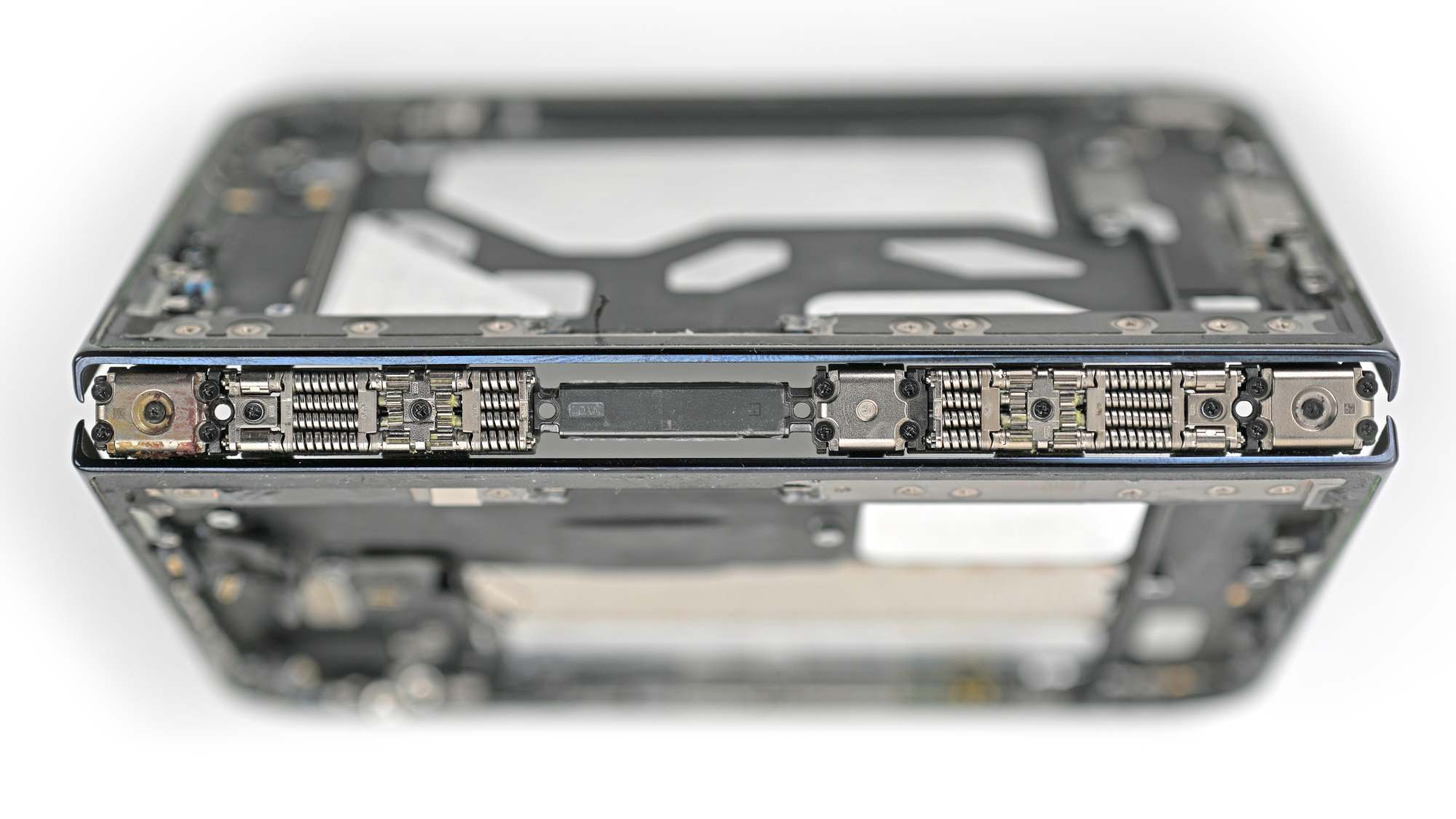
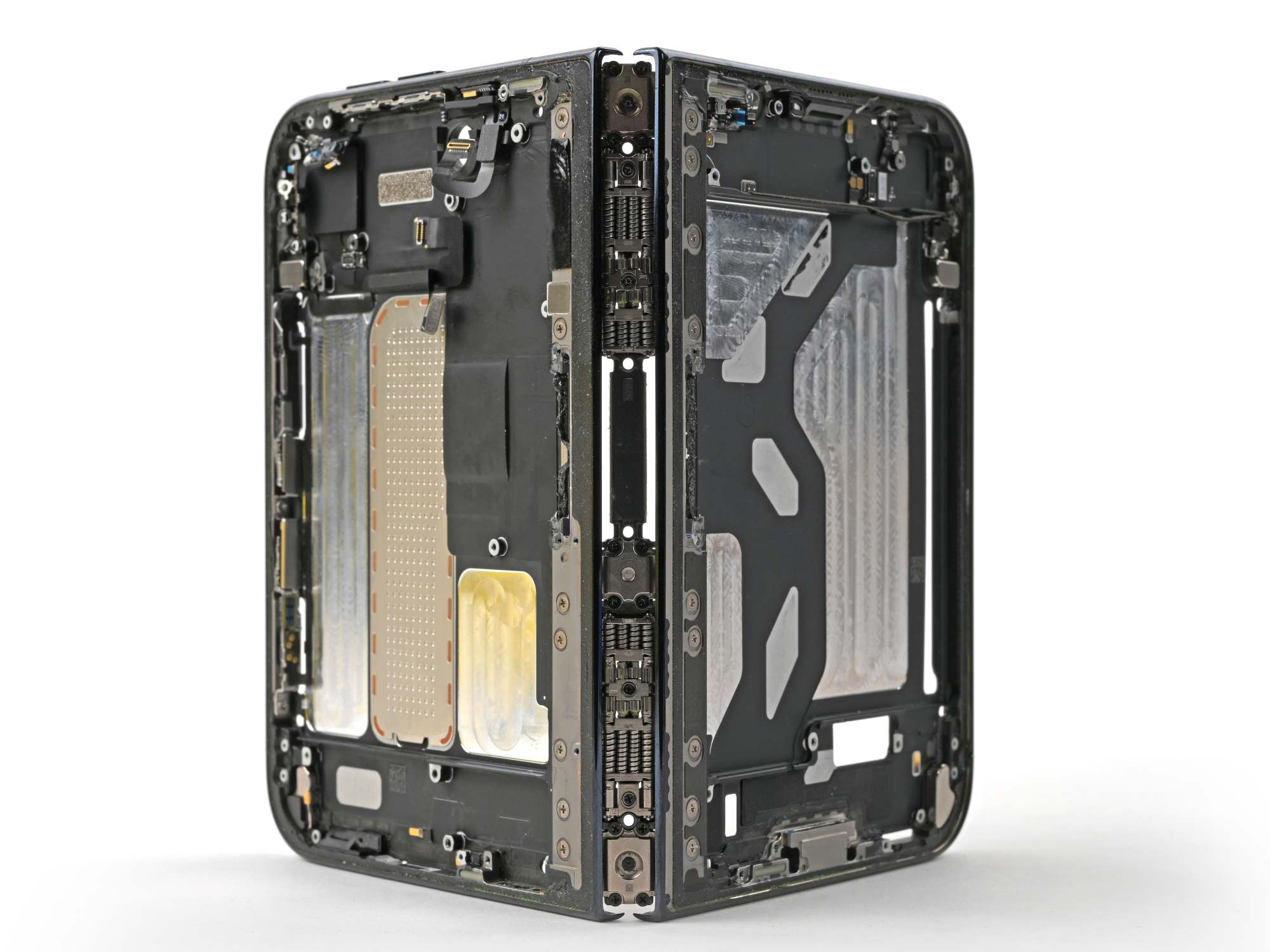
It is not the first foldable to hold a variety of positions, but this spring-and-gear system does it effectively even stripped to its bones.
Synchronization gears keep the linked joints moving together as the phone folds. Google took the other route on the Pixel 10 Pro Fold, replacing those gears with linked, spring-loaded cams to save space and avoid failures from damaged teeth. Gears, though, are predictable and tunable: Apple's patent explains how different gear ratios let some joints bend farther than others.
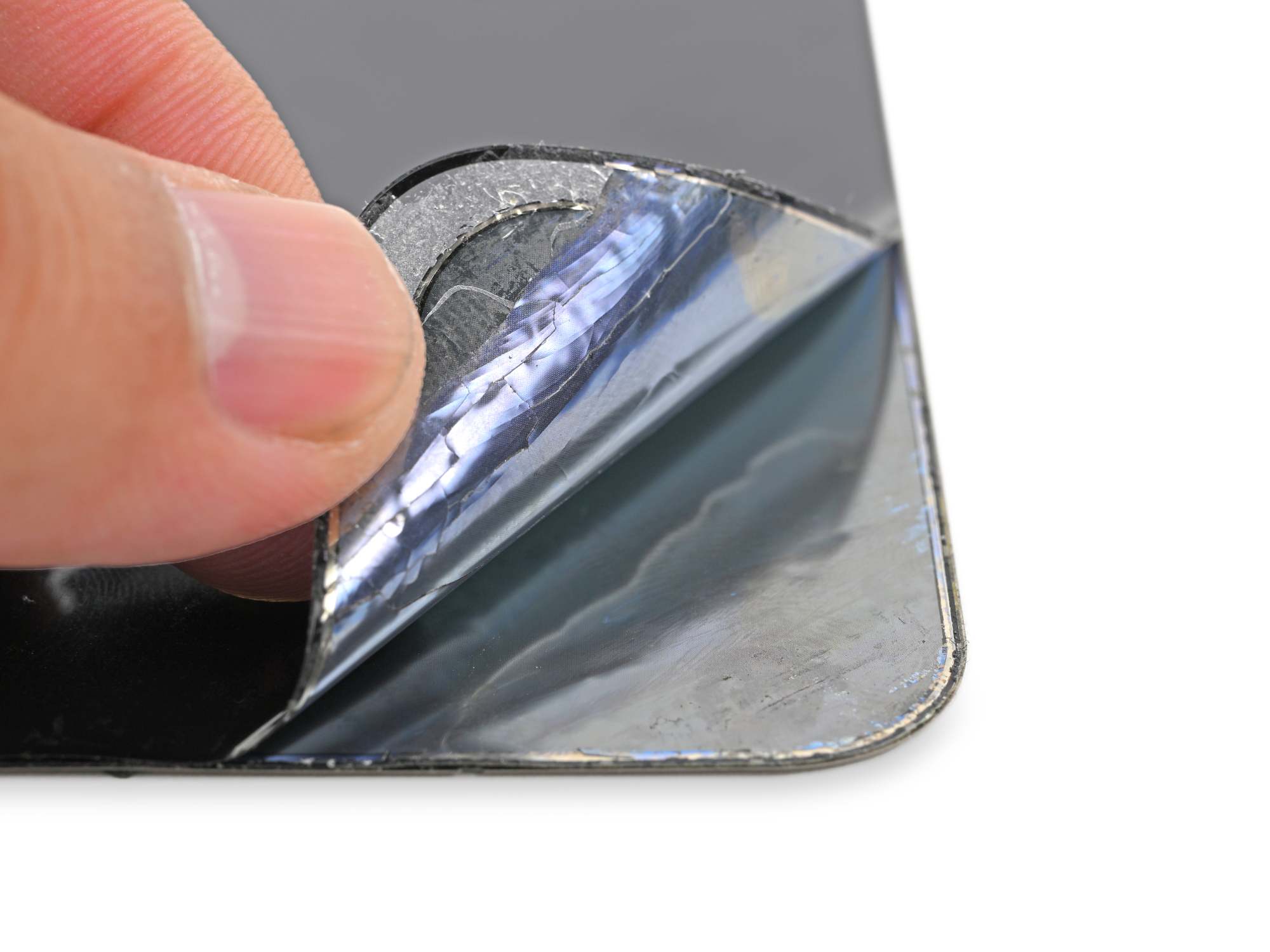
A few of the ten ultrathin layers, peeled away from the display stack.
Apple counts more than ten ultrathin layers plus adhesives engineered to glide against each other as the screen folds.
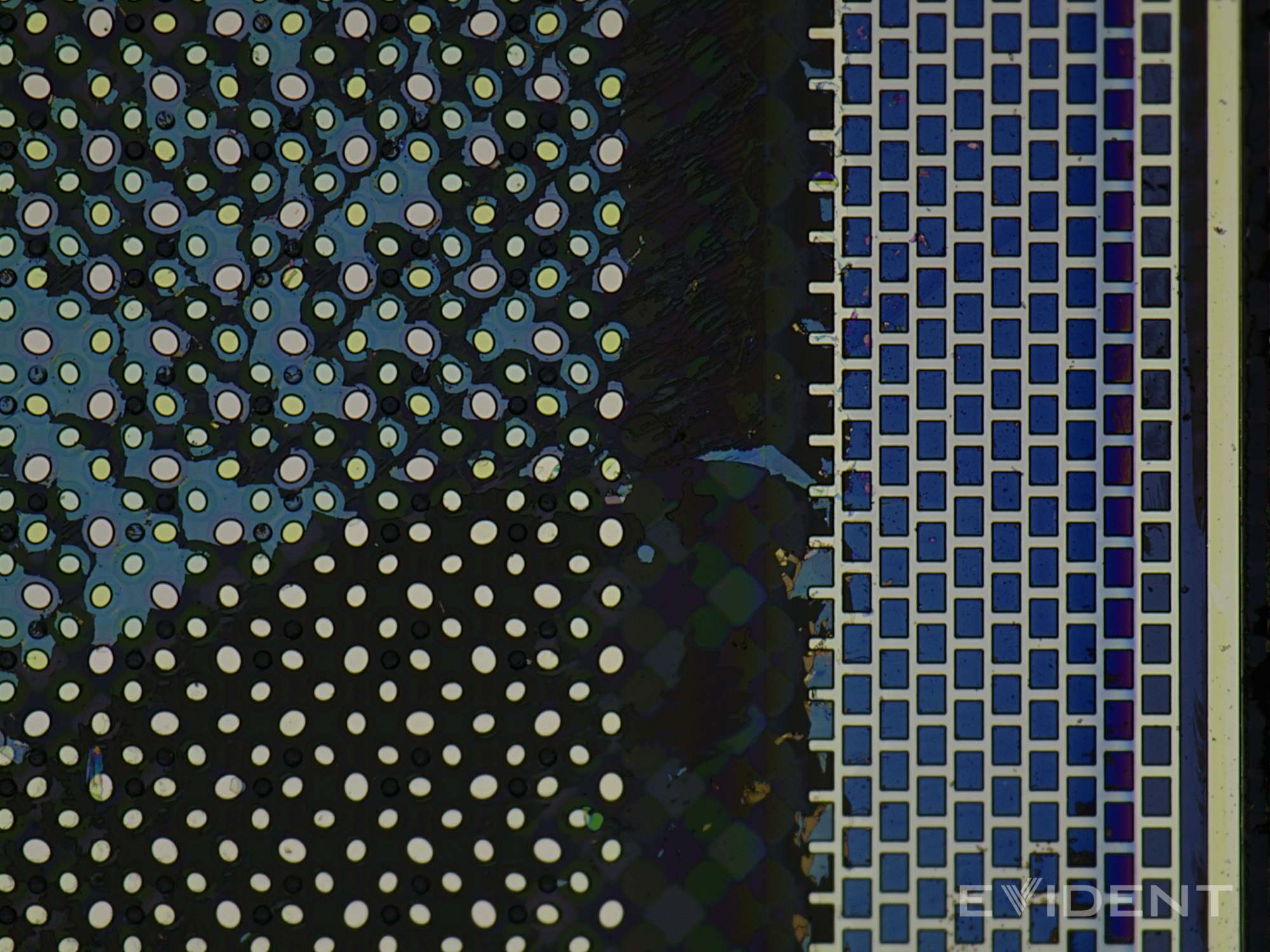
The shiny top layer may be what the display patent calls a “black matrix”, a darkening that cuts ambient reflections.
You already know these mechanics from office supplies: bend a stack of paper and the outer pages travel farther than the inner ones. The display layers need that freedom to move, along with enough support to survive a fingertip pressing on the open screen.
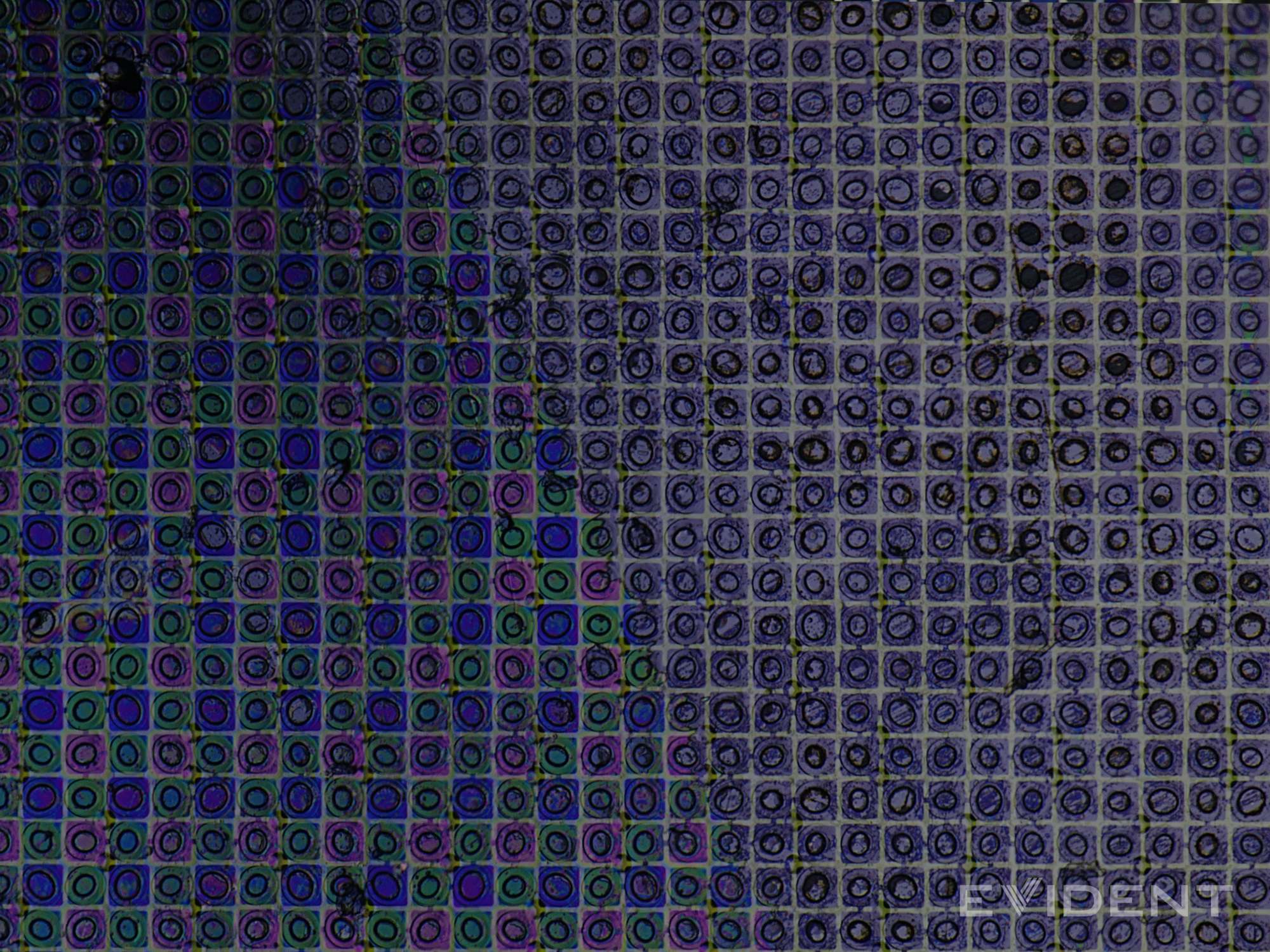
Below that sit the color filters — tiny tinted windows aligned over each subpixel, passing one color and absorbing the others.
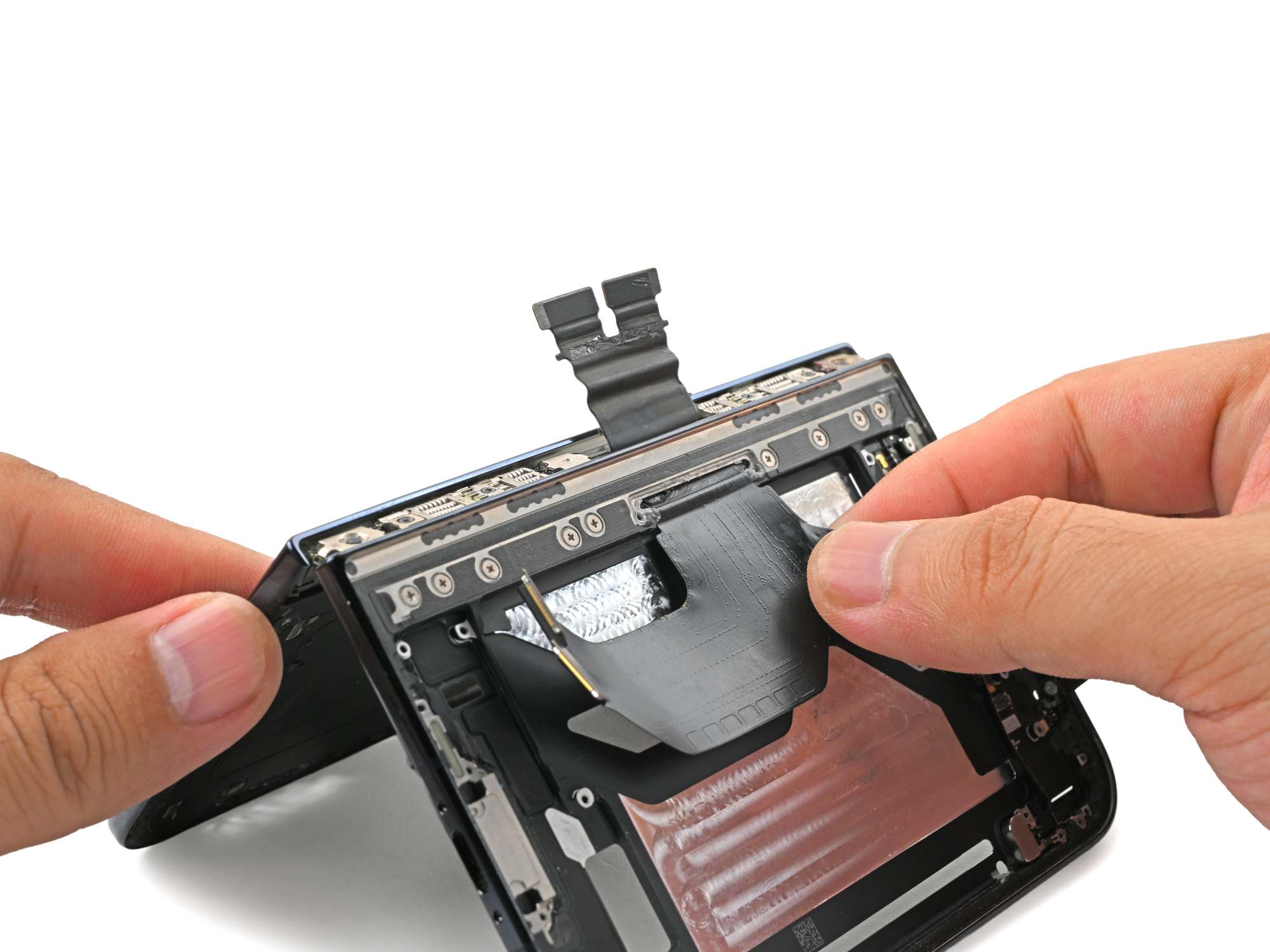
A gap in the hinge makes way for a thin, accordion-pleated cable that carries data and power between the two halves.
That one flex cable works hard: the Duo keeps its charging infrastructure on one side, so one battery charges through the cable while the same path moves video and audio data across the gap.
The cracked panels: what the evidence points to
That cable is the usual suspect on any foldable, and rightly so — but the reported symptoms point elsewhere.
The pattern people describe goes like this: they open or close the device, hear a noise, then find a short line extending down the fold and a bright line crossing the display. One owner saw it within six hours of purchase; another before finishing setup.
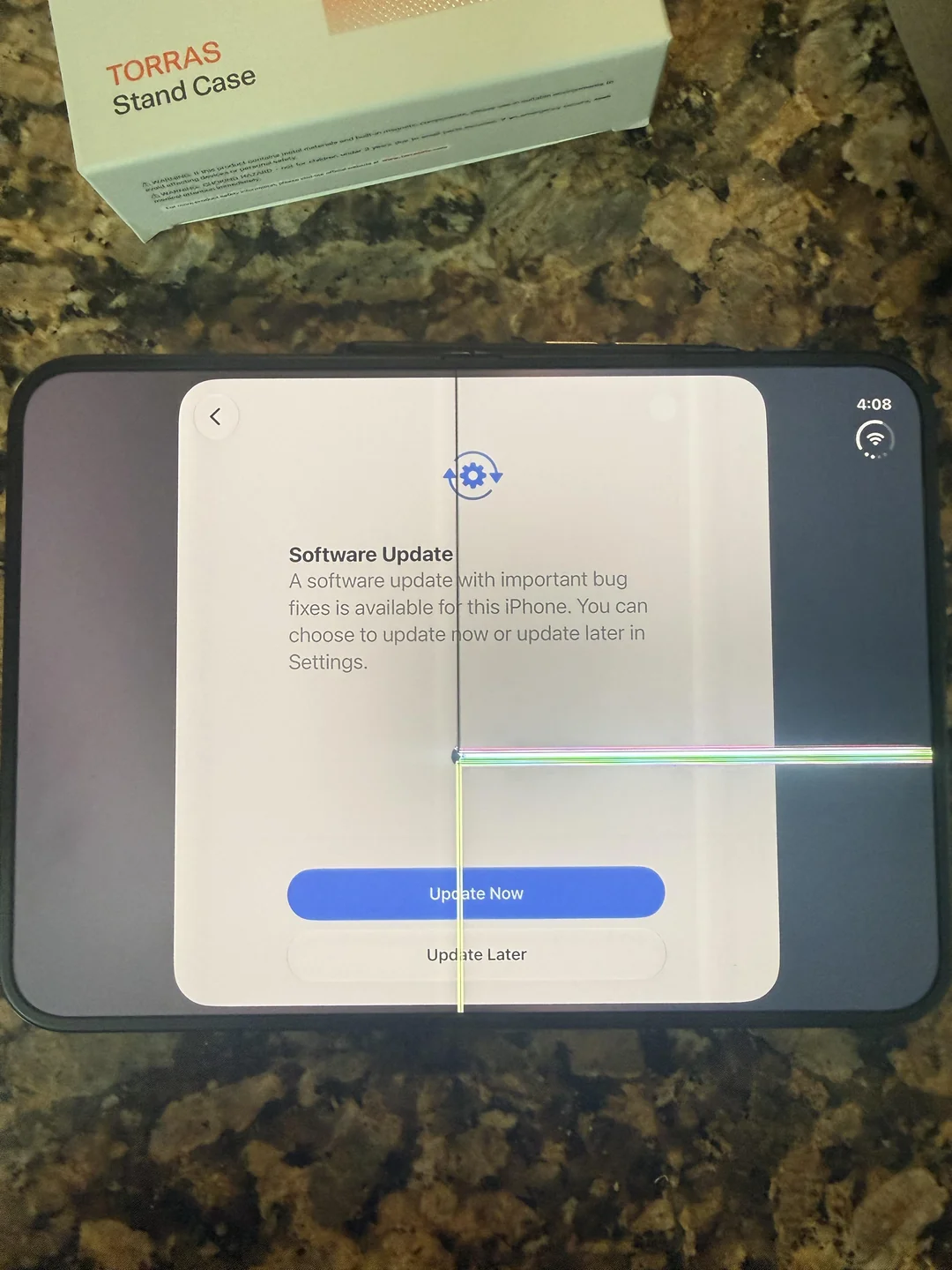
Reddit user leftyhyzer16 wrote: “Maybe folded it 4 times, hinge got tight and then made a loud pop when I pushed past it.”
Similar images have been collected across several devices, with more reports and discussion on the MacRumors forums.
The real damage is probably smaller than the visible footprint. Some affected owners cannot see any other problem with the screen or hinge, which is unsurprising: a localized fault in tiny electrical connections can knock out an entire row or column of pixels.
Rebuilding the hinge in 3D from teardown footage, patents, and CT scans, then overlaying reported damage sites, puts the breaks near the transition from the flex-cable gap to the central hinge support — not exactly where the cable passes through, but slightly lower, where several edges meet and change how the thin display is supported mid-bend.
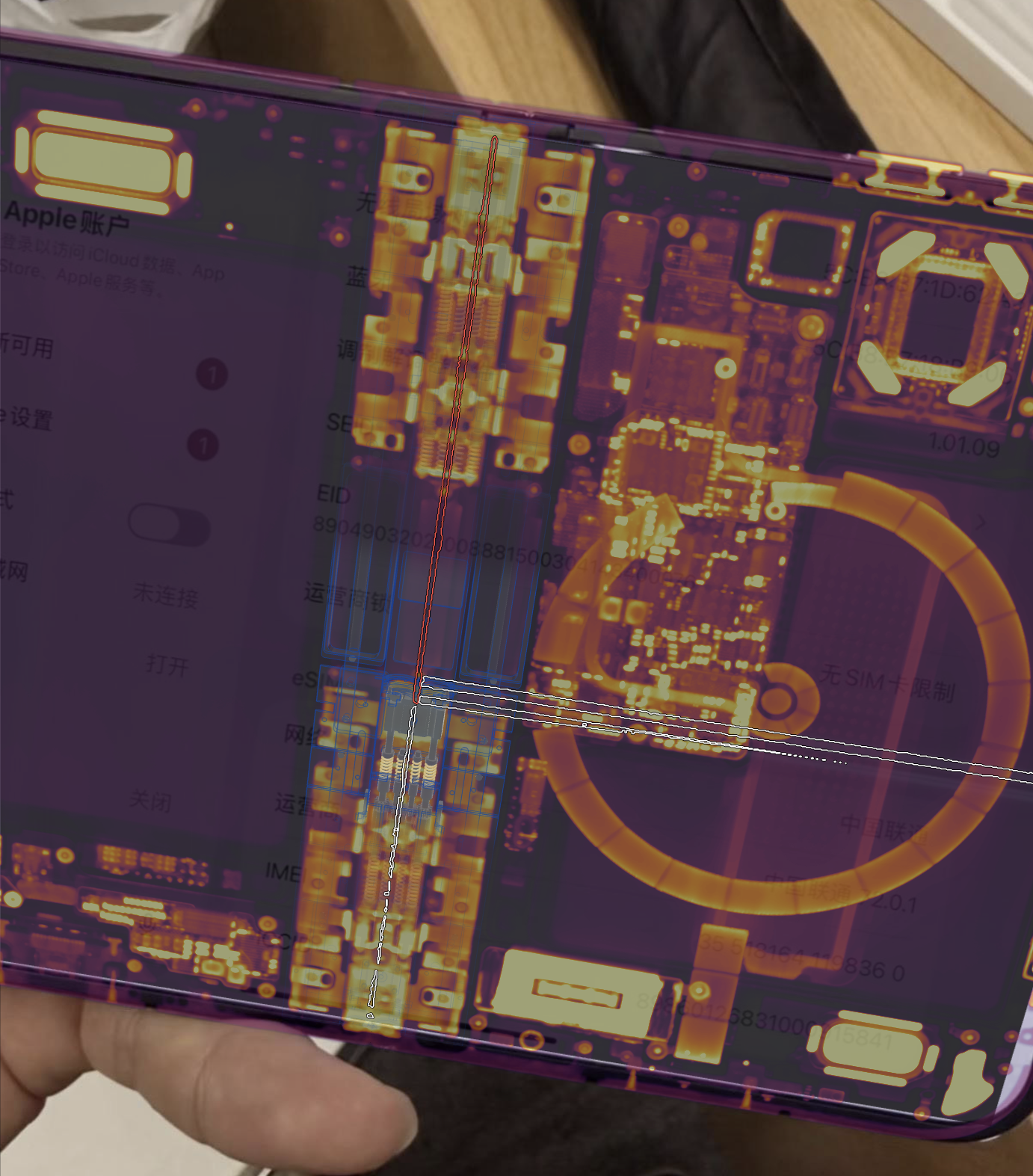
One broken screen with CT and hinge model overlaid: the white lines running down the hinge and across the panel trace the damaged row and column, intersecting just below the cable's path through the center.
All those edges sharing one spot leaves a lineup of suspects. The center pivot looks different from the rest of the hinge — is it binding, or is something nearby?
One candidate answer: in the closing simulation, the center support bar fails to drop far enough, and the screen's curved fold comes down onto it, creating a small stress hotspot near the reported break location.
The lab also publishes an interactive CT scan captured with a Lumafield Neptune scanner, so readers can trace the hinge supports, cable, and neighboring components beneath the display themselves.
Dust remains the honest weakness
Glow-dust runs have become standard foldable homework: the Galaxy Z Fold8 and Pixel 11 Pro Fold teardowns got the same treatment recently.
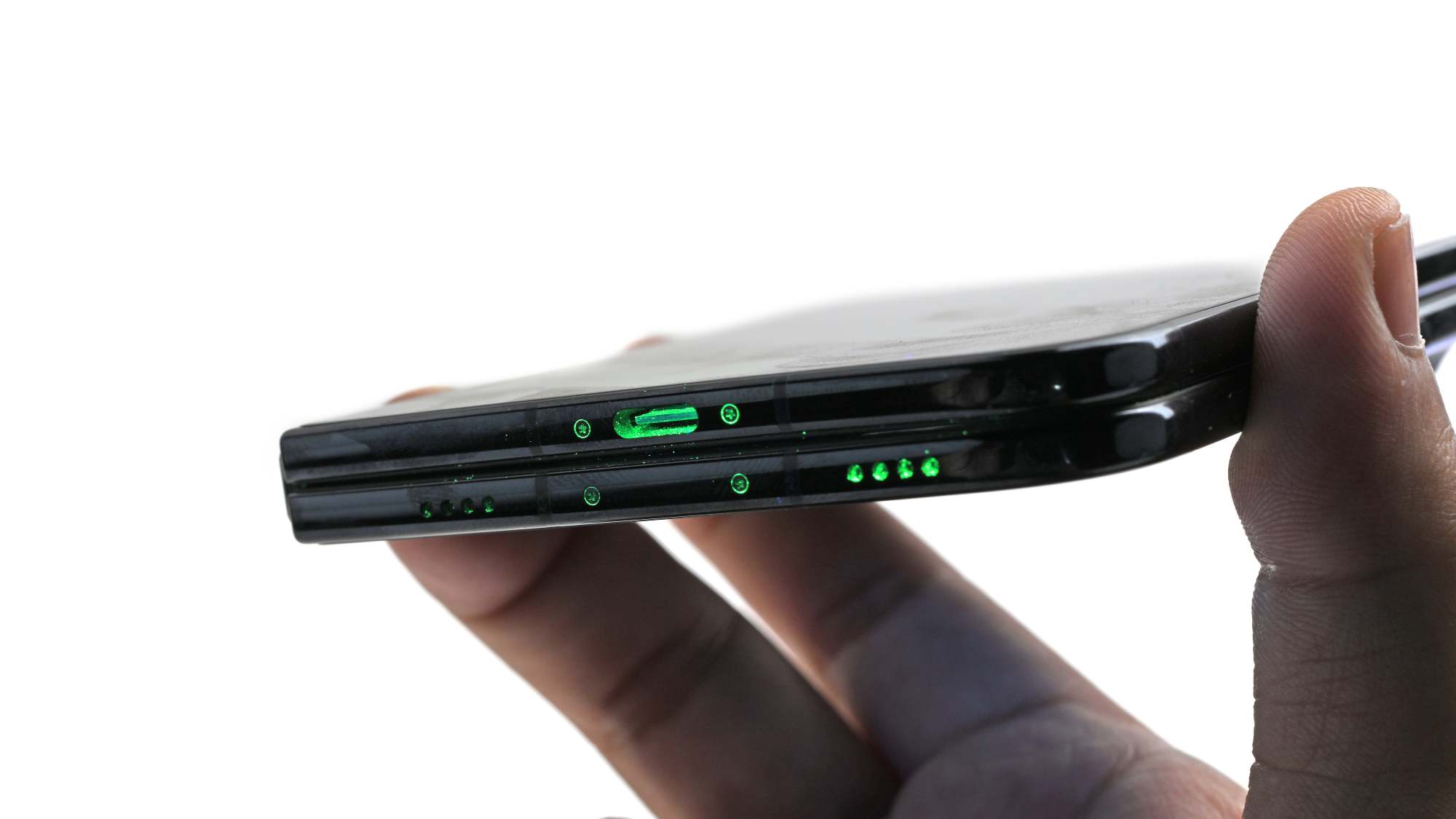
First stop for the powder: a coating on the USB-C port and speaker grilles.
The powder is finer than typical beach sand, though it sits close to ordinary office dirt in particle size. One caveat matters for spec sheets: this is not an IP test. IP certifications measure ingress of water and particles into the device's “enclosure”, and that does not seem to include the hinge mechanism of a foldable.
Sealed in a bag of fluorescent powder and worked open and closed, the Duo began crunching in the hinge.
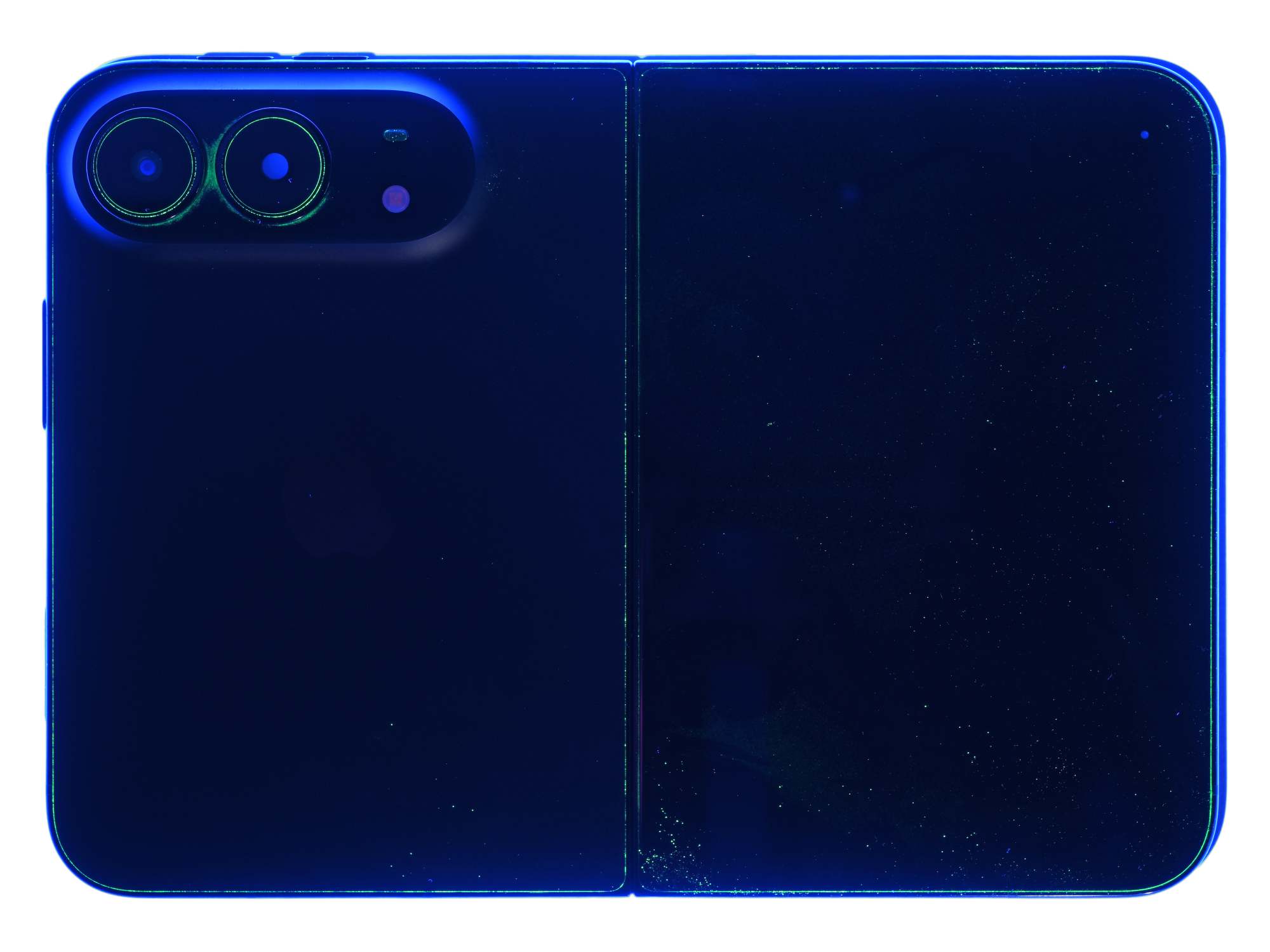
Most of the powder stopped at the adhesive barriers around the electronics.
Traces showed up around openings, mesh, and trim — and some reached the hinge's moving parts.
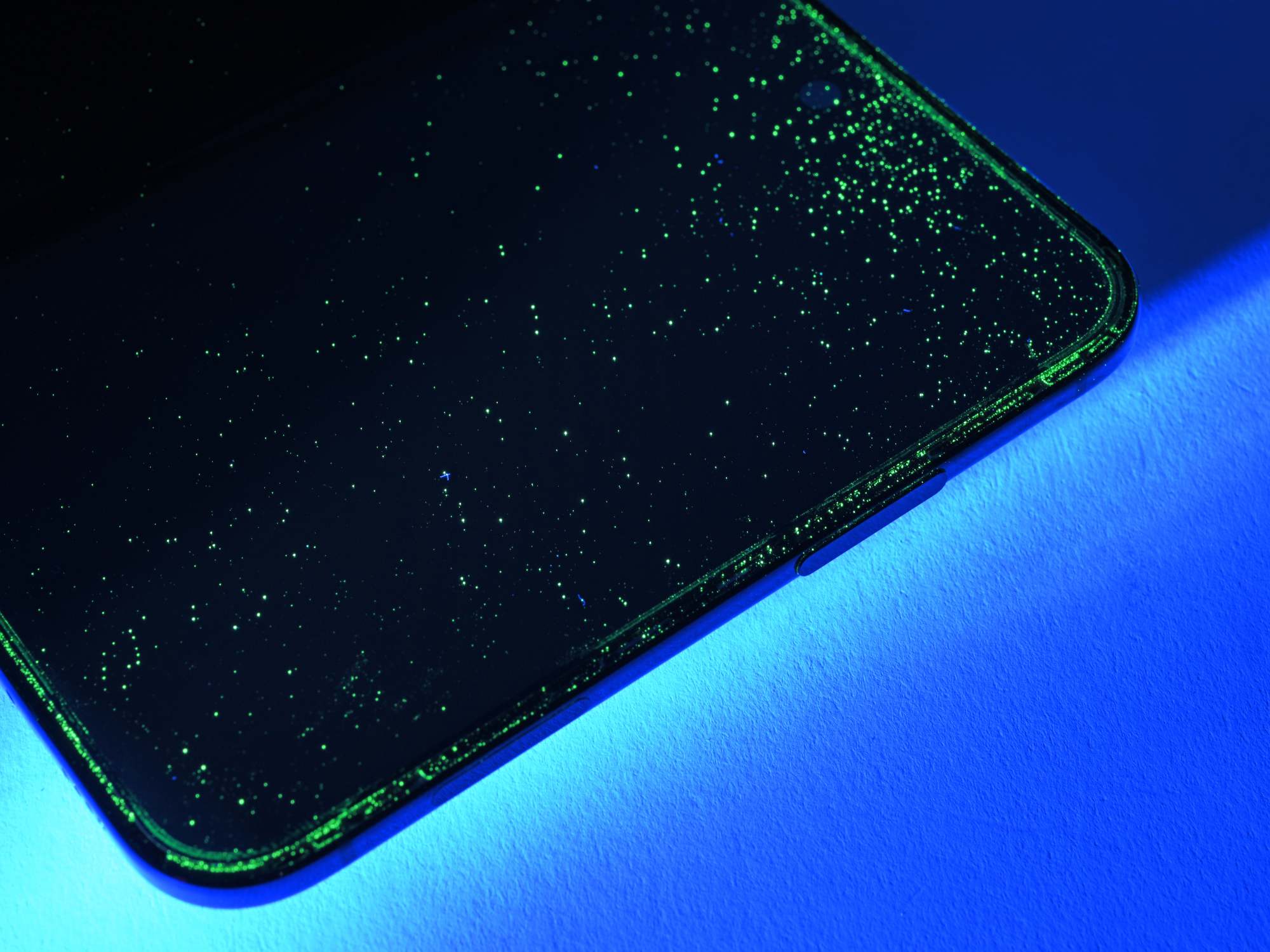
The glow gathers along the inner screen's perimeter.
Where the dust traveled, shown in natural light and UV:
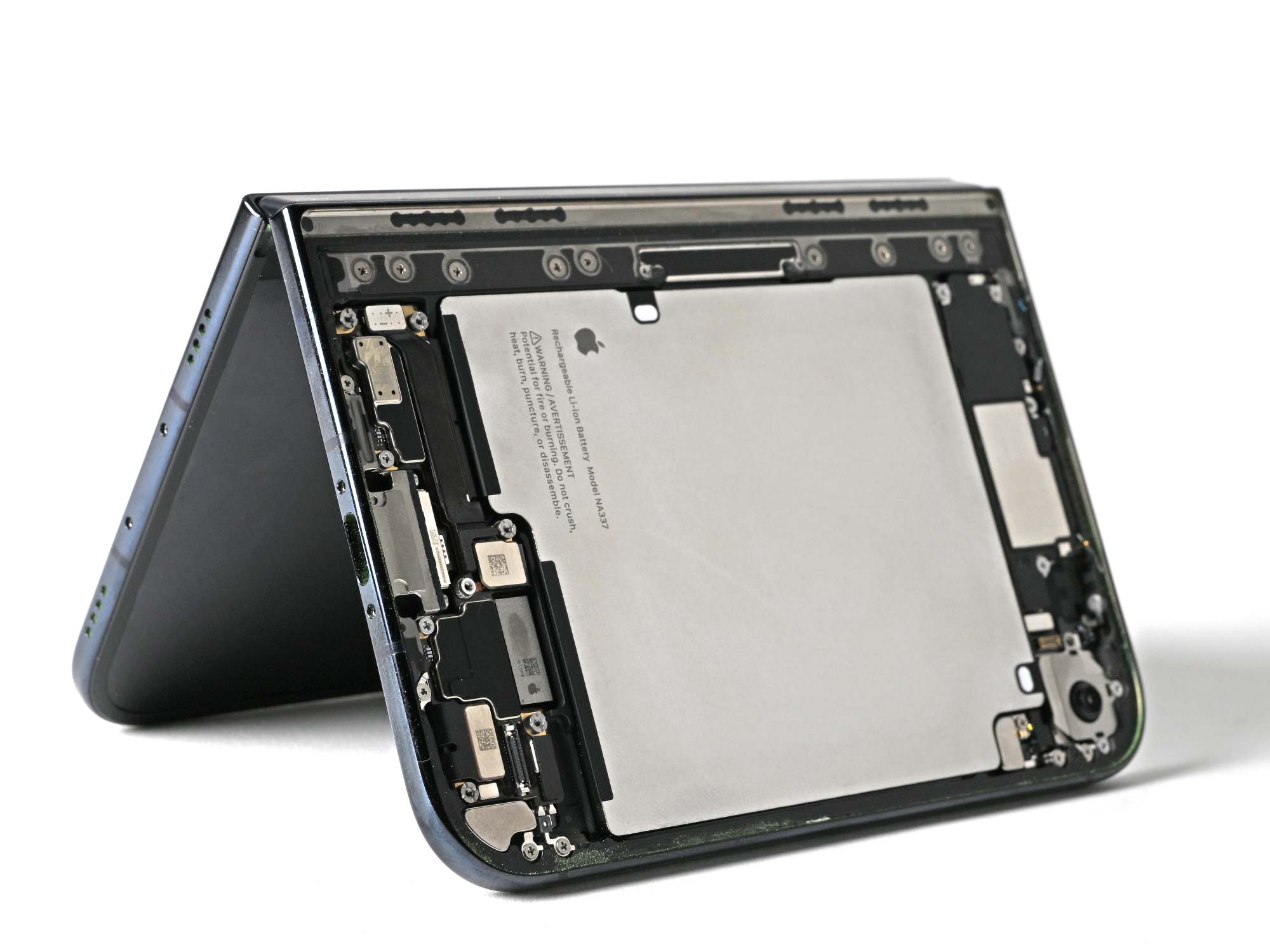
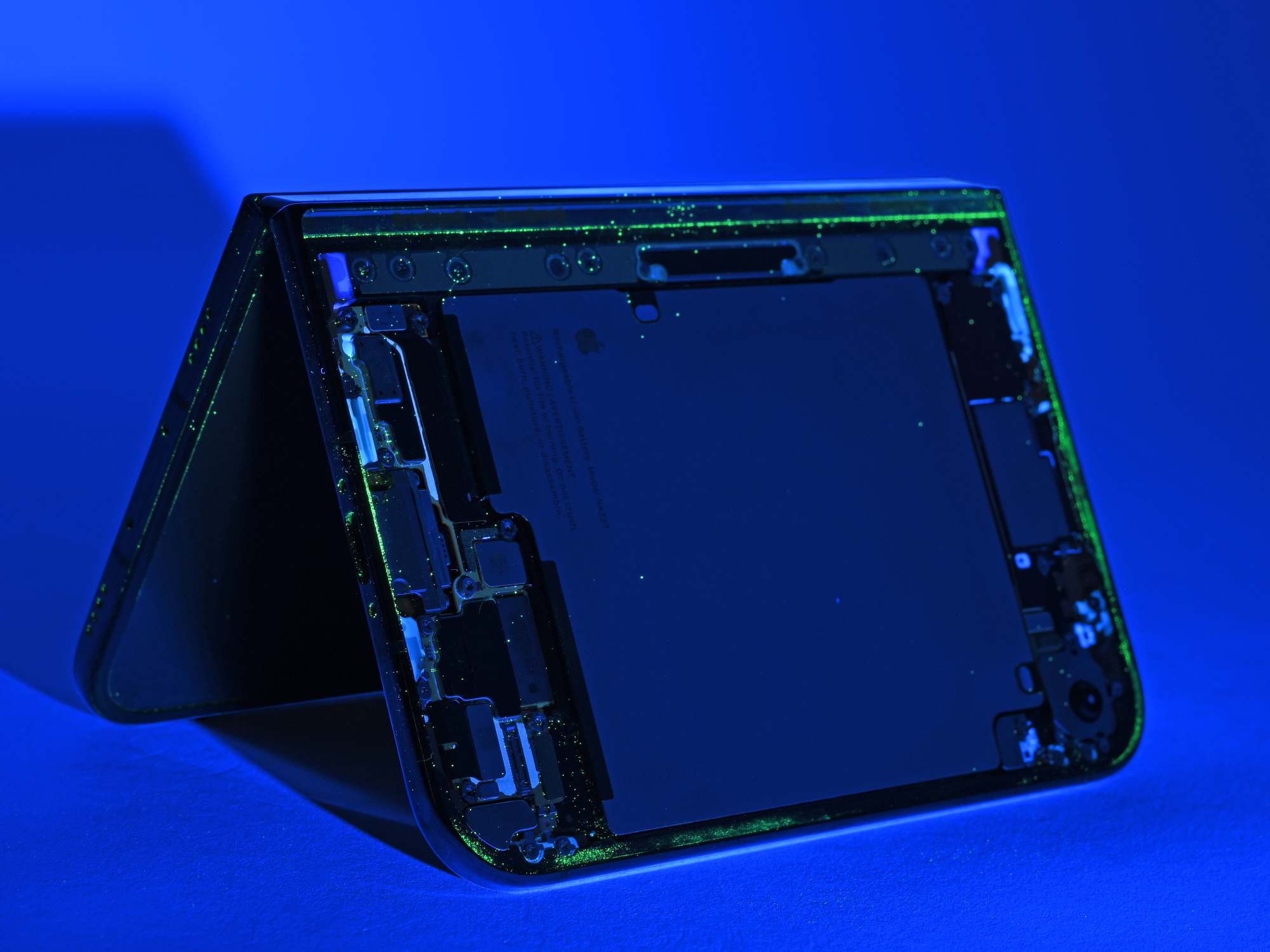
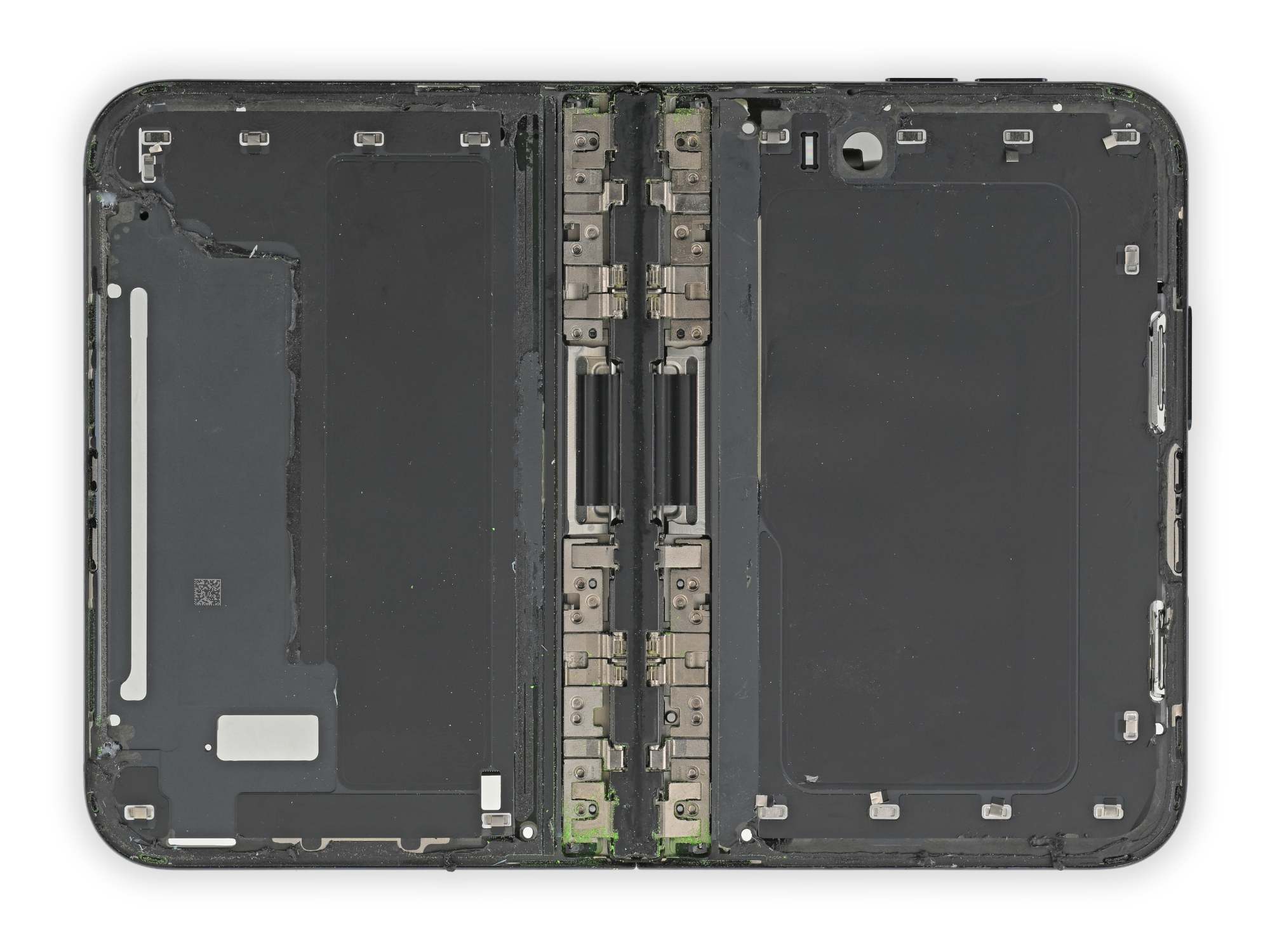
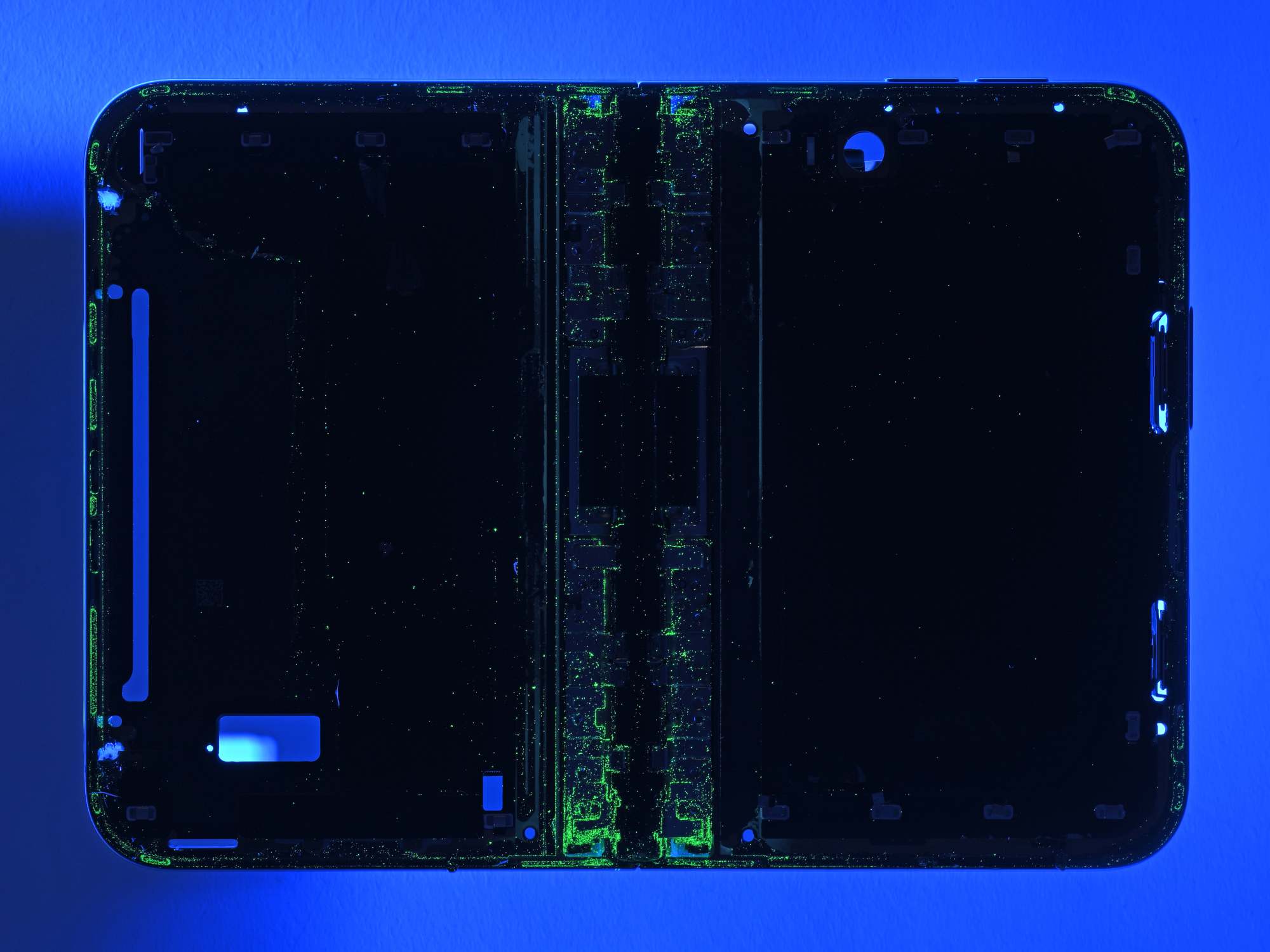
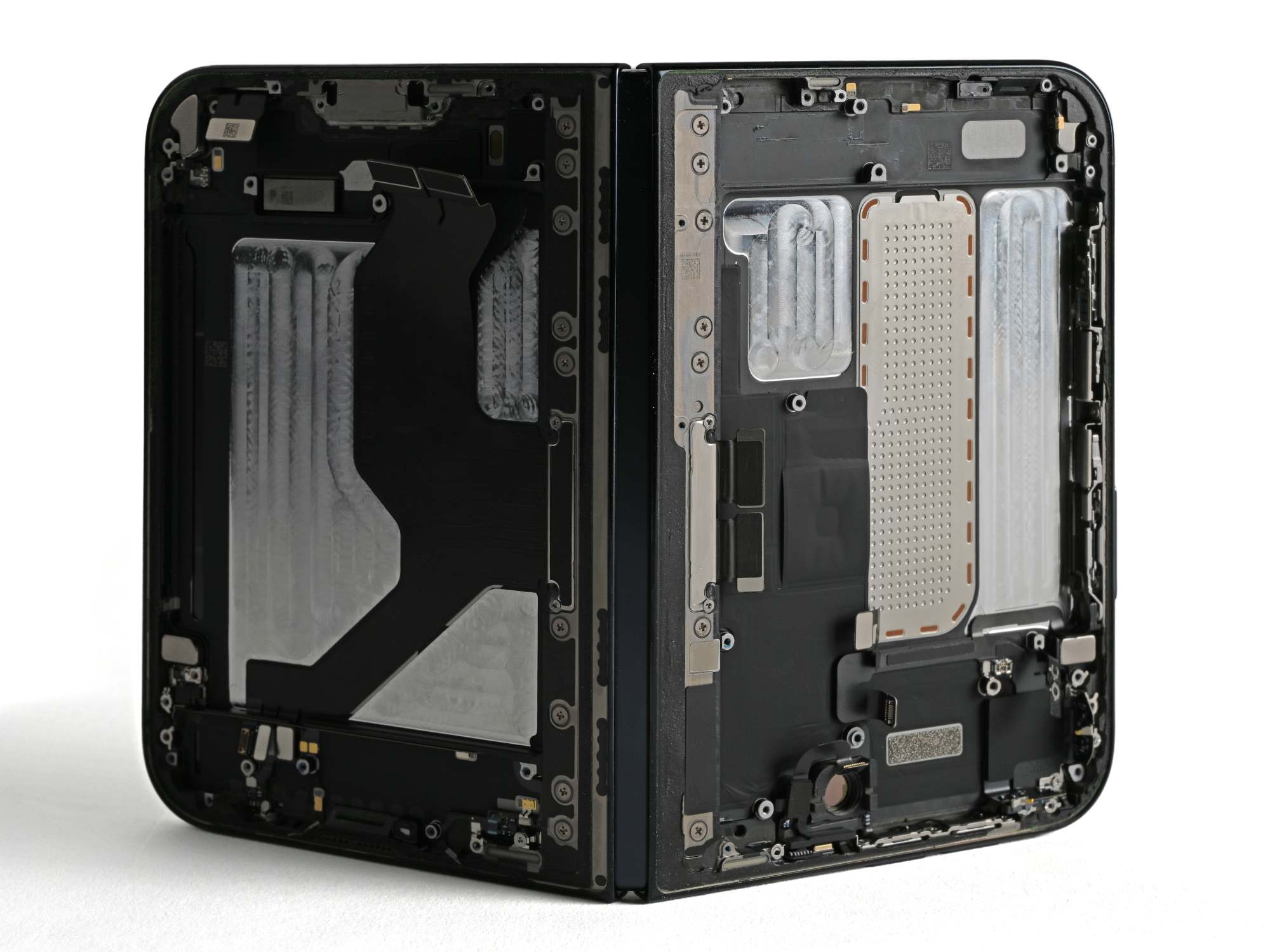
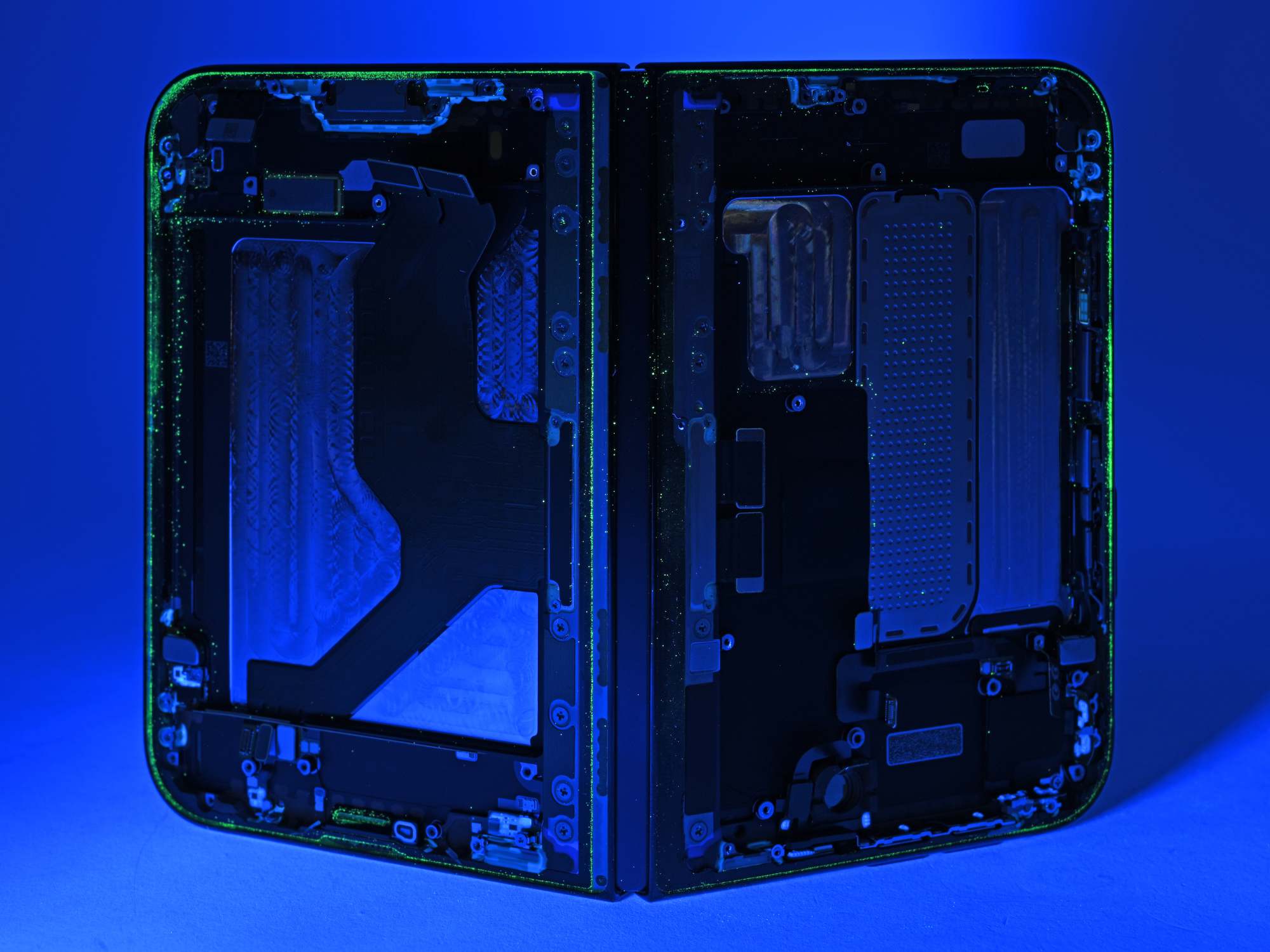
Measured against earlier runs, the Duo collected less visible powder than the Fold8 and Pixel 11 Pro Fold tests — but enough reached the mechanism to make it crunch, and clearing or replacing those parts means removing the flexible display and its supports first.
For a buyer, that reframes the risk: the enemy is a beach bag or a dusty jobsite, not the folding itself.
What is genuinely simple on this phone
On at least one front the Duo wins easily over most other foldables: trim.
The trim around the Galaxy Z Fold8's inner screen crumbled during removal, creating another broken part before the panel was reached. Following Apple's procedure on the Duo, the lab worked the trim free with a spudger, released the clips, and pulled it off intact.
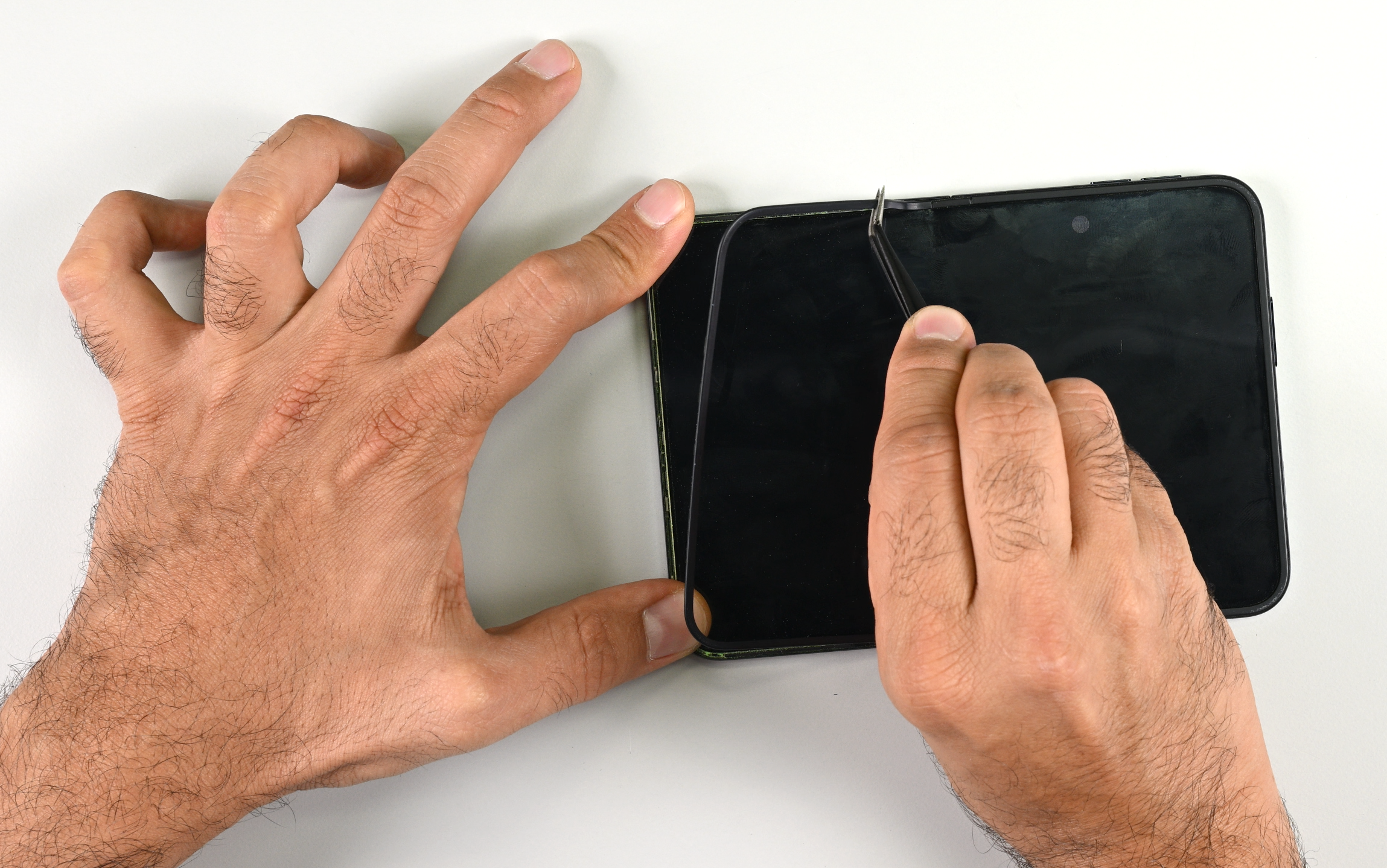
The outer display also came off in one piece, plastic frame and all — the same frame that caused much grief during the iPhone 18 Pro teardown. That matters because several internal repairs route through it, and nobody wants a battery job to become a screen job as well.
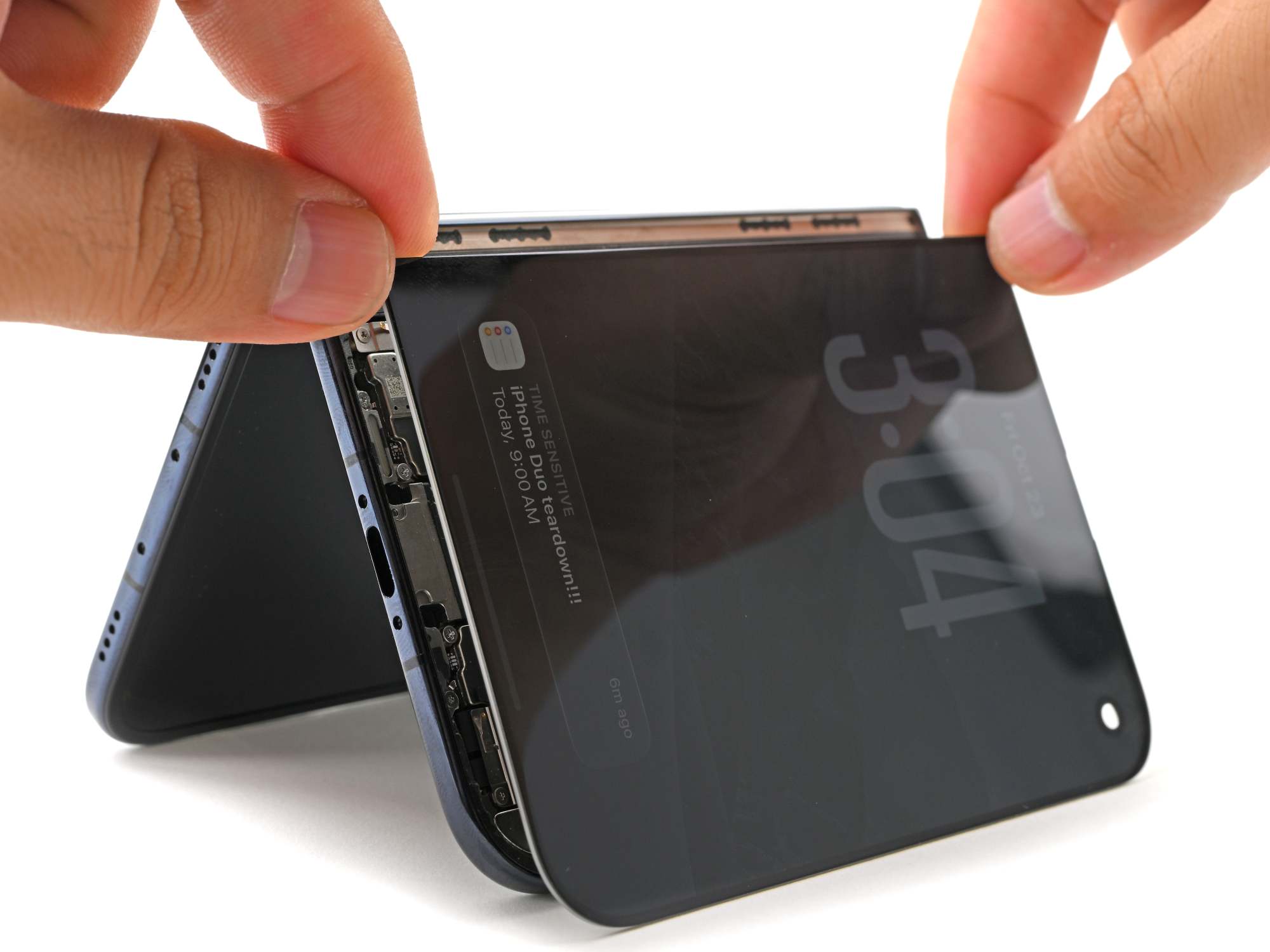
Clips and screws hold the outer display and back cover alongside their adhesive seals, so in a pinch you can reassemble the phone while waiting for fresh adhesive — minus water resistance, of course.
Entry is still classic iPhone: pentalobe screws at the entrance, and on this model four instead of two. The lab remains unimpressed.
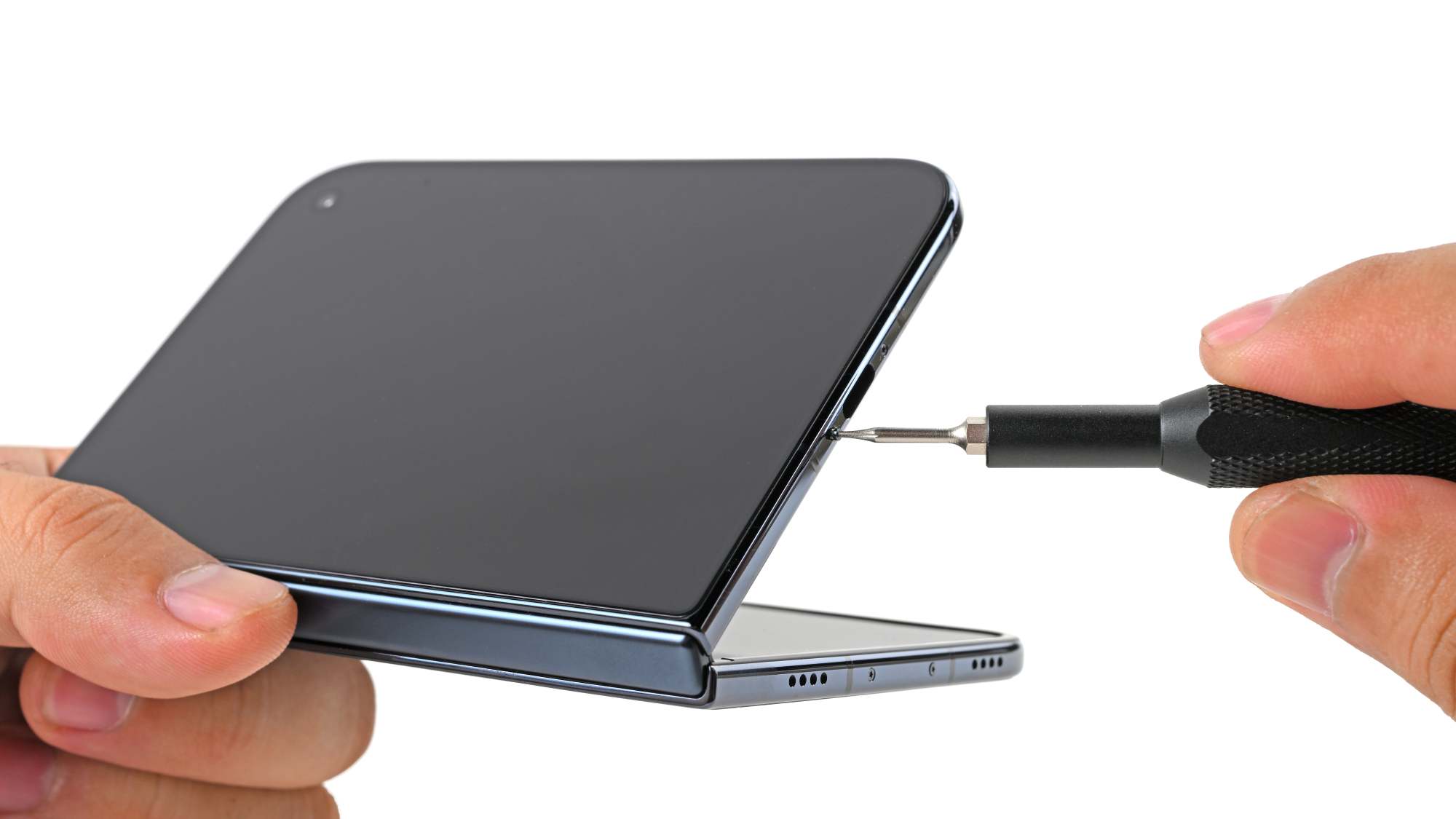
Four pentalobes instead of two: the giveaway that this is a big iPhone.
Inside, the two batteries use Apple's electrically releasable adhesive on both cells, and it works beautifully. Power the release tabs with the lab's VoltClip and FixHub — or a 9V battery — wait, and the adhesive lets go.
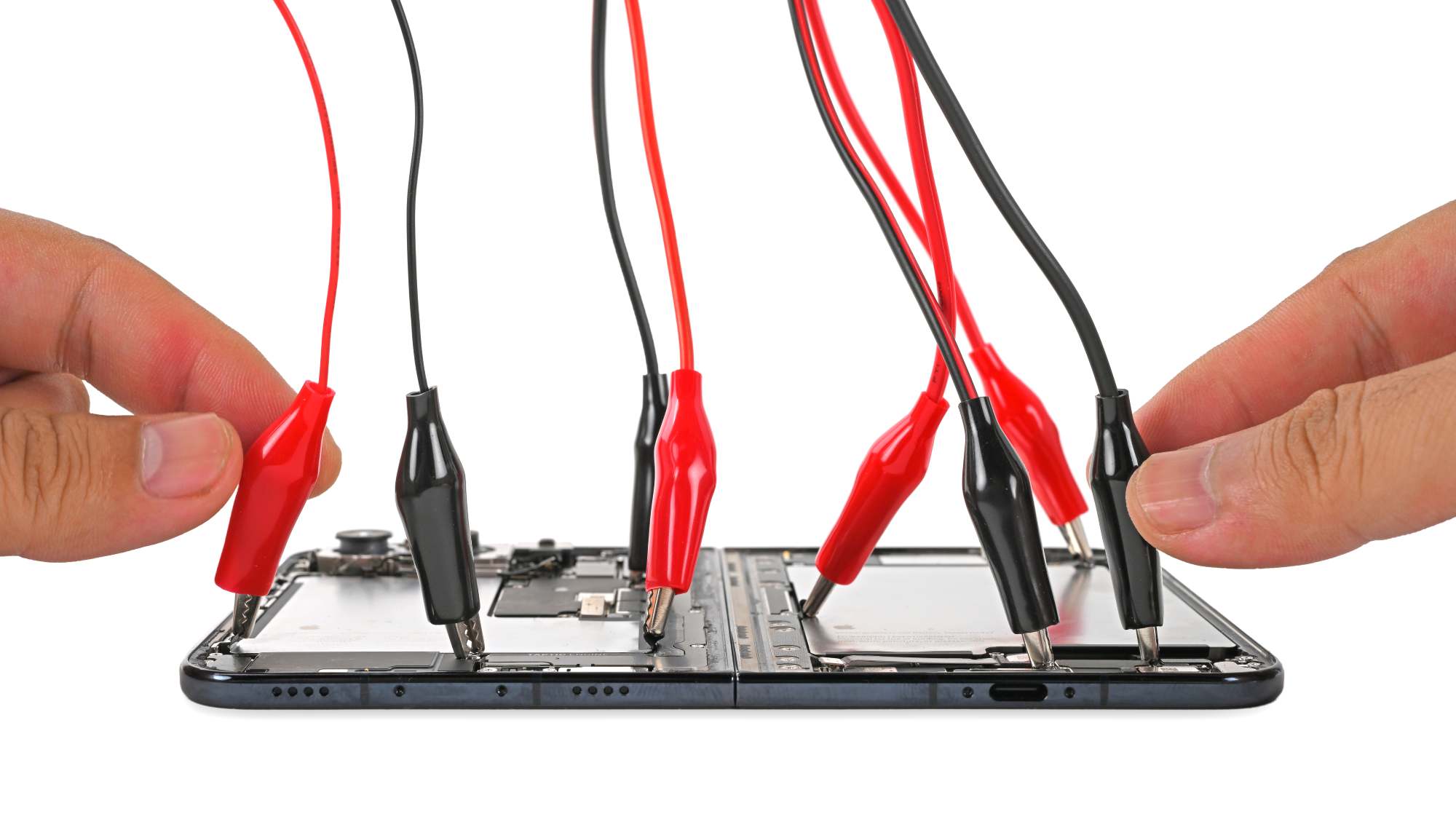
The debonding trick the lab has praised before now shows up on both cells.
The cells lift out without the alarming bending and prying that can turn a routine repair into a puncture risk.
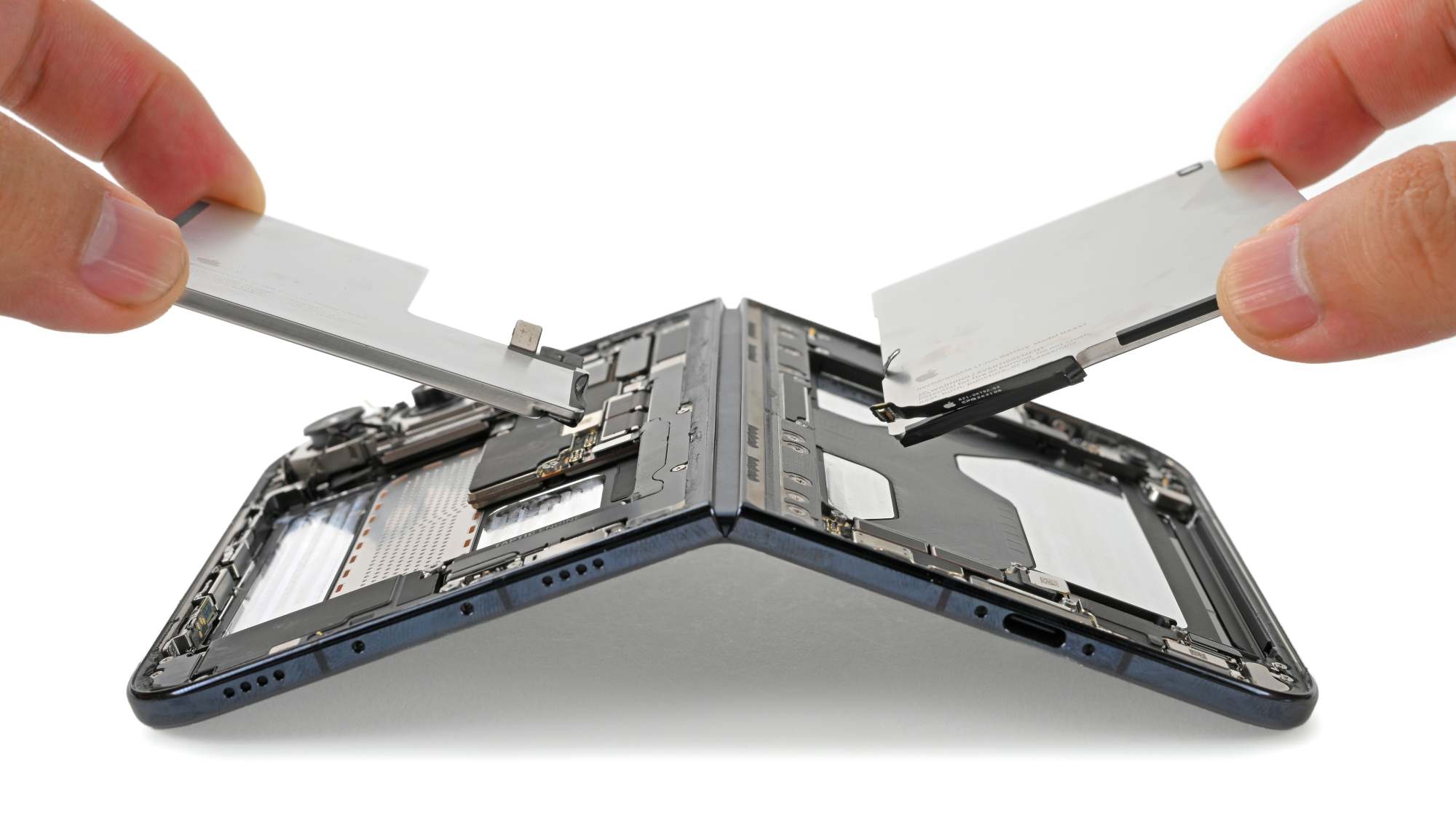
Metal battery shells add a second safety layer: if electrical debonding fails and solvents plus prying become necessary, the shell guards against an accidental puncture, meaning a much lower chance of starting a fire.
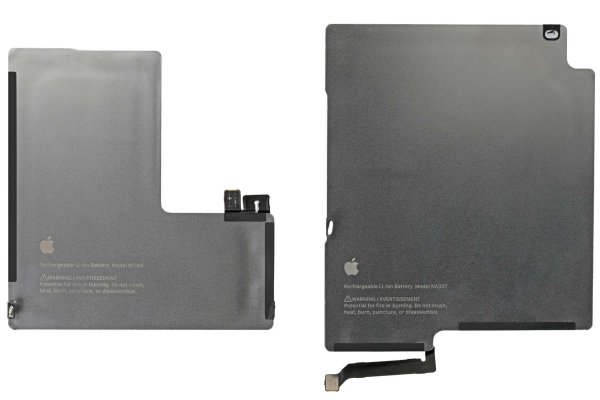
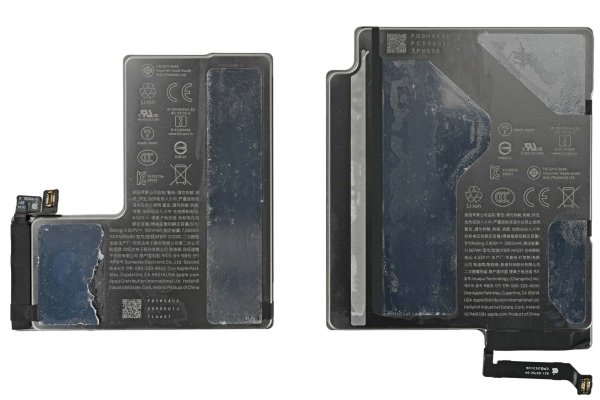
Both cells come out cleanly with minimal adhesive residue: the left reads 7.5 Wh, the right 11.6 Wh, for 19.1 Wh in total.
It is the same underlying technology as earlier iPhones, and the lab has written up the process before, including how to electrically debond iPhone battery adhesive with a VoltClip. The difference: each cell here uses two separate strips, each with its own set of tabs.
The verdict from the bench: the best battery-removal experience seen in a foldable so far. Two years in, that electrically released adhesive still earns praise, and the team wants to see it applied to display adhesive next.
The rest of the parts notes: cameras
Beyond the fold, the teardown's hardware notes list three camera modules and four cameras, with 48 MP f/1.6, 48 MP f/2.2, and 12 MP f/2.2 configurations mentioned in the same section. Three other more-capable cameras also appear in those notes, along with references to the iPhone Air and the iPhone 8. If photography is your main reason to upgrade, weigh those configurations against your own shooting habits before the hinge decides for you.
Misconceptions to drop before you buy
- “It is creaseless.” No foldable has solved the crease completely. Here the disguise is a matte nano-texture layer plus hinge geometry; remove that layer and the line is arguably even more visible than the Fold8's.
- “That top film is a screen protector I can peel.” Peeling a protective-looking layer famously damaged original Galaxy Fold displays. The Duo's panel survives removal, but the exposed surface scratches more easily and Apple's $49 / $19 service exists for a reason.
- “The video took minutes, so my repair will too.” Whatever Shahram shows on camera, adhesive replacement is delicate work; the comparable Pixel 10 Pro Fold repair is estimated at 3-5 hours at home.
- “High repairability means DIY is smart.” Being the most repairable foldable taken apart is not an endorsement of fixing the inner screen yourself, and that part still costs half as much as a new device.
- “An IP rating protects the hinge.” Certifications measure ingress into the device's enclosure, which does not seem to include a foldable's hinge mechanism.
FAQ: quick answers for the checkout page
Is the crease visible in normal use?
Usually not, and that is the point of the matte finish: scattered reflections stop light from bending visibly across the dip, with oval subpixels and patterned regions working deeper in the stack.
What does damage cost if I skip coverage?
Inner-display damage runs $999 without coverage — roughly half as much as a replacement phone. A cover-layer refresh, by contrast, is $49, or $19 with AppleCare.
Is the early-crack problem a reason to wait?
Some first units failed along the fold, one within six hours and another before setup finished, and Apple is offering replacement units for now. If you cannot absorb downtime, waiting for the second round of hardware is a rational choice rather than a verdict on the design.
Can dust really disable it?
Enough fluorescent powder reached the hinge's moving parts to make it crunch, and fixing that means removing the flexible display and its supports. Sand and fine grit are the practical threats, and this is not something an IP rating on the enclosure promises to solve.
Will the phone stay propped up for video calls?
Yes — springs offset some of the force needed to bend the screen, so the hinge holds the position you leave it in, even though the Duo is not the first foldable to offer a range of positions.
Are the batteries a DIY-friendly part?
They are the friendly part: the two batteries release with electricity via VoltClip, FixHub, or a 9V battery, sit in metal shells against puncture risk, and total 19.1 Wh from cells rated 7.5 Wh and 11.6 Wh.
Action checklist: buy smart, keep it running longer
- Count your folds. If you open the inner panel constantly for work or reading, treat coverage as part of the price: $19 versus $49 for the cover layer, and $999 exposed on the panel itself.
- Inspect early. Check for a line down the fold or a bright band across the display during the first six hours and before you finish setup — that is when some failures appeared.
- Never peel anything at the fold edge. The serviceable cover layer is not a screen protector, and the OLED underneath is a $999 part.
- Keep sand out of the equation. Pocket lint, beach grit, and job-site dust are what make hinges crunch; brush the grilles and port before they pack up.
- Route the hard jobs out. Batteries, outer display, and trim are the approachable repairs; inner-screen and hinge internals belong on a service bench.
- Compare the alternatives on crease and trim, not spec-sheet buzzwords. The scoreboard above is the part that will still matter at month eighteen.
Where this lands: the Duo is worth the upgrade if the large inner panel changes how you work and you are willing to fold AppleCare into the budget; it is a poor fit if you expect cheap self-repair or carry the phone through sandy, dusty days. Impressions of a smooth fold are real, but so is a $999 inner screen, and that gap — not the hinge patent — should decide the purchase.
About this guide: written by Sarah Chen for MyTechDailyNews, published by Tech Daily. Questions or corrections: hello@techdaily.com.