
MyTechDailyNews Consumer Electronics Guide: HP Star Book Air 14 — Core 5 320, 16G/512G, OLED Price and Buy Checklist
The HP Star Book Air 14 is worth considering for students, commuters, and home users who prioritize a 1.16kg aluminum chassis, a 1920x1200 OLED touch screen, and a low effective price of about 4504.15 yuan after the national subsidy. It suits documents, browsing, video, and light multitasking; choose it only if the listed 16G and 512G capacity fits your workflow.
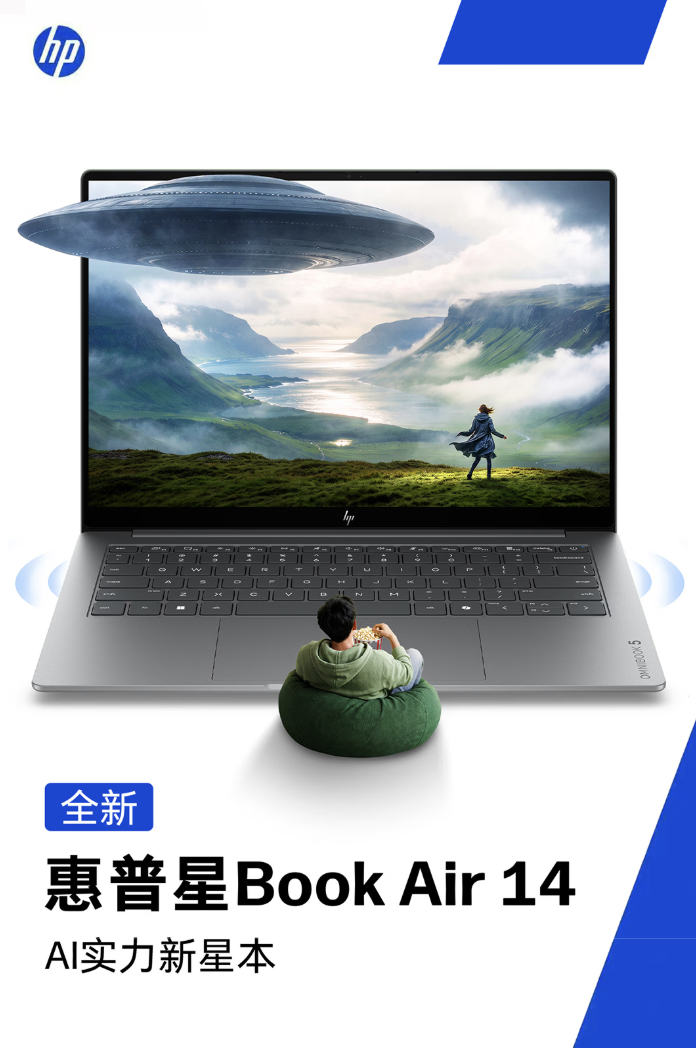
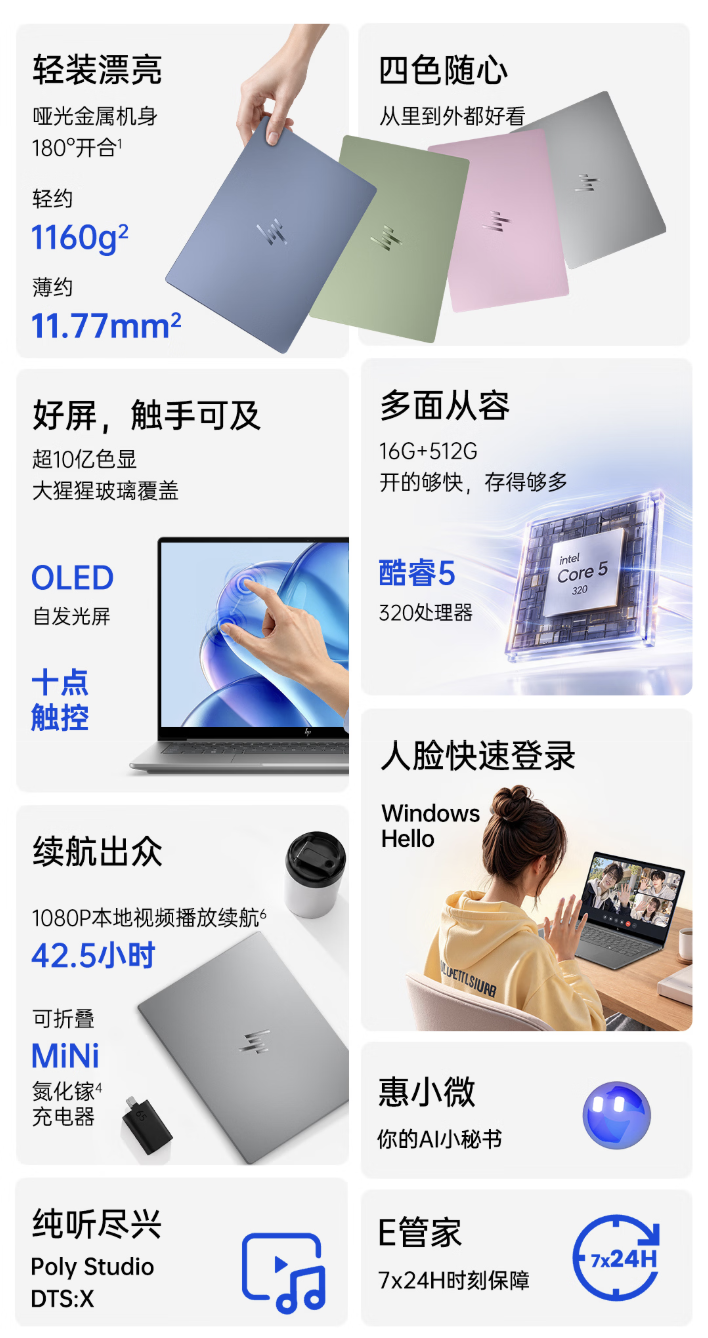
IT Home reported on October 26 that the HP Star Book Air 14 had entered sale on JD. The launch summary calls the processor Intel Core 5 320 and lists the memory and storage as 16G and 512G; richer product pages describe the same configuration as 16GB RAM and a 512GB SSD. The reported JD launch price is 5298 yuan, with a cited post-subsidy figure of about 4504.15 yuan.
Is 4504.15 yuan the real cost for HP Star Book Air 14?
Conclusion: treat 4504.15 yuan as a target checkout number, not a guaranteed final price for every buyer. The reported price is built from a listed 5298 yuan starting point and a national subsidy path, while coupons, regional rules, and payment options can change the cart amount at the final click.
| Buyer check | Listing shown in the launch report | What to do before paying |
|---|---|---|
| Processor | Intel Core 5 320 | Match the exact SKU, not only the screen size. |
| Memory | 16G in short titles, 16GB in detailed pages | Confirm whether the memory is soldered or upgradeable in the full product description. |
| Storage | 512G in short titles, 512GB in detailed pages | Estimate school files, video library, and backups; add an external drive if needed. |
| Price | 5298 yuan | Compare the cart total against the subsidy calculation, not the headline discount. |
| Effective price | about 4504.15 yuan | Screenshot the subsidy line and payment final page. |
China’s consumer-subside reporting often ties the discount to the final discounted price and category eligibility. The People’s Daily overseas edition explains that subsidy amounts can depend on the post-discount sale price and the product category, so a page showing “4504.15 yuan” is still best verified inside the checkout flow.
What does the 11.77mm and 1.16kg design mean for daily carry?
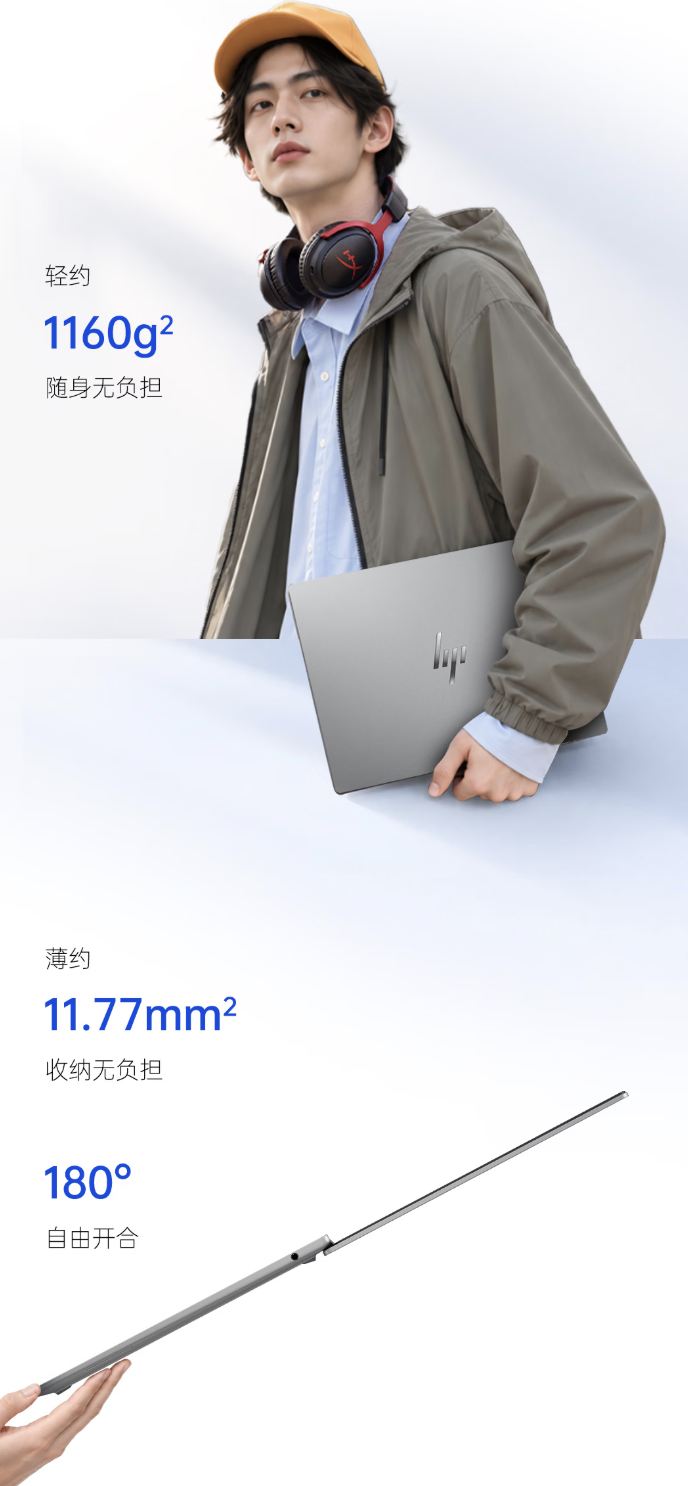
Conclusion: the machine is built for backpack users. The aluminum body is 11.77mm thin and weighs 1.16kg, which makes it easy to move between classrooms, offices, and cafés. The support for 180° opening also helps when sharing a screen with a colleague or classmate.
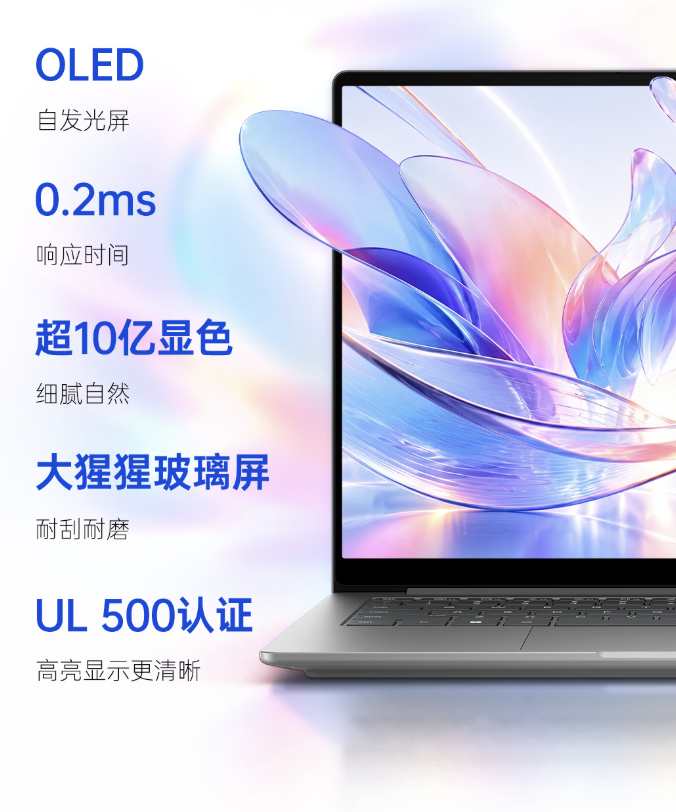
For the display, the laptop uses a 1920x1200 OLED panel with ten-point touch. It also carries TÜV hardware low-blue-light certification and HP eye ease certification. These labels matter to people who read PDFs, write long documents, or stream video, but they do not replace sensible brightness breaks during long study sessions.
Can Intel Core 5 320, 16GB RAM, and 512GB SSD handle normal use?
Conclusion: yes for mainstream consumer workloads, but this is not a creator-first machine. The Intel Core 5 320, 16GB RAM, and 512GB SSD combination is most suitable for web browsing, office files, online classes, light photo correction, video calls, and streaming. If you regularly edit multi-track 4K video, run heavy development environments, or play demanding games, compare higher-performance models before paying.
The practical limit is not only the chip. With 512GB storage, a student or home user may be comfortable, while a household with large game libraries, RAW photos, or offline video projects should plan for external storage or confirm the upgrade path. The listing’s dual presentation of “16G/512G” and “16GB/512GB” is not a performance difference, but it is a good reminder to match the exact SKU rather than guessing from a marketing title.
How should buyers think about battery, ports, webcam and audio?
Conclusion: the battery and interface package is designed for travel productivity. The machine contains a 60 watt-hour (60Wh) battery and is described as offering about 42.5 hours of endurance. For shoppers, that number should be treated as a rated scenario; OLED brightness, Wi-Fi conditions, background updates, and touch use can change real-world results.
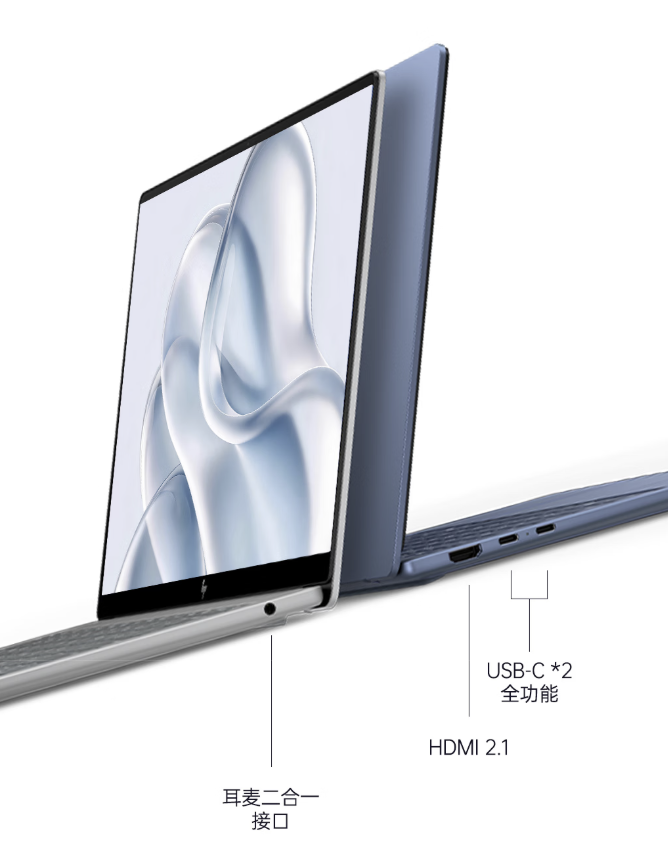
The port set includes two full-function USB-C ports and HDMI 2.1, which covers common docking, projector, and external-monitor use in schools and home offices. The camera system uses an FHD IR camera with dual microphones and supports Windows Hello. Audio is tuned by Poly and certified for DTS:X Ultra, making this configuration more relevant for online meetings, lecture videos, and casual entertainment than for audiophile listening.
What OLED care tips does the spec sheet leave out?
Conclusion: OLED is a strong consumer display, but it needs smarter default settings. HP’s own OLED laptop guidance says burn-in has become rare on modern panels, while protections such as pixel shifting, adaptive brightness, logo dimming, and automatic screen savers help reduce long-term risk. The practical advice is simple: avoid leaving static toolbars, game HUDs, or presentation slides on screen at high brightness for hours; use sleep when idle, hide the taskbar when possible, and lower peak brightness for reading.
Who should buy it, and who should skip it?
Buy the HP Star Book Air 14 if your routine looks like this:
- You carry a laptop daily and value the 1.16kg weight and 11.77mm profile.
- You use the 1920x1200 OLED screen for reading, streaming, and classroom notes.
- The final checkout amount stays near the reported 4504.15 yuan target.
- You are comfortable with 16GB RAM and 512GB SSD, or can verify expansion options.
- You use Windows Hello, HDMI 2.1, and two full-function USB-C ports as daily convenience features.
Skip or compare alternatives if you need:
- sustained workstation performance for engineering, 3D, or heavy multitasking;
- large local game storage without external drives;
- portable DVD, Ethernet, or legacy ports; this launch summary highlights only two USB-C ports and HDMI 2.1;
- a lower screen resolution budget option where touch and OLED are not needed.
Common mistakes before ordering HP Star Book Air 14
- Confusing launch price with final price. The report says 5298 yuan on JD, while the post-subsidy figure is about 4504.15 yuan. Verify which line applies at checkout.
- Assuming 16G means 16GB is upgradeable. Match the exact product page language: 16G/16GB and 512G/512GB are different display formats, but expansion rules can vary by SKU.
- Ignoring touch glare. The ten-point OLED panel is useful for notes and zooming, but glossy screens may feel less comfortable under strong lamps.
- Taking 42.5 hours as a guaranteed school-day number. A 60Wh battery can still fall short under high brightness, video calls, and Wi-Fi-heavy use.
- Missing the return window. Test dead pixels, touch response, speakers tuned by Poly, DTS:X Ultra profiles, Windows Hello, and the FHD IR camera while the return policy is active.
Frequently asked questions
Is the HP Star Book Air 14 good for college students?
Yes, if the student primarily needs browser tabs, office files, lecture notes, streaming, and light presentations. The 1.16kg weight, 180° hinge, OLED touch screen, and about 4504.15 yuan effective price make it a practical backpack machine. It is less suitable for heavy video editing, engineering software, or large game libraries.
Does the Intel Core 5 320 support Windows Hello?
The reported launch configuration is Intel Core 5 320, and the system includes an FHD IR camera with dual microphones and supports Windows Hello. Face login convenience depends on the exact listing and software setup, so check the detailed product page before purchase.
Should I choose OLED over a cheaper non-touch laptop?
Choose OLED if you watch a lot of video, read many PDFs, or use touch for markup. The 1920x1200 panel, ten-point touch, TÜV hardware low blue light, and HP eye ease certifications are consumer-facing benefits. Choose a cheaper non-touch machine if the only priority is spreadsheet work and budget.
What should I do after delivery?
Run a simple checklist: confirm the CPU is Intel Core 5 320, check 16GB RAM and 512GB SSD capacity, inspect the OLED for bright static test artifacts, verify HDMI 2.1 output, test both USB-C ports, set screen saver and sleep timers, and review the warranty card.
Action checklist before you pay on JD
- Open the exact JD listing and compare the title to the launch description: HP Star Book Air 14, Intel Core 5 320, 16G or 16GB RAM, 512G or 512GB SSD.
- Confirm the listed price is 5298 yuan and the subsidy estimate is about 4504.15 yuan.
- Check the seller label is JD, not a marketplace seller with unclear warranty or invoice terms.
- Read the subsidy rules on the checkout page, including eligibility, invoice, and return-deduction terms.
- Decide on color and configuration before adding to cart, so the receipt matches the SKU you researched.
- Save a screenshot of the final payment page and the policy line showing the post-subsidy calculation.
Bottom line for MyTechDailyNews readers
For the ConsumerElectronics desk, the HP Star Book Air 14 is best understood as a portable OLED value option rather than a pure performance laptop. The October 26 JD launch details from IT Home give readers a clear benchmark: 5298 yuan listed, 4504.15 yuan as the subsidy-referenced effective figure, 11.77mm thickness, 1.16kg weight, 180° opening, 1920x1200 ten-point touch OLED, 60 watt-hour battery with a 42.5 hour endurance claim, two full-function USB-C ports, HDMI 2.1, Windows Hello support, dual microphones, Poly audio tuning, DTS:X Ultra certification, and TÜV plus HP eye ease display protection. If your daily routine matches that feature set and the final cart price is close to the subsidy estimate, it deserves a short list.
References
- IT Home launch report: HP Star Book Air 14 launch details
- People’s Daily overseas edition on consumer subsidy calculation context: subsidy article
- HP consumer guidance on OLED laptop everyday use and burn-in protections: HP OLED laptop guidance